Introduzione
Thank you for choosing the IRIS USA WOOZOO Air Circulator Fan. This manual provides important information for the safe and efficient operation of your new fan. Designed to maximize airflow and cooling, this compact yet powerful fan features 360° oscillation, multiple speeds, and a convenient timer function to enhance comfort in any room.

Figure 1: IRIS USA WOOZOO Air Circulator Fan and Remote
Informazioni importanti sulla sicurezza
Leggere attentamente tutte le istruzioni prima di utilizzare questo apparecchio. Il mancato rispetto di queste istruzioni può causare scosse elettriche, incendi o lesioni gravi.
- Scollegare sempre il ventilatore prima di pulirlo o di effettuare qualsiasi intervento di manutenzione.
- Do not operate the fan with a damaged cord or plug. If the cord or plug is damaged, contact qualified service personnel for repair.
- Non posizionare il ventilatore in acqua o in prossimità di altri liquidi.
- Keep fingers and other objects away from the fan blades and openings during operation.
- Assicurarsi che il ventilatore sia posizionato su una superficie stabile e piana per evitare che si ribalti.
- Questo apparecchio è destinato esclusivamente all'uso in ambienti interni.
Contenuto della confezione
Verificare che tutti gli articoli siano inclusi nel pacchetto:
- IRIS USA WOOZOO Air Circulator Fan Unit
- Telecomando
- Manuale dell'utente (questo documento)
Impostare
The IRIS USA WOOZOO Air Circulator Fan is designed for easy setup. It can be used as a tabletop fan or with an extended stand for higher placement.
Assemblaggio del ventilatore
- Disimballare tutti i componenti dalla scatola.
- Posizionare la base del ventilatore su una superficie piana e stabile.
- If using the extended stand, securely attach it between the fan head and the base. Ensure it clicks into place or is firmly screwed in, depending on the model's design.
- Collegare il cavo di alimentazione a una presa CA standard da 120 V.
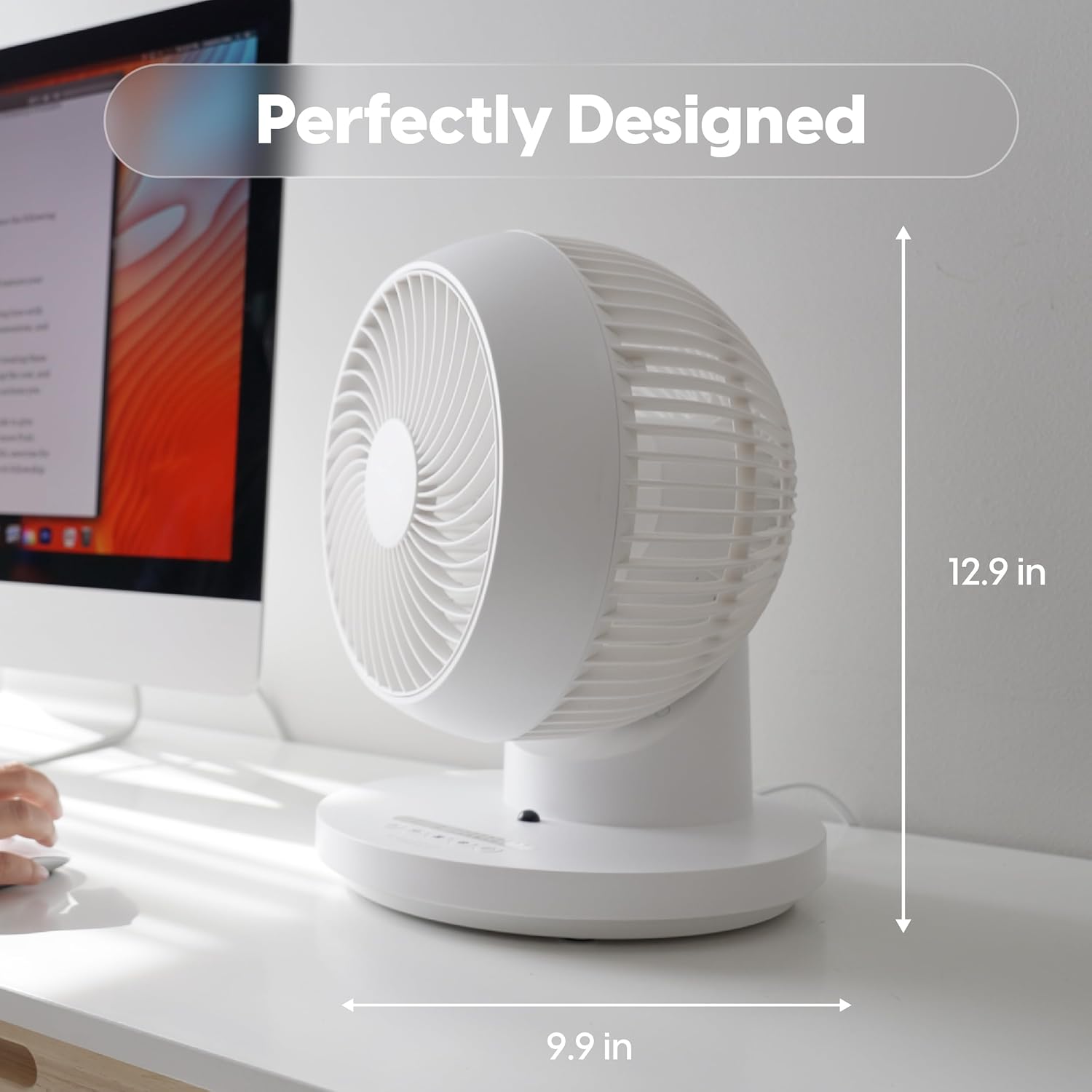
Figure 2: Fan dimensions for optimal placement (approx. 12.9 inches high, 9.9 inches wide).
Istruzioni per l'uso
Your WOOZOO fan can be controlled using the buttons on the unit's base or the included remote control.
Controlli finitiview

Figure 3: Remote Control Functions: Power, 360° Oscillation, Speed Settings, Timer Settings, 3 Mode Settings.
- Pulsante di accensione: Accende/spegne la ventola.
- Pulsante di oscillazione (360°): Activates or deactivates the 360-degree oscillation feature, allowing air to circulate throughout the entire room.
- Speed Settings (+/-): Adjusts the fan speed. The fan offers 5 power levels for precise airflow control.
- Pulsante Timer: Sets the automatic shut-off timer for 1 to 7 hours.
- Pulsante Modalità: Cycles through the three available airflow modes:
- Manuale: Provides a continuous, steady airflow at the selected speed.
- Ritmo: Alternates between low and high power to simulate a natural breeze.
- Sonno: Gradually decreases the airflow over a two-hour period before turning off, designed for quiet night-time operation.

Figure 4: Detailed explanation of the three airflow modes.
Air Circulation Benefits
The 360° oscillation and powerful airflow (up to 52 feet) ensure efficient air circulation, helping to equalize room temperature by distributing both cool and warm air. This can lead to improved comfort and potential energy savings.
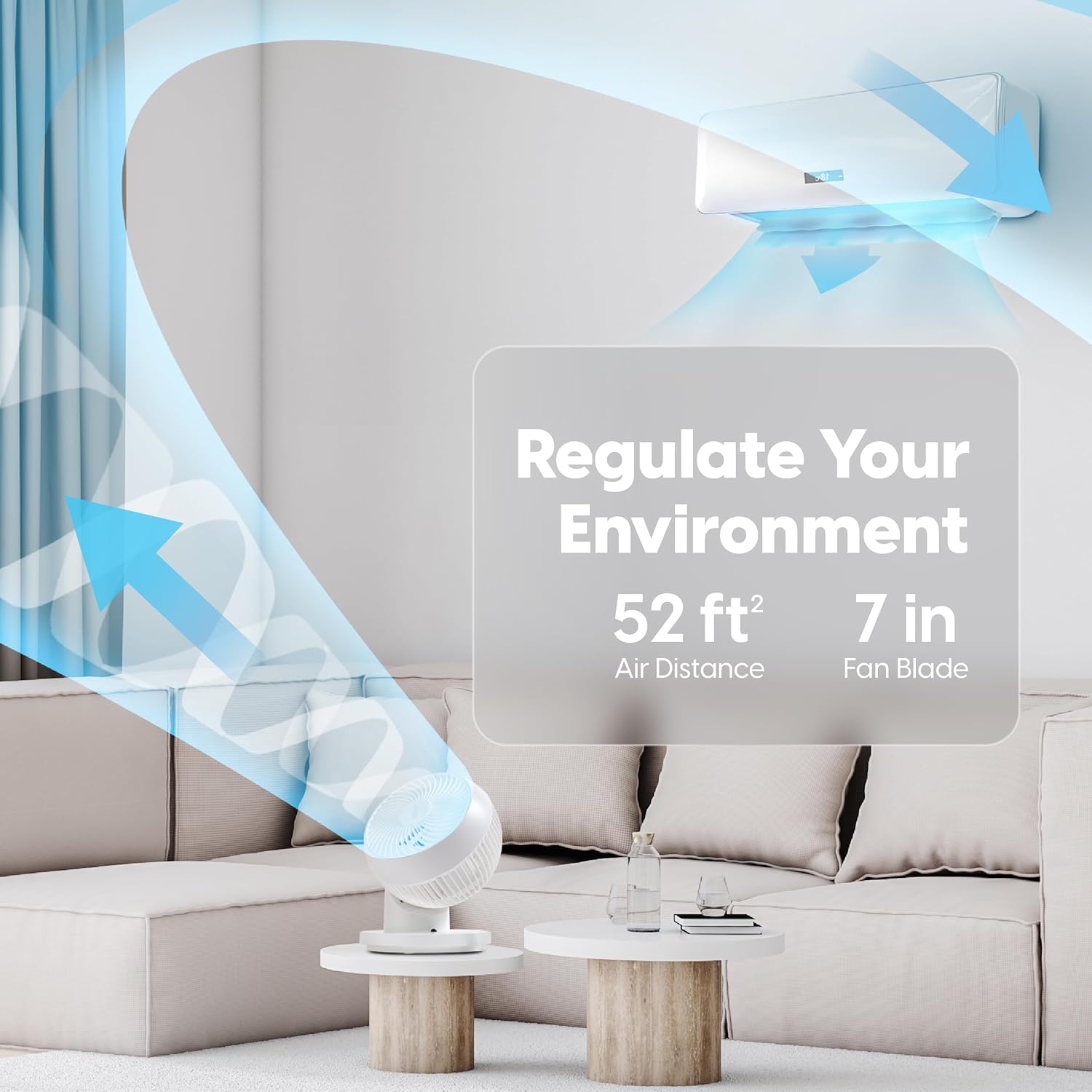
Figure 5: The fan's ability to regulate environment with 52ft air distance.
Video ufficiale del prodotto
Video 1: Fine ufficialeview of the IRIS USA WOOZOO 360 Oscillating Fan with Remote, demonstrating its features and benefits.
Manutenzione
Una pulizia regolare aiuta a mantenere le prestazioni del ventilatore e a prolungarne la durata.
- Pulizia dell'esterno: Pulire le superfici esterne con un panno morbido, damp panno. Non usare detergenti abrasivi o solventi.
- Pulizia delle lame: For thorough cleaning, the front grille may be removable (refer to specific model instructions if applicable). Use a soft brush or vacuum cleaner to remove dust from the fan blades.
- Assicurarsi che la ventola sia completamente asciutta prima di ricollegarla e rimetterla in funzione.
Risoluzione dei problemi
If you experience issues with your WOOZOO fan, try the following solutions:
| Problema | Possibile causa | Soluzione |
|---|---|---|
| La ventola non si accende. | Not plugged in; power outlet not working; fuse blown in plug. | Ensure the power cord is securely plugged into a working outlet. Check the fuse in the plug and replace if necessary. |
| Flusso d'aria debole o assente. | Fan speed set too low; fan blades are dirty. | Increase the fan speed. Clean the fan blades and grille as described in the Maintenance section. |
| La ventola produce un rumore insolito. | Obstruction in fan blades; fan not on a stable surface. | Turn off and unplug the fan, then check for any obstructions. Ensure the fan is placed on a stable, level surface. |
| Telecomando non funzionante. | Le batterie sono scariche o inserite in modo errato. | Replace the batteries in the remote control. Ensure batteries are inserted with correct polarity. |
Specifiche
| Caratteristica | Dettaglio |
|---|---|
| Marca | IRIS |
| Nome del modello | PCF-360AC |
| Colore | Bianco |
| Progettazione di ventilatori elettrici | Ventilatore da tavolo |
| Fonte di alimentazione | Elettrico con cavo |
| Dimensioni del prodotto | 10"P x 9.92"L x 12.99"A |
| Caratteristica speciale | Remote Controlled, Oscillating |
| Livello di rumore | 26.5 dB |
| Numero di lame | 3 |
| Capacità del flusso d'aria | 1409 piedi cubi al minuto |
| Impostazioni di velocità | 5 livelli di potenza |
| Voltage | 120 Volt |
| Peso dell'articolo | 4.17 libbre |
| Componenti inclusi | Remoto |
| Uso interno/esterno | Al chiuso |
| Metodo di controllo | Remoto |
| Materiale della lama | Plastica |
| Paese di origine | Cina |
Garanzia e supporto
IRIS USA stands behind the quality of its products. For warranty information, technical support, or to inquire about replacement parts, please visit the official IRIS USA webo contattare il servizio clienti. Conservare la ricevuta d'acquisto come prova d'acquisto per eventuali reclami in garanzia.
Per maggiori informazioni, visita: IRIS USA Official Store


