1. Prodotto finitoview
The Apera PX-250BT is a versatile music system designed for various audio playback options. It combines a traditional cassette player with modern features such as an FM radio, USB/SD MP3 player, and Bluetooth connectivity, all within a portable unit.
Caratteristiche principali
- FM radio with real cassette player functionality, including roll back and forth.
- Recording function with a built-in microphone, allowing direct recording to cassette.
- Adjustable sound speed for cassette playback (requires a Phillips screwdriver for access).
- Integrated USB and SD card slots for MP3 audio playback.
- Connettività Bluetooth per lo streaming audio wireless da dispositivi compatibili.
- Powered by a standard corded electric wall socket.
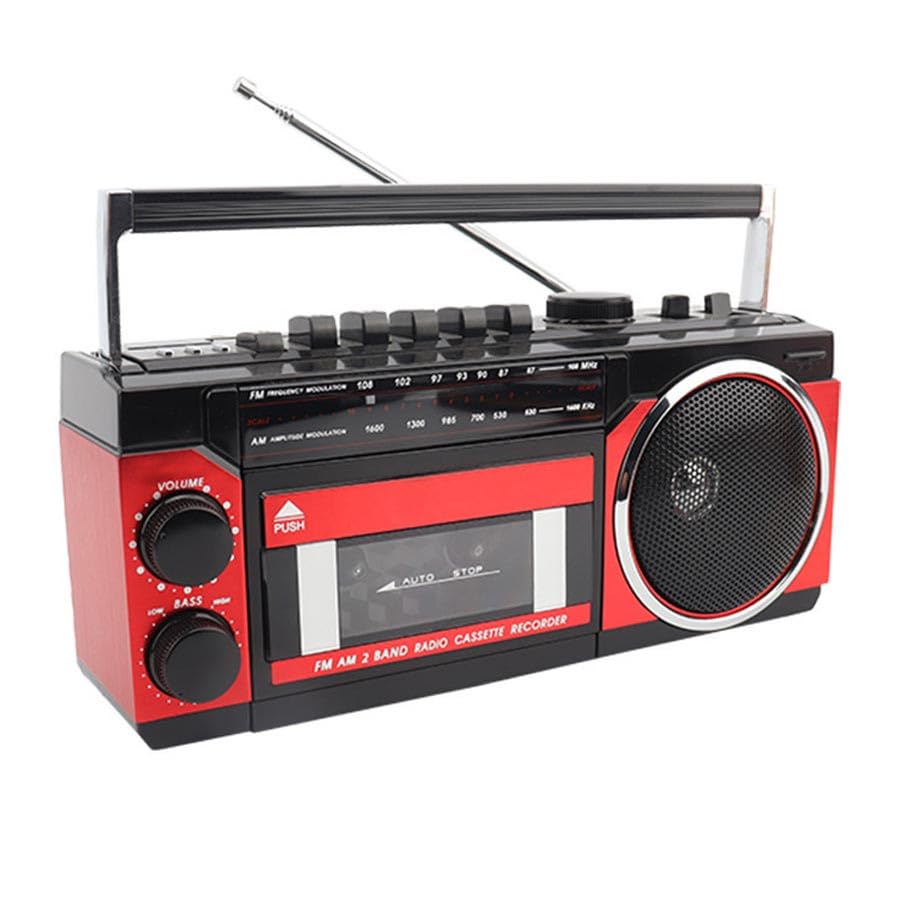
Image: The Apera PX-250BT Music Set, showing its overall design and approximate dimensions (255mm width, 120mm height, 100mm depth).
2. Contenuto della confezione
Si prega di verificare che tutti gli articoli siano presenti nel pacco:
- Apera PX-250BT Music Set
- Manuale d'uso
- Power Cable (for corded electric operation)
3. Controlli e collegamenti
Familiarize yourself with the various controls and connection ports on your PX-250BT unit for proper operation.
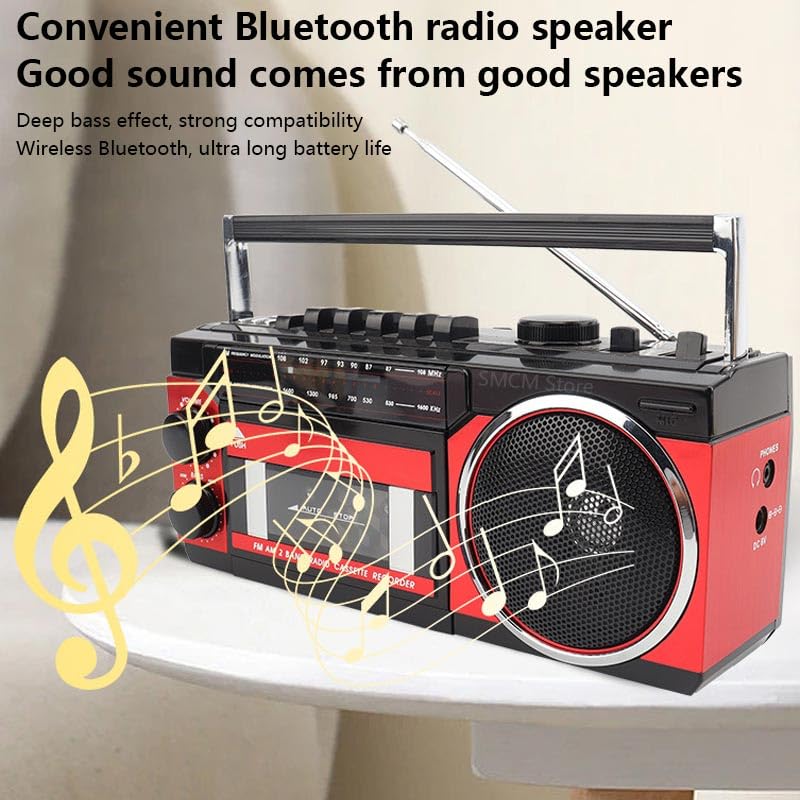
Image: The front panel of the Apera PX-250BT, displaying the cassette deck, radio tuner dial, volume and bass controls, and function buttons.
Controlli del pannello frontale
- Manopola VOLUME: Regola il livello di uscita audio complessivo.
- LOW BASS Knob: Adjusts the bass level for richer sound.
- TUNING Dial: Used to select desired radio frequencies (FM/AM).
- Selettore FUNZIONE: Switches between operating modes: FM/AM Radio, Cassette, USB/SD, and Bluetooth.
- Controlli del lettore di cassette: Includes buttons for Play, Stop, Fast Forward, Rewind, Record, and Pause.
- USB/SD Controls: Buttons for Play/Pause, Skip Forward, and Skip Back when playing media from USB or SD.
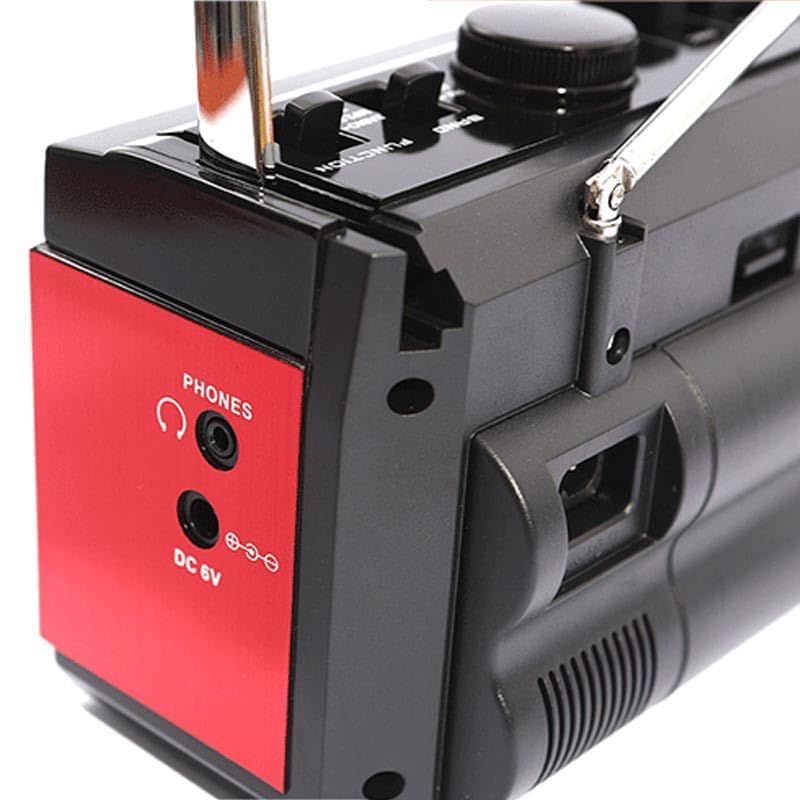
Image: The side panel of the Apera PX-250BT, showing the headphone jack and the DC 6V power input port.
Rear/Side Panel Connections
- Ingresso alimentazione CC 6 V: Collegare qui il cavo di alimentazione fornito.
- TELEFONO Jack: 3.5mm stereo jack for connecting headphones for private listening.
- Porta USB: For inserting USB flash drives containing MP3 files.
- Slot per scheda SD: For inserting SD memory cards containing MP3 files.
- Antenna telescopica: Estendi per migliorare la ricezione radio.
4. Impostazione
Collegamento di potenza
- Connect the power cable to the DC 6V input port on the unit.
- Plug the other end of the power cable into a standard wall socket.
Regolazione dell'antenna
For optimal FM radio reception, fully extend the telescopic antenna. Adjust its position and orientation for the clearest signal.
5. Istruzioni per l'uso
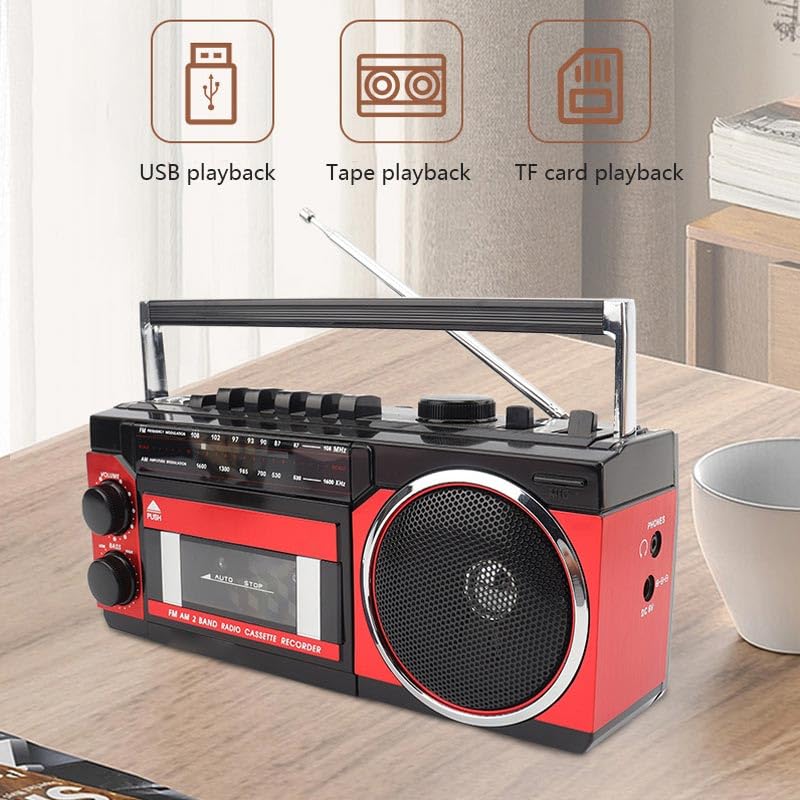
Image: This image illustrates the various playback options of the Apera PX-250BT, including USB playback, tape playback, and TF card playback, indicating its versatility.
Funzionamento della radio FM
- Set the FUNCTION Selector to "FM" or "Radio".
- Estendere completamente l'antenna telescopica.
- Rotate the TUNING Dial to select your desired radio station.
- Adjust the VOLUME and LOW BASS knobs as needed for optimal sound.
Funzionamento del lettore di cassette
- Press the "PUSH" button on the cassette door to open it.
- Inserire una cassetta con il lato aperto rivolto verso l'alto.
- Gently close the cassette door until it clicks shut.
- Set the FUNCTION Selector to "Cassette".
- Premere il tasto GIOCARE button to start tape playback.
- Utilizzare il AVANTI VELOCE or RIAVVOLGERE pulsanti per navigare nel nastro.
- Premere il tasto FERMARE pulsante per terminare la riproduzione.
Recording to Cassette
The PX-250BT allows recording audio directly to a cassette tape using its built-in microphone.
- Inserire una cassetta vuota nel mangianastri.
- Set the FUNCTION Selector to "Cassette".
- Premere il tasto DOCUMENTAZIONE button (this may require simultaneously pressing PLAY on some units).
- Parlare chiaramente nel microfono integrato nell'unità.
- Premere il tasto FERMARE pulsante per terminare la registrazione.
USB / SD MP3 Playback
- Inserire una chiavetta USB nella porta USB o una scheda SD nello slot per schede SD.
- Set the FUNCTION Selector to "USB" or "SD".
- L'unità rileverà automaticamente e inizierà a riprodurre MP3 filedal supporto inserito.
- Use the Skip Forward/Back buttons to navigate between tracks.
- Utilizzare il pulsante Riproduci/Pausa per controllare la riproduzione.
Funzione altoparlante Bluetooth
- Set the FUNCTION Selector to "Bluetooth". The unit will enter pairing mode, typically indicated by a flashing light or an audible prompt.
- Cerca i dispositivi Bluetooth disponibili sul tuo smartphone o altro dispositivo abilitato Bluetooth.
- Select "PX-250BT" (or a similar name) from the list to pair. A confirmation sound will indicate successful pairing.
- Riproduci l'audio dal tuo dispositivo connesso.
- Adjust the volume using the unit's VOLUME knob or your connected device's volume controls.
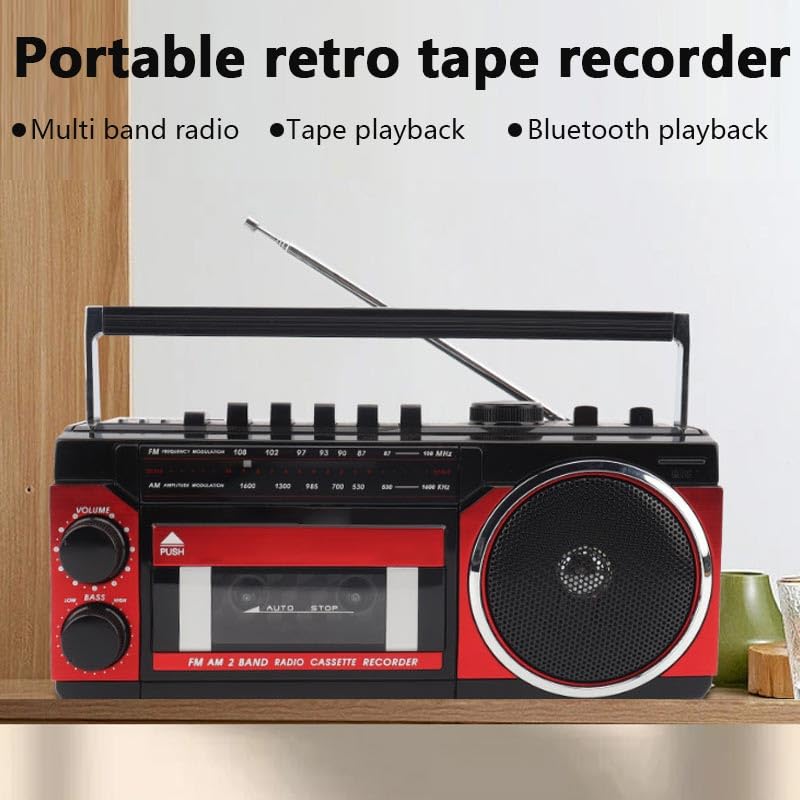
Image: This image highlights the portable and retro design of the Apera PX-250BT, emphasizing its multi-band radio, tape playback, and Bluetooth playback capabilities.
6. Manutenzione
Pulizia
Wipe the exterior of the unit with a soft, dry cloth. Do not use abrasive cleaners, solvents, or strong detergents, as these can damage the finish.
Cassette Head Cleaning
To ensure optimal sound quality and prevent damage to your cassette tapes, periodically clean the cassette player's heads and pinch rollers. Use a specialized cassette head cleaning kit, following its instructions carefully.
7. Risoluzione Dei Problemi
Nessun potere
- Ensure the power cable is securely connected to both the unit and a functional wall socket.
- Check if the wall socket is receiving power by testing it with another appliance.
Nessun suono
- Aumentare il volume con la manopola.
- Ensure the correct FUNCTION (FM, Cassette, USB, Bluetooth) is selected.
- If using headphones, ensure they are fully plugged into the PHONES jack.
Scarsa ricezione radio
- Fully extend and adjust the telescopic antenna for better signal reception.
- Try moving the unit to a different location, away from potential interference sources.
Cassette Playback Issues
- Ensure the cassette tape is inserted correctly and the door is fully closed.
- Clean the cassette player heads and pinch rollers.
- Check if the tape itself is damaged or tangled.
Problemi di accoppiamento Bluetooth
- Ensure the unit is in Bluetooth mode and discoverable (indicated by a flashing light or audio prompt).
- Make sure your Bluetooth device's Bluetooth function is enabled and within range (typically 10 meters).
- If previously paired, try forgetting the "PX-250BT" device on your smartphone and attempting to pair again.
8. Specifiche
| Marca | Apera |
| Produttore | Güneysu Sanal Mağ. Tic. Ltd. Şti. |
| Dimensioni del pacco | Dimensioni: 28 x 14 x 11.5 cm |
| Peso dell'articolo | 1 kg |
| Interfaccia Hardware | Bluetooth, MicroSD, Radio Frequency, USB |
| Tecnologia sintonizzatore | FM |
| Dispositivi compatibili | Smartphone |
| Caratteristiche speciali | Radio, Cassette Player, USB/SD MP3 Player, Bluetooth Speaker, Recording |
| Fonte di alimentazione | Elettrico con cavo |
| Batterie richieste | NO |
| Tipo di connettore | Bluetooth, USB |
| Bande radio supportate | 1 Band (FM) |
| Tipo di supporto | MP3 |
| Supporta la tecnologia Bluetooth | SÌ |
| Colore | Nero / Rosso |
9. Garanzia e supporto
For detailed warranty information, please refer to the warranty card or documentation included with your purchase. In case of technical issues or for customer support, please contact your retailer or the manufacturer directly. Keep your purchase receipt as proof of purchase for any warranty claims.


