1. Introduzione
Thank you for choosing the Fire-Boltt Assault BSW172 Rugged Smartwatch. This device is designed to be a robust companion for your active lifestyle, offering advanced health monitoring, seamless Bluetooth calling, and a durable design. This manual will guide you through the setup, operation, and maintenance of your new smartwatch.
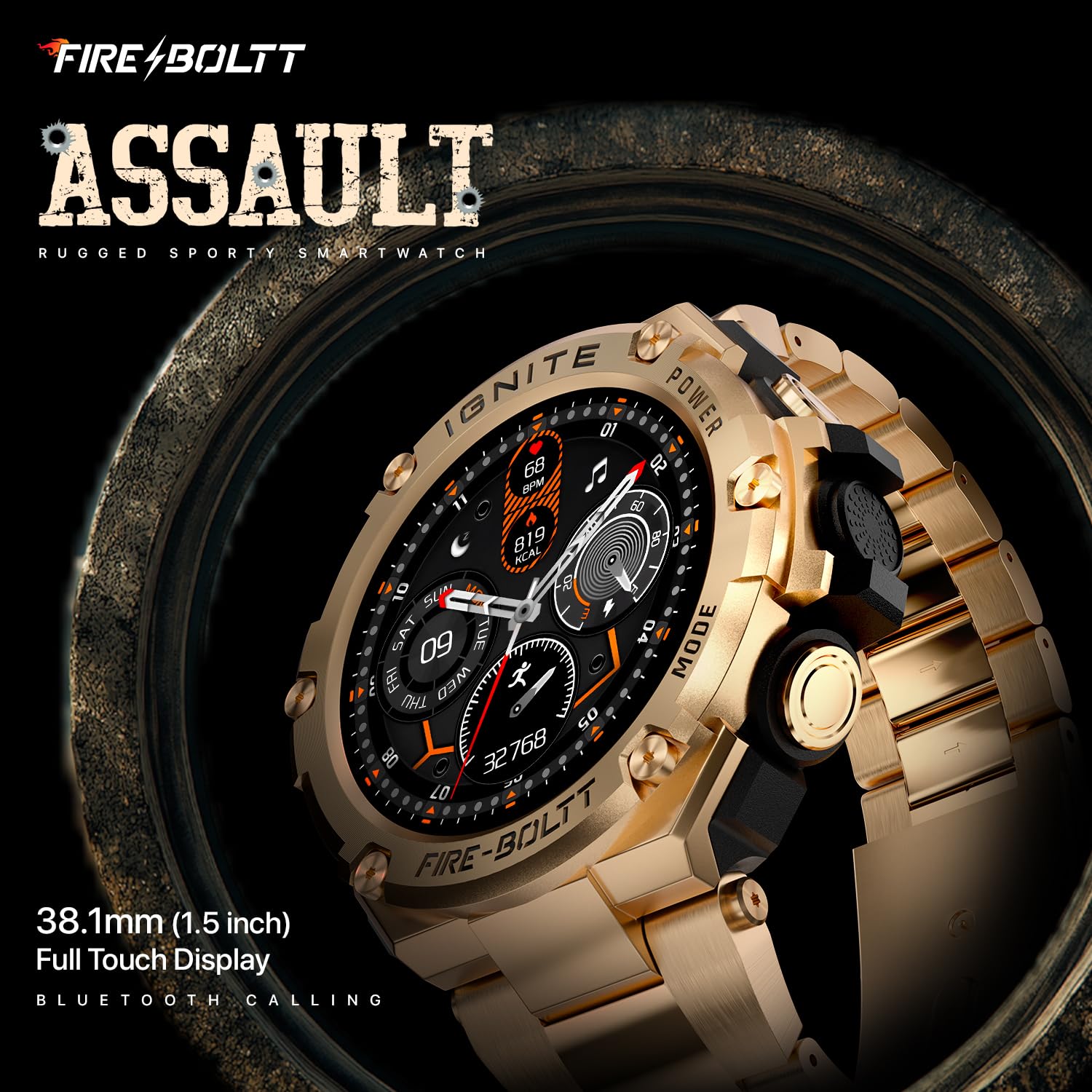
The Fire-Boltt Assault Smartwatch, featuring a robust gold steel design and a detailed watch face showing time, date, steps, and heart rate.
2. Cosa c'è nella scatola
Upon unboxing your Fire-Boltt Assault Smartwatch, please ensure all the following items are present:
- 1 x Fire-Boltt Assault Smartwatch
- 1 x Cavo di ricarica
- 1 x Scheda di garanzia
3. Guida all'installazione
3.1. Ricaricare lo smartwatch
Before initial use, fully charge your smartwatch. Connect the provided charging cable to the charging port on the back of the watch and plug the USB end into a standard USB power adapter (not included). The watch features a 600mAh battery, offering extended usage.
3.2. Accensione/Spegnimento
- Per accendere: Press and hold the side power button until the Fire-Boltt logo appears.
- Per spegnere: Tieni premuto il pulsante di accensione laterale, quindi seleziona "Spegni" sullo schermo.
3.3. Associazione con lo smartphone
To unlock the full potential of your smartwatch, pair it with your smartphone via the dedicated companion app (e.g., Fire-Boltt Fit or similar, check your packaging for the exact app name).
- Scarica e installa l'app complementare dall'app store del tuo telefono.
- Assicurati che il Bluetooth sia abilitato sul tuo smartphone.
- Apri l'app e segui le istruzioni sullo schermo per creare un account e aggiungere il tuo dispositivo.
- Select 'Fire-Boltt Assault BSW172' from the list of available devices in the app.
- Conferma la richiesta di associazione sia sul telefono che sullo smartwatch.
4. Istruzioni per l'uso
4.1. Navigazione nell'interfaccia
The Fire-Boltt Assault features a 1.5-inch HD IPS full touch display for intuitive navigation.
- Scorri verso l'alto/il basso: Scorri i menu e le notifiche.
- Scorri verso sinistra/destra: Access quick widgets, health data, and other features.
- Rubinetto: Seleziona un elemento o apri un'applicazione.
- Pulsanti laterali: Use for power on/off, returning to the home screen, or accessing specific functions as configured.

Un dettagliato view of the smartwatch's 1.5-inch HD IPS display, showcasing its sharp 360x360 pixel resolution and high brightness for excellent visibility.
4.2. Chiamate Bluetooth
Once paired, you can make and receive calls directly from your smartwatch using its in-built microphone and speaker.
- Effettuare una chiamata: Access the dialer or contacts list on your watch.
- Ricevere una chiamata: An incoming call notification will appear on your watch. Tap to answer or decline.

The Fire-Boltt Assault Smartwatch worn on a wrist, demonstrating its clear display and Bluetooth calling functionality.
4.3. Notifiche
Receive notifications for calls, text messages, and app alerts directly on your wrist. Manage notification settings through the companion app.
4.4. Using the Compass
The integrated compass provides directional guidance. Ensure you calibrate the compass as instructed by the watch or app for accurate readings, especially after significant movement or travel.
4.5. Modalità sportive
The smartwatch supports over 100 sports modes. Select your activity from the sports mode menu to track specific metrics like duration, calories burned, and heart rate during your workout.
4.6. Music and Camera Control
Control music playback on your smartphone and remotely trigger your phone's camera shutter directly from your smartwatch.
5. Monitoraggio della salute
The Fire-Boltt Assault Smartwatch offers comprehensive health tracking features to help you monitor your well-being.
- Monitoraggio della frequenza cardiaca: Monitora costantemente la frequenza cardiaca durante il giorno.
- Monitoraggio SpO2: Misura i livelli di saturazione dell'ossigeno nel sangue.
- Monitoraggio del sonno: Analizza i tuoi schemi di sonno, inclusi sonno profondo, sonno leggero e orari di veglia.
- Activity and Calorie Tracking: Tiene traccia dei passi, della distanza e delle calorie bruciate durante il giorno.
- Sedentary and Hydration Reminders: Provides alerts to move or drink water based on your settings.

A collection of Fire-Boltt Assault Smartwatches in gold, silver, and black, illustrating the Health Suite features including SpO2, heart rate tracking, and sleep monitoring.
Nota: The health monitoring features are for general fitness and wellness purposes only and should not be used for medical diagnosis or treatment.
6. Gestione della batteria
The Fire-Boltt Assault Smartwatch is equipped with a 600mAh battery, providing:
- Uso regolare: 7-10 giorni di durata della batteria.
- Tempo di standby: Fino a 30 giorni.
To maximize battery life, consider adjusting screen brightness, reducing notification frequency, and disabling features you don't frequently use.
7. Manutenzione e cura
7.1. Pulizia dello smartwatch
Pulisci regolarmente l'orologio con un panno morbido eamp panno. Evitare l'uso di prodotti chimici aggressivi o materiali abrasivi che potrebbero danneggiare la finitura o i sensori.
7.2. Resistenza all'acqua (IP68)
The smartwatch has an IP68 water resistance rating, making it suitable for swimming and resistant to dust and splashes. However, it is not recommended for hot water activities, deep diving, or prolonged submersion in saltwater. Always dry the watch thoroughly after exposure to water.
7.3. Assistenza generale
Avoid exposing the watch to extreme temperatures, direct sunlight for extended periods, or strong magnetic fields. Handle with care to prevent physical damage.
8. Risoluzione Dei Problemi
- L'orologio non si accende: Ensure the watch is fully charged. If it still doesn't turn on, try a hard reset by pressing and holding the power button for 10-15 seconds.
- Impossibile associare il telefono: Ensure Bluetooth is on, the app is installed, and the watch is discoverable. Try restarting both the watch and your phone.
- Dati sanitari inesatti: Assicurati che l'orologio sia ben aderente al polso, né troppo stretto né troppo largo. Pulisci regolarmente i sensori.
- Notifiche non ricevute: Check app permissions on your phone and notification settings within the companion app. Ensure the watch is connected via Bluetooth.
9. Specifiche
| Caratteristica | Dettaglio |
|---|---|
| Numero di modello | BSW172 |
| Dimensioni dello schermo | 1.5 pollici (38.1 mm) |
| Risoluzione dello schermo | 360x360 pixel |
| Capacità della batteria | 600mAh agli ioni di litio |
| Durata della batteria (uso regolare) | 7-10 giorni |
| Durata della batteria (Standby) | Fino a 30 giorni |
| Connettività | Bluetooth |
| Resistenza all'acqua | Grado di protezione IP68 |
| Materiale della cassa | Stainless Steel (Heavy Metal Sports Design) |
| Peso dell'articolo | 80 grammi |
| Componenti inclusi | Smartwatch, Charging Cable, Warranty Card |
10. Video ufficiale del prodotto
Un funzionario sopraview video demonstrating the key features and design of the Fire-Boltt Assault Smartwatch.
11. Garanzia e supporto
Your Fire-Boltt Assault BSW172 Smartwatch comes with a warranty. Please refer to the included Warranty Card for detailed terms and conditions, including coverage period and claim procedures. For further assistance, technical support, or service inquiries, please contact Fire-Boltt customer support or visit their official websito.


