1. Prodotto finitoview
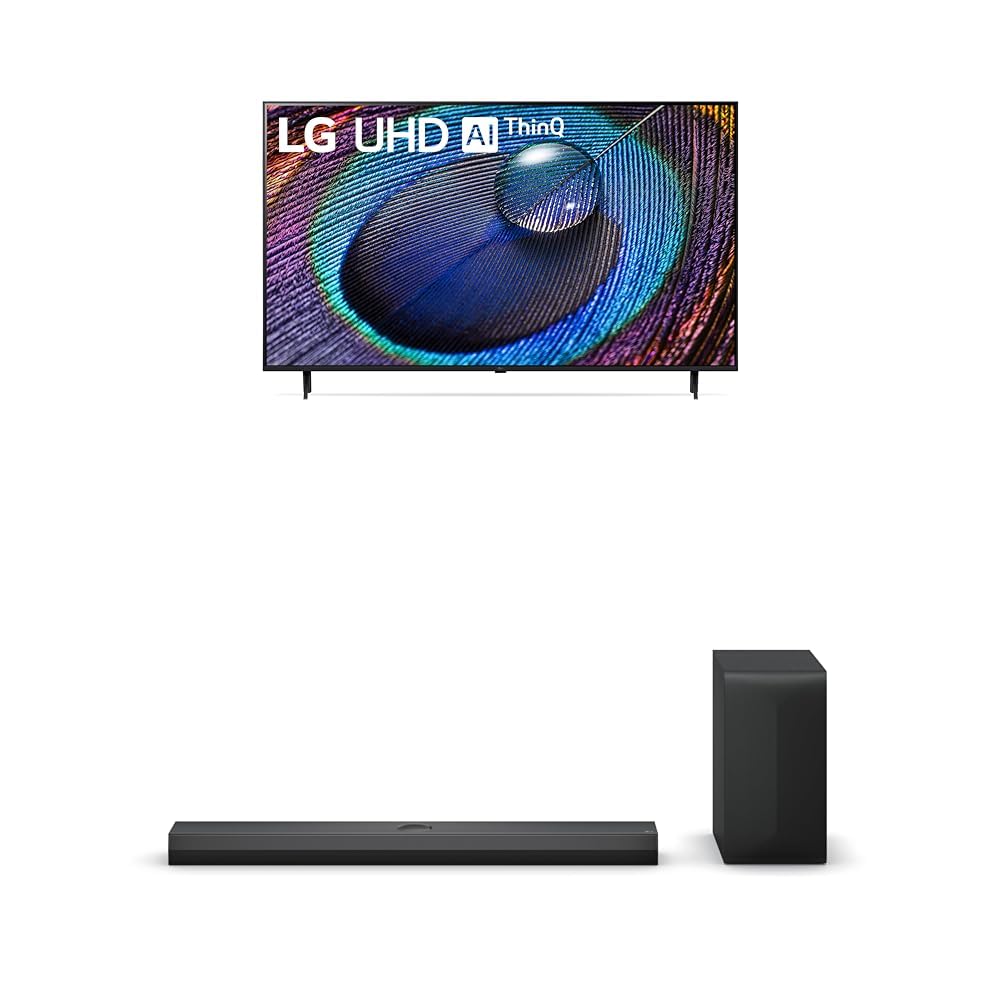
The LG 50-Inch Class UR9000 Series 4K Smart TV offers an immersive home cinema experience with its 3840 x 2160 resolution and AI-Powered 4K upscaling. Enjoy enhanced picture detail and improved sound, along with a suite of smart features including Alexa Built-in, Bluetooth, Wi-Fi, USB, and Ethernet connectivity. This model is designed for optimal viewing and integration into your home entertainment system.
Caratteristiche principali:
- Esperienza Home Cinema: Enjoy movies and TV shows upscaled to 4K for a sharper image and more lifelike details. FILMMAKER MODE ensures content is viewed as the director intended. HDR10 Pro provides extended contrast for vibrant visuals.
- Processore AI a5 Gen6: This AI-powered processor enhances picture detail and improves sound, upscaling content to 4K and adjusting color and picture contrast based on room lighting for optimal settings.
- LG QNED Matching: While a great sound enhancer for any LG TV, its smaller width and depth allows it to nest perfectly beneath a stand-mounted QNED TV. It is also fully compatible with the LG QNED Synergy Bracket for wall mounting.
- Disegno dello stemma: Features LG’s new crest design for a sleek and stylish look. The metal grill helps keep dust and debris out for worry-free audio enjoyment.
2. Cosa c'è nella scatola
Upon unpacking your LG UR9000 Series 4K Smart TV, ensure all components are present:
- LG 50-Inch Class UR9000 Series 4K Smart TV
- Supporto della televisione
- Telecomando
- Cavo di alimentazione
- Documentation (User Manual, Quick Start Guide, Warranty Information)
3. Impostazione
3.1 Fissaggio del supporto
- Posizionare con cautela lo schermo del televisore su una superficie morbida e piana per evitare danni.
- Allineare il supporto TV con i fori di montaggio nella parte inferiore del televisore.
- Fissare il supporto utilizzando le viti in dotazione. Assicurarsi che sia saldamente fissato.
3.2 Montaggio a parete (opzionale)
If you choose to wall mount your TV, ensure you use a VESA-compatible wall mount (sold separately) and follow the instructions provided with the wall mount. Professional installation is recommended for safety.
3.3 Collegamento dell'alimentazione
- Collegare il cavo di alimentazione alla porta di ingresso dell'alimentazione del televisore.
- Collegare l'altra estremità del cavo di alimentazione a una presa elettrica dotata di messa a terra.
3.4 Collegamento di dispositivi esterni
The LG UR9000 Series TV offers multiple connectivity options:
- HDMI: Connect Blu-ray players, gaming consoles, or soundbars using HDMI cables. The TV supports multiple HDMI inputs.
- USB: Collega le unità USB per la riproduzione multimediale.
- Collegamento Ethernet: Per una connessione Internet stabile, collega un cavo Ethernet dal router alla porta LAN del televisore.
- Bluetooth: Connect compatible wireless devices such as headphones or soundbars.
3.5 Configurazione iniziale
- Accendi la TV usando il telecomando.
- Segui le istruzioni sullo schermo per selezionare la lingua, il Paese e il fuso orario.
- Connect to your Wi-Fi network or confirm your Ethernet connection.
- Accept the terms and conditions and perform any available software updates.
- Set up your Alexa Built-in features as prompted.
4. Utilizzo della Smart TV LG
4.1 Utilizzo del telecomando
The LG remote control features dedicated buttons for popular streaming services like Netflix, Disney+, and Prime Video for quick access. It also includes a scroll wheel and a mouse-like pointer function for intuitive navigation of the WebInterfaccia del sistema operativo.
4.2 Navigating the Smart TV Interface (WebSistema operativo)
IL WebOS interface provides a user-friendly experience. Use the remote's directional buttons or pointer to select apps, settings, and content. The home screen displays trending content and your installed applications.
4.3 Accesso alle app
Pre-installed apps include Netflix, Prime Video, Hulu, and YouTube. Additional apps can be downloaded from the LG Content Store. Simply select the app icon from the home screen to launch.
4.4 Screen Mirroring and AirPlay
You can display content from your mobile device directly on your TV screen. Use the built-in screen mirroring feature for Android devices or AirPlay for Apple devices. This allows you to share photos, videos, or even workout routines on a larger display.
4.5 Controllo vocale con Alexa integrato
Utilize the integrated Alexa voice assistant for hands-free control. Press the microphone button on your remote and speak commands to change channels, adjust volume, search for content, or control smart home devices.
4.6 Caratteristiche di gioco
The TV's AI-Powered 4K and 60Hz refresh rate provide a responsive gaming experience. Connect your gaming consoles via HDMI for high-quality visuals and smooth gameplay.
5. Manutenzione
5.1 Pulizia del televisore
- Scollegare sempre la TV prima di pulirla.
- Utilizzare un panno in microfibra morbido e asciutto per pulire delicatamente lo schermo e la cornice.
- Per segni ostinati, leggermente dampPulire il panno con acqua o con un detergente specifico per schermi (evitare prodotti chimici aggressivi).
5.2 Aggiornamenti software
Regularly check for and install software updates to ensure optimal performance, security, and access to the latest features. Updates can usually be found in the TV's settings menu under 'Support' or 'About This TV'.
6. Risoluzione Dei Problemi
6.1 Nessun potere
- Ensure the power cable is securely plugged into both the TV and the electrical outlet.
- Controlla se la presa funziona collegando un altro dispositivo.
- Prova una presa di corrente diversa.
6.2 Nessuna immagine / scarsa qualità dell'immagine
- Verificare che sia selezionata la sorgente di ingresso corretta (ad esempio, HDMI 1, HDMI 2).
- Controllare che tutti i collegamenti dei cavi (HDMI, antenna, ecc.) non siano allentati o danneggiati.
- Regolare le impostazioni dell'immagine (luminosità, contrasto, colore) nel menu del televisore.
- Se si utilizza un dispositivo esterno, assicurarsi che sia acceso e funzioni correttamente.
6.3 Nessun suono / scarsa qualità del suono
- Aumentare il volume sia della TV che di tutti i dispositivi audio esterni collegati.
- Check audio output settings in the TV's menu to ensure the correct output (e.g., TV Speakers, Optical, Bluetooth) is selected.
- Assicurarsi che tutti i cavi audio siano collegati saldamente.
6.4 Il telecomando non funziona
- Sostituire le batterie del telecomando.
- Assicurarsi che non vi siano ostacoli tra il telecomando e il sensore del televisore.
- Try re-pairing the remote control if it's a smart remote (refer to the TV's on-screen guide for instructions).
7. Specifiche
| Caratteristica | Dettaglio |
|---|---|
| Marca | LG |
| Modello | Serie UR9000 |
| Dimensioni dello schermo | 50 pollici |
| Tecnologia di visualizzazione | GUIDATO |
| Risoluzione | Risoluzione 4K (3840 x 2160) |
| Frequenza di aggiornamento | Frequenza 60 Hz |
| Caratteristiche speciali | Alexa Built-in, AI-Powered 4K, FILMMAKER MODE, HDR10 Pro, Flat Screen |
| Tecnologia di connettività | Bluetooth, Ethernet, USB, Wi-Fi |
| Servizi Internet supportati | Browser, YouTube (and various streaming apps) |
| Componenti inclusi | Supporto, TV, telecomando, cavo di alimentazione |
| Colore | Nero |
| Prima data disponibile | 8 aprile 2024 |
8. Garanzia e supporto
For detailed warranty information and customer support, please refer to the warranty card included in your product packaging or visit the official LG website. You can also contact LG customer service for assistance with any product-related inquiries or technical support.