1. Introduzione
This manual provides detailed instructions for the safe and effective use of your ThruNite Archer Pro S EDC Flashlight. Please read this manual thoroughly before operating the device and retain it for future reference.
The ThruNite Archer Pro S is a compact and powerful Everyday Carry (EDC) flashlight, featuring a high-performance LED, USB-C rechargeable battery, and a versatile tail switch for various lighting modes.
2. Informazioni sulla sicurezza
- Non puntare la torcia direttamente negli occhi. L'elevato flusso luminoso può causare danni temporanei alla vista.
- Tenere fuori dalla portata dei bambini.
- Non smontare la testa sigillata della torcia, poiché ciò potrebbe danneggiare la luce e invalidare la garanzia.
- Evitare di esporre la torcia a temperature estreme o alla luce solare diretta per periodi prolungati.
- Ensure the USB-C charging port is clean and dry before charging to prevent damage.
3. Contenuto della confezione
Verifica che tutti gli articoli siano presenti nel tuo pacco:
- ThruNite Archer Pro S Cool White Flashlight x1
- Integrated Battery x1
- Pocket Clip x1
- Cavo di ricarica USB-C x1

Image: Package contents of the ThruNite Archer Pro S flashlight.
4. Prodotto finitoview
The ThruNite Archer Pro S features a durable aluminum body, a high-performance LED, and a tactical tail switch for intuitive operation. Its compact design and dual-direction pocket clip enhance portability.

Image: The ThruNite Archer Pro S flashlight.

Image: Flashlight with dual-direction pocket clip.
5. Impostazione
5.1 Addebito iniziale
Before first use, fully charge the flashlight. The Archer Pro S features an integrated USB-C charging port.
- Locate the head cap of the flashlight.
- Rotate the head cap counter-clockwise to reveal the USB-C charging port.
- Connect the provided USB-C cable to the flashlight's port and the other end to a USB power source (e.g., wall adapter, computer).
- The indicator light will show charging status. It typically turns green when fully charged.
- Once charging is complete, rotate the head cap clockwise to seal the charging port, ensuring water resistance.

Image: Accessing the USB-C charging port.

Image: Flashlight connected for USB-C charging.
6. Istruzioni per l'uso
The Archer Pro S utilizes a single tactical tail switch for all operations.

Image: Operating the tactical tail switch.
6.1 Funzionamento di base
- Attiva/disattiva: Single click the tail switch to turn the flashlight on or off. The light will turn on in the last used mode (except Firefly, Turbo, and Strobe).
- Modalità Lucciola: When the flashlight is off, press and hold the tail switch for approximately 1 second to activate Firefly mode.
- Modalità Turbo: Double click the tail switch from any mode (on or off) to activate Turbo mode.
- Modalità strobo: Triple click the tail switch from any mode (on or off) to activate Strobe mode.
6.2 Changing Brightness (Infinity Mode)
When the flashlight is on in a regular mode (not Firefly, Turbo, or Strobe):
- Press and hold the tail switch to cycle through brightness levels (Infinity Low to Infinity High).
- Release the switch at your desired brightness level.
- To reverse the dimming/brightening direction, release the switch and press and hold again.
6.3 Lock/Unlock Mode
The lockout mode prevents accidental activation, conserving battery and preventing unintended light emission.
- Chiudere a chiave: From Firefly mode, press and hold the tail switch for approximately 1 second. The light will flash briefly to indicate it is locked.
- Per sbloccare: When the flashlight is locked, press and hold the tail switch for approximately 1 second. The flashlight will activate in Firefly mode, indicating it is unlocked.
- If the tail switch is clicked while locked, the light will flash briefly to remind you it is in lockout mode.

Image: Versatile use of the ThruNite Archer Pro S flashlight.
7. Manutenzione
7.1 Pulizia
- Pulisci il corpo della torcia con un panno morbido eamp stoffa.
- For the lens, use a lens cleaning cloth to avoid scratches.
- Non utilizzare prodotti chimici aggressivi o materiali abrasivi.
7.2 Resistenza all'acqua
The Archer Pro S is rated IPX8 waterproof, meaning it can be submerged in water up to 2 meters for 30 minutes. Ensure the head cap is fully tightened to maintain water resistance.
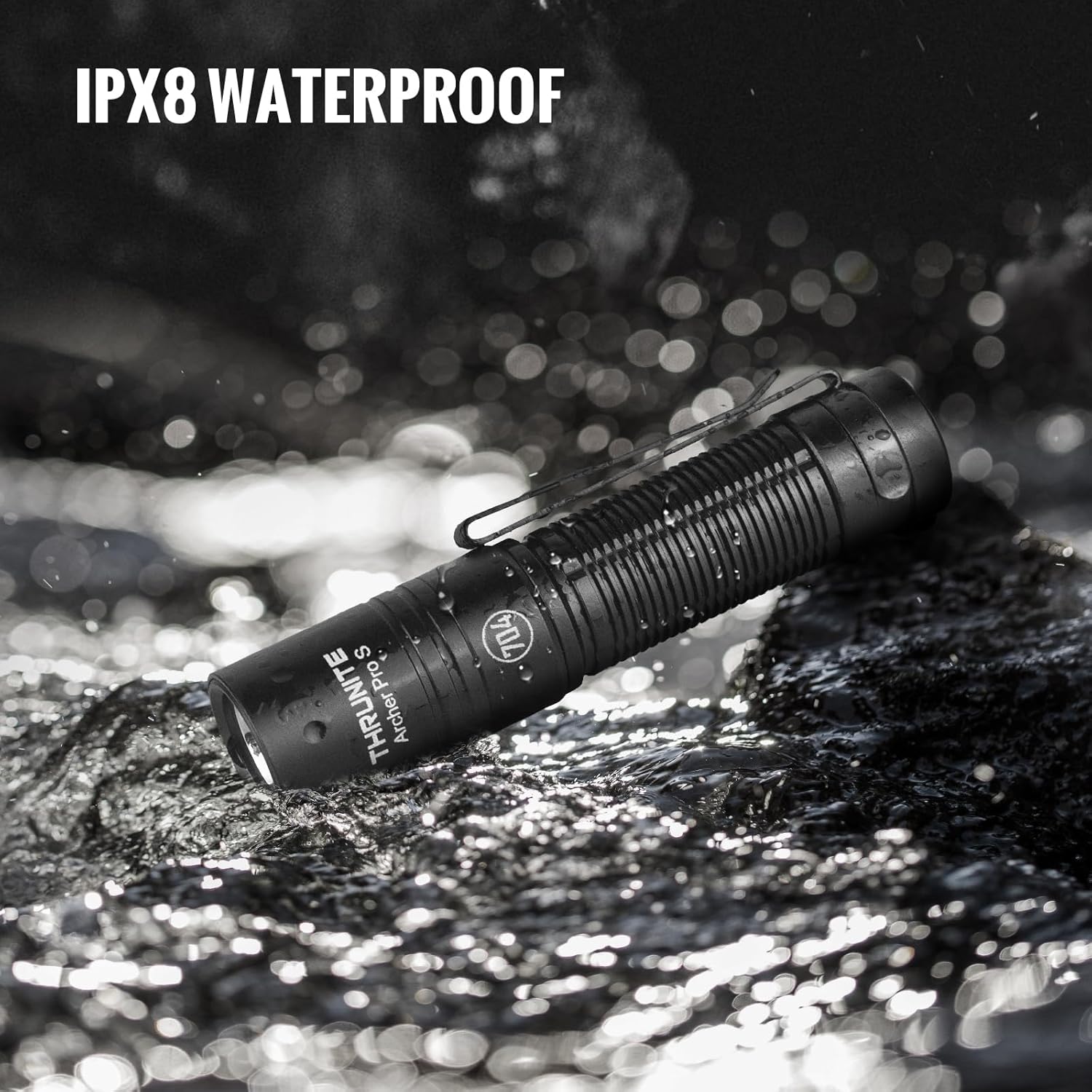
Image: ThruNite Archer Pro S demonstrating IPX8 water resistance.
8. Risoluzione Dei Problemi
- La torcia non si accende: Check if the flashlight is in lockout mode. Press and hold the tail switch to unlock. Ensure the battery is charged.
- L'emissione luminosa è debole: La batteria potrebbe essere scarica. Ricaricare la torcia.
- Problemi di ricarica: Ensure the USB-C cable is properly connected and the head cap is rotated to expose the charging port. Try a different USB power source or cable.
- Inconsistent mode changes: Ensure the tail switch is clean and free of debris.
9. Specifiche
| Caratteristica | Specificazione |
|---|---|
| Marca | Attraverso la notte |
| Modello | Archer Pro S |
| Tipo di sorgente luminosa | GUIDATO |
| Materiale | Alluminio |
| Luminosità massima | 1459 lumen |
| Distanza massima del raggio | 160 metri |
| Fonte di alimentazione | Battery Powered (Integrated Lithium Ion) |
| Interfaccia di ricarica | USB-C |
| Livello di resistenza all'acqua | IPX8 (2 meters, 30 minutes) |
| Dimensioni del prodotto | 98 mm x 21 mm (0.79"P x 0.79"L x 3.67"A) |
| Peso dell'articolo | 2.29 once (65 g) |
| Caratteristiche speciali | Modalità di luce regolabili, alta potenza, resistente agli urti, impugnatura antiscivolo, ricaricabile |

Image: Comparison of Archer Pro S and Archer Pro specifications.
10. Garanzia e supporto
ThruNite products are designed for durability and performance. For warranty information or technical support, please refer to the official ThruNite weboppure contatta direttamente il servizio clienti. Conserva la ricevuta d'acquisto come prova d'acquisto.
Official ThruNite Websito: www.thrunite.com


