1. Introduzione
This manual provides detailed instructions for the Masterbee H30 Kids Digital Camera. Please read this manual thoroughly before using the camera to ensure proper operation and to maximize your child's enjoyment and learning experience. This camera is designed for children aged 3-12 years to explore photography and videography in a fun and safe manner.
2. Cosa c'è nella scatola
- Masterbee H30 Kids Digital Camera
- Scheda SD da 32 GB (preinstallata)
- Cavo di ricarica USB
- cordino
- High-Quality Silicone Protective Case

Image: Masterbee H30 Kids Digital Camera and its accessories, including the pre-installed 32GB SD card, USB charging cable, and lanyard.
3. Caratteristiche del prodotto
3.1. High Definition Photo & Video
The camera supports capturing clear 20MP pictures and recording 1080P HD videos, allowing children to document their experiences with good clarity.

Image: A child capturing moments with the camera, highlighting its HD dual lens and digital zoom features.

Image: A child recording a 1080P HD video, demonstrating the camera's video recording capabilities and speed options.
3.2. Dual-Lens & Digital Zoom
Equipped with front and rear dual lenses, the camera facilitates easy selfies. Digital zoom allows for capturing distant subjects.

Image: The camera features both front and rear lenses, enabling children to take photos and selfies easily.

Image: Demonstrates the digital zoom function, allowing for closer capture of subjects.
3.3. Creative Modes & Games
The camera includes multiple frames, color filters, and mirror effects to enhance creativity. Five puzzle games are integrated to develop intelligence and concentration.
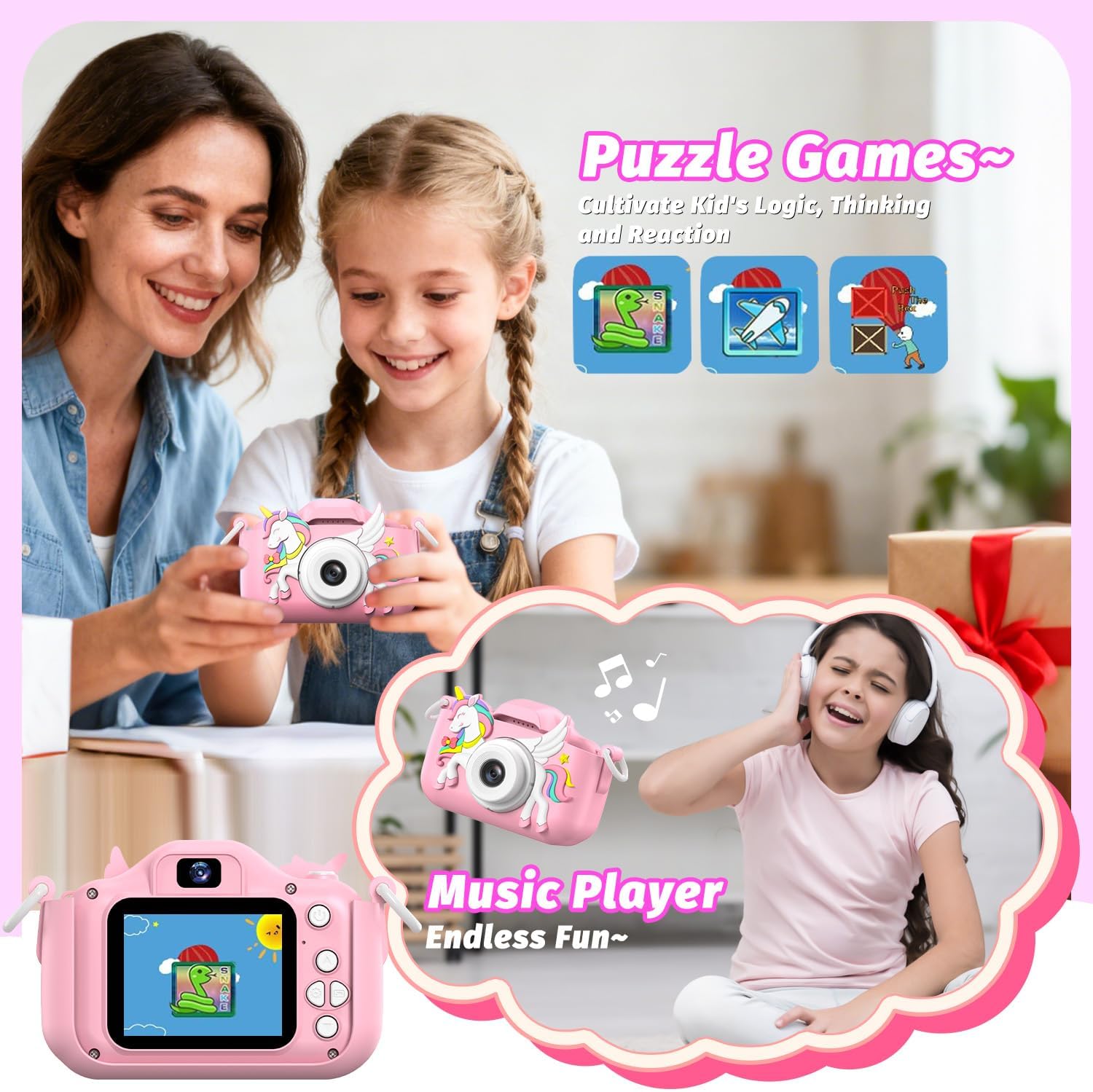
Image: The camera offers a variety of frames, filters, and color effects to personalize photos.

Image: The camera includes built-in puzzle games and a music player for additional entertainment.
3.4. Durable Design & Portability
A high-quality silicone case provides shockproof, anti-drop, and anti-slip protection. Its compact size (4.1x2.1x3 inches, 105g) and included lanyard make it easy for children to carry.

Image: The camera's silicone case provides robust protection against drops and impacts.
3.5. Memory & Battery
Comes with a pre-installed 32GB SD card for extensive storage of photos and videos. Features a built-in rechargeable battery for convenient power.
4. Impostazione
4.1. Caricare la fotocamera
Before first use, fully charge the camera. Connect the included USB charging cable to the camera's charging port and to a compatible USB power source (e.g., computer, wall adapter). The charging indicator light will illuminate during charging and turn off when fully charged.
4.2. Installazione della scheda SD
The camera comes with a 32GB SD card pre-installed. If you need to remove or replace it, gently push the card into the slot until it clicks, then release to eject. Ensure the camera is powered off before inserting or removing the SD card.
4.3. Fissaggio del cordino
Attach the lanyard to the designated loops on the camera's silicone case. This helps prevent accidental drops and makes the camera easier for children to carry.
5. Istruzioni per l'uso
5.1. Accensione/spegnimento
- To power on: Press and hold the Power button (usually located on the top or side) for a few seconds until the screen illuminates.
- To power off: Press and hold the Power button again until the screen turns off.
5.2. Navigazione nel menu
Use the directional buttons (Up, Down, Left, Right) to navigate through the menu options on the screen. Press the 'OK' or 'Shutter' button to select an option.
5.3. Scattare foto
- Switch to Photo Mode from the main menu.
- Inquadra il tuo scatto utilizzando lo schermo.
- Press the 'Shutter' button (usually on top) to take a picture.
- To switch between front and rear cameras: Look for a dedicated button or an option in the photo mode menu.
5.4. Registrazione di video
- Switch to Video Mode from the main menu.
- Press the 'Shutter' button to start recording. A timer will appear on the screen.
- Press the 'Shutter' button again to stop recording.
5.5. Using Special Effects
In Photo or Video Mode, use the directional buttons to access options for frames, filters, and mirror effects. Select your desired effect before capturing.
5.6. Playing Games & Music
- From the main menu, select the 'Games' icon to access the built-in puzzle games.
- Select the 'Music' icon to access the music player. You can upload MP3 files to the SD card via a computer for playback.
5.7. Trasferimento Fileda un computer
Connect the camera to a computer using the USB cable. The camera will appear as a removable disk drive. You can then copy photos and videos from the SD card to your computer.
6. Manutenzione
- Pulizia: Use a soft, dry cloth to clean the camera body and screen. Do not use liquid cleaners.
- Cura delle lenti: Keep the lens clean and free from dust or fingerprints. Use a lens cleaning cloth if necessary.
- Cura della batteria: Avoid fully discharging the battery frequently. Charge regularly to prolong battery life.
- Magazzinaggio: Conservare la fotocamera in un luogo fresco e asciutto, lontano dalla luce solare diretta e da temperature estreme.
7. Risoluzione Dei Problemi
- La fotocamera non si accende: Assicurati che la batteria sia carica. Collegala a un caricabatterie e riprova.
- Non è possibile scattare foto/registrare video: Check if the SD card is inserted correctly and has sufficient free space.
- Schermo bloccato: Try restarting the camera by holding the power button. If unresponsive, allow the battery to fully discharge and then recharge.
- Scarsa qualità dell'immagine: Assicurarsi che la lente sia pulita. Controllare le condizioni di illuminazione.
8. Specifiche
| Caratteristica | Specificazione |
|---|---|
| Nome del modello | H30 |
| Dimensioni dello schermo | 2 pollici |
| Tipo di visualizzazione | Informazione pubblica |
| Risoluzione massima dello schermo | Formato: 1080p |
| Ha schermo a colori | SÌ |
| Tipo di memoria flash | SD |
| Capacità di archiviazione della memoria | 32 GB |
| Capacità di registrazione | 160 minuti |
| Risoluzione fissa efficace | 20 MP |
| Risoluzione totale dell'immagine fissa | 20 MP |
| Risoluzione video | Formato: 1080p |
| Viewcercatore | Ottico |
| Gamma ISO | 100-25600 |
| Media integrati | SD card, lanyard, high-quality silicon case |
| Le batterie sono incluse? | SÌ |
| Dimensioni della memoria esterna | 32 GB |
| Peso dell'articolo | 105 grammi |
9. Garanzia e supporto
For warranty information or technical support, please refer to the product packaging or contact Masterbee customer service directly. Keep your purchase receipt for warranty claims.


