Introduzione
Thank you for choosing the WOLFANG WT03 Solar Wildlife Camera. This advanced trail camera is designed for wildlife monitoring, outdoor security, and nature observation, offering high-resolution imaging, robust features, and sustainable power solutions. Please read this manual carefully before operating the camera to ensure optimal performance and longevity.
Contenuto della confezione

Image: The WOLFANG WT03 Solar Wildlife Camera, user manual, mounting strap, USB cable, and mounting hardware.
Ensure all items are present and in good condition. If any items are missing or damaged, please contact WOLFANG customer support.
- WOLFANG WT03 Wildlife Camera
- Cinghia di montaggio
- Cavo USB
- Hardware di montaggio (viti, tasselli a muro)
- Manuale d'uso
- Scheda Micro SD da 32 GB (preinstallata)
Prodotto finitoview

Immagine: Frontale view of the WOLFANG WT03 camera, highlighting the integrated solar panel, main lens, and motion sensor.
The WOLFANG WT03 features an integrated solar panel for continuous power, a high-resolution camera for capturing 4K video and 46MP images, and advanced night vision capabilities. Its robust IP66 waterproof design ensures reliable operation in various outdoor conditions.
Caratteristiche principali:
- 4K@30FPS Video & 46MP Image Resolution: Cattura immagini chiare e dettagliatetage e foto.
- Integrated Solar Panel & 4400mAh Battery: Provides sustainable power and extended battery life.
- Connettività WiFi e Bluetooth: Allows for easy app control, live viewing, e file transfer to your smartphone (within 33 feet).
- Velocità di attivazione 0.1s: Ensures rapid capture of motion-activated events.
- Visione notturna a 120°: Equipped with 850nm low-luminescence LEDs for clear nighttime images up to 65 feet.
- Grado di impermeabilità IP66: Progettato per resistere alle condizioni atmosferiche più avverse.
- Registrazione in loop: Sovrascrive automaticamente i vecchi files quando la scheda SD è piena.
Impostare
1. Installazione della batteria
The camera has a built-in 4400mAh lithium battery. For extended operation, especially in low temperatures, it is recommended to install 4 AA batteries (not included) as backup power.
- Open the camera's side latch and swing open the housing.
- Individua il vano batteria.
- Inserire 4 batterie AA, assicurandosi della corretta polarità (+/-).
- Close the battery compartment and secure the housing latch.
Nota: The built-in lithium battery is the priority power source. AA batteries serve as backup. Ensure the built-in battery is charged via the solar panel or USB-C before first use.
2. Installazione della scheda SD
A 32GB Micro SD card is pre-installed. The camera supports Micro SD cards up to 128GB.
- Con la fotocamera spenta, aprire l'alloggiamento.
- Individua lo slot della scheda Micro SD.
- Inserire la scheda Micro SD con i contatti dorati rivolti verso il basso finché non scatta in posizione.
- Per rimuoverla, spingere la scheda finché non scatta, quindi rilasciarla.
Importante: Format the SD card in the camera's settings menu before first use to ensure compatibility and optimal performance.
3. Montaggio della fotocamera
The camera can be mounted using the included strap or mounting hardware.

Image: The WOLFANG WT03 camera mounted on a tree, illustrating its integrated solar panel technology for power supply.
- Montaggio della cinghia: Infilare la cinghia in dotazione nelle fessure sul retro della telecamera e fissarla attorno a un albero o a un palo.
- Montaggio a vite: Use the included mounting bracket and screws to attach the camera to a wall or flat surface.
Suggerimenti per il posizionamento:
- Mount the camera at a height of 3-6 feet (1-2 meters) for optimal detection.
- Assicurarsi che il pannello solare sia esposto alla luce solare diretta per la massima efficienza di ricarica.
- Avoid placing the camera directly facing the sun or strong light sources to prevent overexposure.
- Clear any obstacles (branches, tall grass) that might trigger false detections or obstruct the view.
Operazione
1. Accensione/Spegnimento
- To power on, slide the mode switch from OFF to SETUP or ON.
- Per spegnere, spostare l'interruttore della modalità su OFF.
2. Basic Settings (SETUP Mode)
In SETUP mode, you can access the camera's menu and adjust various parameters using the control buttons.
- Modalità: Seleziona Foto, Video o Foto+Video.
- Risoluzione foto: Choose from various MP settings (e.g., 46MP, 30MP, 20MP).
- Risoluzione video: Select 4K, 2.7K, 1080P, etc. (4K 30fps recommended).
- Intervallo PIR: Imposta il ritardo tra i rilevamenti.
- Velocità di innesco: Fixed at 0.1s for fast capture.
- Intervallo di tempo: Set intervals for continuous recording without motion detection.
- Formatta scheda SD: Cancella tutti i dati sulla scheda SD.
- Data e ora: Imposta la data e l'ora correnti.
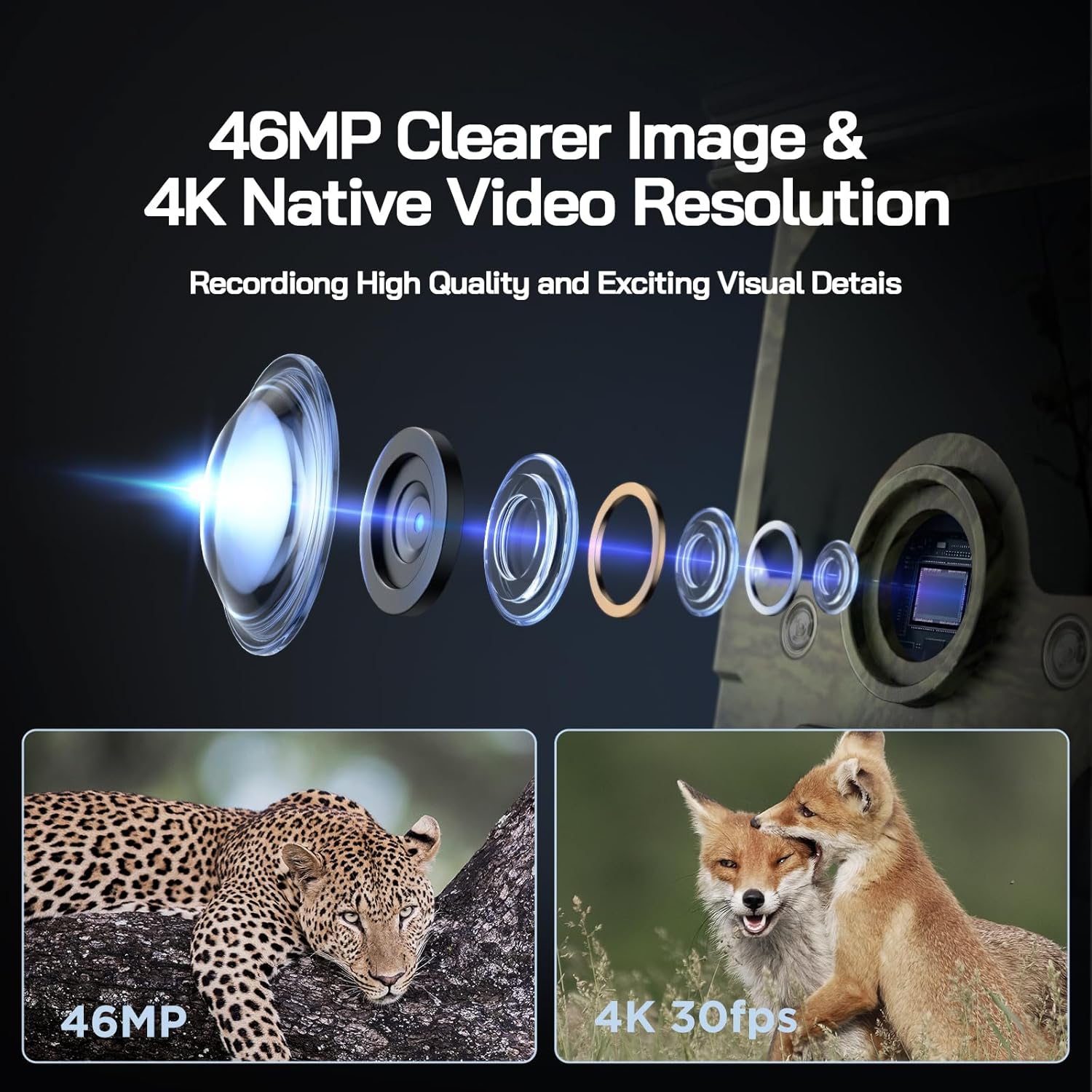
Image: Visual representation of the camera's 46MP image and 4K 30fps video resolution capabilities.

Image: A squirrel captured mid-air, illustrating the camera's ultra-fast 0.1s trigger speed.

Image: A side-by-side comparison demonstrating the superior night vision quality of the WOLFANG camera using 850nm IR lamps.
3. Connessione Wi-Fi e app
The WOLFANG WT03 can be controlled and monitored via a smartphone app. The WiFi connection range is limited to 33 feet (10 meters).

Image: A smartphone showing the camera's app interface with a live view of deer, demonstrating WiFi connection and app control.
- Download the "WOLFANG Wildlife" app from your smartphone's app store or scan the QR code provided in the camera's interface (usually in SETUP mode). A relevant link for the app is Qui.
- Turn the camera's mode switch to SETUP.
- Open the WOLFANG Wildlife app on your phone.
- Follow the in-app instructions to connect to the camera's WiFi network. You may need to enable Bluetooth on your phone first to discover the camera.
- Una volta connesso, puoi view cibo vivotage, adjust settings, and download filedirettamente sul tuo telefono.
Risoluzione dei problemi di connessione: If connection issues occur, try plugging in the charging cable to the camera and setting the app to manual connection. Reconnecting might require re-plugging the charging cable.
4. Viewing/Downloading Files
- Tramite App: Connect to the camera via WiFi using the app. Navigate to the album/gallery section to view and download photos/videos.
- Tramite cavo USB: Connect the camera to a computer using the provided USB cable. The camera will appear as a removable disk, allowing you to access files.
- Directly on Camera: In SETUP mode, use the navigation buttons to browse captured photos and videos on the camera's screen.
- Lettore di schede SD: Remove the Micro SD card from the camera and insert it into a compatible card reader connected to a computer.

Image: A visual explanation of the loop recording function, showing how the camera overwrites the oldest footage when the SD card reaches full capacity.
Manutenzione
- Pulizia: Use a soft, dry cloth to clean the camera lens and solar panel. Avoid abrasive cleaners.
- Cura della batteria: For optimal battery life, ensure the solar panel is regularly exposed to sunlight. If storing the camera for extended periods, fully charge the built-in battery and remove any AA batteries.
- Magazzinaggio: Conservare la fotocamera in un luogo fresco e asciutto quando non viene utilizzata.
- Aggiornamenti del firmware: Check the official WOLFANG webperiodicamente il sito per verificare la disponibilità di eventuali aggiornamenti del firmware per migliorare le prestazioni e aggiungere funzionalità.

Image: The WOLFANG WT03 camera shown in rainy conditions, emphasizing its IP66 super waterproof rating and protective eave design.
Risoluzione dei problemi
| Problema | Possibile soluzione |
|---|---|
| La fotocamera non si accende. |
|
| Scarsa qualità delle immagini/video. |
|
| Problemi di connessione WiFi. |
|
| La telecamera non rileva il movimento. |
|
| Errore scheda SD. |
|
Specifiche
| Caratteristica | Dettaglio |
|---|---|
| Nome del modello | WT03 |
| Risoluzione di acquisizione video | 4K (30 fps) |
| Risoluzione fissa efficace | 46 MP |
| Fonte di alimentazione | Solar Powered (Built-in 4400mAh battery), 4x AA batteries (backup, not included) |
| Tecnologia di connettività | Wi-Fi, Bluetooth |
| Livello di resistenza all'acqua | IP66 impermeabile |
| Trigger Speed | 0.1 secondi |
| Gamma di visione notturna | Fino a 65 piedi (20 metri) |
| Angolo di rilevamento PIR | 120° |
| Capacità di archiviazione | Supporta schede Micro SD fino a 128 GB (inclusi 32 GB) |
| Dimensioni (L x P x A) | Dimensioni: 14.3 x 10.7 x 9.5 cm |
| Peso | 730 grammi |
Garanzia e supporto
WOLFANG fornisce un Servizio di garanzia di 2 anno for the WT03 Solar Wildlife Camera. Additionally, a 1-month free return & exchange la politica è disponibile.
For any support needs, questions, or accessory package upgrades, please contact WOLFANG customer service directly.
E-mail: support.vc@wolfang.co
WOLFANG is committed to providing high-quality imaging products and prompt customer support.


