1. Introduzione
Welcome to the user manual for the STC My Home Q30, a versatile home internet device designed to provide seamless connectivity and entertainment. This device integrates a 4G LTE router with an Android TV box, featuring built-in Chromecast and Google Assistant. It serves as your central hub for internet access and smart home entertainment, offering high-speed wireless connectivity and access to a world of apps and content.
This manual will guide you through the setup, operation, maintenance, and troubleshooting of your STC My Home Q30 device, ensuring you get the most out of its features.
2. Contenuto della confezione
Si prega di selezionare la casella per i seguenti elementi:
- STC My Home Q30 Device
- Adattatore di alimentazione
- Cavo Ethernet
- Cavo HDMI
- Guida rapida

Figure 2.1: The STC My Home Q30 device packaging, showing the purple box with the device image and STC branding.
3. Dispositivo suview
Familiarize yourself with the physical components and ports of your STC My Home Q30 device.
3.1 Fronte e lato Views

Figura 3.1: Fronte view of the STC My Home Q30 device, showcasing its sleek white and black design with the STC logo.
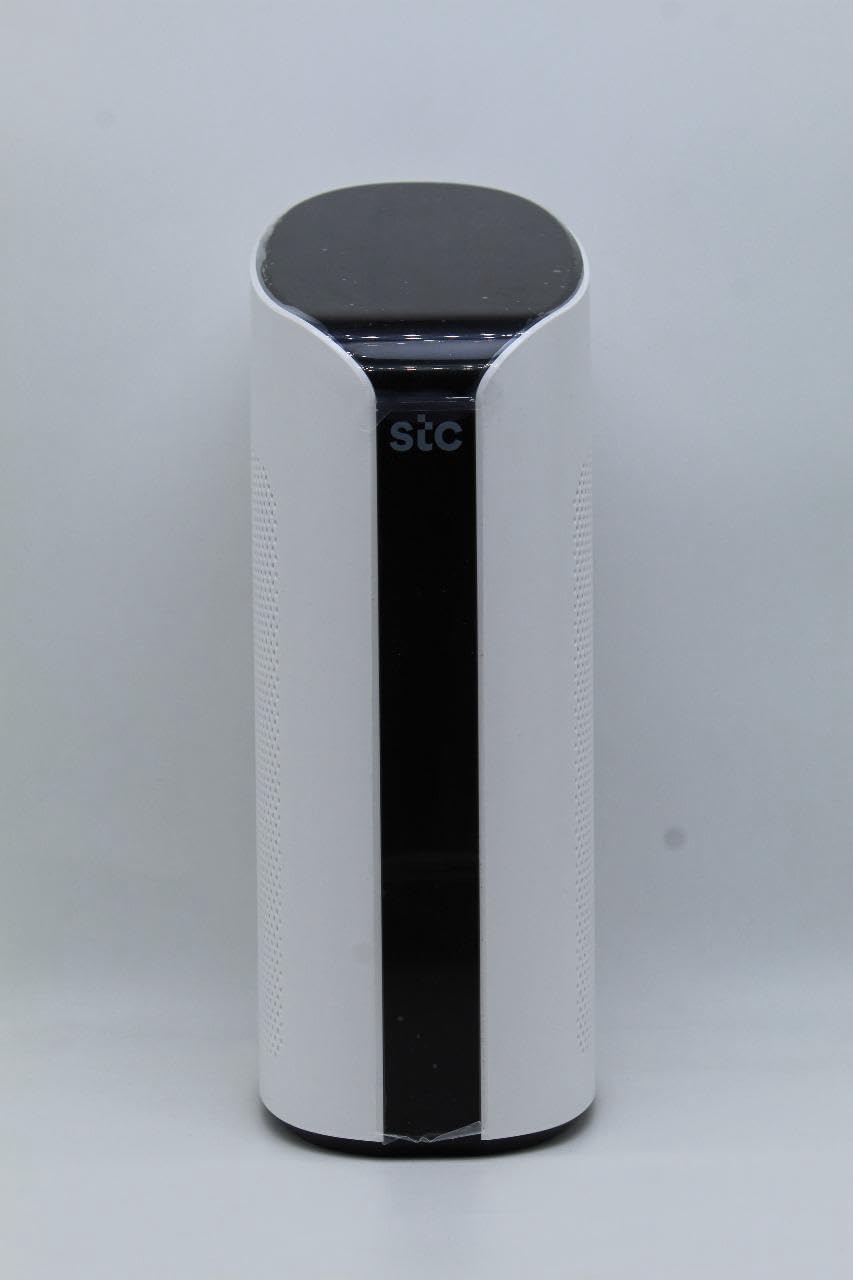
Figura 3.2: Angolato view of the STC My Home Q30, highlighting its curved edges and perforated side panels for ventilation.
3.2 Pannello posteriore e porte
The rear panel of the device contains all the necessary ports for connectivity.
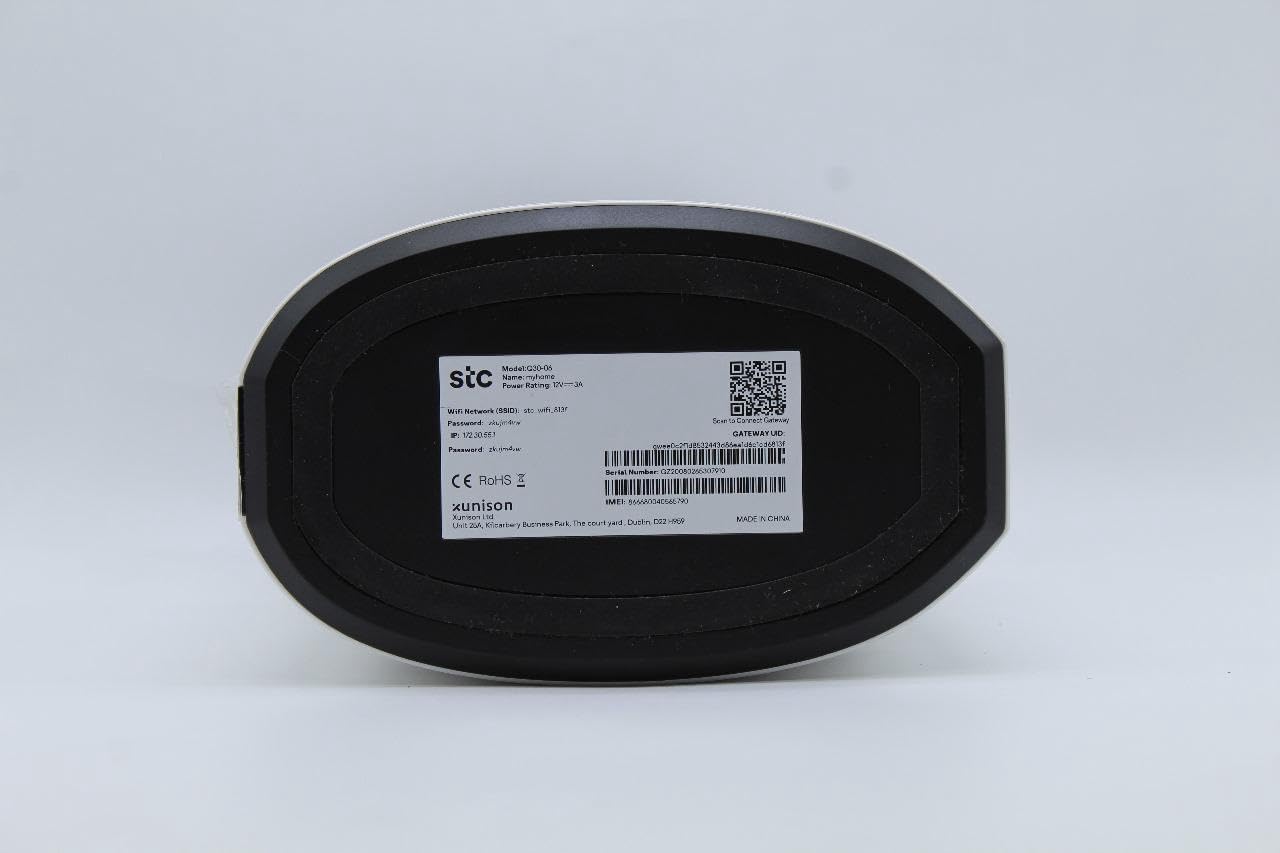
Figura 3.3: Posteriore view of the STC My Home Q30, displaying all input/output ports and buttons.
- PWR: Spia luminosa di alimentazione.
- Router Reset: Button to reset the router settings to factory defaults.
- 4G/LTE Reset: Button to reset the 4G/LTE modem.
- PALLIDO: Ethernet port for connecting to an external modem or internet source.
- LAN 1, LAN 2: Ethernet ports for connecting wired devices like computers or gaming consoles.
- HDMI: Port for connecting to a TV or display for Android TV functionality.
- USB 2.0, USB 3.0: USB ports for connecting external storage or peripherals.
- Micro SD: Slot for a Micro SD card for expanded storage.
- CC 12V: Porta di ingresso alimentazione.
- ACCESO/SPENTO: Interruttore di alimentazione per il dispositivo.
- Micro SIM only: Slot for inserting a Micro SIM card for 4G LTE connectivity.
3.3 Etichetta inferiore
The bottom of the device contains important network information and device details.

Figura 3.4: In basso view of the STC My Home Q30, showing the product label with model number, network SSID, password, IP address, serial number, IMEI, and QR code.
- Modello: Q30-06
- Nome: La mia casa
- STC Network SSID: Your default Wi-Fi network name.
- Password: Your default Wi-Fi password.
- Indirizzo IP: Default IP address for accessing the device's web interfaccia (ad esempio, 192.168.1.1).
- Numero di serie: Unique identifier for your device.
- IMEI: International Mobile Equipment Identity for the 4G modem.
- ID gateway: Unique identifier for the gateway.
- Produttore: SEI Robotics / XUNISON
- Prodotto in: Cina
4. Istruzioni per l'installazione
Follow these steps to set up your STC My Home Q30 device for the first time.
- Inserire la carta SIM: Locate the Micro SIM slot on the rear panel. Gently insert your active Micro SIM card into the slot until it clicks into place. Ensure the SIM card is oriented correctly as indicated on the device.
- Connetti alimentazione: Connect the provided power adapter to the DC 12V port on the rear panel of the device, then plug the adapter into a power outlet.
- Accensione: Flip the ON/OFF switch on the rear panel to the 'ON' position. The device will begin to power up. Wait for the indicator lights (e.g., PWR, 4G/LTE) to stabilize.
- Connect to TV (Optional for Android TV): If you plan to use the Android TV features, connect one end of the HDMI cable to the HDMI port on the STC My Home Q30 and the other end to an HDMI input on your television. Select the corresponding HDMI input on your TV.
- Connessione Wi-Fi iniziale: On your smartphone, tablet, or computer, search for available Wi-Fi networks. Select the network name (SSID) found on the bottom label of your device (e.g., 'stc_wifi_XXXX') and enter the password provided on the label.
- Complete Android TV Setup (if connected to TV): Follow the on-screen instructions on your TV to complete the Android TV setup, including connecting to your Google account, setting up Google Assistant, and installing desired apps.
- Connessione cablata (facoltativa): For wired devices, connect an Ethernet cable from the LAN 1 or LAN 2 port on the STC My Home Q30 to the Ethernet port on your computer, gaming console, or other network device.
5. Istruzioni per l'uso
This section covers the basic operation of your STC My Home Q30 device.
5.1 Connettività Internet
- 4G LTE: Once the SIM card is inserted and the device is powered on, it will automatically connect to the 4G LTE network. The 4G/LTE indicator light will show the connection status.
- WAN (Wired Internet): If you prefer to use a wired internet connection, connect an Ethernet cable from your external modem or router to the WAN port on the STC My Home Q30. The device will prioritize the WAN connection if available.
5.2 Rete Wi-Fi
The device broadcasts a Wi-Fi network for your wireless devices. You can find the default SSID and password on the bottom label. For advanced settings, such as changing the Wi-Fi name or password, access the device's web interface by typing its IP address (e.g., 192.168.1.1) into a web browser su un dispositivo connesso.
5.3 Caratteristiche di Android TV
- Chromecast integrato: Cast content (videos, music, photos) from your compatible smartphone, tablet, or computer directly to your TV. Look for the Cast icon within supported apps.
- Assistente Google: Use voice commands to search for content, control smart home devices, get answers, and more. Press the Google Assistant button on your remote (if applicable) or say "Hey Google" if voice activation is enabled.
- Applicazioni: Download and install a wide range of apps from the Google Play Store directly on your TV.
6. Manutenzione
Una corretta manutenzione garantisce la longevità e le prestazioni ottimali del tuo dispositivo.
- Pulizia: Utilizzare un panno morbido e asciutto per pulire l'esterno del dispositivo. Non utilizzare detergenti liquidi o materiali abrasivi.
- Ventilazione: Ensure the device is placed in a well-ventilated area. Do not block the ventilation holes on the sides of the device. Avoid placing it in enclosed spaces or on soft surfaces that may obstruct airflow.
- Aggiornamenti del firmware: Periodically check for firmware updates through the device's settings menu (if available) or the manufacturer's websito. Gli aggiornamenti possono migliorare le prestazioni, aggiungere funzionalità e correggere bug.
- Ciclo di alimentazione: If you experience minor issues, try power cycling the device by turning it off, unplugging the power adapter for 30 seconds, then plugging it back in and turning it on.
7. Risoluzione Dei Problemi
Questa sezione fornisce soluzioni ai problemi più comuni che potresti riscontrare.
7.1 Nessun potere
- Assicurarsi che l'adattatore di alimentazione sia collegato saldamente al dispositivo e alla presa di corrente.
- Verificare che la presa di corrente funzioni collegandovi un altro dispositivo.
- Verificare che l'interruttore ON/OFF sul pannello posteriore sia in posizione 'ON'.
7.2 Nessuna connessione Internet
- For 4G LTE: Ensure your SIM card is active and has data. Check the 4G/LTE indicator light; if it's off or blinking, there might be a network issue or SIM card problem. Try reinserting the SIM card.
- For WAN: Verify that the Ethernet cable is securely connected to the WAN port and your external modem/router. Ensure your external internet source is working correctly.
- Restart the STC My Home Q30 device.
- If issues persist, try pressing the '4G/LTE Reset' or 'Router Reset' button on the rear panel (use a paperclip for a momentary press). Note that 'Router Reset' will restore factory settings.
7.3 Problemi di connessione Wi-Fi
- Ensure your device is within the Wi-Fi range of the STC My Home Q30.
- Verify that you are entering the correct Wi-Fi password (case-sensitive).
- Restart both the STC My Home Q30 and your Wi-Fi client device (smartphone, laptop).
- If many devices are connected, some older devices might experience slower speeds.
7.4 Android TV Not Displaying on TV
- Ensure the HDMI cable is securely connected to both the STC My Home Q30 and your TV.
- Verifica che il televisore sia impostato sulla sorgente di ingresso HDMI corretta.
- Prova un cavo HDMI diverso o una porta HDMI diversa sul televisore.
8. Specifiche
Detailed technical specifications for the STC My Home Q30 (Model: Q30-06).
| Caratteristica | Specificazione |
|---|---|
| Nome del modello | My Home Q30-06 |
| Produttore | STC (SEI Robotics) |
| Sistema operativo | TV Android 10 |
| processore | Quad-core 1.8 GHz (ARM Cortex-A53) |
| Memoria RAM | 2 GB |
| Magazzinaggio | 8 GB |
| Operatore di telefonia mobile | STC |
| Tecnologia cellulare | 4G LTE |
| Tecnologia di connettività | Wi-Fi, Ethernet |
| Caratteristiche | Chromecast integrato, Assistente Google |
| Porti | WAN, 2x LAN, HDMI, USB 2.0, USB 3.0, Micro SD, Micro SIM slot, DC 12V |
| Dimensioni | Dimensioni: 34.5 x 17.5 x 14.5 cm |
| Peso | 600 grammi |
| Paese di origine | Cina |
9. Garanzia e supporto
Your STC My Home Q30 device comes with standard manufacturer warranty. For specific warranty terms and conditions, please refer to the documentation included with your purchase or contact STC customer support.
Extended warranty and accidental damage protection plans may be available for purchase separately. For example, options such as a 1-Year Extended Warranty Plan, 2-Years Extended Warranty Plan, and 1-Year Accidental Damage Protection Plan might be offered.
For technical support, troubleshooting assistance beyond this manual, or warranty claims, please contact your service provider (STC) or the seller from whom you purchased the device. Have your device's model number (Q30-06) and serial number ready when contacting support.


