1. Prodotto finitoview
The NETGEAR Nighthawk CM2500 is a DOCSIS 3.1 mid/high-split cable modem designed for high-speed internet services. This modem supports advanced DOCSIS 3.1 technology, enabling faster download and upload speeds for various online activities. It is compatible with major U.S. cable internet service providers, including Xfinity, Spectrum, and Cox.
The CM2500 is engineered to support internet plans with download speeds up to 2 Gbps (with link aggregation) and upload speeds up to 1 Gbps. This capability is beneficial for demanding applications such as online gaming, video conferencing, and streaming high-definition content.

Figura 1: Fronte view of the NETGEAR Nighthawk CM2500 modem, highlighting its DOCSIS 3.1 mid/high-split capabilities and maximum download/upload speeds.
2. Cosa c'è nella scatola
Verifica che tutti gli articoli siano presenti nel tuo pacco:
- Nighthawk Mid/High-Split 2Gbps Internet Speed Cable Modem (CM2500)
- Un (1) cavo Ethernet
- Guida rapida
- Adattatore di alimentazione
3. Istruzioni per l'installazione
Per configurare il modem via cavo NETGEAR Nighthawk CM2500, seguire questi passaggi:
- Collegare il cavo coassiale: Connect a coaxial cable from the cable wall outlet to the Cable port on the modem. Ensure the connection is secure.
- Collegare il cavo Ethernet: Connect one end of the provided Ethernet cable to the Multi-Gig (2.5G/1G) Ethernet port on the modem and the other end to the WAN or Internet port on your WiFi router. If your router supports link aggregation, you can connect the second 1G Ethernet port on the modem to another LAN port on your router for combined speeds.
- Collegare l'adattatore di alimentazione: Plug the power adapter into the modem's power port and then into an electrical outlet. The modem's LED lights will illuminate as it powers on.
- Wait for Online Status: Allow several minutes for the modem to connect to your internet service provider's network. The Internet LED on the modem should turn solid white, indicating a successful connection.
- Attiva il tuo servizio Internet: Contact your internet service provider (ISP) to activate your service. You will typically need to provide your modem's MAC address, which is located on a label on the modem.

Figure 2: Visual guide for connecting the CM2500 cable modem to a WiFi router and power source.
4. Istruzioni per l'uso
Once your modem is set up and activated, it operates automatically to provide internet connectivity. The LED indicators on the front panel provide status information:
- LED di potenza: Indica se il modem è acceso.
- LED a valle: Indica lo stato di collegamento del canale a valle.
- LED a monte: Indica lo stato di collegamento del canale a monte.
- LED Internet: Indica lo stato della connettività Internet.
- Ethernet LEDs (1G, 2.5G/1G): Indicate connection status and activity for the Ethernet ports.
For optimal performance, ensure the modem is placed in a well-ventilated area, away from obstructions and other electronic devices that may cause interference.
Video 1: Un overview of NETGEAR's cable modems, explaining their role in providing internet connectivity and the importance of choosing the right modem for your speed plan.
5. Caratteristiche e capacità
The Nighthawk CM2500 modem offers several features to enhance your internet experience:
- Tecnologia DOCSIS 3.1: Supports the latest DOCSIS 3.1 standard for high-speed cable internet, including mid/high-split technology for improved upload speeds.
- Connettività ad alta velocità: Delivers up to 2 Gbps download speeds and 1 Gbps upload speeds, suitable for demanding internet usage.
- Compatibilità ISP: Works with major U.S. internet service providers such as Xfinity, Spectrum, and Cox. Note: Not compatible with Xfinity Voice plans.
- Multi-Gig Ethernet Ports: Features two Gigabit Ethernet ports, allowing for link aggregation to achieve multi-gig speeds when connected to a compatible router.
- Design a prova di futuro: Designed to support current and future internet speed requirements, ensuring longevity and performance.
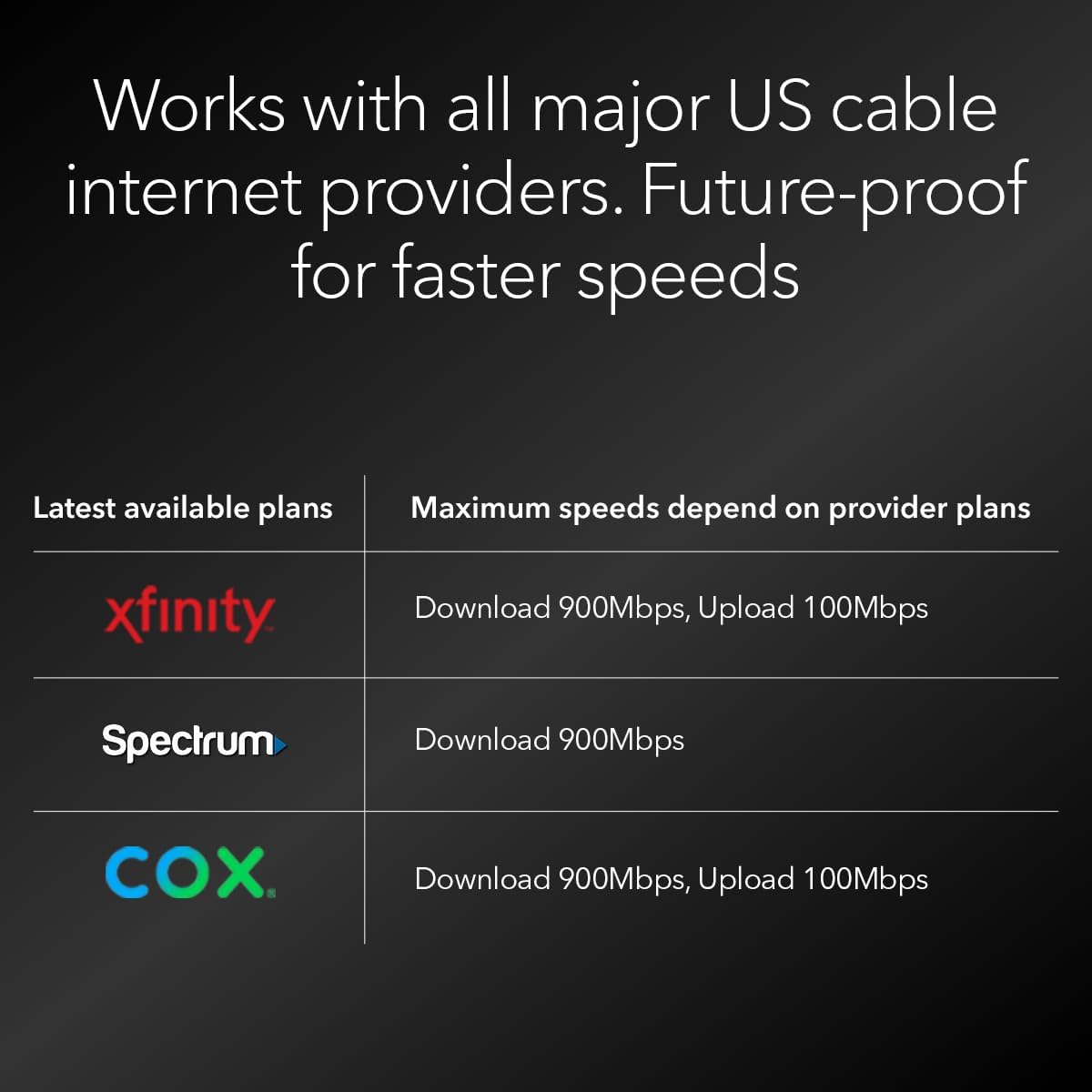
Figure 3: The CM2500 modem is compatible with major US cable internet providers like Xfinity, Spectrum, and Cox.

Figura 4: Posteriore view of the CM2500, illustrating the Gigabit Ethernet ports for router connection and link aggregation, along with the cable internet input.
6. Manutenzione
To ensure consistent performance and longevity of your CM2500 modem:
- Mantenerlo ventilato: Ensure the modem is placed in an open area with good airflow to prevent overheating.
- Pulisci regolarmente: Periodically clean the modem's exterior with a soft, dry cloth to remove dust. Avoid using liquid cleaners.
- Aggiornamenti del firmware: Your internet service provider typically manages firmware updates for cable modems. Ensure your modem is connected and powered on to receive these updates.
- Ciclo di alimentazione: If you experience connectivity issues, try power cycling the modem by unplugging it from the power outlet for 30 seconds and then plugging it back in.
7. Risoluzione Dei Problemi
If you encounter issues with your NETGEAR Nighthawk CM2500 modem, refer to the following common troubleshooting steps:
- Nessuna connessione internet:
- Controllare tutti i collegamenti dei cavi (coassiali, Ethernet, alimentazione) per accertarsi che siano saldi.
- Spegnere e riaccendere il modem e il router.
- Verifica che il tuo servizio Internet sia attivo con il tuo ISP.
- Check the modem's LED indicators. If the Internet LED is not solid white, contact your ISP.
- Velocità basse:
- Assicurati che il tuo piano Internet supporti le velocità che ti aspetti.
- Confirm that your router and connected devices are capable of supporting high speeds.
- Minimize interference by placing the modem away from other electronics.
- If using link aggregation, ensure your router supports this feature and both Ethernet cables are connected correctly.
- Le spie del modem non sono accese:
- Check the power adapter connection to the modem and the electrical outlet.
- Prova una presa elettrica diversa.
8. Specifiche
| Caratteristica | Descrizione |
|---|---|
| Modello | CM2500 |
| Standard DOCSIS | 3.1 (Mid/high-Split) |
| Velocità di download massima | Up to 2 Gbps (with link aggregation) |
| Velocità di caricamento massima | Fino a 1 Gbps |
| Porte Ethernet | Two (2) Gigabit Ethernet ports (one 2.5G/1G, one 1G) with Link Aggregation support |
| Dimensioni (LxWxH) | 6.8 x 3.7 x 8.2 pollici |
| Peso | 1.09 libbre |
| Colore | Nero |
| Compatibilità ISP | Xfinity, Spectrum, Cox, and more (US only) |
9. Garanzia e supporto
Per informazioni sulla garanzia e supporto tecnico, fare riferimento al sito ufficiale NETGEAR website or the documentation included with your product. You can also contact NETGEAR customer support directly for assistance with product registration, troubleshooting, and service inquiries.
Online resources, including FAQs and support forums, are available on the Supporto NETGEAR websito.