Dracast X Series M80 Bi-Color LED 3 Light Kit User Manual
Model: DRXM80BX3S
Introduzione
This manual provides comprehensive instructions for the setup, operation, maintenance, and troubleshooting of your Dracast X Series M80 Bi-Color LED 3 Light Kit. Please read this manual thoroughly before using the product to ensure proper and safe operation.
Contenuto della confezione
The Dracast X Series M80 Bi-Color LED 3 Light Kit includes the following components:
- 3 x Dracast X Series M80 Bi-Color LED Video Lights
- 3 x Reflector Dishes
- 3 x Diffusion Panels (pre-installed)
- 3 x Mounting Hardware (yoke with 5/8" baby pin adapter)
- 3 adattatori di alimentazione CA
- 3 x supporti per luci
- 3 x V-Mount Battery Plate Accessories (batteries sold separately)
- 3 x Individual Soft Carrying Cases
- 3 x Handle Grip Accessories
- 1 x Nylon Padded Travel Case with zipper close and velcro handle

Prodotto finitoview
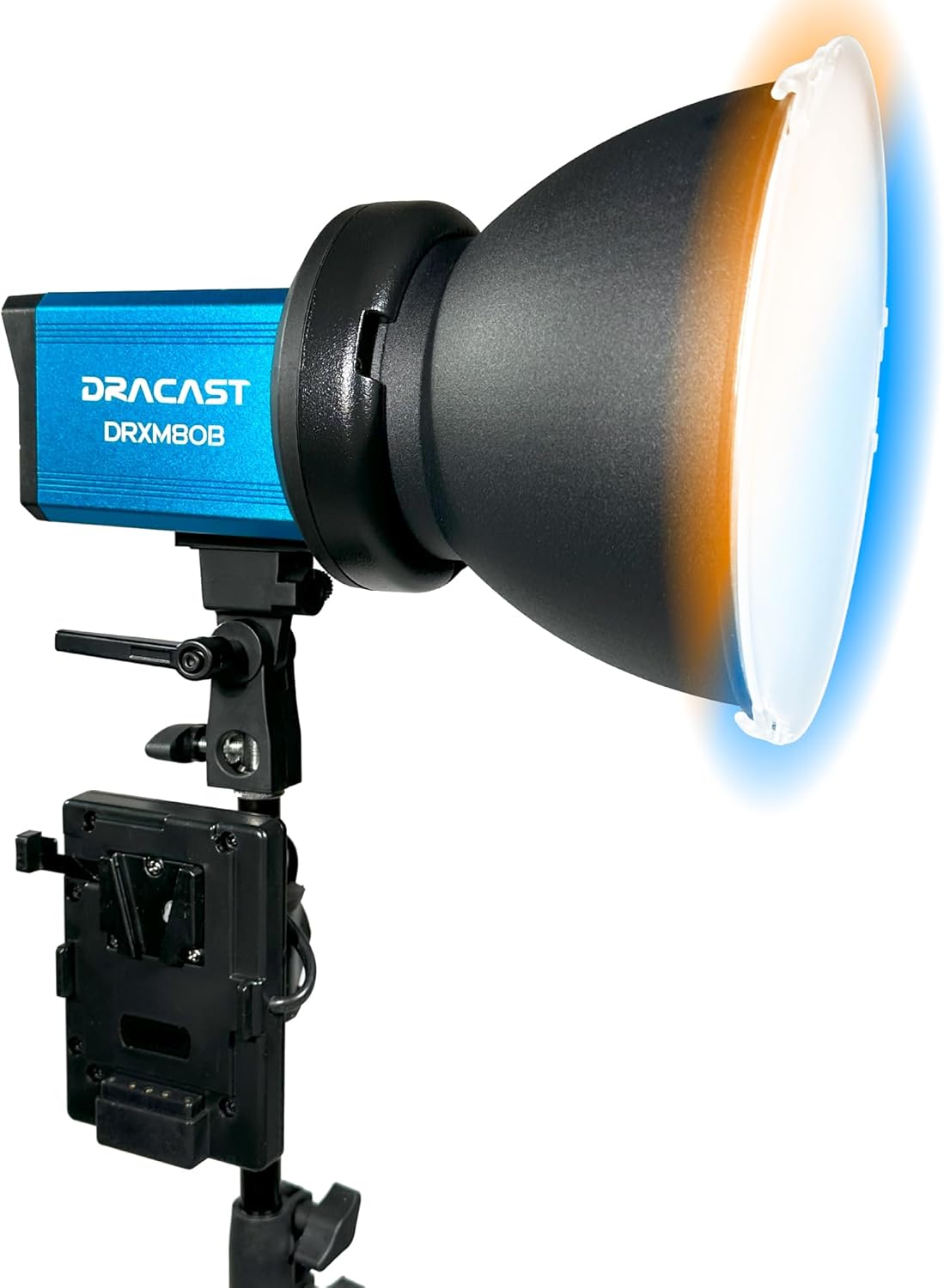
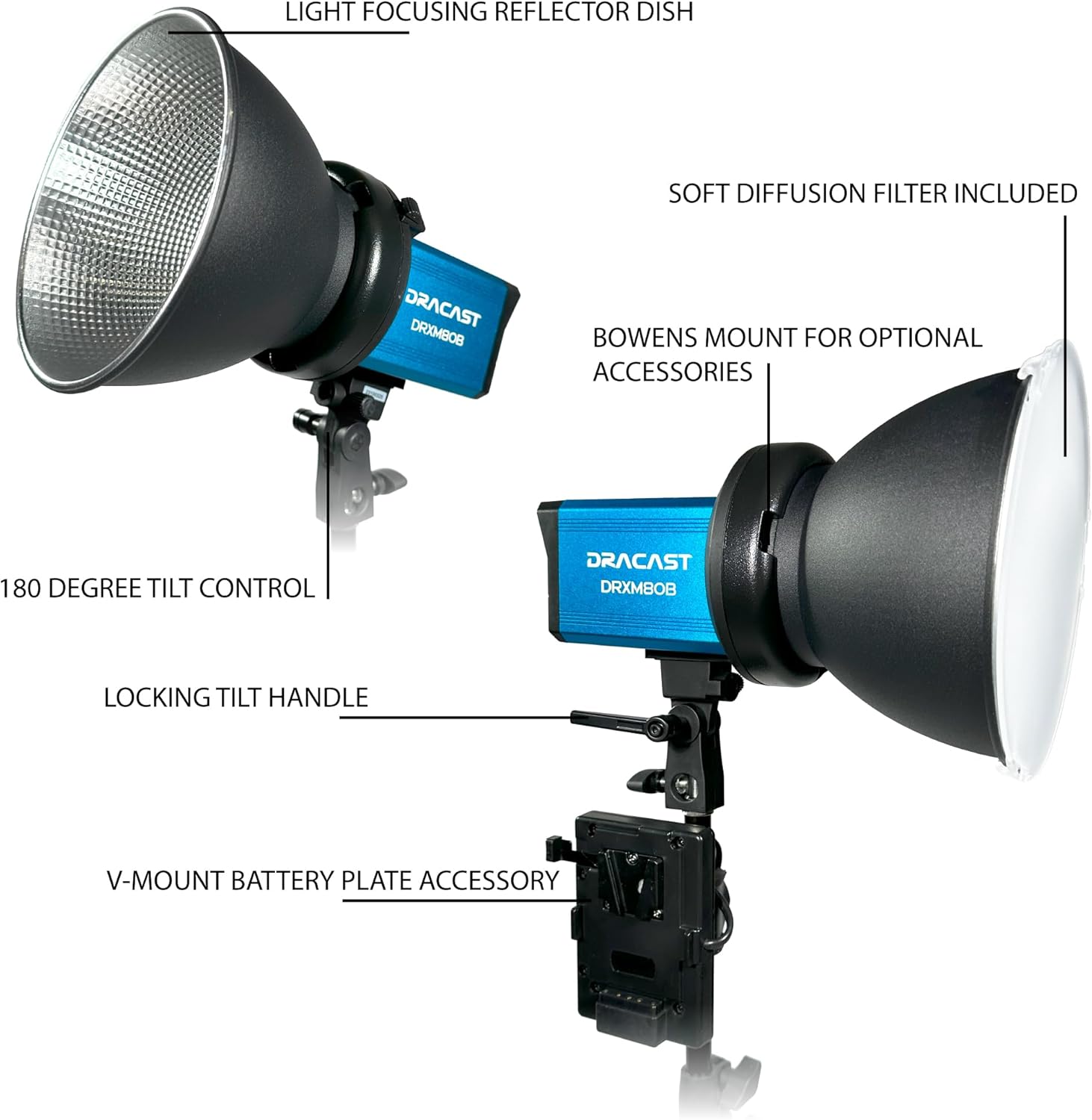
The Dracast X Series M80 Bi-Color LED light features a robust design and intuitive controls for versatile lighting applications.

Impostare
1. Assembling the Light Stands
- Aprire le gambe del supporto luminoso finché non sono completamente estese e stabili.
- Extend the telescopic sections of the stand to the desired height and secure them using the locking knobs.
2. Mounting the LED Light
- Attach the Dracast X Series M80 light unit to the 5/8" baby pin adapter on top of the light stand.
- Tighten the locking knob on the light's mounting yoke to secure it to the stand.
- Adjust the tilt angle of the light using the locking tilt handle.

3. Powering the Light
- Alimentazione CA: Connect the included AC power adapter to the "AC Power In" port on the light unit and plug it into a standard wall outlet.
- DC Power (Battery): For portable operation, attach a compatible V-Mount style battery (sold separately) to the V-Mount battery plate accessory. Ensure the battery is securely locked into place.
4. Fissaggio degli accessori
- Reflector Dish: Align the reflector dish with the Bowens mount on the front of the light and twist clockwise until it locks into place.
- Diffusion Panel: The diffusion panel is pre-installed for soft, even lighting.

Istruzioni per l'uso
1. Accensione/spegnimento
Locate the power switch on the control panel (refer to Figure 4) and toggle it to the "ON" position to power on the light. Toggle to "OFF" to power off.
2. Regolazione della temperatura del colore (CCT)
The Dracast X Series M80 is a bi-color LED light, allowing adjustment of color temperature from 3200K (warm) to 5600K (cool). Use the value increase/decrease buttons on the control panel to adjust the CCT. The current setting will be displayed on the LCD.
3. Adjusting Dimming (Brightness)
Brightness can be adjusted from 0% to 100%. Use the value increase/decrease buttons to set the desired dimming level. The LCD will show the current brightness percentage.
4. Using the Dracast DRX App (Remote Control)
For advanced control, download the Dracast DRX App for iOS and Android devices. The app allows control of one or multiple lights simultaneously from over 100 feet via Bluetooth.
- Abbinamento: Follow the in-app instructions to pair your lights with your mobile device.
- Controllo di gruppo: Assign lights to groups for synchronized control.
- Controllo del colore: Adjust CCT, or use HSI sliders or an RGB color wheel for precise color selection (if applicable to the specific mode).
- Gel Presets & Special Effects: Quickly select and apply various color gel presets and special effects such as Police Car, Fireworks, Candlelight, Strobe, and TV Screen.
- dimming: Adjust dimming from 0% – 100% directly within the app.
The light offers 96+ CRI and TLCI for excellent color rendition, making it suitable for interview lighting, portrait lighting, and matching existing light sources.
Manutenzione
Proper maintenance ensures the longevity and optimal performance of your Dracast X Series M80 lights.
- Pulizia: Use a soft, dry cloth to clean the exterior of the light. Avoid using abrasive cleaners or solvents.
- Magazzinaggio: When not in use, store the lights and accessories in the provided nylon padded travel case or individual soft carrying cases in a cool, dry place.
- Durata: The anodized aluminum metal housing is built for excellent durability. Avoid dropping or subjecting the lights to excessive impact.
Risoluzione dei problemi
| Problema | Possibile causa | Soluzione |
|---|---|---|
| La luce non si accende. | No power supply; power switch off; faulty cable. | Ensure AC adapter is securely connected and plugged into a live outlet, or V-mount battery is charged and properly attached. Check power switch position. Try a different power cable if available. |
| Cannot connect to Dracast DRX App. | Bluetooth spento; luce non in modalità di associazione; problema con l'app. | Ensure Bluetooth is enabled on your mobile device. Restart the light and the app. Make sure the light is within range (100 feet). |
| L'emissione luminosa è incoerente o tremolante. | Loose connection; power fluctuation; internal issue. | Check all power connections. Try a different power source. If the issue persists, contact Dracast customer support. |
Specifiche
| Caratteristica | Dettaglio |
|---|---|
| Numero di modello | DRXM80BX3S |
| Dimensioni del prodotto | 12 x 12 x 24 pollici (kit) |
| Peso dell'articolo | 32.7 libbre (Kit) |
| Temperatura del colore | 3200K – 5600K (Bi-Color Adjustable) |
| Resa cromatica | 96+ CRI and TLCI |
| Oscuramento | Dal 0% al 100% |
| Controllare | Manual (on-board), Dracast DRX App (Bluetooth) |
| Opzioni di alimentazione | AC / DC (V-Mount battery compatible) |
| Montaggio | 5/8" Baby Pin Adapter, Bowens Mount (for accessories) |
| Materiale dell'alloggiamento | Anodized Aluminum Metal |

Garanzia e supporto
For warranty information and technical support, please refer to the official Dracast webo contattare il servizio clienti. Conservare la ricevuta d'acquisto come prova d'acquisto per eventuali reclami in garanzia.
Per ulteriori risorse e aggiornamenti sui prodotti, visitare il Dracast Store on Amazon.


