1. Introduzione
This manual provides comprehensive instructions for the setup, operation, maintenance, and troubleshooting of your HP 24-inch FHD IPS Monitor, Model 94C21AA#ABA. Please read this manual thoroughly before using your monitor to ensure proper functionality and to maximize your user experience. This monitor features a 24-inch Full HD (1920x1080) IPS display with a 100Hz refresh rate, 300 nits brightness, and includes a Docztorm Hub USB Port Expander.
2. Contenuto della confezione
Verifica che tutti gli articoli siano presenti nel tuo pacco:
- HP 24-inch FHD IPS Monitor
- Supporto per monitor (base e collo)
- Docztorm Hub USB Port Expander
- Adattatore di alimentazione
- Cavo di alimentazione CA
- Cavo HDMI
- Document Kit (includes this user manual and warranty information)
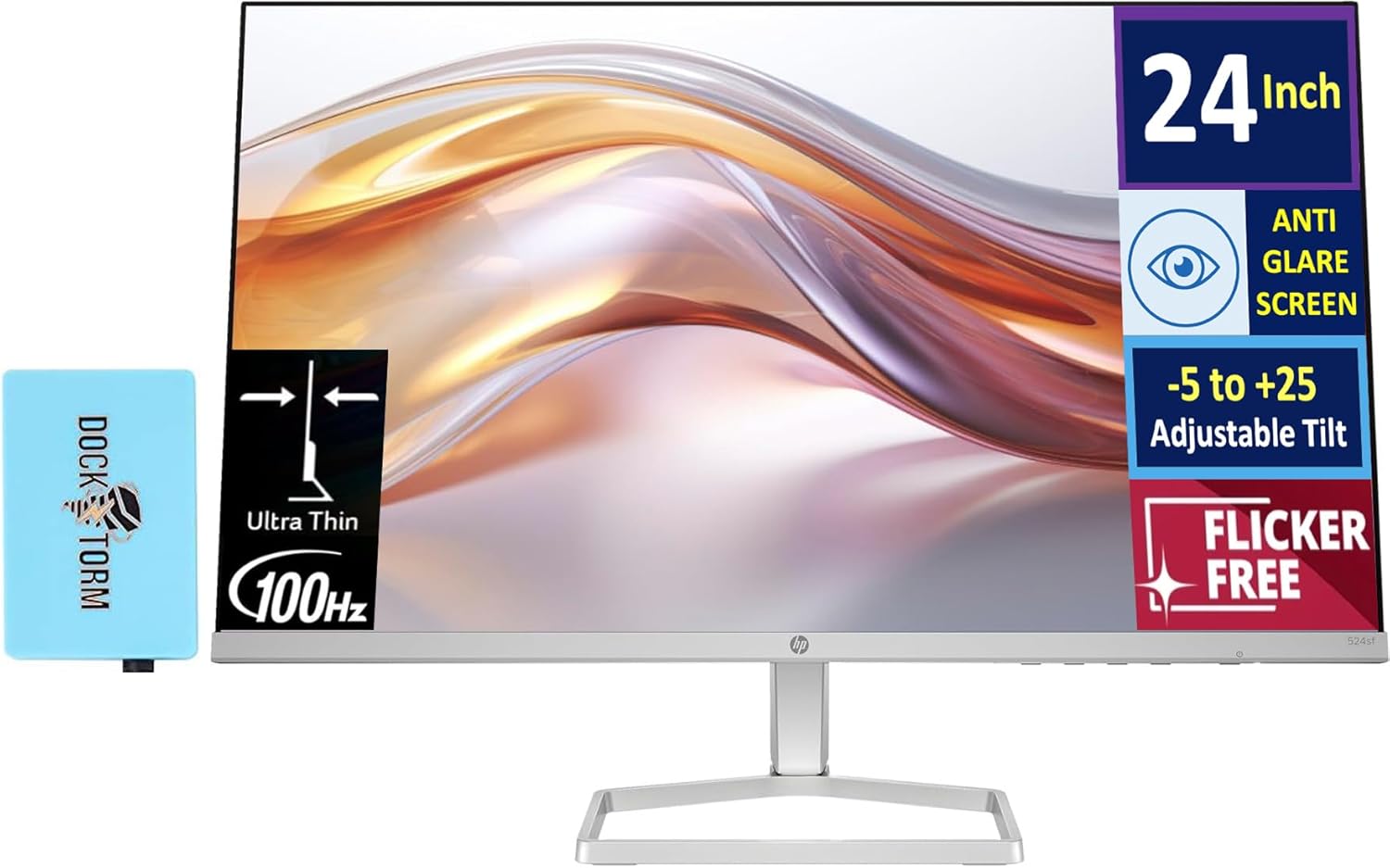
Image: The HP 24-inch FHD IPS Monitor shown with the included Docztorm Hub USB Port Expander.
3. Istruzioni per l'installazione
3.1 Montaggio del supporto del monitor
- Posizionare con cura il monitor a faccia in giù su una superficie morbida e pulita per evitare graffi.
- Attach the stand neck to the back of the monitor. Ensure it clicks securely into place.
- Attach the stand base to the stand neck. Tighten any screws if provided, usually by hand or with a coin.
- Gently lift the assembled monitor and place it upright on a stable desk or surface.

Immagine: Lato view of the HP 24-inch monitor, illustrating its slim profile e attacco per supporto.
3.2 Cavi di collegamento
- Collegamento elettrico: Connect the power adapter to the monitor's power input, then plug the AC power cord into the adapter and a wall outlet.
- Collegamento video:
- For optimal display quality, connect the included HDMI cable from your computer's HDMI output to the monitor's HDMI input.
- Alternatively, if your computer has a VGA port, connect a VGA cable (not included) from your computer to the monitor's VGA input.
- Docztorm Hub Connection: Connect the Docztorm Hub USB Port Expander to an available USB port on your computer. This hub provides additional USB connectivity.

Immagine: Posteriore view of the HP 24-inch monitor, highlighting the HDMI, VGA, and power input ports.
4. Istruzioni per l'uso
4.1 Accensione/Spegnimento
Premere il pulsante di accensione situato in basso a destra del monitor per accenderlo o spegnerlo. La spia di accensione si accende quando il monitor è acceso.
4.2 Adjusting Tilt
The monitor supports an adjustable tilt range of -5 to +25 degrees. Gently hold the top and bottom edges of the monitor and tilt it to your desired viewing angle. Avoid applying excessive force.

Image: The HP 24-inch monitor tilted to demonstrate its adjustable viewangolo di ing.
4.3 Menu di visualizzazione su schermo (OSD)
Use the buttons on the bottom right bezel of the monitor to navigate the OSD menu. The OSD menu allows you to adjust various display settings such as brightness, contrast, color temperature, input source, and more.
- Press any OSD button to activate the menu.
- Use the navigation buttons to move through menu options.
- Press the 'Select' or 'OK' button to confirm a selection.
- Premere il pulsante "Esci" o "Indietro" per tornare al menu precedente o uscire dall'OSD.
5. Caratteristiche principali
- Schermo IPS FHD da 24 pollici: Goditi colori vivaci e ampi viewing angles with the Full High Definition (1920x1080) In-Plane Switching panel.
- Frequenza di aggiornamento 100Hz: Experience smoother visuals, especially during fast-paced content or general use.
- 300 nits Brightness: Provides a bright and clear display suitable for various lighting conditions.
- Tecnologia senza sfarfallio: Reduces screen flickering to minimize eye strain during extended use.
- HP Eye Ease (Low-Blue Light Filter): An always-on hardware solution that reduces blue light emissions without impacting color accuracy, enhancing eye comfort.
- Schermo antiriflesso: Minimizes reflections for better visibility in brightly lit environments.
- Docztorm Hub USB Port Expander: A portable USB hub included to expand your device's connectivity with super speedy data sync rates up to 5Gbps.
- Connettività: Features 1x HDMI 1.4 and 1x VGA port for versatile connection options.

Image: A visual comparison demonstrating the effect of HP Eye Ease, showing reduced yellow color shift for improved eye comfort.

Image: Two HP 24-inch monitors set up side-by-side, demonstrating the thin bezels ideal for a seamless dual-screen experience.
6. Manutenzione
6.1 Pulizia del monitor
- Prima di procedere alla pulizia, spegnere sempre il monitor e scollegare il cavo di alimentazione.
- Utilizzare leggermente un panno morbido e privo di lanugine dampcon acqua o con un detergente per schermi non abrasivo.
- Wipe the screen gently. Avoid pressing hard or using harsh chemicals, which can damage the display.
- Clean the monitor casing con un panno morbido e asciutto.
6.2 Conservazione
Se si conserva il monitor per un periodo prolungato, assicurarsi che sia spento, scollegato dalla presa di corrente e conservato in un luogo fresco e asciutto, lontano dalla luce solare diretta e da temperature estreme. Si consiglia di utilizzare l'imballaggio originale per proteggerlo.
7. Risoluzione Dei Problemi
- Nessun potere:
- Ensure the power cord is securely connected to the monitor and the power outlet.
- Verificare che la presa di corrente funzioni collegandovi un altro dispositivo.
- Controllare che l'adattatore di alimentazione non sia danneggiato.
- Nessun segnale / Schermo vuoto:
- Confirm the video cable (HDMI or VGA) is securely connected to both the monitor and your computer.
- Assicurati che il computer sia acceso e non in modalità sospensione.
- Use the OSD menu to manually select the correct input source (HDMI or VGA).
- Try connecting the monitor to another computer or using a different video cable to rule out cable or computer issues.
- Scarsa qualità dell'immagine:
- Regola le impostazioni di luminosità, contrasto e colore tramite il menu OSD.
- Assicurati che la risoluzione dello schermo del tuo computer sia impostata sulla risoluzione nativa del monitor (1920 x 1080).
- Controllare eventuali danni fisici allo schermo o al cavo.
8. Specifiche
| Caratteristica | Dettaglio |
|---|---|
| Dimensioni dello schermo | 24 pollici |
| Tipo di pannello | Informazione pubblica |
| Risoluzione | FHD 1080p (1920 x 1080 pixel) |
| Frequenza di aggiornamento | 100 Hz |
| Luminosità | 300 nits (300 Lux) |
| Proporzioni | 16:9 |
| Superficie dello schermo | Flat, Anti-glare |
| Connettività | 1x HDMI 1.4, 1x VGA |
| Regolazioni | Adjustable Tilt (-5 to +25 degrees) |
| Caratteristiche speciali | Flicker-Free, HP Eye Ease (Low-Blue Light Filter), Docztorm Hub USB Port Expander |
| Dimensioni del prodotto | 1.33 x 21.09 x 12.42 pollici |
| Peso dell'articolo | 5.51 libbre |
| Numero di modello | 94C21AA#ABA |
| Produttore | HP |
9. Garanzia e supporto
Your HP 24-inch FHD IPS Monitor is covered by a manufacturer's warranty. Please refer to the warranty card included in your document kit for detailed terms and conditions, including warranty period and coverage. For technical support, product registration, or further assistance, please visit the official HP support websito o contattare il servizio clienti HP.
Supporto HP Websito: www.hp.com/support