Introduzione
This manual provides essential instructions for the safe and efficient use of your Sencor SRV 1550WH Robot Vacuum Cleaner and Mop. Please read this manual thoroughly before operating the device and keep it for future reference.
Prodotto finitoview
The Sencor SRV 1550WH is a robot vacuum cleaner and mop designed for autonomous cleaning. It vacuums dirt and simultaneously mops dust from hard floors. Equipped with two side brushes, it effectively cleans along walls and in corners. Its ultra-slim design allows it to navigate under furniture and around obstacles. The SENCOR Smart Room technology ensures efficient movement, and the device features intelligent impact and fall sensors for safe operation.
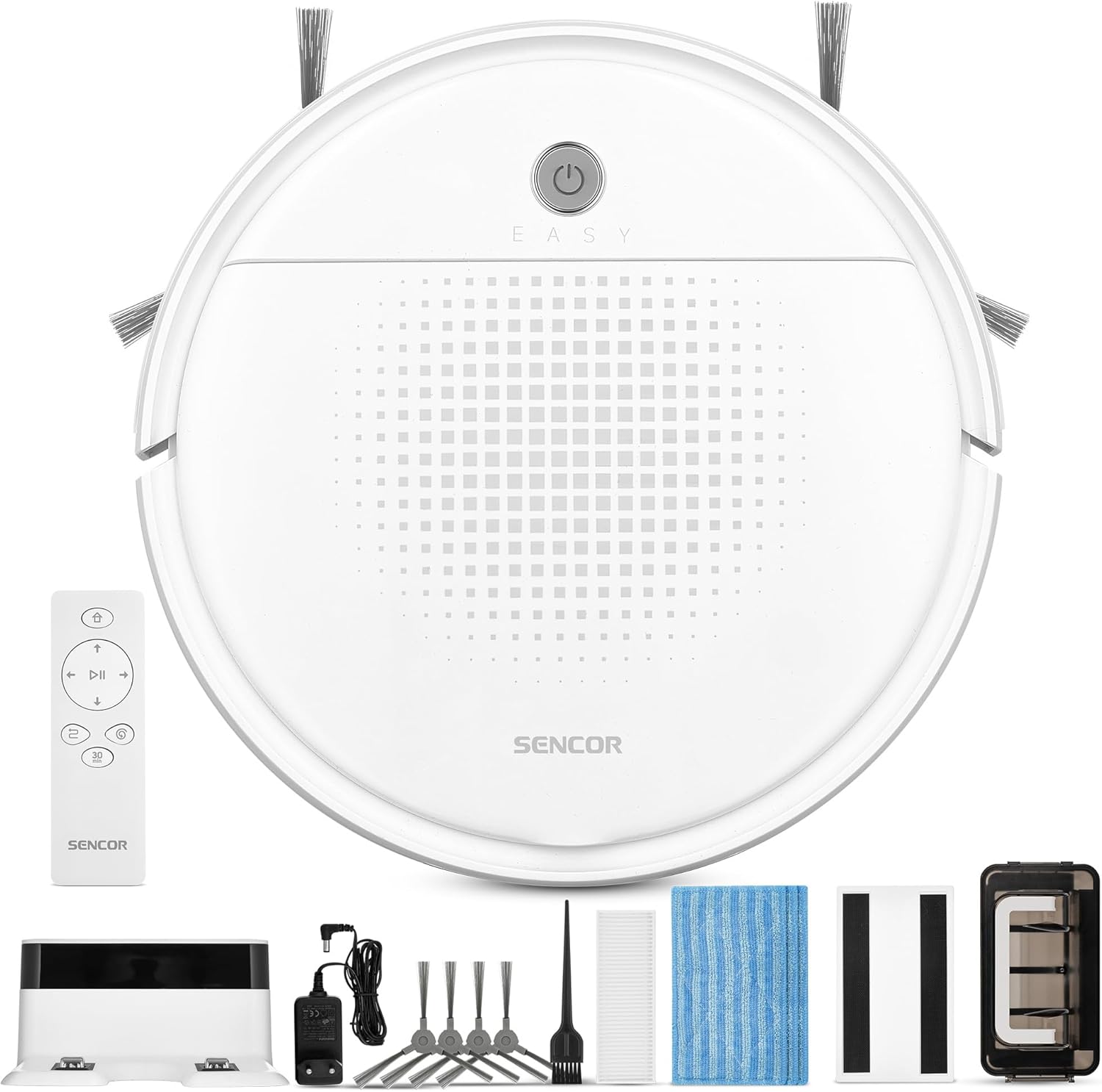
Immagine 1: Sencor SRV 1550WH Robot Vacuum Cleaner and Mop with its included accessories, including the charging station, remote control, side brushes, mop pads, and cleaning tools.
Contenuto della confezione
- Robot vacuum cleaner (including two side brushes and filters)
- Stazione di ricarica della batteria
- Accessorio per la pulizia
- 3x textile mop sleeves
- Telecomando
- 2x AAA batteries (for remote control)
- 2x spare rotating side brushes
- Adattatore di alimentazione
- 1x spare HEPA filter
- Spazzola per la pulizia
Istruzioni di sicurezza
Before using the appliance, please read all safety warnings and instructions. Failure to follow these instructions may result in electric shock, fire, or serious injury. Keep this manual in a safe place for future reference.
- Questo apparecchio può essere utilizzato da bambini di età pari o superiore a 8 anni e da persone con capacità fisiche, sensoriali o mentali ridotte o prive di esperienza e conoscenza, solo se sorvegliati o istruiti sull'uso sicuro dell'apparecchio e se comprendono i pericoli connessi.
- I bambini non devono giocare con l'apparecchio. La pulizia e la manutenzione da parte dell'utente non devono essere eseguite da bambini senza supervisione.
- Only use the original power adapter and charging station provided by the manufacturer.
- Non utilizzare l'apparecchio in ambienti umidi o vicino all'acqua.
- Assicurarsi che la stazione di ricarica sia posizionata su una superficie piana e stabile contro una parete, con spazio libero intorno.
- Prima dell'operazione, rimuovere eventuali cavi allentati, piccoli oggetti o elementi fragili dall'area di pulizia.
- Do not operate the robot over open flames or hot ashes.
- Non consentire al robot di raccogliere oggetti di grandi dimensioni, liquidi o materiali in fiamme/fumo.
- Pulire regolarmente le spazzole e i filtri per mantenere prestazioni ottimali.
Impostare
1. Disimballaggio e ispezione iniziale
Carefully remove all components from the packaging. Check for any signs of damage. Retain the packaging for future transport or storage.
2. Posizionamento della stazione di ricarica
Place the charging station against a wall in an open area. Ensure there is at least 1 meter (3 feet) of clear space on both sides and 2 meters (6 feet) in front of the charging station for the robot to easily dock. Connect the power adapter to the charging station and plug it into a power outlet.
3. Installazione delle spazzole laterali
Turn the robot upside down. Align the side brushes with the corresponding posts on the bottom of the robot and press them down until they click into place. Ensure they are securely attached.
4. Carica iniziale
Place the robot onto the charging station. Ensure the charging contacts on the robot align with those on the station. The indicator light on the robot will show its charging status. For first-time use, charge the robot for at least 5-6 hours to ensure the battery is fully conditioned.
Utilizzo del robot aspirapolvere
1. Accensione/Spegnimento
Press and hold the power button on the robot for a few seconds to turn it on or off. Alternatively, use the power button on the remote control.

Immagine 2: A hand holding the remote control for the Sencor robot vacuum, with the robot and charging station visible in the background, illustrating remote operation.
2. Avvio di un ciclo di pulizia
Premere il tasto "Pulito" button on the robot or the remote control to start a cleaning cycle. The robot will automatically select a cleaning path using SENCOR Smart Room technology.
3. Modalità di pulizia
- Pulizia automatica: The robot navigates and cleans the entire accessible area.
- Programma di 30 minuti: Ideal for smaller areas or a single room, the robot cleans for approximately 30 minutes before returning to the charging station. Activate this mode via the remote control.
4. Mop Function
To use the mop function, attach a clean textile mop sleeve to the bottom of the robot. The robot will vacuum and mop simultaneously. Ensure the water tank (if applicable, though not explicitly mentioned for this model, it's implied by "laveur") is filled if a wet mop is desired. For this model, it uses an antistatic mop for dust wiping.
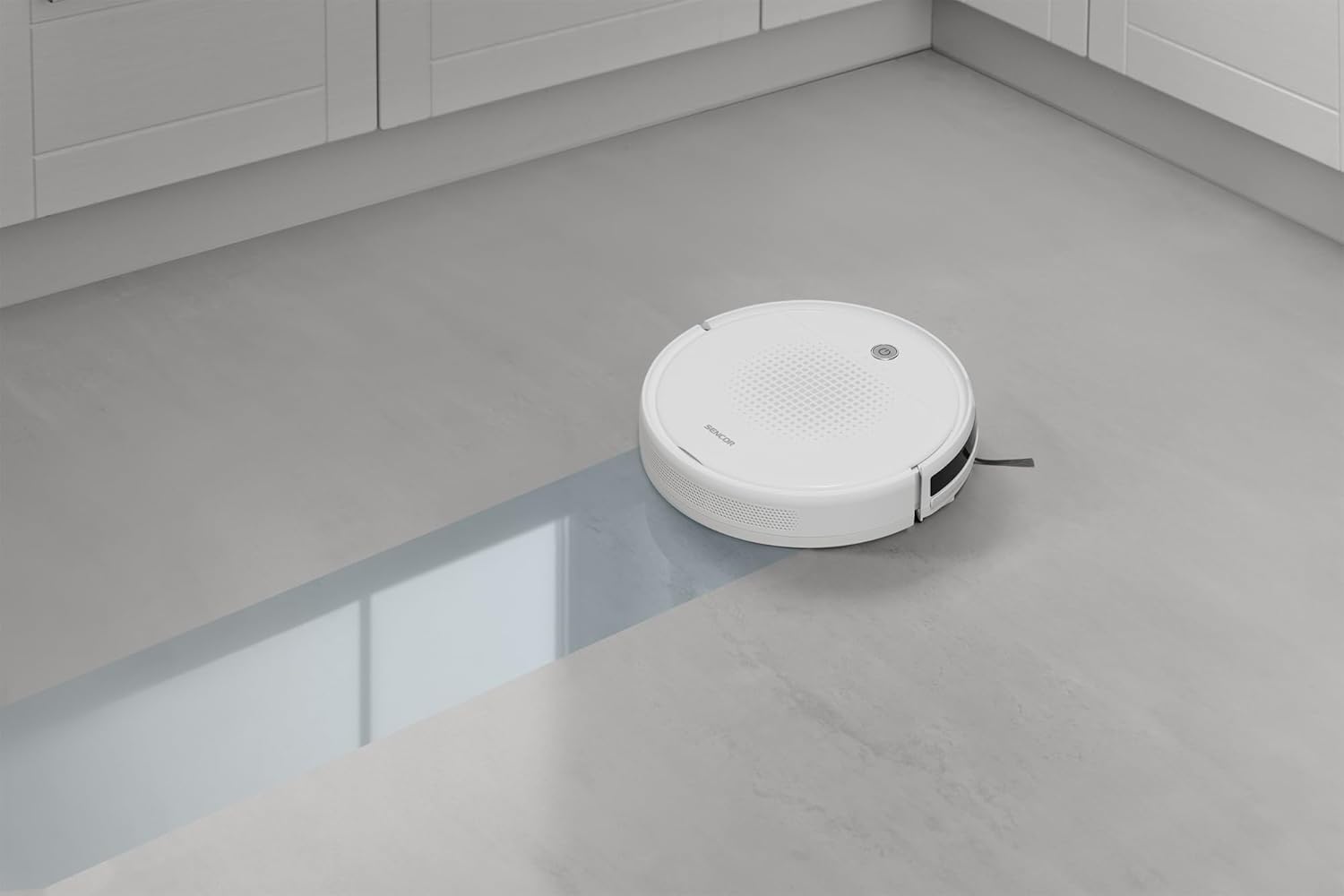
Immagine 3: The Sencor robot vacuum cleaner actively mopping a hard floor, leaving a clean path behind it.
5. Automatic Docking and Charging
When the battery is low or a cleaning cycle is complete, the robot will automatically return to its charging station. Ensure the charging station is accessible and powered on.

Immagine 4: The Sencor robot vacuum cleaner moving from a carpeted area to a hard floor, demonstrating its ability to clean different surfaces and pick up debris.

Immagine 5: The Sencor robot vacuum cleaner operating under a sofa, highlighting its ultra-slim 7 cm design for accessing hard-to-reach areas.
Manutenzione
Una manutenzione regolare garantisce prestazioni ottimali e prolunga la durata del tuo robot aspirapolvere.
1. Svuotamento del contenitore della polvere
Press the release button to remove the dust bin. Open the dust bin cover and empty its contents into a trash can. It is recommended to empty the dust bin after each cleaning cycle.
2. Pulizia/Sostituzione dei filtri
Remove the HEPA filter and primary filter from the dust bin. Tap the filters gently to remove dust. The HEPA filter is not washable; replace it every 3-6 months depending on usage. The primary filter can be rinsed with water and air-dried completely before reinstallation.
3. Pulizia delle spazzole laterali
Periodically remove the side brushes by pulling them upwards. Use the provided cleaning brush or a pair of scissors to remove any tangled hair or debris. Reinstall them securely.
4. Pulizia dei panni per mocio
Remove the textile mop sleeve after each use. Rinse it thoroughly with water and allow it to air dry. Replace mop sleeves when they show signs of wear or reduced effectiveness.
5. Pulizia dei sensori e dei contatti di ricarica
Wipe the anti-drop sensors, bumper sensors, and charging contacts on both the robot and the charging station with a clean, dry cloth to ensure proper function.
Risoluzione dei problemi
Se il tuo robot aspirapolvere riscontra un problema, fai riferimento ai seguenti problemi comuni e alle relative soluzioni:
| Problema | Possibile causa | Soluzione |
|---|---|---|
| Il robot non si accende. | Batteria scarica; non carica. | Posizionare il robot sulla stazione di ricarica e assicurarsi che sia completamente carico. |
| Il robot non si carica. | Charging contacts are dirty; charging station not powered. | Clean charging contacts on both robot and station. Ensure charging station is plugged in and powered. |
| Il robot si blocca spesso. | Obstacles in cleaning path; tangled brushes. | Clear the cleaning area of loose cables, small objects. Clean side brushes for tangled hair. |
| Scarsa efficienza di pulizia. | Full dust bin; dirty filters; worn brushes. | Empty dust bin. Clean or replace filters. Clean or replace side brushes. |
| Il robot non torna alla stazione di ricarica. | Charging station is blocked or not powered; robot too far from station. | Ensure charging station is accessible and powered. Manually place robot near station to assist docking. |
Specifiche
| Marca | SENCOR |
| Numero di modello | SRV 1550 WH |
| Colore | Bianco |
| Dimensioni (L x P x A) | 29 x 29 x 7 cm (11.4 x 11.4 x 2.7 pollici) |
| Peso | 1.9 chilogrammi (4.19 libbre) |
| Capacità del contenitore della polvere | 200 millilitri |
| Voltage | 220 Volt |
| Materiale | Plastica |
| Livello di rumore | 60 decibel |
| Durata della batteria (runtime) | Fino a 60 minuti (1 ora) |
| Caratteristiche speciali | Automatic docking, Anti-fall, Anti-collision, Automatic stop, Continuous suction, Simultaneous suction and cleaning, Dirt detection sensor, Logical navigation, Programmable, Pet hair pickup, Easy-to-empty dirt container, Cordless, Bagless, Low noise level, Washable primary filter, HEPA filter. |
| Tipo di filtro | Filtro HEPA |
| Tipo di controllore | Telecomando |
Garanzia e supporto
Sencor offers a satisfaction guarantee for this product. Please refer to your purchase documentation for specific warranty terms and conditions.
- Garanzia di soddisfazione: A 30-day satisfaction guarantee is offered.
- Pezzi di ricambio: Al momento non sono disponibili informazioni sulla disponibilità dei pezzi di ricambio.
- For further assistance or technical support, please contact Sencor customer service through their official websito o le informazioni di contatto fornite con l'acquisto.


