1. Introduzione
Thank you for choosing the THOMSON 24-inch HD Google TV (Model 24HG2S14CW). This manual provides essential information for setting up, operating, and maintaining your new television. Please read these instructions carefully before using the product to ensure safe and optimal performance.
Experience complete entertainment for the whole family with the Thomson 24-inch HD Google TV. Google TV simplifies your entertainment experience by organizing content from your apps and subscriptions per user. Create multiple user profiles and benefit from organized recommendations. Enjoy a wide range of smart features, including access to over 400,000 movies and TV shows from numerous available apps, smart voice control with Google Assistant, and integrated Google Cast for wireless streaming of movies, music, and videos from compatible devices. Its elegant design with a 3-sided bezel-less frame allows you to fully concentrate on the on-screen action. Dolby Audio technology creates a dynamic sound experience. The integrated triple tuner allows reception via satellite antenna, terrestrial antenna, or cable, meaning you can receive all available channels without additional equipment. The ergonomic remote control with backlighting allows you to keep track of everything, even in dim lighting, and a dedicated 'Favorite' button provides quick access to your preferred app.
2. Informazioni sulla sicurezza
Quando si utilizza questo prodotto, seguire sempre le precauzioni di sicurezza di base per ridurre il rischio di incendi, scosse elettriche e lesioni.
- Fonte di energia: Assicurarsi che la TV sia collegata a un alimentatore che corrisponda al volumetage specified on the rating label. For 12V operation, use only the provided 12V adapter.
- Ventilazione: Non ostruire le aperture di ventilazione. Lasciare spazio sufficiente attorno al televisore per garantire un corretto flusso d'aria ed evitare il surriscaldamento.
- Posizionamento: Posizionare il televisore su una superficie stabile e piana. Evitare di esporlo alla luce diretta del sole, vicino a fonti di calore o in ambienti con elevata umidità o polvere.
- Acqua e umidità: Non esporre il televisore a pioggia o umidità. Non posizionare oggetti contenenti liquidi, come vasi, sul televisore.
- Pulizia: Scollegare il televisore prima di pulirlo. Utilizzare un panno morbido e asciutto. Non utilizzare detergenti liquidi o spray.
- Manutenzione: Non tentare di riparare questo prodotto da soli. Affidare tutte le operazioni di manutenzione a personale di assistenza qualificato.
3. Contenuto della confezione
Si prega di verificare che tutti gli articoli siano inclusi nel pacco:
- THOMSON 24-inch HD Google TV
- Telecomando (con batterie)
- Power Adapter (for standard AC outlet)
- 12V Power Cable (for camping/caravan use)
- Supporti TV (2 pezzi)
- Viti per supporti TV
- Guida rapida
- Manuale di istruzioni (questo documento)
4. Impostazione
4.1 Installazione fisica
Fissaggio dei supporti:
- Posizionare con cautela il televisore a faccia in giù su una superficie morbida e pulita per evitare di danneggiare lo schermo.
- Allineare i supporti con i fori delle viti nella parte inferiore del televisore.
- Fissare i supporti utilizzando le viti fornite. Assicurarsi che siano saldamente fissati.
The TV offers two stand positions to fit various furniture widths. Refer to the image below for guidance.

Montaggio a parete (opzionale):
If you plan to wall mount your TV, please consult a professional installer. Ensure the wall mount is compatible with the TV's VESA mounting pattern and weight.
4.2 Collegamento dell'alimentazione
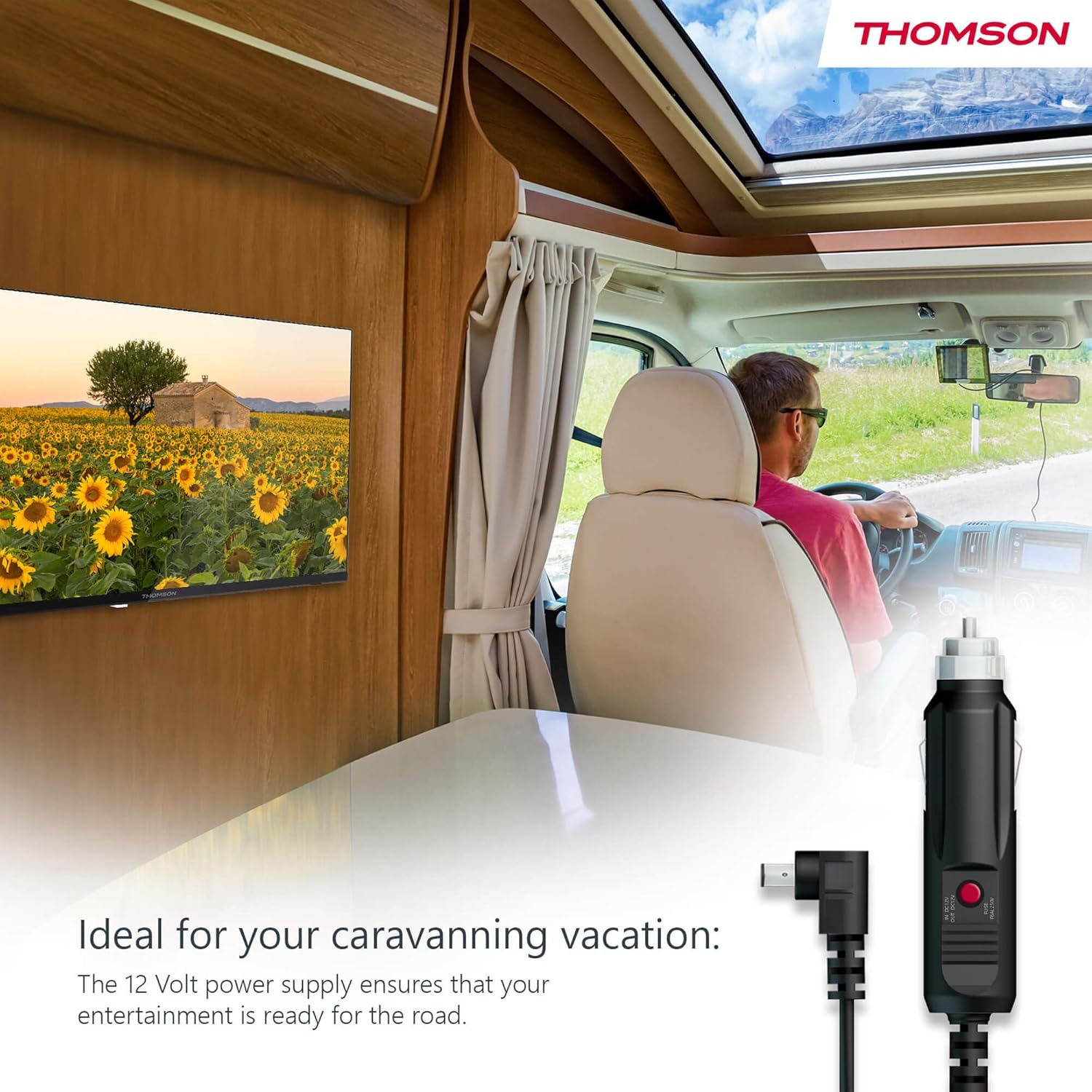
Your THOMSON TV supports both standard AC power and 12V DC power, making it ideal for camping or caravan use.
- Standard AC Power: Connect the provided power adapter to the TV's power input and then plug it into a standard wall outlet.
- 12V DC Power (Campns): For mobile use, connect the 12V power cable to the TV's power input and then to a compatible 12V power source in your vehicle or caravan.
4.3 Connecting Antennas/Cables
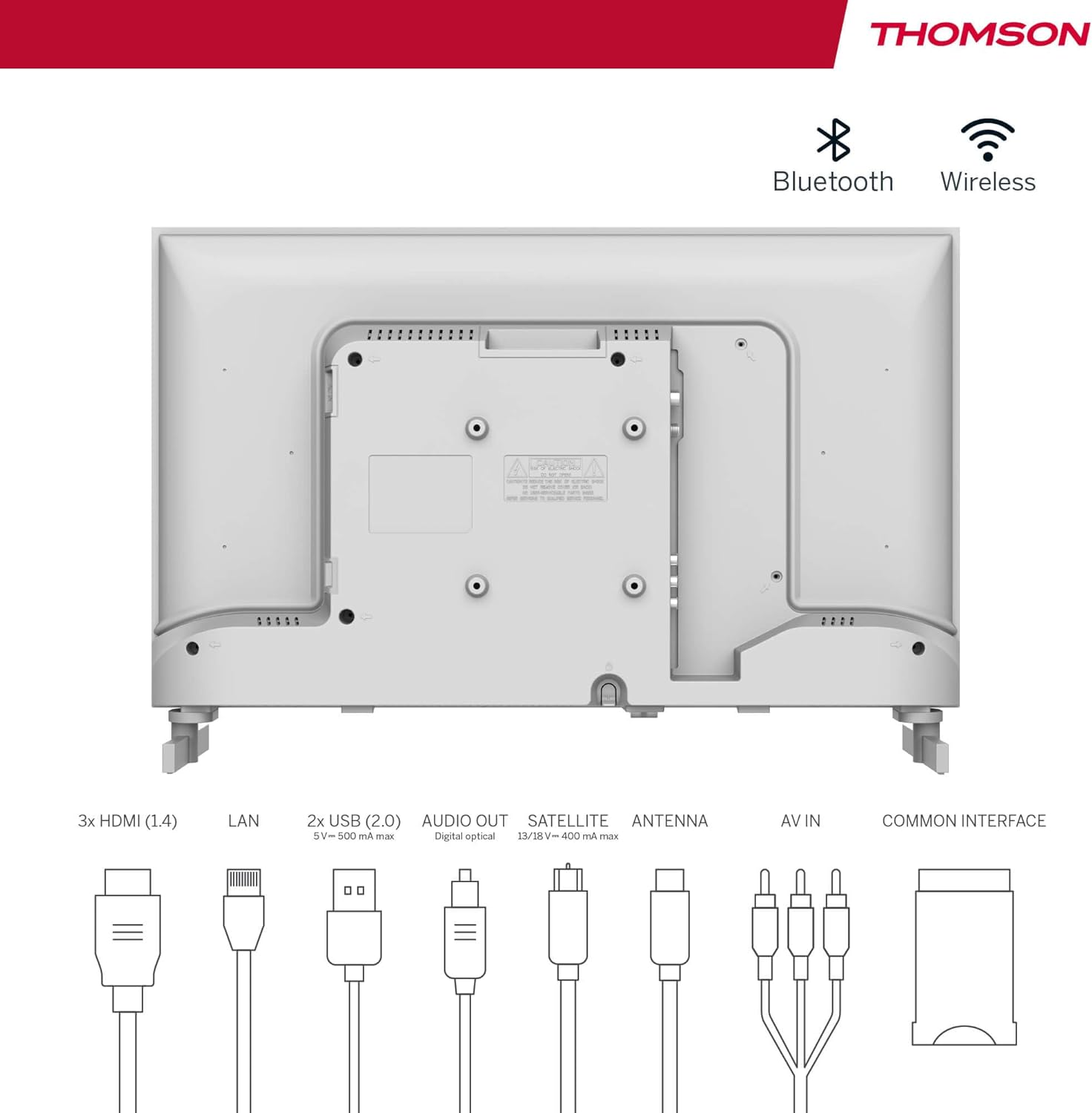
The integrated triple tuner allows reception via DVB-T (terrestrial antenna), cable, or satellite antenna.
- Antenna terrestre: Connect a DVB-T/T2 antenna cable to the 'ANTENNA' input on the TV.
- TV via cavo: Connect your cable TV coaxial cable to the 'ANTENNA' input on the TV.
- Antenna parabolica: Connect your satellite dish cable to the 'SATELLITE' input on the TV.
4.4 Collegamento di dispositivi esterni
- Dispositivi HDMI: Connect Blu-ray players, game consoles, or other HDMI devices to the HDMI ports (3 available).
- Dispositivi USB: Connect USB drives for media playback or software updates to the USB ports (2 available).
- Uscita audio: Use the digital optical audio output to connect to a soundbar or home theater system.
- Ingresso AV: For older devices, use the AV In ports.
- LAN: Per una connessione Internet cablata, collegare un cavo Ethernet alla porta LAN.
- Modulo CI+: Insert a CI+ module and smart card (if required by your service provider) into the Common Interface slot.
4.5 Configurazione iniziale (Google TV)
- Power on the TV. The initial setup wizard will guide you through the process.
- Seleziona la lingua preferita.
- Connect to a Wi-Fi network or use a wired LAN connection.
- Accedi con il tuo account Google per accedere alle funzionalità, alle app e ai consigli personalizzati di Google TV.
- Follow the on-screen prompts to set up Google Assistant and tune channels (for antenna/cable/satellite).
5. Utilizzo della TV
5.1 telecomando
The included remote control is designed for intuitive navigation of your Google TV.

- Pulsanti retroilluminati: The remote features backlighting for easy use in dark environments.
- Controllo vocale: Press the Google Assistant button and speak into the remote to control your TV, search for content, or ask questions.
- Pulsante App preferita: Use the star button to quickly access your most frequently used application.
- Professionistafile Interruttore: Passa facilmente da un profilo utente all'altrofiles set up on your Google TV.

5.2 Interfaccia di Google TV
Google TV organizes content from your streaming services and apps into a single, easy-to-navigate interface.

- Raccomandazioni personalizzate: The 'For You' tab provides content suggestions based on your viewing habits across all your streaming services.
- Applicazioni: Access a wide range of applications from the Google Play Store, including popular streaming platforms.
- Biblioteca: Find your purchased movies and shows from Google Play.
- Professionistafiles: Crea un utente separatofiles for each family member to get personalized content and recommendations.
5.3 Googlecast
Integrated Google Cast allows you to wirelessly stream movies, music, and videos from compatible devices (smartphones, tablets, computers) directly to your TV screen.
- Assicurati che il tuo dispositivo e la TV siano connessi alla stessa rete Wi-Fi.
- Open a Cast-enabled app on your device (e.g., YouTube, Netflix).
- Tocca l'icona Cast (▶) within the app and select your THOMSON TV.
5.4DolbyAudio
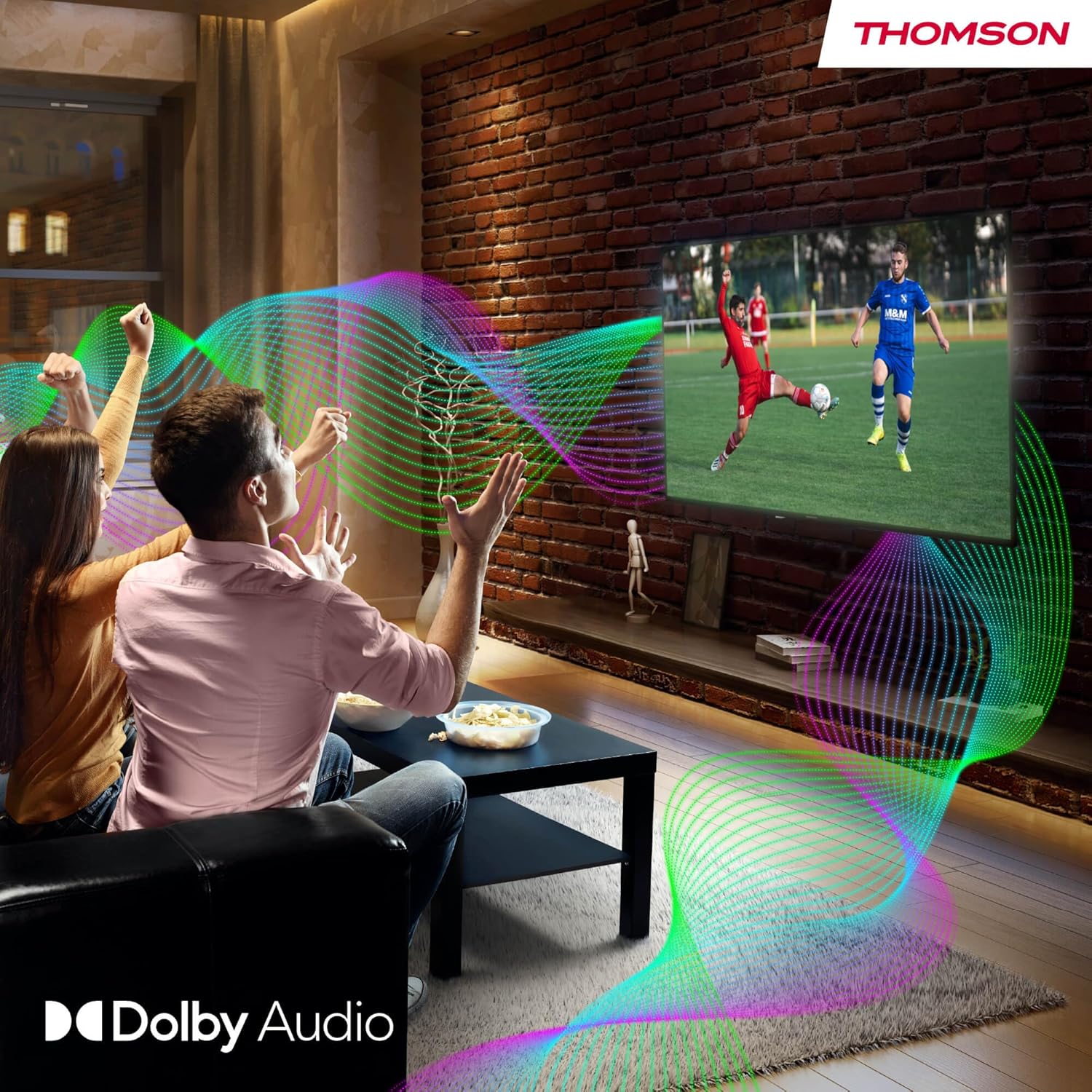
Your TV features Dolby Audio technology for an enhanced sound experience, delivering clear dialogue and immersive audio.
6. Manutenzione
- Pulizia dello schermo: Pulire delicatamente lo schermo con un panno morbido e privo di lanugine. Per macchie ostinate, strofinare leggermenteampen the cloth with water or a specialized screen cleaner (ensure it's safe for LED screens). Never spray liquid directly onto the screen.
- Pulizia del corpo del televisore: Use a soft, dry cloth to wipe the exterior of the TV.
- Aggiornamenti software: Your Google TV will periodically check for and install software updates. Ensure your TV is connected to the internet for these updates.
- Gestione dei cavi: Keep cables tidy and organized to prevent damage and ensure proper ventilation.
7. Risoluzione Dei Problemi
Se riscontri problemi con il tuo televisore, fai riferimento ai seguenti problemi comuni e alle relative soluzioni:
| Problema | Possibile soluzione |
|---|---|
| Nessun potere | Check if the power cable is securely connected to the TV and the power outlet. Ensure the outlet is working. Try a different power source. |
| Nessuna immagine, ma l'audio è presente | Controllare la sorgente di ingresso. Assicurarsi che i dispositivi esterni siano correttamente collegati e accesi. |
| Nessun suono, ma l'immagine è presente | Check the volume level. Ensure mute is not activated. Check audio output settings and external audio device connections. |
| Il telecomando non funziona | Check and replace batteries. Ensure there are no obstructions between the remote and the TV. |
| Impossibile connettersi al Wi-Fi | Assicurati che il router sia acceso e funzionante. Reinserisci la password Wi-Fi. Prova a riavviare la TV e il router. |
| Qualità dell'immagine scadente | Check antenna/cable connections. Adjust picture settings. For streaming content, check internet speed. |
8. Specifiche
| Caratteristica | Dettaglio |
|---|---|
| Marca | Tommaso |
| Numero di modello | 24HG2S14CW |
| Dimensioni dello schermo | 24 pollici (60 cm) |
| Risoluzione | Alta definizione (1366 x 768) |
| Tecnologia di visualizzazione | GUIDATO |
| Frequenza di aggiornamento | Frequenza 60 Hz |
| Sistema operativo | TV di Google |
| Controllo vocale | Assistente Google |
| Tecnologia audio | Audio Dolby |
| Supporto HDR | L'HDR10 |
| Connettività | Wi-Fi, Bluetooth 5.1, HDMI (3 ports), USB (2 ports), LAN, Digital Optical Audio Out, AV In, CI+ |
| Tipo di sintonizzatore | Triple Tuner (DVB-T/T2, DVB-C, DVB-S/S2) |
| Alimentazione elettrica | 12V DC / Standard AC |
| Colore | Bianco |
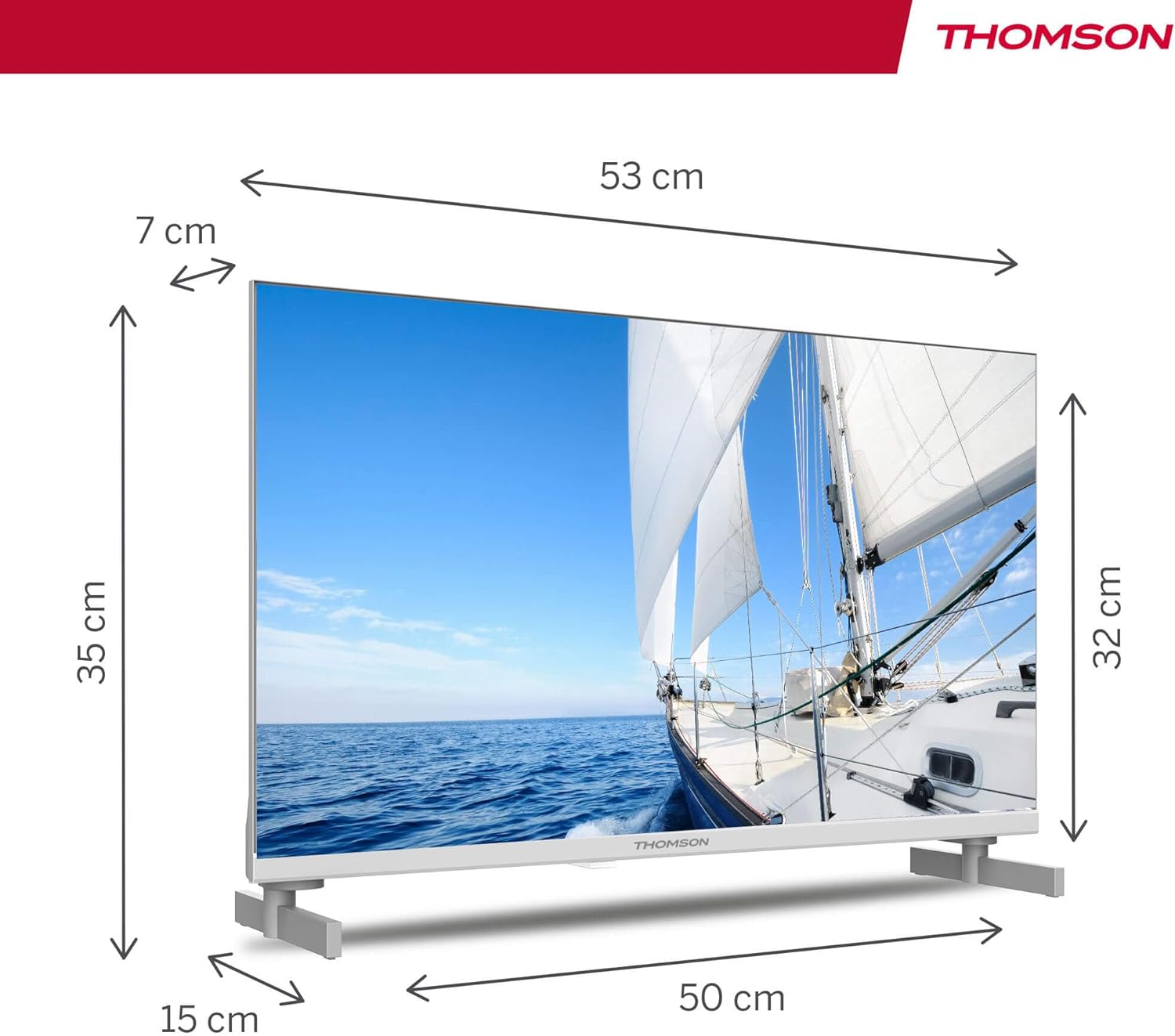
| Dimensioni del prodotto (L x P x A) | Dimensioni: 53.48 x 15.05 x 35.32 cm |
| Peso | 3.5 kg |
| Classe di efficienza energetica | E |
| Consumo energetico (1000 ore) | 18 kWh |

9. Garanzia e supporto
THOMSON products are designed and manufactured to the highest quality standards. This product is covered by a manufacturer's warranty. Please refer to the warranty card included in your package for specific terms and conditions, including the warranty period and coverage details.
For technical support, troubleshooting assistance, or warranty claims, please contact THOMSON customer service through their official websito o le informazioni di contatto fornite nella documentazione di garanzia.


