1. Introduzione
The KONNWEI KW450 is a comprehensive OBD2 diagnostic scanner designed for both VAG group vehicles (Volkswagen, Audi, Seat, Skoda) and universal OBDII/EOBD compliant cars. This advanced, user-friendly tool enables technicians and car owners to accurately diagnose and perform maintenance functions on various vehicle systems. It supports a wide range of special functions for VAG vehicles and standard OBDII diagnostic capabilities for all compatible cars.
The device is certified with CE, FCC, and RoHS, ensuring compliance with safety and environmental standards.
2. Configurazione e utilizzo iniziale
2.1 Contenuto della confezione
- KONNWEI KW450 Diagnostic Scanner
- Cavo OBD2
- Cavo USB per gli aggiornamenti
- Manuale d'uso
2.2 Collegamento al veicolo
- Individuare il connettore di collegamento dati (DLC) a 16 pin del veicolo. Di solito si trova sotto il cruscotto, lato conducente.
- Assicurarsi che l'accensione del veicolo sia in posizione OFF.
- Firmly plug the OBD2 cable into the vehicle's DLC port.
- Ruotare l'accensione del veicolo in posizione ON (motore spento). Lo scanner si accenderà automaticamente.
2.3 Impostazioni della lingua
Upon first use, or if you need to change the language, navigate to the 'Settings' menu on the device. Select 'Language' and choose your preferred language (English is the default).
3. Istruzioni per l'uso
3.1 VAG Special Functions
The KW450 provides 9 special maintenance functions specifically for Volkswagen, Audi, Seat, and Skoda vehicles. Access these functions from the main menu by selecting the appropriate VAG vehicle brand.
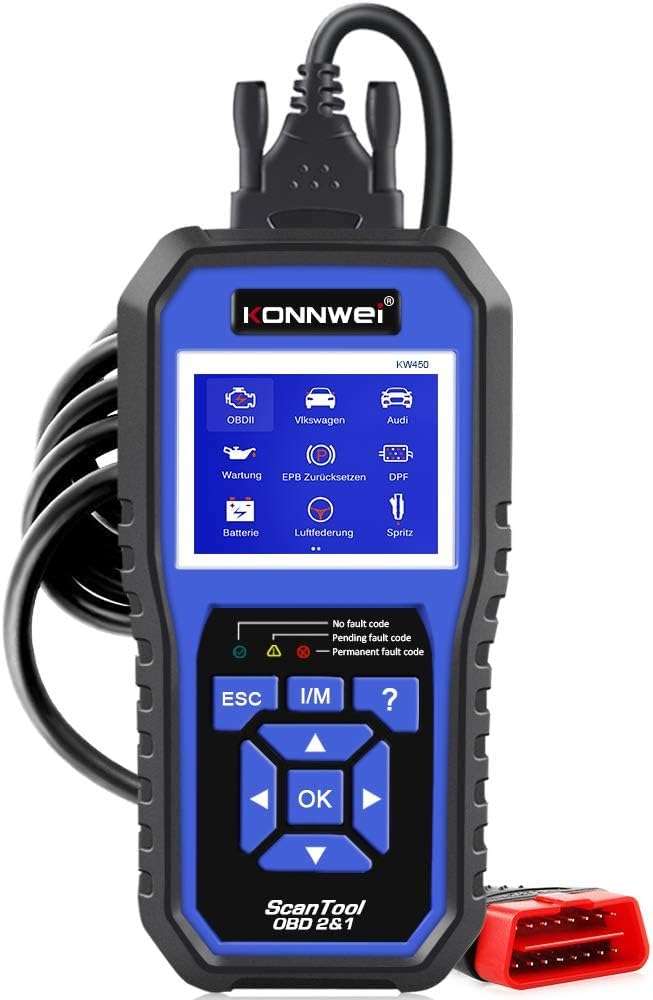
Figure 1: KONNWEI KW450 displaying its 9 special functions for VAG vehicles. These include Oil Service Reset, TPS Replacement Reset, Electronic Parking Brake (EPB) Reset, Battery Matching, Diesel Particulate Filter (DPF) Regeneration, Steering Angle Sensor (SAS) Calibration, Injector Coding, Suspension Adjustment, and Lamp Collocamento.
- Ripristino del servizio olio: Ripristina la spia di manutenzione dell'olio dopo un cambio dell'olio.
- Ripristino sostituzione TPS: Calibrates the throttle position sensor.
- Ripristino EPB: Resets the electronic parking brake system for pad replacement.
- Abbinamento batteria: Registra una nuova batteria nel sistema del veicolo.
- Rigenerazione DPF: Avvia il processo di rigenerazione del filtro antiparticolato diesel.
- Calibrazione SAS: Calibra il sensore dell'angolo di sterzata.
- Codifica iniettore: Codifica i nuovi valori degli iniettori nella centralina.
- Regolazione delle sospensioni: Regola le impostazioni delle sospensioni del veicolo.
- Lamp Collocamento: Configures vehicle lighting parameters.
3.2 Universal OBDII/EOBD Functions
For all other OBDII/EOBD compliant vehicles, the KW450 offers standard diagnostic capabilities. Select 'OBDII' from the main menu to access these functions.
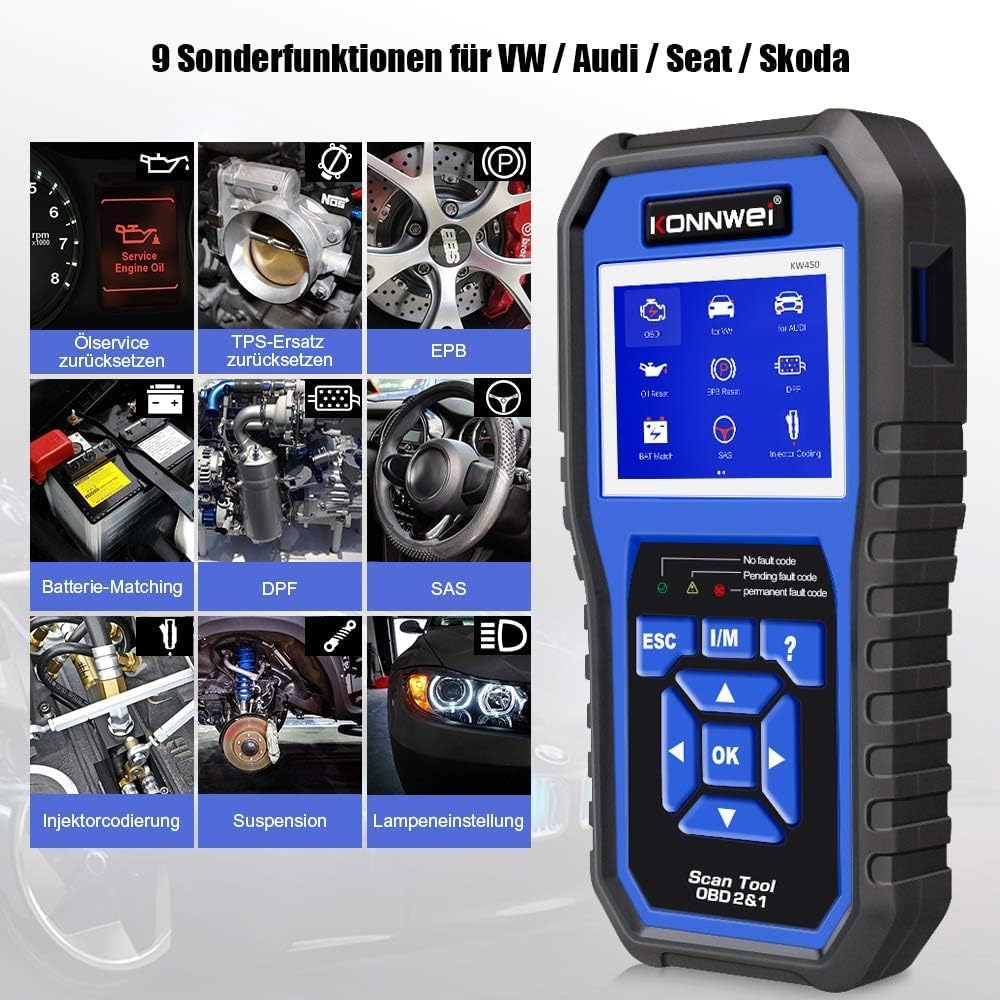
Figure 2: KONNWEI KW450 displaying universal OBD2 functions. These include Read Codes, Erase Codes, Live Data, Freeze Frame, O2 Sensor Test, I/M Readiness, On-Board Monitor Test, EVAP System Test, DTC Code Lookup, and VIN Information.
- Leggi i codici: Recupera i codici di errore diagnostici (DTC) dal computer del veicolo.
- Cancella codici: Cancella i DTC dal computer del veicolo e spegne l'indicatore di malfunzionamento Lamp (MIL).
- Dati in tempo reale: Visualizza il flusso di dati in tempo reale dai sensori del veicolo.
- Cornice di congelamento: Shows a snapshot of operating conditions at the time a fault occurred.
- Test sensore O2: Recupera i risultati del test del monitor del sensore O2.
- Prontezza I/M: Verifica la prontezza dei monitor relativi alle emissioni.
- Test del monitor di bordo: Recupera i risultati dei test di monitoraggio diagnostico di bordo.
- Test del sistema EVAP: Avvia un test del sistema di controllo delle emissioni evaporative.
- Ricerca codice DTC: Fornisce descrizioni dettagliate dei DTC.
- Informazioni sul VIN: Displays Vehicle Identification Number and other vehicle information.
4. Manutenzione
4.1 Aggiornamenti software
The KONNWEI KW450 supports lifetime free software updates to ensure compatibility with new vehicle models and diagnostic protocols. To update the device:
- Download the 'Uplink' software from the official KONNWEI website onto a computer running Windows XP, 7, 8, or 10.
- Install the 'Uplink' software.
- Collegare lo scanner KW450 al computer utilizzando il cavo USB in dotazione.
- On the scanner, press and hold the 'OK' button while plugging in the USB cable. The scanner screen should indicate 'Update Mode'.
- Open the 'Uplink' software on your computer and click 'Check Update'. Follow the on-screen instructions to complete the update process.

Figure 3: The KONNWEI KW450 connected to a computer for software updates. The 'Uplink' software facilitates the update process, ensuring the device has the latest diagnostic capabilities.
4.2 Pulizia e conservazione
- Pulisci il dispositivo con un panno morbido eamp panno. Non usare detergenti abrasivi o solventi.
- Conservare lo scanner in un luogo asciutto e fresco, lontano dalla luce solare diretta e da temperature estreme.
- Keep the cables free from kinks and damage.
5. Risoluzione Dei Problemi
| Problema | Possibile causa | Soluzione |
|---|---|---|
| Il dispositivo non si accende. | Loose connection to DLC; vehicle ignition not ON; faulty OBD2 cable. | Ensure cable is securely connected. Turn ignition to ON. Try a different OBD2 port if available or check cable for damage. |
| Errore di comunicazione con il veicolo. | Incorrect protocol selected; vehicle not OBDII compliant; faulty vehicle DLC. | Verify vehicle is OBDII compliant. Check vehicle manual for DLC issues. Try on another compatible vehicle. |
| Impossibile cancellare i codici di errore. | Underlying issue not resolved; ignition not ON; specific codes cannot be cleared by generic OBD2. | Address the root cause of the fault. Ensure ignition is ON. Some manufacturer-specific codes require specialized tools. |
| L'aggiornamento del software non riesce. | Incorrect 'Uplink' software version; unstable USB connection; firewall/antivirus blocking. | Download the latest 'Uplink' software. Ensure a stable USB connection. Temporarily disable firewall/antivirus. |
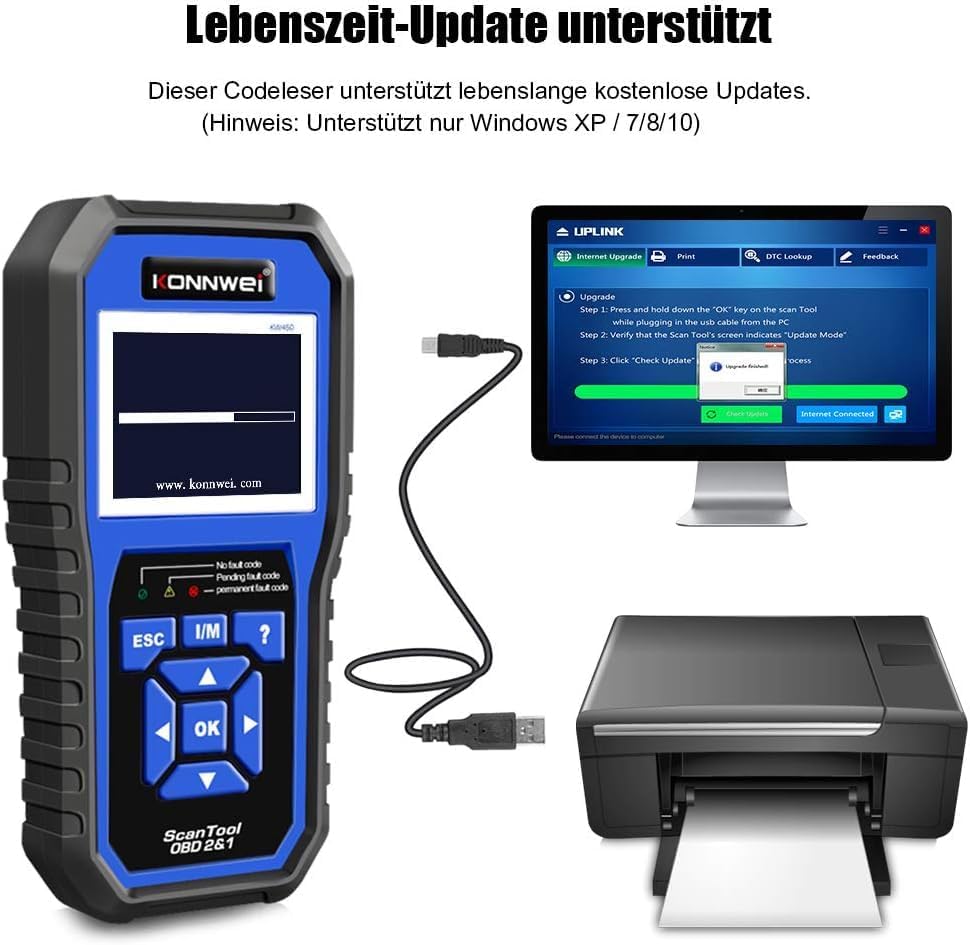
Figure 4: The KONNWEI KW450 main screen, showing indicators for 'No fault code', 'Pending fault code', and 'Permanent fault code' which are crucial for troubleshooting.
6. Specifiche
| Caratteristica | Dettaglio |
|---|---|
| Marca | KONNWEI |
| Modello | KW450 |
| Dimensioni dello schermo | 5 pollici |
| Sistema operativo (per aggiornamenti) | Windows XP, 7, 8, 10 |
| Fonte di alimentazione | Cablato (tramite porta OBD2) |
| Dimensioni del prodotto (L x P x A) | Dimensioni: 15.01 x 10 x 5 cm |
| Peso dell'articolo | 20 grammi |
| Certificazioni | Conforme a CE, FCC, RoHS |
7. Informazioni sulla garanzia
Please refer to the warranty card included with your product or contact the retailer/manufacturer for specific warranty terms and conditions. Extended warranty options may be available from third-party providers.
8. Assistenza clienti
For technical assistance, troubleshooting, or general inquiries, please contact KONNWEI customer support through their official website or the contact information provided in your product packaging. Ensure you have your product model (KW450) and purchase details ready when contacting support.


