Introduzione
Thank you for choosing the Syncwire Bluetooth 5.4 FM Transmitter Car Adapter. This device allows you to stream audio from your Bluetooth-enabled devices to your car's FM radio, make hands-free calls, and fast charge your mobile devices. Featuring advanced Bluetooth 5.4 technology, dual microphones for clear calls, and powerful charging capabilities, this adapter enhances your in-car experience.
Informazioni sulla sicurezza
Avoid overcharging and overheating. Follow charging instructions to ensure safe use. Do not disassemble or modify the device. Keep out of reach of children. Ensure the device is securely plugged into the car's cigarette lighter socket before driving.
Prodotto finitoview
Familiarize yourself with the components of your Syncwire FM Transmitter:

Image: The Syncwire Bluetooth FM Transmitter, showing its compact design and various ports and buttons.

Image: A detailed diagram labeling the key components of the FM Transmitter, including the QC 3.0 Port, PD 36W Port, CH Button, Deep Bass/Light Switch, Dual Mics, FM Display, Multifunction Button, and LED Light.
- Porta QC 3.0: Quick Charge 3.0 USB port for fast charging compatible devices (18W).
- Porta PD 36W: Power Delivery USB-C port for ultra-fast charging compatible devices (36W).
- Pulsante CH: Used to change the FM frequency.
- Deep Bass/Light Switch: Activates deep bass mode with a short press, or turns the LED light on/off with a long press.
- Doppio microfono: Integrated microphones for clear hands-free calling.
- Visualizzazione FM: Mostra la frequenza FM corrente.
- Pulsante multifunzione: Controls calls (answer/end/reject), music playback (play/pause/next/previous), and volume.
- Luce LED: Provides ambient lighting and indicates device status.
Guida all'installazione
Seguire questi passaggi per la configurazione iniziale:

Image: A four-panel image illustrating the setup process: 1. Setting car radio to FM mode. 2. Selecting a blank unused FM frequency. 3. Adjusting the FM Transmitter to the same frequency. 4. Pairing the phone via Bluetooth.
- Collegare: Insert the Syncwire FM Transmitter into your car's 12V/24V cigarette lighter socket. The LED display will light up.
- Set Car Radio to FM Mode: On your car's radio, switch to FM mode (not AM mode).
- Trova una frequenza FM vuota: Tune your car radio to a blank, unused FM frequency. This is crucial for clear audio. Avoid frequencies with strong existing radio stations.
- Frequenza del trasmettitore corrispondente: Press the 'CH' button on the FM Transmitter. Then, use the multifunction button (joystick) to adjust the transmitter's frequency to match the empty frequency you found on your car radio.
- Accoppia Bluetooth: On your smartphone or Bluetooth-enabled device, enable Bluetooth and search for available devices. Select 'SW-XC971' from the list to pair. Once paired, you will hear a confirmation tone.
Istruzioni per l'uso
Riproduzione musicale
Once paired, you can stream music from your device to your car's speakers.
- Riproduci/Pausa: Premere brevemente il pulsante multifunzione.
- Traccia successiva: Push the multifunction button right.
- Traccia precedente: Push the multifunction button left.
- Aumenta volume: Push the multifunction button up.
- Volume basso: Push the multifunction button down.

Image: An illustration highlighting the Deep Bass & HiFi Stereo feature, showing the 'b' button for activation and a visual representation of enhanced sound waves.
HiFi Deep Bass: Short press the 'b' button (Deep Bass/Light Switch) to activate the deep bass mode for enhanced audio quality. Press again to return to standard mode.
Chiamata a mani libere
The dual microphones and CVC 8.0 noise reduction technology ensure clear calls.

Image: A diagram showing the various functions for hands-free calling using the multifunction button: Answer (short press), Handset/Hands-free (long press), Hang up (short press), Reject (long press), Redial last number (short press twice).
- Rispondi alla chiamata: Premere brevemente il pulsante multifunzione.
- Termina chiamata: Short press the multifunction button during a call.
- Rifiuta chiamata: Long press the multifunction button when a call comes in.
- Ricomponi l'ultimo numero: Short press the multifunction button twice.
- Switch Call to Handset/Hands-free: Long press the multifunction button during a call to switch audio between the phone and the transmitter.
Dispositivi di ricarica
Il trasmettitore è dotato di due porte di ricarica rapida:

Image: The Syncwire FM Transmitter with cables plugged into its PD 36W and QC3.0 18W USB ports, illustrating its ability to super-fast charge devices simultaneously.
- PD 36W Port (USB-C): For Power Delivery compatible devices, offering up to 36W output.
- QC 3.0 18W Port (USB-A): For Quick Charge 3.0 compatible devices, offering up to 18W output.
You can charge two devices simultaneously. The intelligent safety features protect against overcharging, voltage spikes, overheating, and short circuits.
Controllo della luce ambientale
The transmitter features a captivating rainbow light.
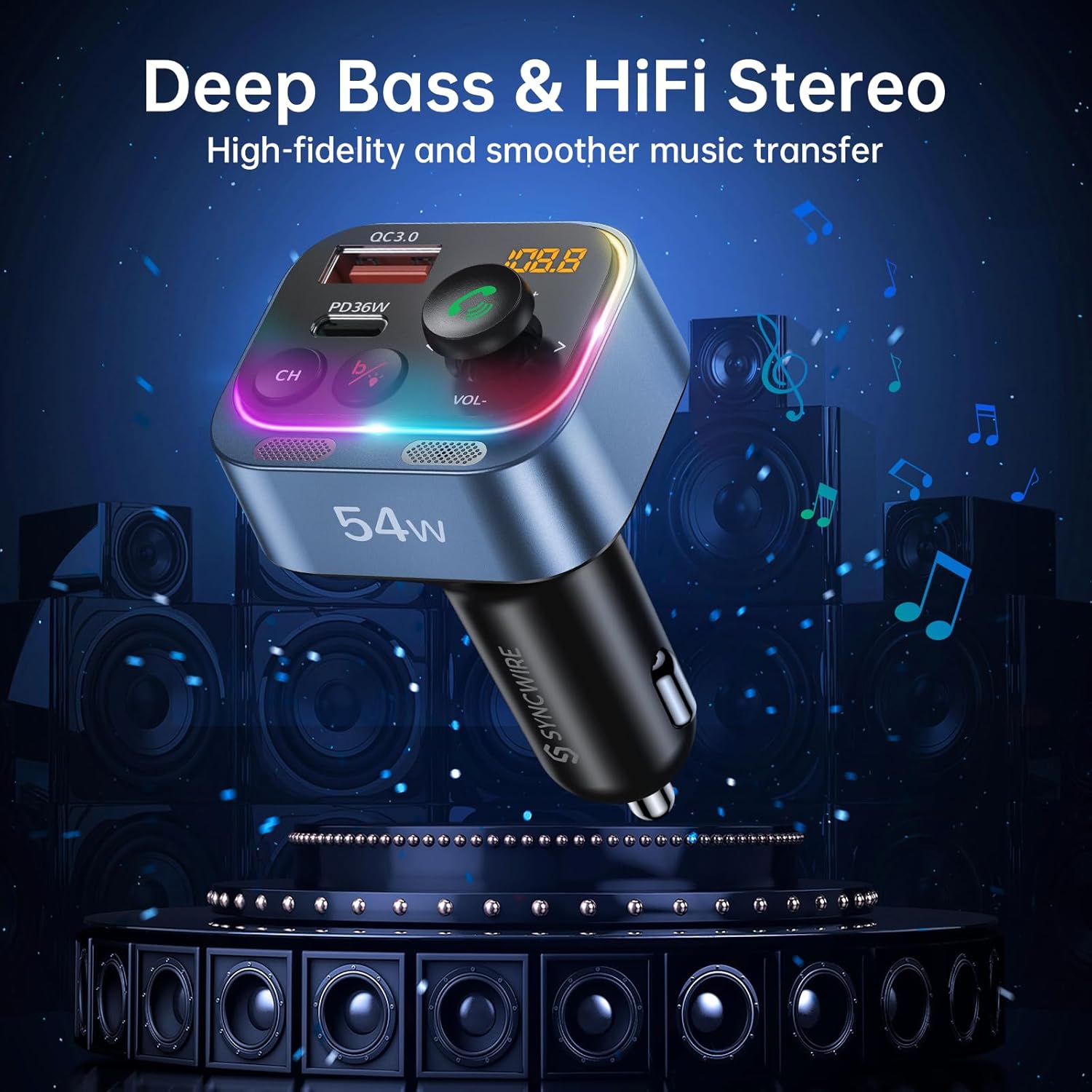
Image: Two panels demonstrating the Ambient Light Switch: one showing a long press to turn off the light, and the other showing a long press to turn on the light, with the device's rainbow LED illuminated.
- Accendi/Spegni la luce: Long press the 'b' button (Deep Bass/Light Switch) to toggle the rainbow light on or off.
Manutenzione
To ensure the longevity and optimal performance of your Syncwire FM Transmitter:
- Pulizia: Per pulire il dispositivo, utilizzare un panno morbido e asciutto. Non utilizzare detergenti liquidi o spray.
- Magazzinaggio: Quando non viene utilizzato per lunghi periodi, conservare il dispositivo in un luogo fresco e asciutto, lontano dalla luce solare diretta e da temperature estreme.
- Gestione: Evitare di far cadere il dispositivo o di sottoporlo a forti impatti.
Risoluzione dei problemi
In caso di problemi, fare riferimento ai seguenti problemi comuni e alle relative soluzioni:
| Problema | Soluzione |
|---|---|
| Qualità audio statica o scarsa |
|
| Il dispositivo non si accende |
|
| Il Bluetooth non si connette |
|
| Call clarity issues (other party cannot hear me well) |
|
| La ricarica è lenta o non funziona |
|
Specifiche
| Caratteristica | Dettaglio |
|---|---|
| Numero di modello | SW-XC971 |
| Versione Bluetooth | 5.4 |
| Ingresso volumetage | 12V-24V |
| Uscita USB-C (PD) | 36W max |
| Uscita USB-A (QC3.0) | 18W max |
| Produzione totale | 54W |
| Gamma di frequenza FM | Frequenza 87.5-108.0 MHz |
| Microfono | Dual Mics with CVC 8.0 Noise Reduction |
| Caratteristiche speciali | HiFi Deep Bass, Rainbow Light, Hands-Free Calling |
| Dimensioni | 3.43 x 2.4 x 1.73 pollici |
| Peso dell'articolo | 2.82 once |
| Materiale | Materiale di prima qualità |
Garanzia e supporto
Syncwire provides a 36-month warranty and lifetime support for this product. If your car radio Bluetooth adapter does not fit your car or does not work as expected, please feel free to contact us to find a satisfying solution. Our customer service team is dedicated to assisting you with any inquiries or issues you may have.


