Introduzione
The Beghelli Salvalavita SLV20 Plus is a mobile phone specifically designed for seniors, prioritizing ease of use, safety, and clear communication. It features large backlit keys, a high-volume speaker, a bright 2.8-inch color display, and a dedicated SOS button for emergencies. This manual provides detailed instructions to help you set up, operate, and maintain your device.
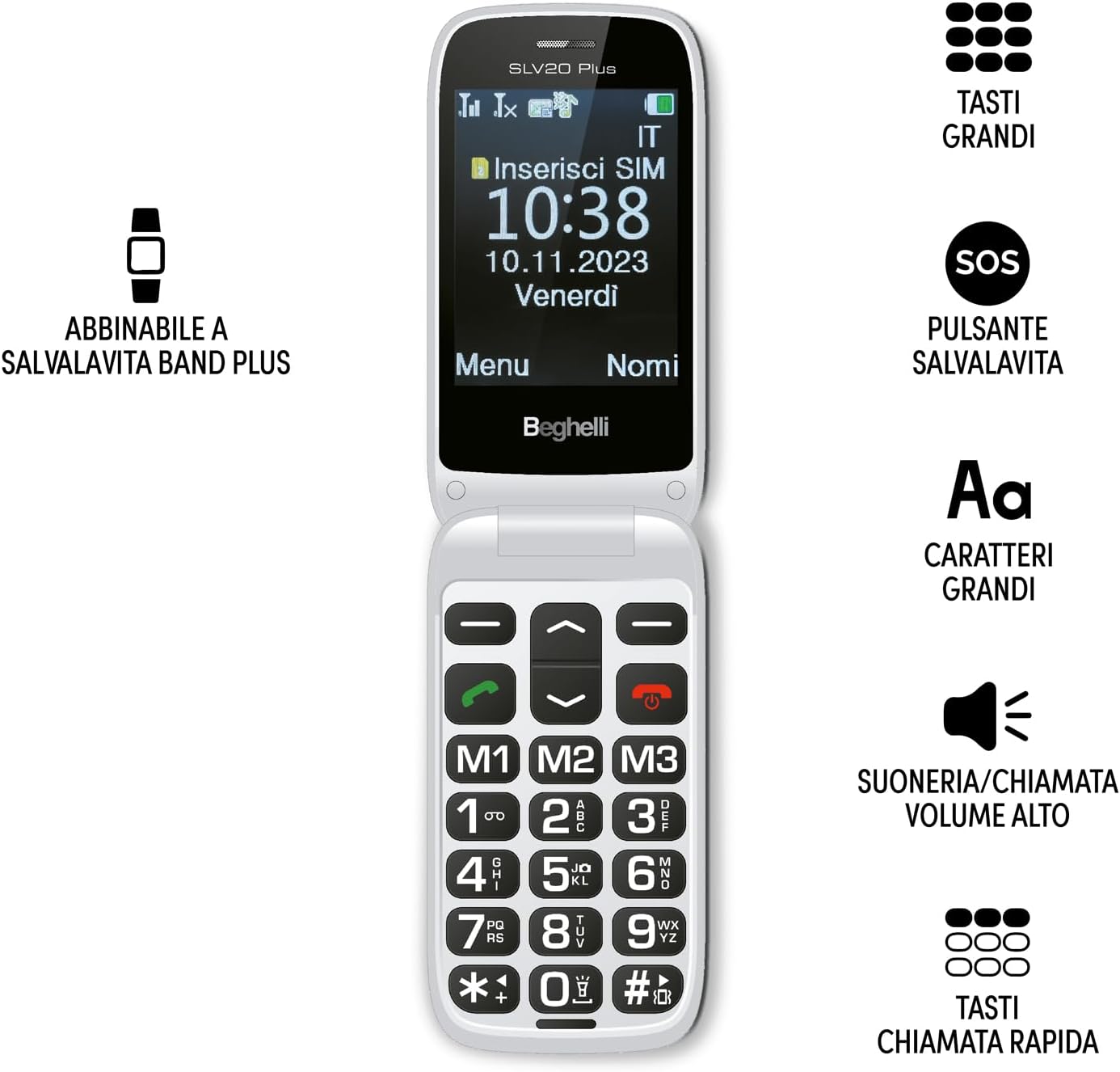
Image: The Beghelli Salvalavita SLV20 Plus, shown open to highlight its large, easy-to-read keys and clear display, designed for user convenience.
Impostare
1. Unboxing e componenti
Prima di iniziare, assicurati che tutti i componenti siano presenti nella confezione:
- Beghelli Salvalavita SLV20 Plus Mobile Phone
- Batteria ricaricabile agli ioni di litio
- Base di ricarica
- Adattatore di alimentazione
- Manuale dell'utente (questo documento)

Image: The included charging base and power adapter for the Beghelli Salvalavita SLV20 Plus, facilitating easy and convenient recharging.
2. Installazione della scheda SIM
- Spegnere il telefono e rimuovere la cover posteriore.
- Individua lo slot della scheda SIM.
- Insert your activated SIM card into the slot, ensuring the gold contacts face downwards and the cut corner aligns correctly.
- Spingere delicatamente la scheda SIM finché non scatta in posizione.
- Riposiziona la cover posteriore.
3. Installazione e ricarica della batteria
- With the back cover removed, insert the rechargeable Lithium-ion battery into its compartment, aligning the contacts.
- Riposiziona la cover posteriore.
- Collegare l'alimentatore alla base di ricarica.
- Posizionare il telefono nella base di ricarica. Assicurarsi che il telefono sia posizionato correttamente e che l'indicatore di carica sia visualizzato sullo schermo.
- For first use, charge the phone for at least 4 hours to ensure optimal battery performance.
4. Accensione iniziale
Press and hold the Power/End Call button (usually marked with a red phone icon) until the screen lights up and the Beghelli logo appears. The phone will then guide you through any initial setup steps, such as setting the language or time.
Istruzioni per l'uso
1. Funzioni base del telefono
- Effettuare una chiamata: Dial the desired number using the large keypad and press the Green Call button.
- Ricevere una chiamata: Quando il telefono squilla, premere il pulsante verde di chiamata per rispondere.
- Terminare una chiamata: Premere il pulsante rosso di fine chiamata.
- Regolazione del volume: Use the dedicated volume keys on the side of the phone during a call or to adjust ringtone volume. The phone features high volume for clear audio.
- Invio di SMS: Navigate to the 'Messages' menu, select 'New Message', type your text using the keypad, and select the recipient from your contacts or enter a number.
2. SOS Button Functionality
The SOS button is a critical safety feature. In an emergency, press and hold the SOS button located on the back of the phone for a few seconds. The phone will automatically:
- Initiate calls to up to 5 pre-programmed emergency numbers in sequence until one is answered.
- Send a pre-set emergency SMS message to these same 5 numbers.
Programmazione dei numeri SOS: Refer to the phone's settings menu under 'SOS Settings' to add or modify emergency contact numbers and the emergency SMS message.
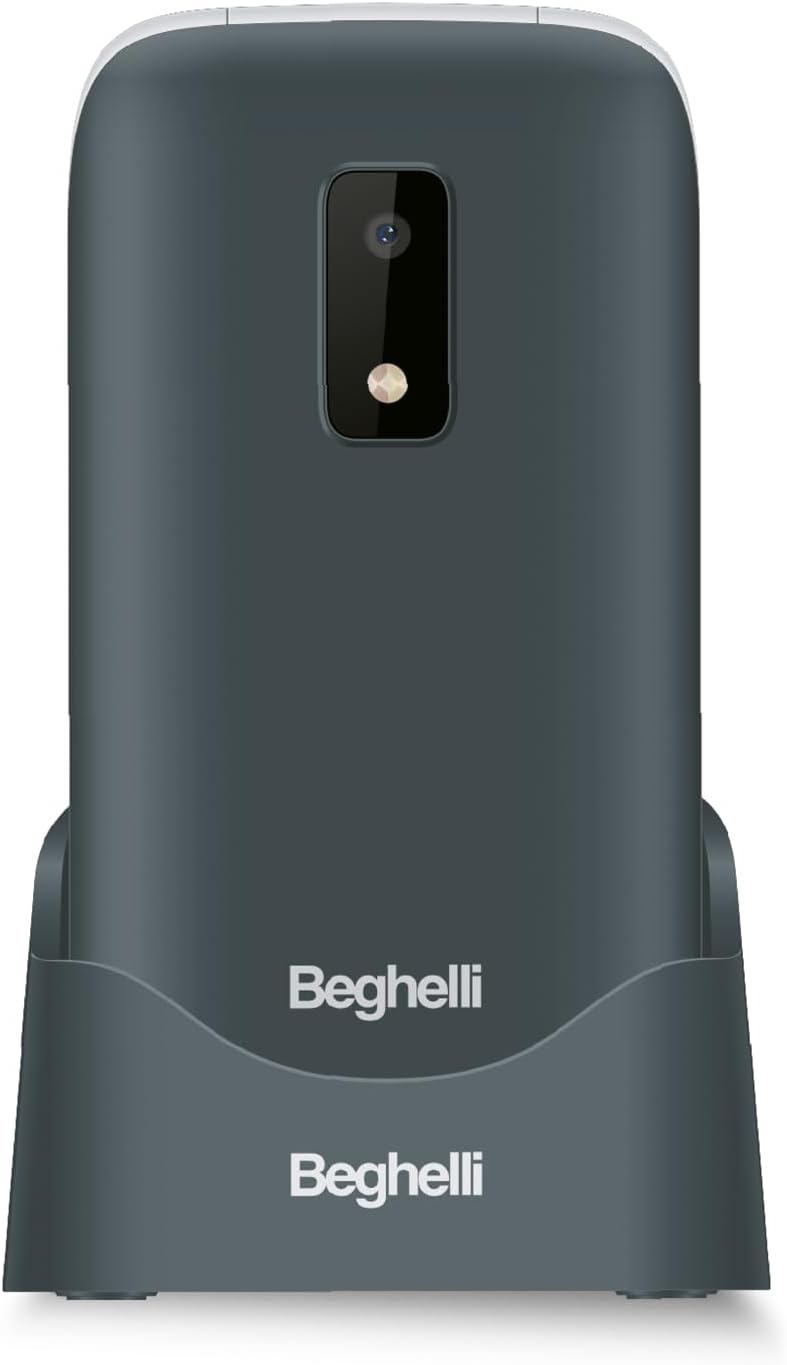
Immagine: La parte posteriore view of the Beghelli Salvalavita SLV20 Plus, highlighting the prominent SOS button and integrated camera, designed for quick access to emergency features.
3. Quick Dial Keys (M1, M2, M3)
The M1, M2, and M3 keys allow for quick dialing of frequently contacted numbers. To program these keys:
- Vai al menu "Impostazioni".
- Select 'Speed Dial' or 'Quick Dial Settings'.
- Choose M1, M2, or M3 and assign a contact from your phonebook or enter a new number.
- Once programmed, simply press and hold the M1, M2, or M3 key to dial the assigned number.
4. Funzionalità aggiuntive
- Telecamera: Access the camera from the main menu to take photos. Photos are saved to the phone's memory or an inserted SD card (if applicable).
- Torcia elettrica: Attiva la torcia integrata tramite un pulsante dedicato o un'opzione del menu, per maggiore praticità in condizioni di scarsa illuminazione.
- FM Radio: Tune into your favorite FM radio stations. Headphones may be required to act as an antenna.
5. Optional Salvalavita 24/7 Service
The Beghelli Salvalavita SLV20 Plus can be connected to the optional Salvalavita 24/7 Center service. This service provides constant support and protection by connecting your SOS button directly to a monitoring center. For more information on subscribing to this service, please refer to the documentation provided with the service or visit the official Beghelli websito.
Manutenzione
- Pulizia: Utilizzare un panno morbido e asciutto per pulire l'esterno del telefono. Evitare l'uso di detergenti liquidi o materiali abrasivi.
- Cura della batteria: Per prolungare la durata della batteria, evitare temperature estreme. Non lasciare il telefono completamente scarico per periodi prolungati.
- Magazzinaggio: Se si conserva il telefono per un lungo periodo, caricare la batteria a circa il 50% e conservarla in un luogo fresco e asciutto.
Risoluzione dei problemi
| Problema | Possibile soluzione |
|---|---|
| Il telefono non si accende. | Assicurati che la batteria sia inserita correttamente e carica. Collega il telefono al caricabatterie e riprova. |
| Nessun segnale di rete. | Check if the SIM card is properly inserted. Ensure you are in an area with network coverage. Contact your service provider if the issue persists. |
| Cannot hear calls clearly. | Adjust the call volume using the side keys. Ensure the speaker is not obstructed. |
| Il pulsante SOS non funziona. | Verify that emergency numbers are correctly programmed in the SOS settings. Ensure the phone has network signal. |
If you encounter issues not listed here or if the suggested solutions do not resolve the problem, please contact Beghelli customer support for assistance.
Specifiche
| Caratteristica | Dettaglio |
|---|---|
| Numero di modello | SLV20 Plus |
| Dimensioni (L x P x A) | Dimensioni: 10.9 x 5.5 x 1.9 cm |
| Peso | 100 grammi |
| Tipo di batteria | 1 agli ioni di litio (inclusa) |
| Dimensioni dello schermo | 2.8 pollici |
| Caratteristiche principali | Large Backlit Keys, SOS Button, High Volume, Flashlight, FM Radio, Camera, Quick Dial Keys |
Garanzia e supporto
The Beghelli Salvalavita SLV20 Plus typically comes with a manufacturer's warranty. Please refer to the warranty card included in your product packaging for specific terms and conditions. Generally, spare parts availability is indicated for 2 years from the date of purchase.
In case of product defects or issues, a refund or replacement policy is usually available for 30 days from the purchase date, subject to retailer terms.
For technical support, service, or warranty claims, please contact Beghelli customer service through their official website or the contact information provided in your product documentation. Always have your model number (SLV20 Plus) and proof of purchase ready when contacting support.


