Manuale d'uso della macchina da cucire elettronica Jaguar 190S
Modello: 190S
Introduzione
This manual provides comprehensive instructions for the safe and efficient operation, setup, and maintenance of your Jaguar 190S Electronic Sewing Machine. Designed for both beginners and experienced users, the Jaguar 190S offers a wide range of features for various sewing and quilting projects. Please read this manual thoroughly before using the machine to ensure optimal performance and longevity.
1. Impostazione
1.1 Disimballaggio e posizionamento
- Estrarre con cautela la macchina dall'imballaggio.
- Place the machine on a stable, flat surface. Ensure adequate space around the machine for comfortable operation.
- Connect the foot pedal and power cord to the machine and a suitable power outlet (220 Volts).

Figura 1: Fronte view of the Jaguar 190S Electronic Sewing Machine. This image shows the main body of the machine, including the needle area, presser foot, stitch selection panel, and LCD screen.
1.2 Avvolgimento della bobina
- Posizionare un rocchetto di filo sul portarocchetto.
- Far passare il filo attraverso la guida del filo superiore e attorno al disco di tensione dell'avvolgimento della bobina.
- Posizionare una bobina vuota sul perno dell'avvolgitore.
- Wrap the thread clockwise a few times around the bobbin.
- Spingere l'alberino avvolgitore della bobina verso destra.
- Start the machine (using the foot pedal or start/stop button) to wind the bobbin. Stop when the bobbin is full.
- Tagliare il filo e spingere il fuso verso sinistra.
1.3 Infilatura della macchina
- Sollevare la leva del piedino premistoffa.
- Posizionare la bobina di filo sul perno della bobina.
- Follow the numbered threading path indicated on the machine, ensuring the thread passes through all guides and the take-up lever.
- Use the automatic needle threader for quick and easy needle threading.
- Insert the wound bobbin into the bobbin case, ensuring the thread feeds correctly through the tension spring.
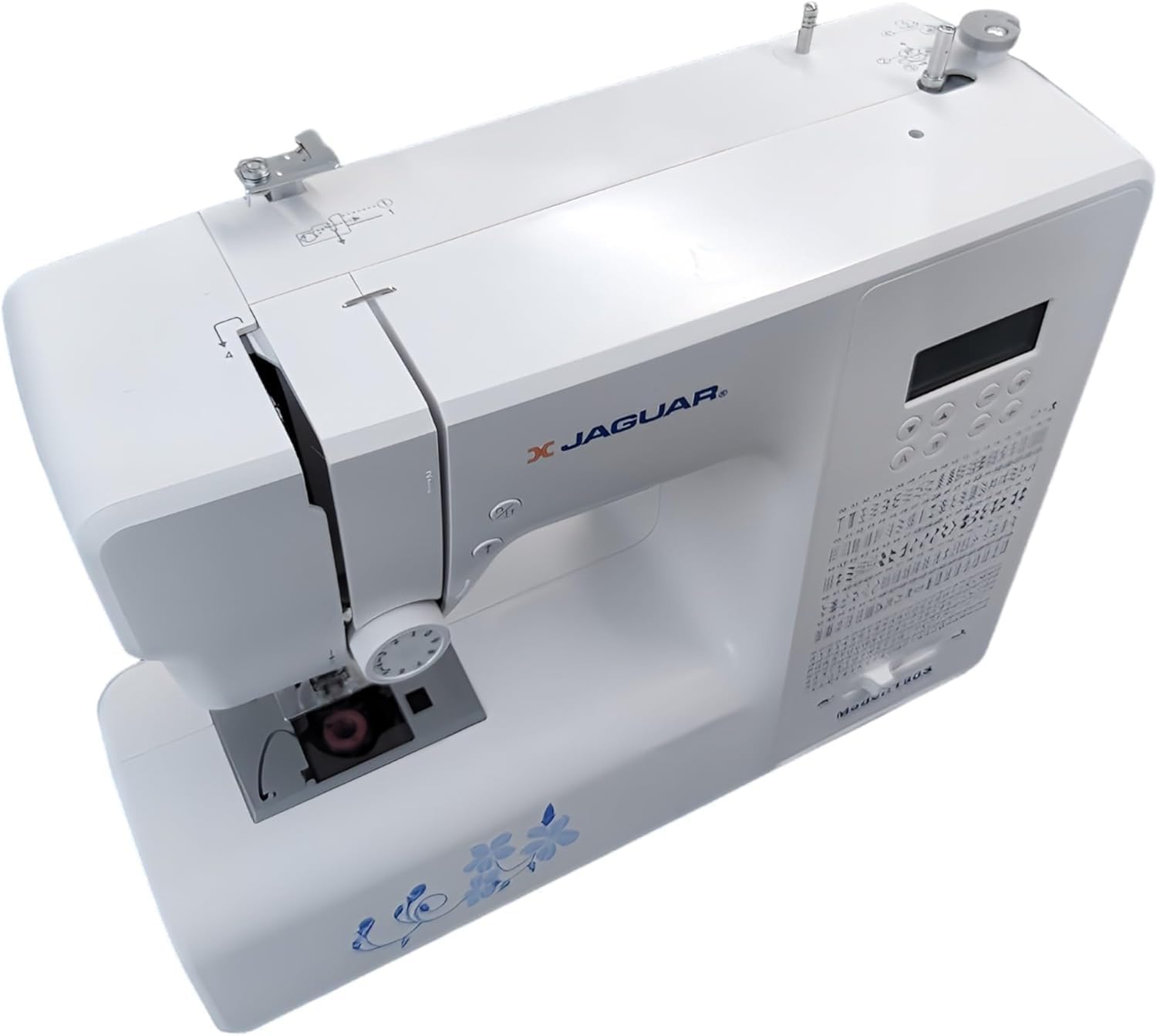
Figura 2: Dall'alto verso il basso view of the Jaguar 190S, illustrating the upper threading path and bobbin winding area. This view helps in understanding how to correctly thread the machine.
1.4 Attaching the Needle
- Ruotare il volantino per sollevare l'ago nella posizione più alta.
- Allentare l'ago clamp vite.
- Inserire il nuovo ago con il lato piatto rivolto verso il retro della macchina, spingendolo verso l'alto il più possibile.
- Stringere l'ago clamp avvitare saldamente.
1.5 Attaching the Presser Foot
- Sollevare l'alzapiedino.
- Press the release button on the back of the presser foot holder to remove the current foot.
- Align the desired presser foot with the holder and lower the presser foot lifter until it snaps into place.
2. Istruzioni per l'uso
2.1 Controlli di base
- Schermo LCD: Displays selected stitch number, length, and width.
- Stitch Selection Buttons: Use the '+' and '-' buttons to navigate through the 200 available stitches.
- Speed Control Slider: Adjusts sewing speed from 150 to 700 stitches per minute.
- Pulsante di avvio/arresto: Operates the machine without the foot pedal.
- Pulsante inverso: For reinforcing stitches at the beginning and end of seams.
- Needle Up/Down Button: Positions the needle either fully up or fully down.
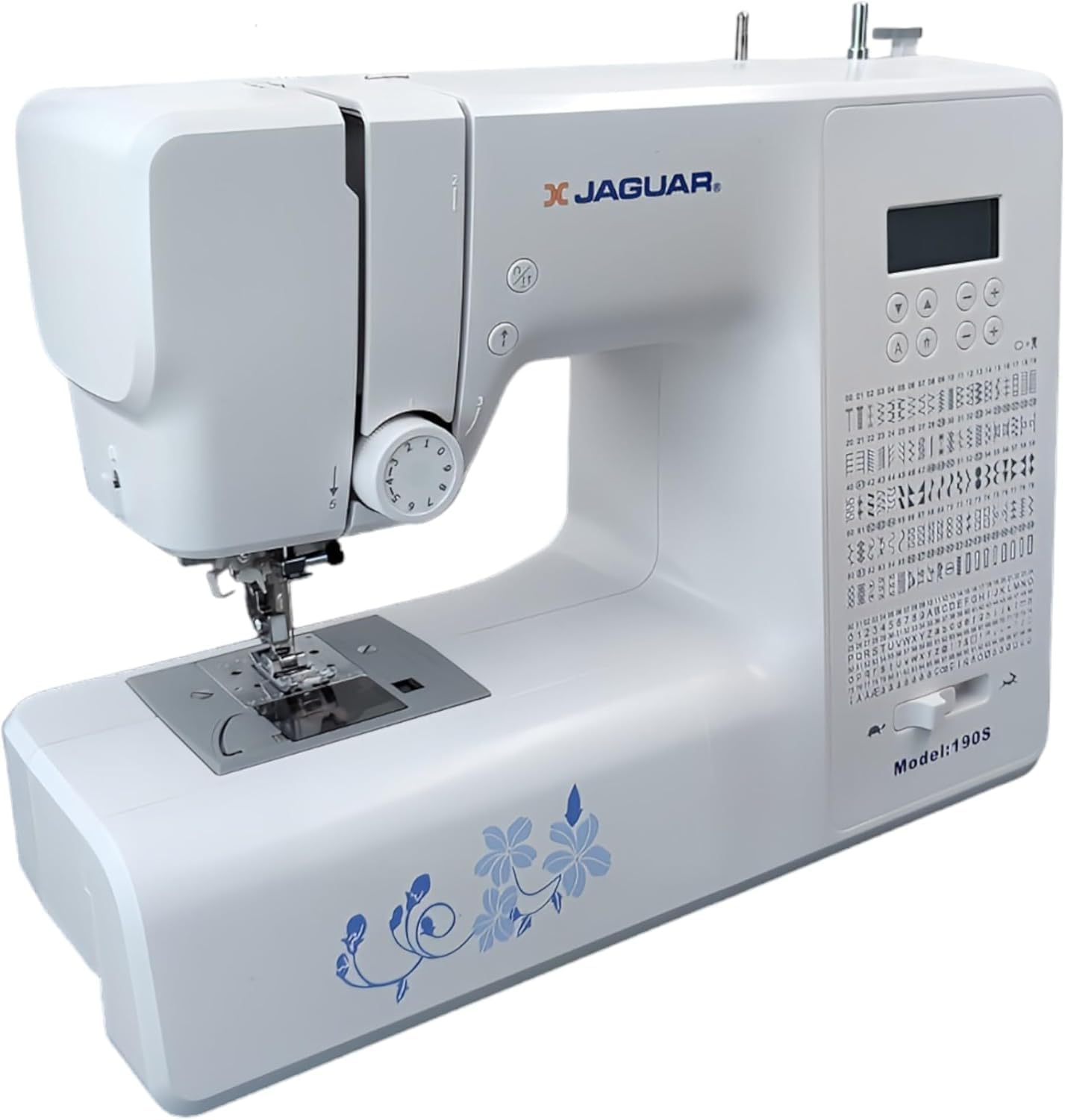
Figure 3: Close-up of the Jaguar 190S control panel and LCD screen. This image highlights the buttons for stitch selection, speed control, and needle positioning.
2.2 Selezione e regolazione del punto
- Turn on the machine. The default stitch (usually a straight stitch) will appear on the LCD.
- Use the stitch selection buttons to choose from the 200 built-in stitches, including utility, decorative, and alphanumeric options.
- The machine automatically sets optimal stitch length and width for the selected stitch. These can be manually adjusted using dedicated buttons if desired (Length: 0-7mm, Width: 0-4.5mm).
2.3 Infila ago automatico
- Assicurarsi che l'ago sia nella posizione più alta.
- Lower the needle threader lever completely.
- Guide the thread as instructed by the markings near the needle.
- Release the lever slowly; a loop of thread will be pulled through the needle eye.
2.4 Automatic Buttonholes
- Attach the one-step buttonhole foot.
- Place the button you intend to use into the buttonhole foot's size guide.
- Select one of the 8 automatic buttonhole styles from the stitch menu.
- Abbassare la leva dell'asola.
- Start sewing; the machine will automatically create the buttonhole to the correct size.
2.5 Free-Motion Sewing and Quilting
- To engage free-motion sewing or quilting, lower the feed dogs using the lever located at the back of the needle plate area.
- Attach a darning or free-motion quilting foot (not included, may be purchased separately).
- Manually guide the fabric to create your desired stitches.
2.6 Regolazione della tensione del filo
- The machine features an adjustable thread tension lever.
- Adjust the tension setting based on the fabric type and thread used. Correct tension results in balanced stitches on both sides of the fabric.
- Test on a scrap piece of fabric before sewing your project.
3. Manutenzione
3.1 Pulizia della macchina
- Scollegare sempre la macchina prima della pulizia.
- Regularly clean lint and dust from the bobbin area, feed dogs, and needle plate using the provided brush.
- Pulire l'esterno della macchina con un panno morbido e asciutto. Evitare l'uso di prodotti chimici aggressivi.
3.2 Changing the Needle
- Change the needle frequently, especially after 8-10 hours of sewing or if it becomes bent or dull. A dull needle can cause skipped stitches or fabric damage.
- Refer to section 1.4 for detailed instructions on attaching a new needle.
3.3 Conservazione
- When not in use, cover the machine to protect it from dust.
- Conservare in un luogo fresco e asciutto, lontano dalla luce solare diretta.
4. Risoluzione Dei Problemi
Questa sezione affronta i problemi più comuni che potresti riscontrare. Per problemi non elencati qui, contatta l'assistenza clienti.
4.1 Punti saltati
- Ensure the needle is inserted correctly and is not bent or dull. Replace if necessary.
- Check that the machine is properly threaded, both upper and bobbin threads.
- Use the correct needle type and size for your fabric.
4.2 Thread Breaking
- Verify correct threading and bobbin winding.
- Adjust upper thread tension. Too high tension can cause thread breakage.
- Check for burrs or rough spots on the needle plate or bobbin case.
- Ensure the needle is not bent or dull.
4.3 Uneven Stitches / Poor Stitch Quality
- Check and adjust thread tension for both upper and bobbin threads.
- Ensure the machine is threaded correctly.
- Use good quality thread.
- Clean the bobbin area from lint and debris.
5. Specifiche
| Caratteristica | Dettaglio |
|---|---|
| Marca | GIAGUARO |
| Numero di modello | 190S |
| Programmi di cucitura | 200 (including 100 alphanumeric, 8 automatic buttonholes) |
| Lunghezza del punto | 0 millimetri - 7 millimetri |
| Larghezza del punto | 0 millimetri - 4.5 millimetri |
| Infila ago | Automatico |
| Sistema di bobina | Quick-insert horizontal hook with automatic winding |
| Display | LCD retroilluminato |
| Controllo della velocità | Electronic, 150 to 700 stitches/minute |
| Illuminazione | LED integrato |
| Energia | 35 Watt |
| Voltage | 220 Volt |
| Dimensioni (L x P x A) | 43 x 23 x 35 cm (circa 16.9 x 9.1 x 13.8 pollici) |
| Peso | 5 chilogrammi (circa 11 libbre) |
| Materiale | Plastica |
6. Accessori inclusi
The Jaguar 190S comes with a comprehensive set of accessories to get you started:
- Standard Zigzag Foot
- One-Step Buttonhole Foot
- Piedino per punto satin
- Piedino per orlo invisibile
- Piedino per cucire bottoni
- Electronic Foot Pedal
- Needles (3 pieces)
- Ago gemello
- Blocca-spola
- Bobbin Holder
- Screwdrivers (small + for needle plate)
- Bobbins (4 total, one pre-installed)
- Porta spola ausiliario
- Seam Ripper / Brush

Figure 4: A selection of the accessories included with the Jaguar 190S, such as various presser feet, bobbins, needles, and the foot pedal.
7. Garanzia e supporto
Your Jaguar 190S Electronic Sewing Machine is covered by a Garanzia di 1 anno for parts and manufacturing defects. Please retain your proof of purchase for warranty claims.
For technical assistance, troubleshooting beyond this manual, or warranty service, please contact your retailer or the official Jaguar customer support. Contact information can typically be found on the product packaging or the manufacturer's websito.


