1. Introduzione
Thank you for choosing the KIDYWOLF KIDYMICPARENT Bluetooth Microphone. This all-in-one microphone features a built-in speaker, light effects, and Bluetooth connectivity, designed to provide an engaging music experience. This manual provides essential information for the safe and effective use of your device. Please read it thoroughly before use and retain it for future reference.
2. Informazioni sulla sicurezza
- Keep the microphone away from water and moisture.
- Non esporre il dispositivo a temperature estreme o alla luce solare diretta.
- Evitare di far cadere il microfono o di sottoporlo a forti urti.
- Non tentare di smontare o riparare il dispositivo da soli. Contattare personale di assistenza qualificato.
- Utilizzare solo il cavo di ricarica USB-C in dotazione o un equivalente certificato.
- This product contains a rechargeable battery. Do not dispose of it in fire.
- Ensure children use the microphone under adult supervision.
3. Contenuto della confezione
Si prega di controllare la confezione per verificare la presenza dei seguenti elementi:
- 1 x KIDYWOLF KIDYMICPARENT Bluetooth Microphone
- Cavo di ricarica 1 x USB-C
4. Prodotto finitoview
The KIDYWOLF KIDYMICPARENT is a versatile microphone designed for entertainment. It integrates a 5W speaker, dynamic light effects, and various voice modulation features.
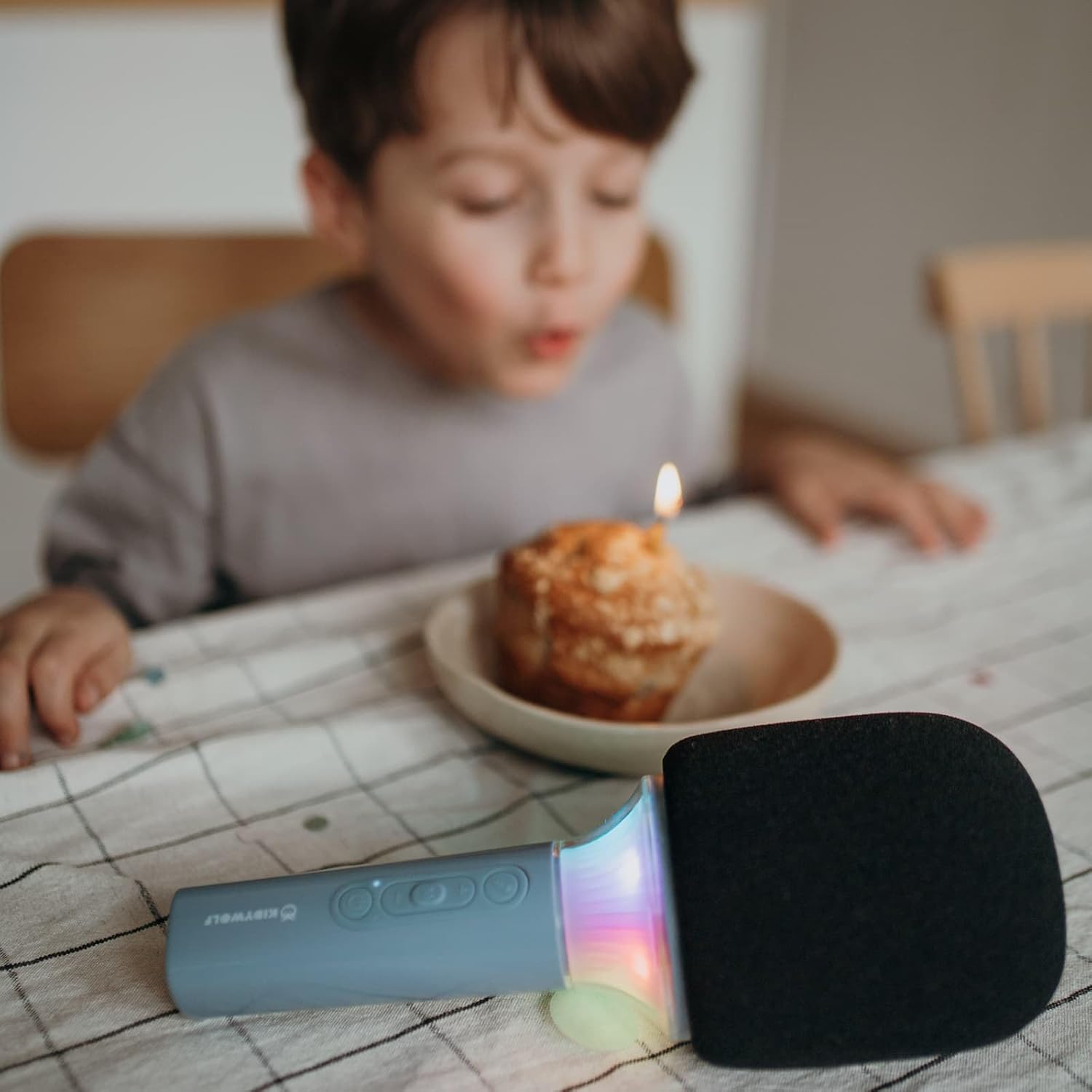
Figura 4.1: Davanti view of the KIDYWOLF KIDYMICPARENT Bluetooth Microphone. This image shows the microphone head with its foam cover and the main body with control buttons.
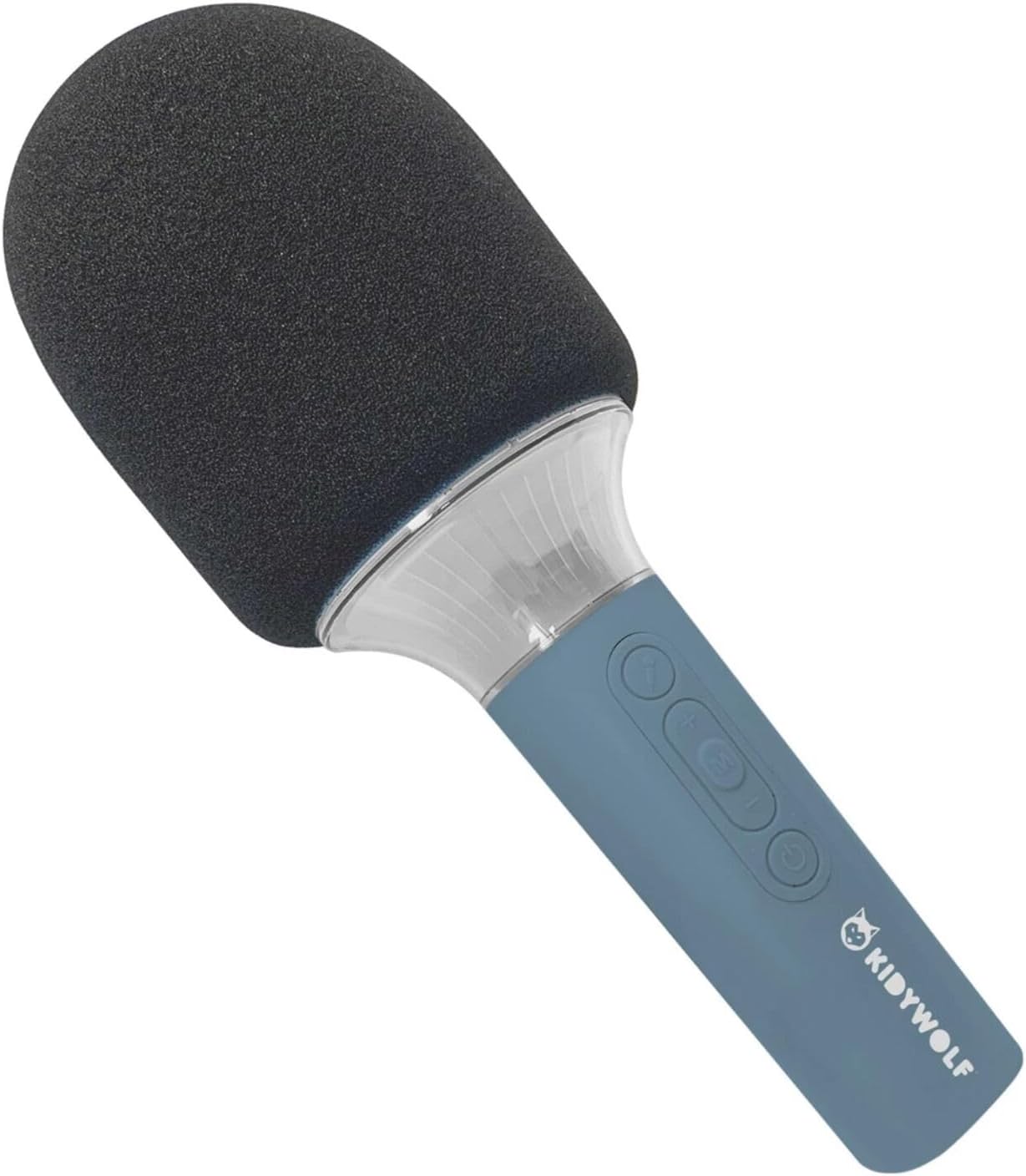
Figura 4.2: Angolato view of the KIDYWOLF KIDYMICPARENT Bluetooth Microphone. This perspective highlights the ergonomic design of the handle and the placement of the control buttons.

Figura 4.3: The KIDYWOLF KIDYMICPARENT Bluetooth Microphone with its integrated light effects active, showcasing the illuminated section below the microphone head.
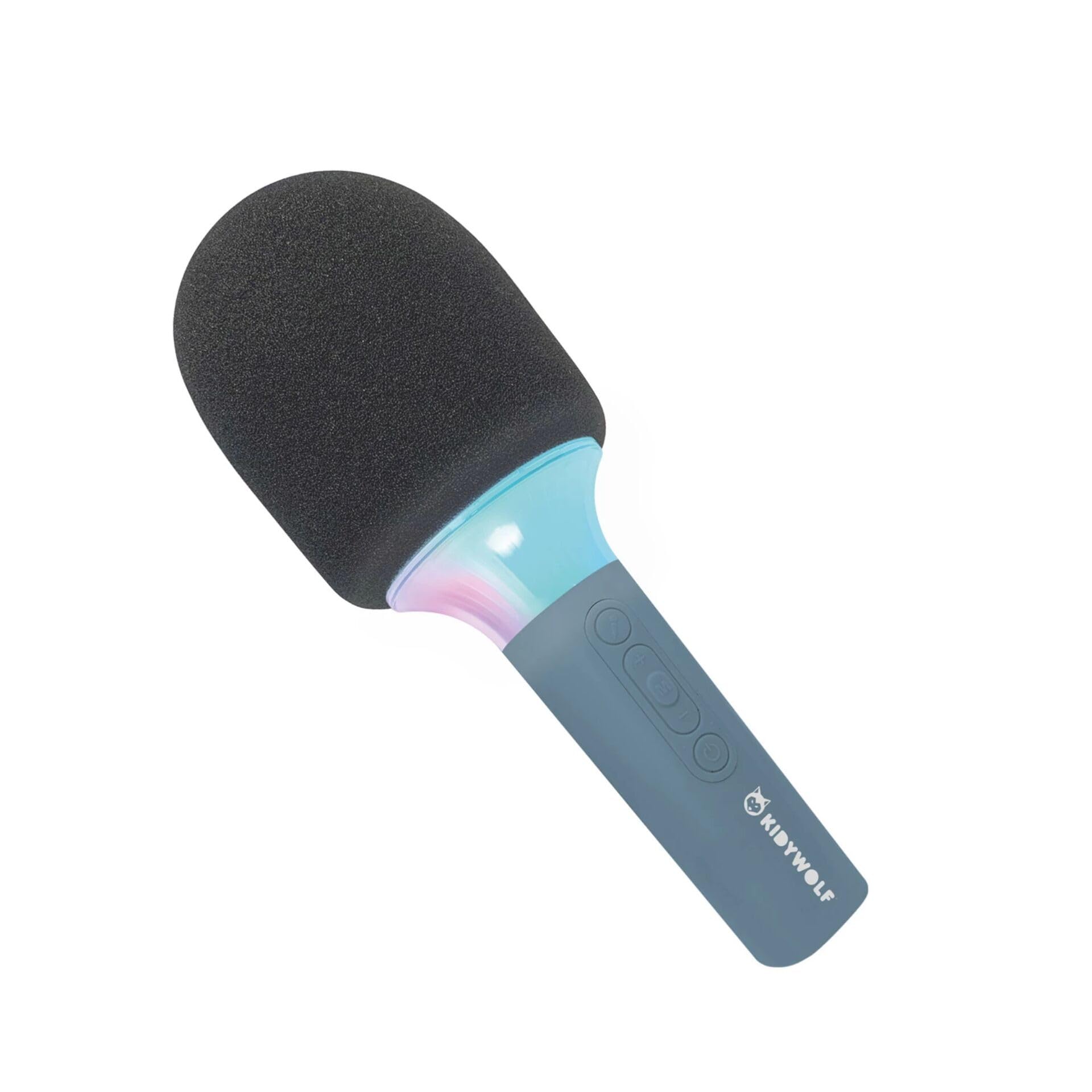
Figura 4.4: A child using the KIDYWOLF KIDYMICPARENT Bluetooth Microphone, demonstrating its intended use for entertainment.
5. Impostazione
5.1 Ricarica del microfono
- Locate the USB-C charging port on the microphone.
- Connect the provided USB-C cable to the microphone's charging port.
- Collegare l'altra estremità del cavo USB-C a un adattatore di alimentazione USB compatibile (non incluso) o alla porta USB di un computer.
- La spia di carica si illuminerà durante la carica e si spegnerà o cambierà colore quando la carica sarà completamente completa.
- Una carica completa richiede in genere circa 2-3 ore.
5.2 Associazione Bluetooth
- Accensione: Press and hold the Power button (usually marked with a power symbol) on the microphone until the indicator light turns on and you hear an audible prompt.
- Attiva Bluetooth: The microphone will automatically enter Bluetooth pairing mode, indicated by a flashing light or an audible prompt.
- Abilita il Bluetooth sul tuo dispositivo: Sul tuo smartphone, tablet o altro dispositivo abilitato Bluetooth, vai alle impostazioni Bluetooth e assicurati che il Bluetooth sia attivato.
- Seleziona dispositivo: Look for "KIDYMICPARENT" or a similar name in the list of available Bluetooth devices and select it to pair.
- Conferma: Once successfully paired, you will hear a confirmation sound from the microphone, and the indicator light will stop flashing and remain solid.
Nota: If pairing fails, turn off the microphone and your device's Bluetooth, then repeat the steps. The microphone will automatically attempt to reconnect to the last paired device when powered on.
6. Istruzioni per l'uso
6.1 Accensione/spegnimento
- Per accendere: Tenere premuto il pulsante di accensione per circa 3 secondi.
- Per spegnere: Tenere premuto il pulsante di accensione per circa 3 secondi.
6.2 Controllo del volume
- Utilizzare il '+' button to increase the microphone and speaker volume.
- Utilizzare il '-' button to decrease the microphone and speaker volume.
6.3 Riproduzione di musica
Once paired via Bluetooth, you can play music from your connected device. The microphone's built-in speaker will output the audio. Use your connected device to control music playback (play, pause, skip tracks).
6.4 Effetti di luce
The microphone features integrated light effects. Refer to the specific button (if available, often marked with a light bulb symbol or integrated with another function) to cycle through different light modes or turn them on/off. If no dedicated button is present, the lights may activate automatically with sound or be controlled via a multi-function button.
7. Effetti vocali
The KIDYWOLF KIDYMICPARENT microphone offers 6 different voice settings to enhance your singing experience. To change voice effects:
- Locate the dedicated voice effect button (often marked with a microphone icon or "FX").
- Press the button repeatedly to cycle through the available voice effects.
- Listen to the audio output to select your desired voice effect.
8. Manutenzione
8.1 Pulizia
- Wipe the microphone's exterior with a soft, dry, or slightly damp stoffa.
- Non utilizzare prodotti chimici aggressivi, detergenti abrasivi o solventi.
- Ensure no liquid enters the microphone's openings.
8.2 Conservazione
- Conservare il microfono in un luogo fresco e asciutto, lontano dalla luce solare diretta.
- Keep it away from dust and extreme temperatures.
9. Risoluzione Dei Problemi
| Problema | Possibile causa | Soluzione |
|---|---|---|
| Il microfono non si accende. | La batteria è scarica. | Carica il microfono utilizzando il cavo USB-C. |
| Impossibile connettersi tramite Bluetooth. | Bluetooth is off on the device; microphone is not in pairing mode; device is too far. | Ensure Bluetooth is enabled on your device. Put the microphone into pairing mode. Move the device closer to the microphone (within 10 meters). |
| Nessun suono dall'altoparlante. | Volume is too low; microphone is muted; device is not playing audio. | Increase volume using the '+' button. Check if the microphone is muted. Ensure audio is playing on the connected device. |
| Voice effects are not changing. | Incorrect button pressed; feature not active. | Ensure you are pressing the correct voice effect button. |
10. Specifiche
| Nome del modello | KIDYMICPARENT |
| Marca | LUPO PER BAMBINI |
| Fattore di forma | Portatile |
| Dimensioni (LxWxH) | Dimensioni: 24 x 9 x 9 cm |
| Peso | 414 grammi |
| Fonte di alimentazione | Batteria ricaricabile |
| Materiale | Plastica |
| Numero di canali | 1 |
| Tecnologia di connettività | Bluetooth |
| Tipo di connessione | USB di tipo C |
| Caratteristiche speciali | Volume Control, Light Effects, Voice Modulation (6 settings) |
| Componenti inclusi | Microphone, USB-C Charging Cable |
| Uso consigliato | Il karaoke |
11. Garanzia e supporto
For warranty information and customer support, please refer to the documentation provided at the time of purchase or contact your retailer. You may also visit the official KIDYWOLF websito per le risorse di supporto più recenti e i dettagli di contatto.


