1. Introduzione
The KAIWEETS KTI-W02 Thermal Imaging Camera is a high-resolution infrared device designed for accurate temperature measurements and clear imaging. Utilizing advanced SharpIR composite image enhancement technology, it provides crystal-clear images for identifying problematic areas across various applications. Its robust design and long battery life make it an indispensable tool for professionals and homeowners alike.
2. Contenuto della confezione
Dopo aver disimballato la confezione, assicurati che siano presenti tutti gli elementi elencati di seguito:
- Thermal Imaging Camera (KTI-W02) x 1
- Cavo dati x 1
- Custodia protettiva x 1
- Manuale utente x 1
- 5V Charger x 1
- 32GB TF Memory Card (pre-installed or separate) x 1

Figure 1: KAIWEETS KTI-W02 Thermal Imaging Camera with its data cable, 5V charger, 32GB TF card, and protective case.
3. Prodotto finitoview
The KTI-W02 features an ergonomic grip for comfortable handling and intuitive controls for ease of use.
Componenti chiave:
- IR Lens & Visible Light Camera: Captures thermal and visual data.
- Schermo LCD: 2.4-inch screen for real-time thermal imaging and menu navigation.
- Pulsanti di controllo: OK, Menu, Navigation (Up/Down/Left/Right), Power/Return.
- Pulsante di attivazione: Per catturare immagini.
- Porta USB-C: Per la ricarica e il trasferimento dei dati.
- Slot per schede TF: Per l'inserimento della scheda di memoria.
- Supporto per treppiede: Filettatura standard da 1/4 di pollice per il montaggio su un treppiede.
- Indicatore laser: Per un targeting preciso.
- Luce di illuminazione a LED: Assists in dark environments.

Figura 2: Fronte view of the KTI-W02, highlighting the display and control buttons.

Figura 3: In basso view of the KTI-W02, showing the tripod mount and USB-C port.
4. Impostazione
4.1 Ricarica della batteria
The KTI-W02 is equipped with a built-in 4850mAh rechargeable Li-ion battery, providing up to 16 hours of continuous operation. To charge the device, connect the provided data cable to the USB-C port on the camera and the 5V charger. Plug the charger into a power outlet. A full charge typically takes approximately 2 hours.
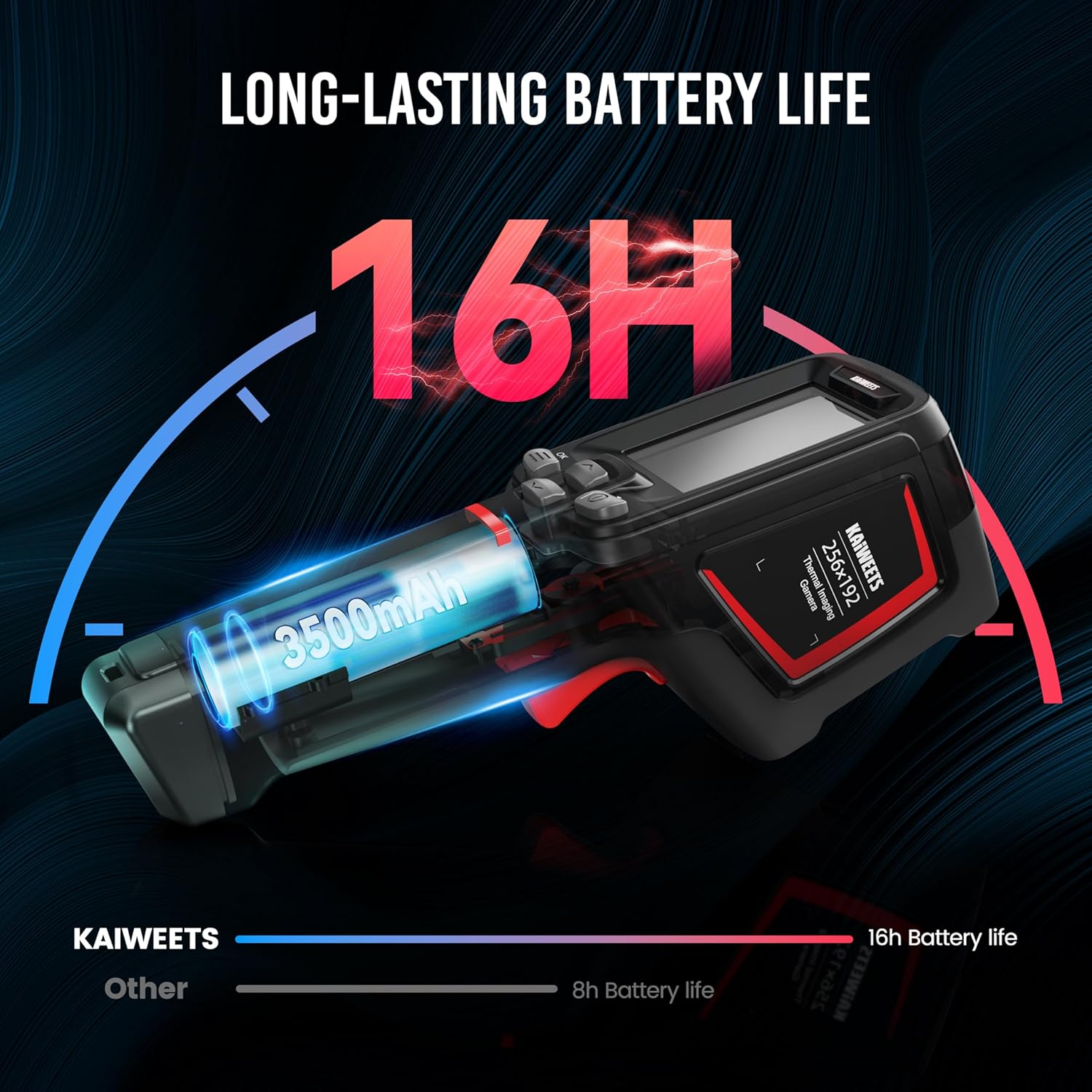
Figure 4: Illustration of the KTI-W02's long-lasting battery life.
4.2 Inserimento della scheda di memoria
The camera comes with a 32GB TF memory card (removable) that can store over 120,000 images. Locate the TF card slot, typically covered by a rubber flap, and gently insert the memory card until it clicks into place. Ensure the camera is powered off before inserting or removing the card.
4.3 Accensione/Spegnimento
To power on the device, press and hold the Power button (usually marked with a power symbol) for a few seconds until the screen illuminates. The device boasts a 1-second boot-up time thanks to its advanced computing chip. To power off, press and hold the Power button again until the shutdown prompt appears, then confirm.
5. Istruzioni per l'uso
5.1 Funzionamento di base
Once powered on, the camera will display the live thermal image. Use the navigation buttons to move through menus and adjust settings. Press the trigger button to capture an image.
5.2 modalità immagine
The KTI-W02 offers 4 image modes to suit different inspection needs:
- Infrarossi: Visualizza solo l'immagine termica.
- Luce visibile: Displays a standard visual image (2MP).
- Fusione: Blends the thermal and visible light images for enhanced detail.
- Immagine nell'immagine (PIP): Sovrappone un'immagine termica più piccola all'immagine della luce visibile.

Figure 5: The four available image modes for detailed analysis.
5.3 tavolozze di colori
Scegli tra 6 tavolozze di colori per visualizzare efficacemente le differenze di temperatura:
- Rosso ferro
- Calore bianco
- Arcobaleno 1
- Arcobaleno 2
- Ferro caldo
- artico

Figure 6: Six distinct color palettes to enhance thermal visualization.
5.4 Misurazione della temperatura
The camera provides ultra-clear imaging with 256x192 resolution and a thermal sensitivity of ≤ 45mk. It measures temperatures from -4°F to 1022°F (-20°C to 550°C) with an accuracy of ±2°C or ±2%. It can display 3 temperature spots: center-spot, coldest, and warmest points.
Figure 7: The camera highlights three key temperature spots for quick analysis.
5.5 Laser Indication and LED Illumination
For precise targeting, the camera supports laser indication positioning (safety level-class II, <1mW power output). An integrated LED illumination lamp helps in working in dark environments, ensuring clear visibility of the target area.
5.6 Trasferimento e analisi dei dati
Images and videos saved on the 32GB TF card can be transferred to a Windows PC via the provided USB data cable for in-depth analysis. The camera supports online analysis, detection of object temperature changes, and point/line/surface temperature measurement using free PC software upgrades.

Figure 8: Connecting the KTI-W02 to a PC for advanced thermal image analysis.
5.7 Video ufficiale del prodotto
Video 1: Official KAIWEETS video demonstrating the KTI-W02 Infrared Camera's features and applications.
6. Manutenzione
Una corretta manutenzione garantisce la longevità e la precisione della termocamera.
- Pulizia: Utilizzare un panno morbido e asciutto per pulire il corpo macchina. Per l'obiettivo, utilizzare un panno e una soluzione specifici per la pulizia delle lenti. Evitare materiali abrasivi o sostanze chimiche aggressive.
- Magazzinaggio: When not in use, store the camera in its provided protective case to shield it from dust, moisture, and physical damage.
- Aggiornamenti del firmware: Periodically check the KAIWEETS official website for any available PC software or firmware updates to ensure optimal performance and access to new features.

Figure 9: The KTI-W02 is designed for durability with 2-meter drop protection and IP54 water resistance.
7. Risoluzione Dei Problemi
If you encounter issues with your KTI-W02, refer to the following common problems and solutions:
- "Out of Range" Error: This typically occurs when the measured temperature exceeds the camera's specified range (-4°F to 1022°F). Ensure your target is within this range.
- Letture imprecise:
- Check the emissivity setting. Different materials have different emissivities, which can affect accuracy. Adjust this setting in the menu based on the material being measured.
- Assicurarsi che la lente sia pulita e libera da ostruzioni.
- Avoid measuring highly reflective surfaces directly, as they can give misleading readings.
- Il dispositivo non si accende:
- Ensure the battery is sufficiently charged. Connect to the charger and wait for a few minutes before attempting to power on again.
- If the device has been stored for a long time, the battery might be deeply discharged. Allow it to charge for an extended period.
- Image Lag/Choppiness: While the camera has a 25Hz frame rate, environmental factors or specific modes might cause slight lag. Ensure the device's firmware is up to date.
8. Specifiche
| Nome del modello | Modello KTI-W02 |
| Risoluzione IR | 256x192 |
| Sensibilità termica | ≤ 45mk |
| Intervallo di temperatura | Da -4°C a 1022°C (da -20°F a 550°F) |
| Precisione della temperatura | ±2°C o ±2% |
| Tipo di batteria | Built-in 4850mAh rechargeable Li-ion |
| Durata della batteria | Fino a 16 ore |
| Scheda di memoria | 32GB TF Card (stores >120,000 images) |
| Connettività | USB |
| Protezione dalle cadute | Resistente alle cadute da 2 metri |
| Grado di protezione IP | IP54 water and dust-resistant |
| Dimensioni del pacco | 9.37 x 5.83 x 3.74 pollici |
| Peso | 2.4 libbre |
9. Garanzia e supporto
The KAIWEETS KTI-W02 Thermal Imaging Camera comes with a 3-year sales service and lifetime technical support. For any inquiries, technical assistance, or warranty claims, please contact KAIWEETS customer support through their official channels.


