1. Introduzione
Welcome to the Fastrack Magnus FX3 Smart Watch user manual. This guide provides essential information for setting up, operating, and maintaining your new smartwatch. Please read this manual thoroughly to ensure proper use and to fully utilize all available features.

Immagine: Frontale view of the Fastrack Magnus FX3 Smart Watch, showcasing its display and metal strap.
2. Cosa c'è nella scatola
Verifica che tutti gli articoli siano presenti nella confezione del prodotto:
- Fastrack Magnus FX3 Smart Watch
- Cavo di ricarica magnetico
- Guida rapida
- Scheda di garanzia
3. Impostazione
3.1 Carica iniziale
Before first use, fully charge your smartwatch. Connect the magnetic charging cable to the charging points on the back of the watch and to a USB power source. A full charge takes approximately 2 hours.
3.2 Associazione con lo smartphone
- Download the 'Fastrack Smart World' app from your smartphone's app store (available for Android and iOS).
- Assicurati che il Bluetooth sia abilitato sul tuo smartphone.
- Open the Fastrack Smart World app and follow the on-screen instructions to create an account or log in.
- Select 'Add Device' and choose your Fastrack Magnus FX3 from the list of nearby devices.
- Conferma la richiesta di associazione sia sull'orologio che sullo smartphone.
4. Istruzioni per l'uso
4.1 Display e navigazione
The Fastrack Magnus FX3 features a 1.46-inch TFT display with a 360x360 pixel resolution. Navigate the interface using touch gestures and the functional crown.
- Scorrere verso l'alto: Access quick settings.
- Scorri verso il basso: View notifiche.
- Scorri verso sinistra/destra: Scroll through widgets and main menu options.
- Corona funzionale: Rotate to scroll through menus or press to return to the home screen.

Image: Close-up of the Fastrack Magnus FX3 Smart Watch highlighting its premium metal construction and functional crown.
4.2 Bluetooth Calling (SingleSync BT Calling)
The SingleSync BT Calling feature allows you to make and receive calls directly from your watch when connected to your smartphone.
- Ensure your watch is paired and connected to your smartphone via Bluetooth.
- Access the phone function on your watch.
- You can dial numbers, access recent calls, or select contacts (synced from your phone).

Image: The Fastrack Magnus FX3 Smart Watch screen showing an incoming call, demonstrating its seamless connectivity for Bluetooth calling.
4.3 Monitoraggio sanitario
The Fastrack Magnus FX3 provides comprehensive health tracking features:
- Monitoraggio della frequenza cardiaca: Monitoraggio continuo della frequenza cardiaca 24 ore su 24, 7 giorni su 7.
- Monitoraggio SpO2: Misura i livelli di ossigeno nel sangue.
- Monitoraggio dello stress: Tieni traccia dei tuoi livelli di stress durante il giorno.
- Monitoraggio del sonno: Analyze your sleep patterns, including Deep, Light, and REM sleep.
- Avvisi di idratazione: Imposta promemoria per bere acqua.
Access these features through the watch's menu or the Fastrack Smart World app for detailed insights.

Image: The Fastrack Magnus FX3 Smart Watch displaying detailed sleep monitoring data, including deep and light sleep durations.
4.4 modalità sportive
The watch supports over 60 sports modes to track various physical activities. Select your desired sport from the watch menu to begin tracking metrics such as steps, distance, calories burned, and heart rate during your workout.
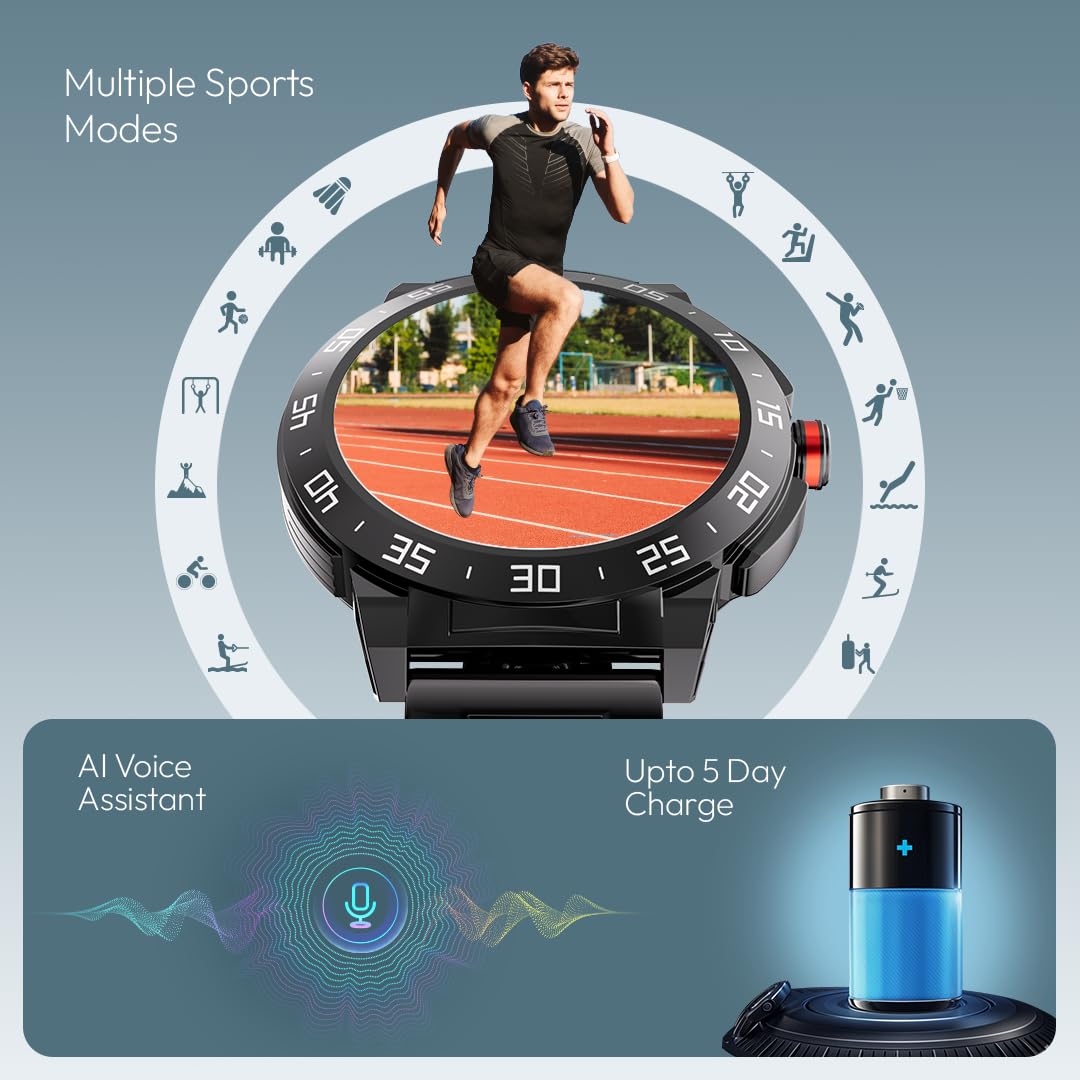
Image: The Fastrack Magnus FX3 Smart Watch interface displaying various sports mode icons, indicating its multi-sport tracking capabilities.
4.5 Notifiche intelligenti
Receive notifications for calls, messages, and app alerts directly on your watch. Customize which app notifications you receive through the Fastrack Smart World app.

Image: The Fastrack Magnus FX3 Smart Watch displaying icons for various smart notifications, including calls, messages, and social media alerts.
4.6 funzioni aggiuntive
- Assistente vocale AI: Utilizzare i comandi vocali per varie funzioni.
- Controllo della musica: Controlla la riproduzione della musica sul tuo smartphone.
- Controllo della telecamera: Attiva da remoto la fotocamera del tuo smartphone.
- Oltre 100 quadranti: Personalize your watch with a wide selection of watchfaces.
- In-Built Game: Enjoy a simple game directly on your watch.
5. Ricarica e batteria
The Fastrack Magnus FX3 is equipped with a 460mAh battery, providing up to 5 days of typical use and 3 days with Bluetooth calling enabled. Use the provided magnetic charging cable to charge the device. Charging time is approximately 2 hours.
Video: Official Fastrack Magnus FX3 Smart Watch preview, demonstrating its design and various features in action, including battery life and charging.
6. Cura e manutenzione
- Resistenza all'acqua: The watch has an IP68 rating, making it resistant to dust and water. It can withstand immersion in water up to 1.5 meters for 30 minutes. Avoid hot water, steam, or prolonged submersion.
- Pulizia: Pulire regolarmente l'orologio e il cinturino con un panno morbido e asciutto. Per lo sporco ostinato, utilizzare un panno leggermenteamp panno e sapone neutro, quindi risciacquare e asciugare accuratamente.
- Magazzinaggio: Conservare l'orologio in un luogo fresco e asciutto, lontano dalla luce solare diretta e da temperature estreme.
- Evitare i prodotti chimici: Non esporre l'orologio a sostanze chimiche aggressive, solventi o detergenti, poiché potrebbero danneggiarne la finitura e le guarnizioni.
7. Risoluzione Dei Problemi
| Problema | Possibile soluzione |
|---|---|
| L'orologio non si accende | Assicurati che l'orologio sia completamente carico. Tieni premuto il pulsante di accensione per alcuni secondi. |
| Impossibile associare al telefono | Check if Bluetooth is enabled on your phone. Restart both the watch and phone. Ensure the Fastrack Smart World app is updated. |
| Dati sanitari imprecisi | Assicurati che l'orologio sia ben aderente al polso, né troppo stretto né troppo largo. Pulisci il sensore sul retro dell'orologio. |
| Notifiche non ricevute | Check app notification settings on your phone and within the Fastrack Smart World app. Ensure the watch is connected via Bluetooth. |
8. Specifiche
| Caratteristica | Dettaglio |
|---|---|
| Nome del modello | Magnus FX3 |
| Numero di modello | 38143KM02 |
| Dimensioni dello schermo | 1.46 pollici |
| Tipo di visualizzazione | Schermo LCD |
| Risoluzione | 360 x 360 pixel |
| Capacità della batteria | Polimeri di litio da 460 mAh |
| Durata della batteria (media) | Up to 5 Days (3 Days with BT Calling) |
| Tempo di ricarica | ca. 2-3 ore |
| Resistenza all'acqua | Grado di protezione IP68 |
| Connettività | Bluetooth |
| Materiale | Metal Alloy Case |
| Peso dell'articolo | 46 grammi |
| Dispositivi compatibili | Smartphone (Android, iOS) |
9. Garanzia e supporto
Your Fastrack Magnus FX3 Smart Watch comes with a manufacturer's warranty. Please refer to the included Warranty Card for details on coverage and terms. For technical support, service, or warranty claims, please contact Fastrack customer care:
- Numero assistenza clienti: Numero di telefono: 1800-266-0123
- E-mail: customercare@titan.co.in
Keep your purchase receipt and warranty card for future reference.


