1. Introduzione
Thank you for choosing LOBKIN S16 Kids Bluetooth Headphones. These headphones are designed with children's safety and comfort in mind, featuring a volume limit of 94dB to protect young ears. Enjoy vibrant colorful LED lights, a comfortable over-ear design, and versatile connectivity options including Bluetooth 5.4 and a detachable AUX cable. The foldable design and included carrying case make them ideal for travel, school, and everyday use.

Image: LOBKIN S16 Kids Bluetooth Headphones in Pink Purple, showcasing il design complessivo.
2. Cosa c'è nella scatola
Si prega di controllare il contenuto della confezione per assicurarsi che siano presenti tutti gli articoli:
- 1 x LOBKIN S16 Kids Bluetooth Headphones
- 1 x 3.5mm cavo Aux
- 1 cavo di ricarica USB
- 1 x Organiser with Cord (Cat-shaped carrying case)
- 1 x Instructions for Use (This manual)

Image: All items included in the LOBKIN S16 Kids Bluetooth Headphones package, including the headphones, cables, and carrying case.
3. Prodotto finitoview
Familiarize yourself with the headphone's controls and features:

Immagine: Primo piano view of the LOBKIN S16 Kids Bluetooth Headphones, highlighting the control buttons, charging port, and audio jack.
- Pulsante Volume + / Traccia successiva: Press to increase volume; long press for next track.
- Pulsante Volume - / Traccia precedente: Press to decrease volume; long press for previous track.
- Pulsante multifunzione (MFB): Accensione/Spegnimento, Riproduzione/Pausa, Risposta/Termina chiamata.
- Pulsante di controllo della luce LED: Double-click to turn colorful LED lights on/off.
- Porta di ricarica di tipo C: Per caricare le cuffie.
- Porta audio da 3.5 mm: Per la connessione cablata tramite cavo AUX.
- Microfono: Built-in for calls and online communication.
- Spia luminosa: Mostra lo stato di alimentazione, la modalità di associazione e lo stato di carica.
- Cat Ears with LED Lights: Decorative and functional colorful LED lights.
4. Impostazione
4.1 Ricarica delle cuffie
Prima del primo utilizzo, caricare completamente le cuffie. Una ricarica completa richiede circa 1.5 ore.
- Collegare il cavo di ricarica USB alla porta di ricarica Type-C delle cuffie.
- Collegare l'altra estremità del cavo USB a una fonte di alimentazione USB compatibile (ad esempio, una porta USB del computer, un adattatore da parete USB).
- The indicator light will show red during charging and turn off when fully charged.
4.2 Associazione Bluetooth
Follow these steps to pair your LOBKIN S16 headphones with a Bluetooth-enabled device:
- Assicurati che le cuffie siano spente.
- Press and hold the Multi-function Button (MFB) for approximately 3-5 seconds until the indicator light flashes red and blue alternately. This indicates pairing mode.
- On your device (e.g., smartphone, tablet, laptop), enable Bluetooth and search for available devices.
- Selezionare "S16" dall'elenco dei dispositivi trovati.
- Once successfully paired, the indicator light will flash blue slowly.
- Se l'associazione non riesce, spegnere le cuffie e ripetere i passaggi.

Image: Visual guide demonstrating Bluetooth 5.4 pairing with a mobile device for the LOBKIN S16 Kids Bluetooth Headphones.
4.3 Connessione cablata (modalità AUX)
You can use the headphones with the included 3.5mm AUX cable for a wired connection, which does not require battery power.
- Plug one end of the 3.5mm AUX cable into the audio port on the headphones.
- Plug the other end of the 3.5mm AUX cable into the audio jack of your device.
- Le cuffie passeranno automaticamente alla modalità cablata.
5. Istruzioni per l'uso
5.1 Accensione/spegnimento
- Accensione: Press and hold the Multi-function Button (MFB) for 3 seconds until the indicator light flashes blue.
- Spegni: Tenere premuto il pulsante multifunzione (MFB) per 3 secondi finché la spia non si spegne.
5.2 Controllo del volume
- Aumenta volume: Premi il pulsante Volume +.
- Diminuisci volume: Premere il pulsante Volume -.
The LOBKIN S16 headphones feature a 94dB safe volume limit to protect children's hearing.
5.3 Riproduzione multimediale
- Riproduci/Pausa: Premere una volta il pulsante multifunzione (MFB).
- Traccia successiva: Premere a lungo il pulsante Volume +.
- Traccia precedente: Premere a lungo il pulsante Volume -.
5.4 Gestione delle chiamate
- Rispondi/Termina chiamata: Premere una volta il pulsante multifunzione (MFB).
- Rifiuta chiamata: Long press the Multi-function Button (MFB) for 2 seconds.
5.5 Controllo luci LED
- Accensione/spegnimento delle luci: Double-click the LED Light Control Button.
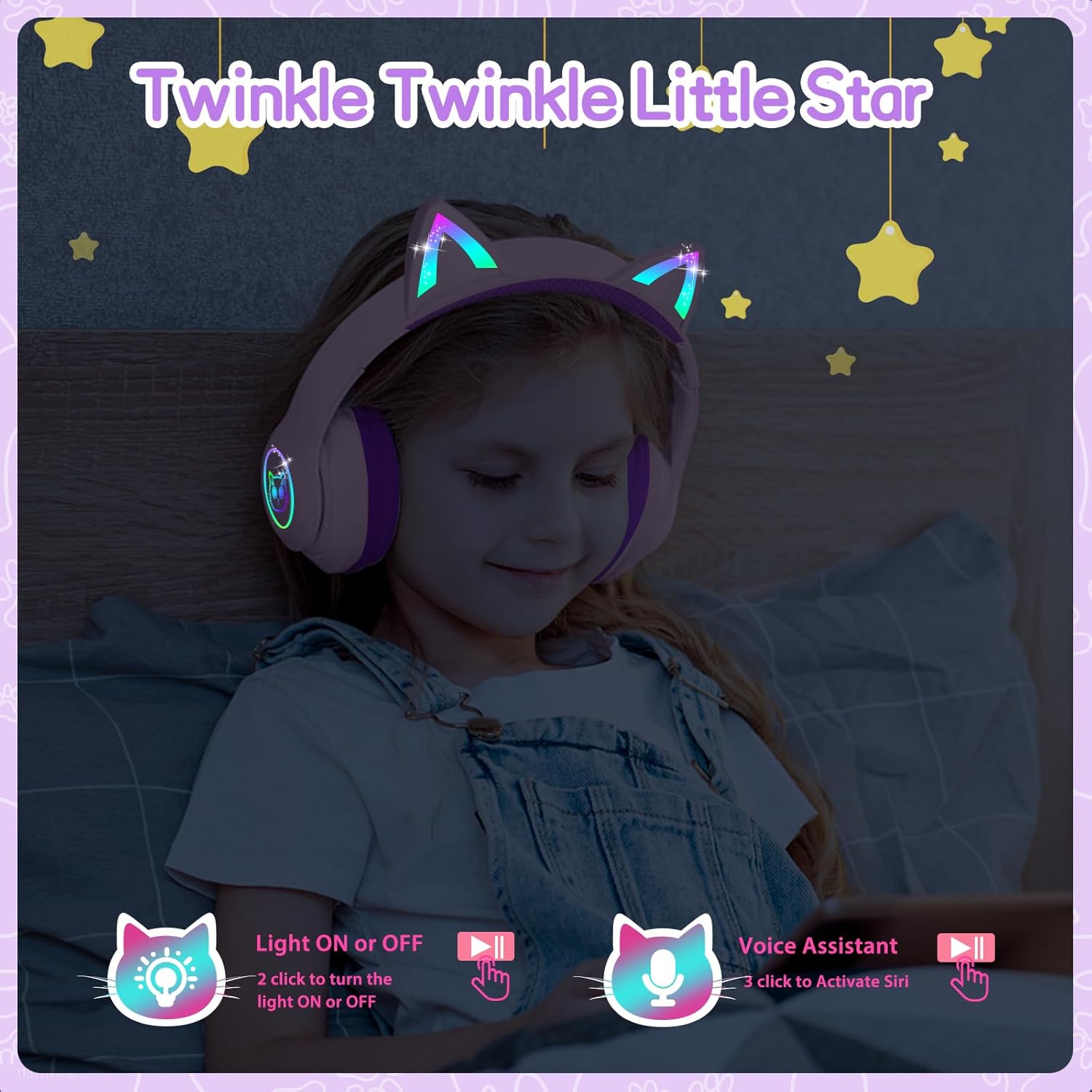
Image: A child wearing the LOBKIN S16 Kids Bluetooth Headphones, showcasing the colorful LED lights on the cat ears and earcups.
5.6 Assistente vocale
- Attiva l'assistente vocale (Siri): Triple-click the LED Light Control Button.
6. Manutenzione
Per garantire la longevità e le prestazioni ottimali delle cuffie LOBKIN S16, seguire queste linee guida per la manutenzione:
- Pulizia: Per pulire le cuffie, utilizzare un panno morbido e asciutto. Non utilizzare detergenti abrasivi o solventi.
- Magazzinaggio: When not in use, store the headphones in the provided cat-shaped carrying case to protect them from dust, scratches, and accidental damage.
- Temperatura: Evitare di esporre le cuffie a temperature estreme (calde o fredde) o a elevata umidità.
- Resistenza all'acqua: Queste cuffie non sono resistenti all'acqua. Evitare il contatto con i liquidi.
- Cura del cavo: Maneggiare con cura i cavi di ricarica e AUX per evitare danni.
7. Risoluzione Dei Problemi
Se riscontri problemi con le cuffie, fai riferimento ai seguenti problemi comuni e alle relative soluzioni:
| Problema | Soluzione |
|---|---|
| Le cuffie non si accendono | Ensure the headphones are fully charged. Press and hold the MFB for 3 seconds. |
| Impossibile effettuare l'associazione tramite Bluetooth | Ensure headphones are in pairing mode (red and blue flashing light). Turn off and restart both headphones and the device. Make sure the device is within 10 meters. |
| Nessun suono in modalità Bluetooth | Controlla il volume del dispositivo e delle cuffie. Assicurati che le cuffie siano state accoppiate correttamente. Prova a riabbinare. |
| No sound in wired (AUX) mode | Ensure the AUX cable is securely plugged into both the headphones and the device. Check device volume. |
| Le luci a LED non funzionano | Double-click the LED Light Control Button to toggle lights on/off. Ensure headphones are charged. |
| Il microfono non funziona | Ensure headphones are connected via Bluetooth. Check device settings to ensure the headphone microphone is selected as the input device. |
8. Specifiche
| Caratteristica | Dettaglio |
|---|---|
| Nome del modello | S16 |
| Tecnologia di connettività | Cablato, Wireless (Bluetooth 5.4) |
| Portata Bluetooth | Fino a 10 metri |
| Durata della batteria | 50 Hours (lights off) |
| Tempo di ricarica | 1.5 ore |
| Limite di volume sicuro | 94 dB |
| Forma dell'auricolare | Sopra l'orecchio |
| Materiale | Acrilonitrile Butadiene Stirene (ABS) |
| Peso dell'articolo | 240 grammi (8.5 once) |
| Dimensioni del prodotto | 6.3 x 3.1 x 7.6 pollici |
| Caratteristiche speciali | Colorful LED Lights, Microphone, Adjustable Headband, Detachable 3.5mm Audio Cable |
9. Garanzia e supporto
LOBKIN provides an 18-month product quality service for these headphones. If you encounter any issues with the product itself during this period, please contact LOBKIN customer support for free repair or replacement services.
For further assistance or inquiries, please visit the LOBKIN store on Amazon or contact their customer service directly.
LOBKIN-US Customer Service: Contatta il venditore
Video: Official LOBKIN S16 Cute Cat Ear Headphones product video, demonstrating features and design.
Video: Official LOBKIN video showcasing Kids Wireless Headphones with Bag, highlighting their suitability as gifts.