1. Introduzione
Thank you for choosing the BOTSLAB HK30 Car Dash Cam. This manual provides detailed instructions for the installation, operation, and maintenance of your new dash camera system. Please read this manual thoroughly before using the product to ensure proper function and safety. Keep this manual for future reference.
2. Informazioni sulla sicurezza
- Non utilizzare la dash cam né accedere alle sue impostazioni durante la guida. Accostare sempre in sicurezza prima di effettuare qualsiasi regolazione.
- Assicurarsi che la dash cam sia montata saldamente e non ostruisca la visuale del conducente view o interferire con l'attivazione dell'airbag.
- Use only the original power adapter and cables provided with the device. Using unauthorized accessories may damage the product and void the warranty.
- Avoid exposing the dash cam to extreme temperatures, direct sunlight for prolonged periods, or excessive moisture.
- Non tentare di smontare o riparare da soli il dispositivo. Contatta l'assistenza clienti per assistenza.
- Regularly format the memory card to ensure optimal recording performance.
3. Contenuto della confezione
Si prega di controllare la confezione per verificare la presenza dei seguenti elementi:
- BOTSLAB HK30 Dash Cam Unit
- Caricabatteria da auto (cavo di alimentazione)
- Mounting Bracket (with adhesive pad)
- Manuale d'uso
- Opzionale: telecamera posteriore (se acquistata in bundle)
- Opzionale: Modulo GPS
4. Prodotto finitoview
The BOTSLAB HK30 is a multi-channel dash cam designed to provide comprehensive coverage of your driving environment. It features a main front camera with 4K resolution, and supports additional cameras for rear and interior views (sold separately or as part of a bundle).

Image: The main BOTSLAB HK30 dash cam unit, showing the front lens and the Botslab branding.
Le caratteristiche principali includono:
- Fotocamera frontale 4K: Captures high-resolution video of the road ahead.
- 140° Largo Viewangolo di ing: Provides extensive coverage, minimizing blind spots.
- Visione notturna a colori: Enhances visibility and clarity in low-light conditions.
- GPS integrato: Records speed and location data for your journeys.
- Sensore G: Blocca automaticamente il video files in caso di impatto per evitare la sovrascrittura.
- Registrazione in loop: Registra continuamente sovrascrivendo il più vecchio files quando la scheda di memoria è piena.
- Monitoraggio del parcheggio: Offers 24-hour surveillance with time-lapse recording and collision-triggered normal recording (requires buck line kit, sold separately).
- Controllo app: Connects to your smartphone for easy settings adjustment, live view, and video download.

Immagine: Un'illustrazione che dimostra l'ampiezza di 140 gradi viewing angle of the dash cam, showing its ability to capture a broad perspective of the road.
5. Configurazione e installazione
5.1 Inserimento della scheda di memoria
Before first use, insert a high-speed (Class 10 or higher) microSD card (up to 256GB recommended) into the dash cam's memory card slot. Ensure the card is inserted correctly until it clicks into place. Format the card via the dash cam's settings menu or the mobile app before initial recording.
5.2 Montaggio della Dash Cam
- Pulisci la zona del parabrezza dove intendi montare la dash cam. Assicurati che sia priva di polvere e grasso.
- Attach the adhesive pad to the mounting bracket, then firmly press the bracket onto the chosen spot on your windshield, ideally behind the rearview specchio per ottimale view e minima ostruzione.
- Slide the dash cam unit onto the mounted bracket until it locks securely.
- Adjust the camera lens angle to ensure it captures the road ahead clearly, with approximately 60% road and 40% sky visible.
5.3 Collegamento di alimentazione
- Connect the provided car charger cable to the dash cam's power input port.
- Collegare l'altra estremità del caricabatteria per auto alla presa di corrente da 12 V del veicolo (presa accendisigari).
- Route the power cable neatly along the edge of the windshield and dashboard to conceal it and prevent interference with driving.
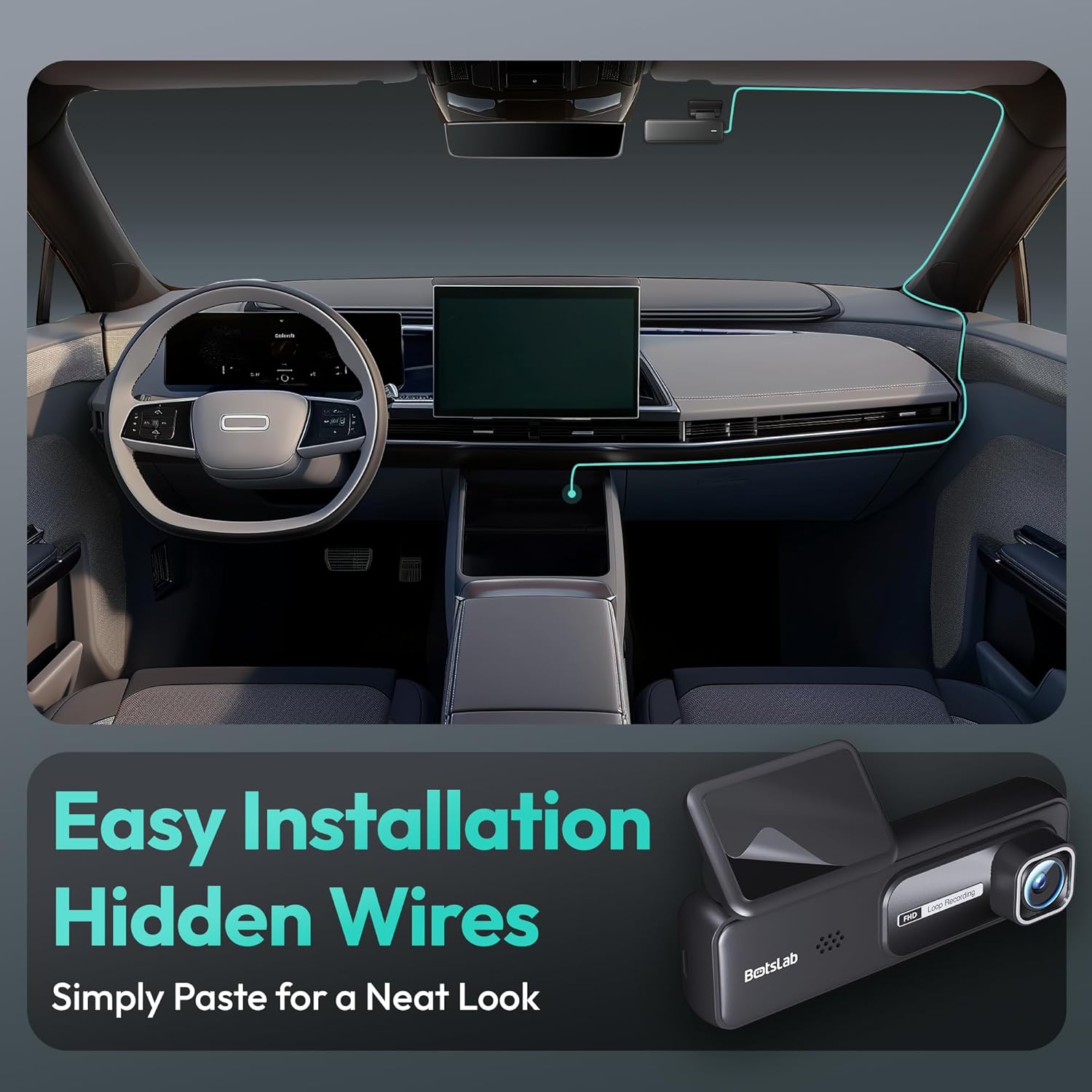
Image: A visual guide illustrating the process of easy dash cam installation with hidden wires, showing how to route the cable neatly along the car's interior for a clean look.
5.4 GPS Module Connection (if applicable)
If your package includes a separate GPS module, connect it to the designated port on the dash cam. Ensure the GPS module is placed in an area with a clear view del cielo per una ricezione ottimale del segnale.
6. Istruzioni per l'uso
6.1 Registrazione automatica
Once powered on and connected to your vehicle's ignition, the dash cam will automatically start recording when the engine is started. It will stop recording and power off shortly after the engine is turned off.
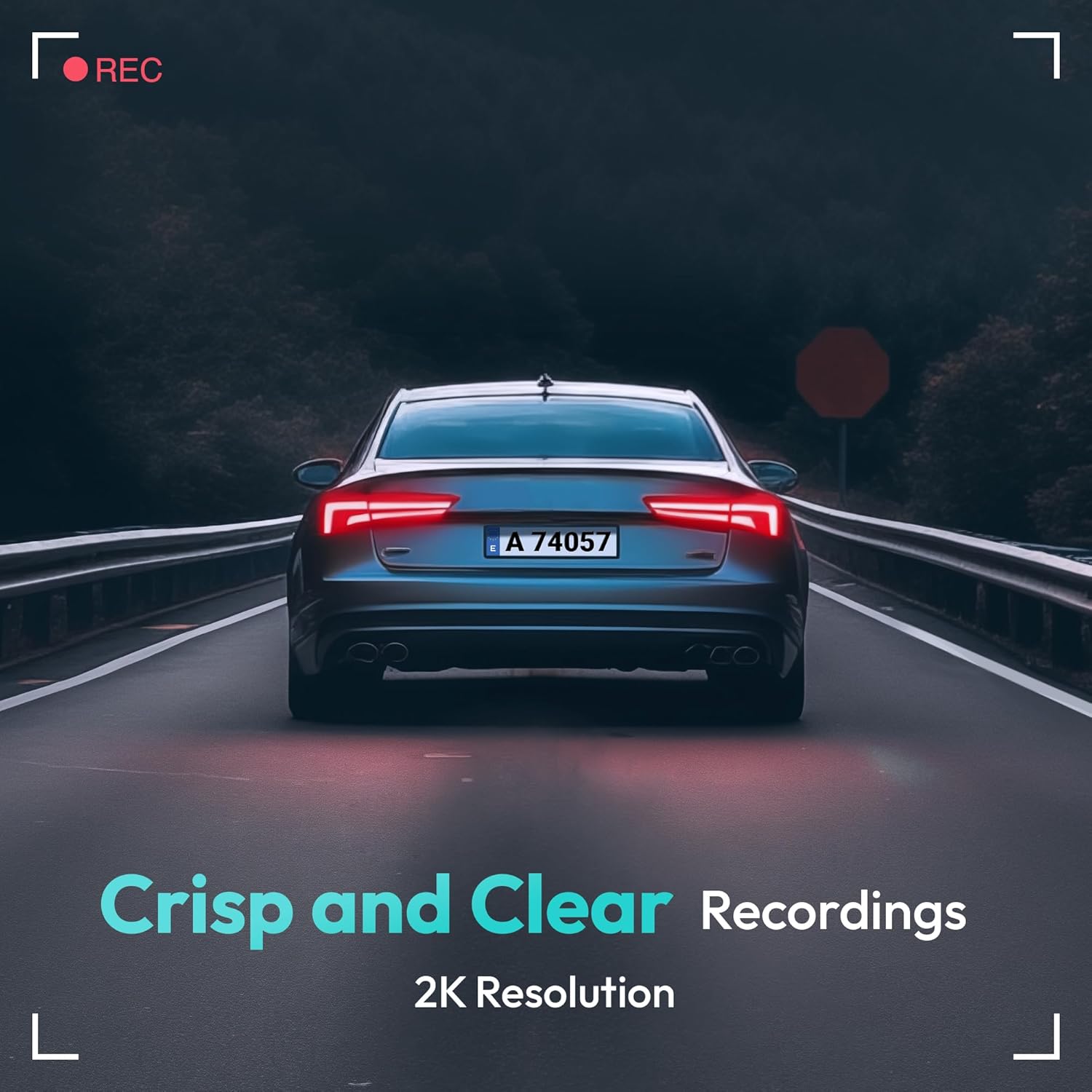
Image: A visual representation highlighting the crisp and clear recording capabilities of the dash cam, indicating 2K resolution for detailed footage.
6.2 Registrazione in loop
La dash cam registra video in loop continui (ad esempio, segmenti da 1, 3 o 5 minuti). Quando la scheda di memoria è piena, il video sbloccato più vecchio fileLe registrazioni verranno automaticamente sovrascritte dalle nuove registrazioni. Ciò garantisce una registrazione continua senza interventi manuali.
6.3 G-Sensor (registrazione di emergenza)
The built-in G-Sensor detects sudden impacts or collisions. When an impact is detected, the current video segment will be automatically locked and saved to a protected folder on the memory card, preventing it from being overwritten by loop recording. These files are crucial for accident evidence.
6.4 Monitoraggio del parcheggio
For 24-hour parking surveillance, a hardwire kit (buck line) is required (sold separately). Once installed, the dash cam can utilize:
- Registrazione time-lapse: Records continuously at a low frame rate to save storage space while providing a full overview of parking events.
- Collision-Triggered Recording: If an impact is detected while parked, the dash cam will wake up and record a short video segment, which will be locked.

Image: An illustration depicting the 24/7 parking monitoring feature, highlighting time-lapse recording and collision-triggered normal recording capabilities, with a shield icon indicating protection.
6.5 App Control and Connectivity
Download the official BOTSLAB app from your smartphone's app store. Connect your phone to the dash cam's Wi-Fi network (SSID and password usually found on the device or in the manual). Through the app, you can:
- View feed video in diretta.
- Adjust dash cam settings (resolution, G-sensor sensitivity, loop recording duration, etc.).
- Riproduzione di video registrati.
- Scarica il video filedirettamente sul tuo telefono.
- Aggiorna firmware.
6.6 GPS Tracking and Playback
With the GPS module connected, the dash cam records your vehicle's speed and location data. This information can be viewed during video playback using the dedicated PC viewer software (available for download from the BOTSLAB website) or within the mobile app, often overlaid on a map (e.g., Google Maps).
7. Manutenzione
7.1 Pulizia del dispositivo
Use a soft, dry cloth to clean the dash cam's lens and body. Do not use liquid cleaners or abrasive materials, as they may damage the device.
7.2 Gestione della scheda di memoria
It is recommended to format the microSD card once a month to maintain optimal performance and prevent data corruption. Back up any important files prima della formattazione.
7.3 Aggiornamenti firmware
Periodically check the BOTSLAB official website or the mobile app for available firmware updates. Firmware updates can improve performance, add new features, or fix bugs. Follow the instructions provided with the firmware update carefully.
8. Risoluzione Dei Problemi
| Problema | Possibile causa | Soluzione |
|---|---|---|
| La dash cam non si accende. | Nessuna alimentazione; cavo difettoso; problema con la presa di corrente del veicolo. | Check power cable connection; try another power outlet; ensure vehicle ignition is on. |
| La registrazione si interrompe o si blocca. | Memory card full or corrupted; slow memory card; firmware issue. | Format memory card; use a high-speed (Class 10+) card; update firmware. |
| La qualità video è scarsa. | Lente sporca; pellicola protettiva ancora sulla lente; impostazioni di risoluzione errate. | Clean the lens; remove protective film; set recording resolution to highest available. |
| Segnale GPS non trovato. | Modulo GPS non connesso; scarsa ricezione satellitare. | Ensure GPS module is connected; move vehicle to an open area with clear sky view. |
| Impossibile connettersi al Wi-Fi/all'app. | Incorrect Wi-Fi password; phone too far from device; app not updated. | Verify Wi-Fi password; ensure phone is close to dash cam; update app. |
9. Specifiche
| Caratteristica | Dettaglio |
|---|---|
| Nome del modello | HK30 |
| Risoluzione di acquisizione video | Front: 4K (1944p), Rear/Interior: 1080P (if applicable) |
| Viewangolo di ing | 140° (anteriore) |
| Tecnologia di connettività | USB, senza fili (Wi-Fi) |
| Caratteristiche speciali | App Control, G-Sensor, Loop Recording, Parking Monitor, Color Night Vision |
| Magazzinaggio | MicroSD Card (up to 256GB, Class 10 or higher) |
| Tipo di montaggio | Supporto per parabrezza |
| Fonte di alimentazione | Caricabatteria per auto (12V) |
| Dimensioni del prodotto | 2 x 5.5 x 5.5 pollici |
| Peso dell'articolo | 9.6 once |
10. Garanzia e supporto
BOTSLAB products come with a limited warranty. Please refer to the warranty card included in your package or visit the official BOTSLAB website for detailed warranty terms and conditions. For technical support, troubleshooting assistance, or any inquiries, please contact BOTSLAB customer service through the contact information provided on their official websito o all'interno dell'applicazione mobile.
Websito: www.botslab.com (Exampil collegamento, fare riferimento alla documentazione del prodotto effettivo per la corretta URL)


