1. Introduzione
The ALLmeter OBD2 Scanner is a professional diagnostic tool designed to help you quickly and accurately identify and resolve vehicle issues. This device supports 9 major OBD2/EOBD protocols, ensuring broad compatibility with most vehicles manufactured after 1996. It features a 2.4-inch color screen for clear display of diagnostic data and offers a range of functions including reading and clearing fault codes, real-time data streaming, battery voltage testing, and more.

Figure 1.1: The ALLmeter OBD2 Scanner assists in diagnosing and resolving common vehicle problems, such as engine issues, flat tires, and general maintenance.
2. Informazioni sulla sicurezza
Always observe the following safety precautions when using the ALLmeter OBD2 Scanner:
- Ensure the vehicle is in a safe, well-ventilated area.
- Non utilizzare lo scanner durante la guida.
- Tenere lo scanner lontano da acqua, olio e temperature estreme.
- Avoid touching hot engine components when connecting or disconnecting the scanner.
- Per le procedure diagnostiche specifiche, fare riferimento al manuale di assistenza del veicolo.
3. Cosa c'è nella scatola
Dopo aver aperto la confezione, verificare che siano presenti tutti gli elementi:
- ALLmeter OBD2 Scanner Unit
- Manuale d'uso
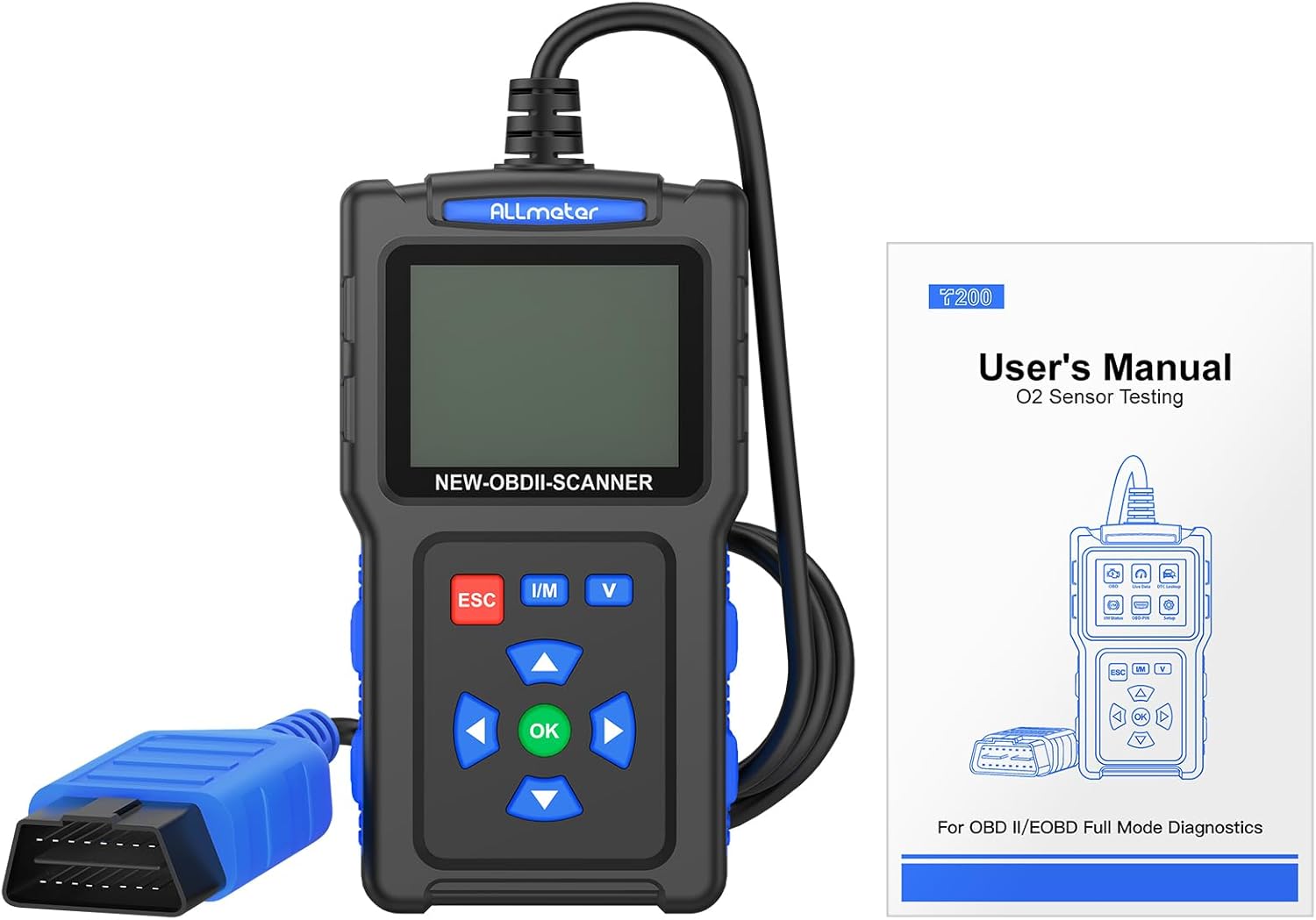
Figure 3.1: The package includes the ALLmeter OBD2 Scanner and a user manual for detailed instructions.
4. Prodotto finitoview
The ALLmeter OBD2 Scanner features a compact design with a 2.4-inch color screen and intuitive button layout for easy operation.

Figure 4.1: The ALLmeter OBD2 Scanner, showing its 2.4-inch color screen, navigation buttons, and OBD2 connector cable.
4.1. Componenti e controlli
- Schermo a colori da 2.4 pollici: Displays diagnostic data and menu options.
- Connettore OBD II: Collega lo scanner alla porta OBD2 del veicolo.
- Pulsante ESC: Esce dal menu corrente o annulla un'operazione.
- Pulsante I/M: Accesso rapido allo stato di prontezza I/M.
- Pulsante V: Quick access to Battery Voltage Prova.
- Pulsanti freccia (su, giù, sinistra, destra): Navigare attraverso i menu e le opzioni.
- Pulsante OK: Conferma la selezione o accede a un menu.

Figura 4.2: dettagliata view of the scanner's screen and control panel, highlighting the independent shortcut buttons for quick access to key functions.
5. Impostazione
5.1. Compatibilità del veicolo
The ALLmeter OBD2 Scanner is compatible with most US vehicles manufactured after 1996, and most European and Asian vehicles manufactured after 2000. It supports the following protocols:
- ISO9141-2 (5 baud inizializzazione, 10.4 Kbaud)
- SAE J1850 PWM (41.6 Kbaud)
- SAE J1850 VPW (10.4 Kbaud)
- ISO14230-4 KWP (5 baud init, 10.4 Kbaud)
- ISO14230-4 KWP (veloce init, 10.4 Kbaud)
- ISO15765-4 CAN (ID 11bit, 500 Kbaud)
- ISO15765-4 CAN (ID 29bit, 500 Kbaud)
- ISO15765-4 CAN (ID 11bit, 250 Kbaud)
- ISO15765-4 CAN (ID 29bit, 250 Kbaud)
Note: This scanner does not support SRS, ABS, or advanced system diagnostics.

Figura 5.1: Compatibilità suview for US, EU, and Asian vehicles, detailing the 9 supported OBD2 protocols and multilingual support.
5.2. Collegamento dello scanner
- Individuare il connettore di collegamento dati (DLC) a 16 pin del veicolo. Di solito si trova sotto il cruscotto, lato conducente.
- Portare l'accensione del veicolo in posizione "ON" (motore spento).
- Plug the ALLmeter OBD2 Scanner's connector into the vehicle's DLC. The scanner will power on automatically.
- The main menu will appear on the screen.
5.3. Selezione della lingua
The scanner supports 9 languages. To change the language:
- From the main menu, navigate to 'Settings' or 'Language' (exact menu name may vary).
- Use the Arrow buttons to select your desired language (English, French, Spanish, German, Italian, Russian, Chinese, Portuguese, Polish).
- Press the 'OK' button to confirm your selection.
6. Istruzioni per l'uso
The ALLmeter OBD2 Scanner provides a comprehensive suite of diagnostic functions. Navigate through the menus using the Arrow buttons and confirm selections with the 'OK' button. Use 'ESC' to go back.

Figura 6.1: Oltreview of the comprehensive diagnostic functions, including Read Codes, Erase Codes, Live Data, and more.
6.1. Lettura e cancellazione dei codici di errore diagnostici (DTC)
- Dal menu principale, seleziona 'Leggi DTC' per view current, pending, and historic trouble codes.
- To clear codes and turn off the Check Engine Light, select 'Clear DTC'. Confirm the action when prompted.

Figure 6.2: The scanner can read and then clear diagnostic trouble codes, effectively turning off the Check Engine Light after a repair.
6.2. Viewdati in tempo reale
This function displays real-time operational parameters from the vehicle's sensors and modules.
- Selezionare "Dati in tempo reale" dal menu principale.
- Choose the parameters you wish to monitor. The scanner can record and playback data streams.
6.3. Controllo di prontezza I/M
The I/M Readiness function indicates whether the various emissions-related systems on the vehicle are operating correctly and are ready for Inspection and Maintenance testing.
- Press the 'I/M' shortcut button or select 'I/M Status' from the menu.
- Monitors will display as 'OK' (complete), 'INC' (incomplete), or 'N/A' (not applicable).
6.4. Ricerca DTC
The built-in DTC library allows you to look up the meaning of over 7000 diagnostic trouble codes directly on the device.
- Select 'DTC Lookup' from the menu.
- Inserire il codice DTC utilizzando i pulsanti di navigazione per view la sua definizione.
6.5. Vol. batteriatage Prova
Monitor your vehicle's battery health and voltage in tempo reale.
- Press the 'V' shortcut button or select 'Battery Voltage Test' from the menu.
- Lo schermo visualizzerà il volume attuale della batteriatage and a voltage curva.
6.6. Altre funzioni
- Test sensore O2: Monitors the performance of vehicle oxygen sensors.
- Prova EVAP: Performs a test on the evaporative emission system.
- Recupera VIN: Reads vehicle identification number and other vehicle information.
- Blocca dati fotogramma: Displays a snapshot of vehicle conditions at the time a fault code was set.

Figura 6.3: Esamples of multiple test data functions, including I/M Status, Live Data, and Waveform Testing for battery voltage.
7. Manutenzione
7.1. Pulizia del dispositivo
To maintain the scanner's performance and appearance:
- Utilizzare un morbido, damp panno per pulire l'esterno dello scanner.
- Non utilizzare detergenti abrasivi o solventi.
- Assicurarsi che il dispositivo sia asciutto prima di riporlo.
7.2. Aggiornamenti software
The ALLmeter OBD2 Scanner supports free lifetime updates to ensure compatibility with new vehicle models and diagnostic protocols.
- Visit the official ALLmeter websito per il software più recente e le istruzioni per l'aggiornamento.
- Typically, updates involve connecting the scanner to a computer via a USB cable (not included) and running the update tool.
8. Risoluzione Dei Problemi
| Problema | Possibile causa | Soluzione |
|---|---|---|
| Lo scanner non si accende. | Collegamento allentato al DLC; accensione del veicolo non inserita; batteria del veicolo scarica. | Ensure secure connection. Turn ignition ON. Check vehicle battery. |
| "Failed to Connect" message. | Vehicle not OBD2 compliant; incorrect protocol; faulty DLC. | Verify vehicle year/model for OBD2 compliance. Try on another vehicle. Consult a mechanic if DLC is suspected faulty. |
| Impossibile cancellare i codici. | Fault causing the code is still present; ignition not ON. | Ensure the underlying vehicle fault has been repaired. Turn ignition ON (engine off). |
| Lo schermo è scuro o illeggibile. | Low light conditions; screen brightness setting. | The 2.4-inch TFT backlit color screen is designed for clarity. Check if there's a brightness setting in the menu (refer to manual if available). |
9. Specifiche
- Marca: TUTTImetro
- Modello: Lettore di codici scanner OBD2
- Peso dell'articolo: 8.2 once
- Dimensioni del prodotto: 5.12 x 1.42 x 6.89 pollici
- Schermo: 2.4-inch TFT backlit color screen (320*240 resolution)
- Protocolli supportati: ISO9141-2, SAE J1850 PWM, SAE J1850 VPW, ISO14230-4 KWP, ISO15765-4 CAN (9 protocols total)
- Sistema operativo: No external operating system required (standalone device)
- Lingue supportate: English, French, Spanish, German, Italian, Russian, Chinese, Portuguese, Polish
10. Garanzia e supporto
ALLmeter provides free lifetime software updates for this OBD2 scanner. For technical support, warranty claims, or further assistance, please refer to the contact information provided in the original product packaging or visit the official ALLmeter websito.
Official ALLmeter Store: Visit the ALLmeter Store on Amazon


