1. Introduzione
Thank you for choosing the DEERC Spider RC Car Transform Robot. This remote-controlled toy offers dynamic transformation between a high-speed car and an agile robot, featuring 2.4GHz control, 360-degree rotation, and one-key transformation. This manual provides essential information for safe operation, setup, and maintenance to ensure optimal performance and enjoyment.
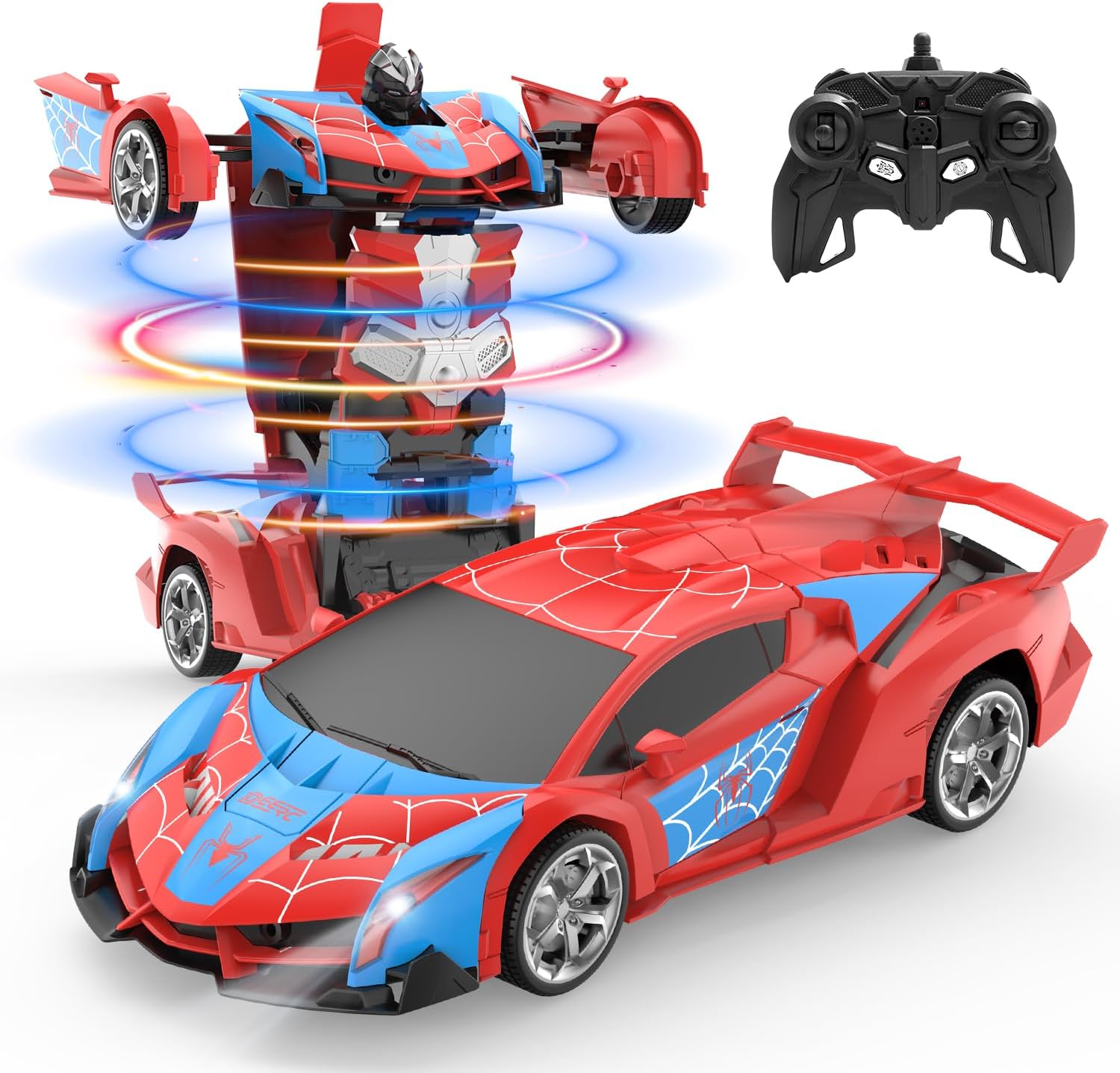
Image 1.1: The DEERC Spider RC Car Transform Robot in its car and robot configurations, alongside its remote control unit.
2. Informazioni sulla sicurezza
Please read and understand all safety warnings before operating the product. Failure to follow these instructions may result in injury or damage to the product.
- Solo per uso esterno. Do not ingest any parts of the toy or battery.
- Questo prodotto è consigliato per bambini dagli 8 anni in su. Per gli utenti più piccoli si consiglia la supervisione di un adulto.
- Keep fingers, hair, and loose clothing away from moving parts, especially during transformation.
- Do not operate the toy near water or in wet conditions to prevent electrical damage.
- Use only the provided charging cable and battery. Do not attempt to charge non-rechargeable batteries.
- If the battery becomes hot during charging or use, discontinue use immediately.
- Avoid operating the toy in crowded areas or near obstacles that could cause collisions.
- Conservare il prodotto in un luogo fresco e asciutto quando non viene utilizzato.
3. Contenuto della confezione
Verify that all items are present in the package before beginning setup.
- DEERC Spider RC Car Transform Robot
- Telecomando
- Rechargeable Lithium Ion Battery (for the toy)
- Cavo di ricarica USB
- Cacciavite
- Manuale del prodotto (questo documento)

Image 3.1: All components included in the DEERC Spider RC Car Transform Robot package.
4. Impostazione
4.1. Charging the Toy Battery
- Locate the rechargeable Lithium Ion battery and the USB charging cable.
- Collegare la batteria al cavo di ricarica USB.
- Collegare l'estremità USB del cavo a un adattatore di alimentazione USB standard (non incluso) o a una porta USB del computer.
- The indicator light on the USB cable will illuminate during charging and turn off or change color when fully charged.
- La ricarica richiede in genere circa 60-90 minuti. Non sovraccaricare.
4.2. Installing the Toy Battery
- Using the provided screwdriver, open the battery compartment on the underside of the toy.
- Inserire con cautela la batteria completamente carica nel vano, assicurandosi della corretta polarità.
- Chiudere il vano batteria e fissarlo con la vite.
4.3. Installazione delle batterie del telecomando
- Aprire il vano batterie sul retro del telecomando.
- Insert two 1.5V 'AA' batteries (not included), observing the correct polarity (+/-).
- Chiudere bene il vano batterie.
4.4. Associazione del telecomando
- Ensure the toy's battery is installed and the toy is powered off.
- Accendere il telecomando. La spia luminosa sul telecomando lampeggerà.
- Turn on the toy. The toy's indicator light will also flash.
- Within a few seconds, both indicator lights should become solid, indicating successful pairing. If pairing fails, turn off both devices and repeat the process.
5. Istruzioni per l'uso
Familiarize yourself with the remote control functions before operating the toy.
5.1. Movimento di base
- Inoltrare: Spingere in avanti il joystick sinistro.
- Indietro: Tirare indietro il joystick sinistro.
- Girare a sinistra: Spingere il joystick destro verso sinistra.
- Girare a destra: Spingere il joystick destro verso destra.
5.2. One-Key Transformation
Press the dedicated transformation button on the remote control to switch between car mode and robot mode. The toy will automatically perform the transformation sequence.

Image 5.1: Visual representation of the one-key transformation feature.
5.3. Rotazione di 360°
In either car or robot mode, use specific joystick combinations (refer to remote control diagram if available) or a dedicated button to initiate a 360-degree spin. This feature allows for dynamic maneuvers.

Image 5.2: The robot performing a 360-degree rotation.
5.4. Modalità automatica
Press the 'Auto Mode' button on the remote control to activate an automatic demonstration sequence. The toy will showcase its transformation and movement capabilities independently.
5.5. Luci LED
The toy features integrated LED lights that illuminate during operation and transformation, enhancing the visual experience.
6. Manutenzione
6.1. Pulizia
- Wipe the toy with a soft, dry cloth to remove dust and dirt.
- Non utilizzare acqua o detergenti chimici, poiché potrebbero danneggiare i componenti elettronici.
6.2. Conservazione
- When not in use for extended periods, remove batteries from both the toy and the remote control.
- Store the toy and remote in a cool, dry place, away from direct sunlight and extreme temperatures.
6.3. Durata del materiale
The toy is constructed from durable ABS plastic and features robust rubber tires designed for longevity and smooth transformation.
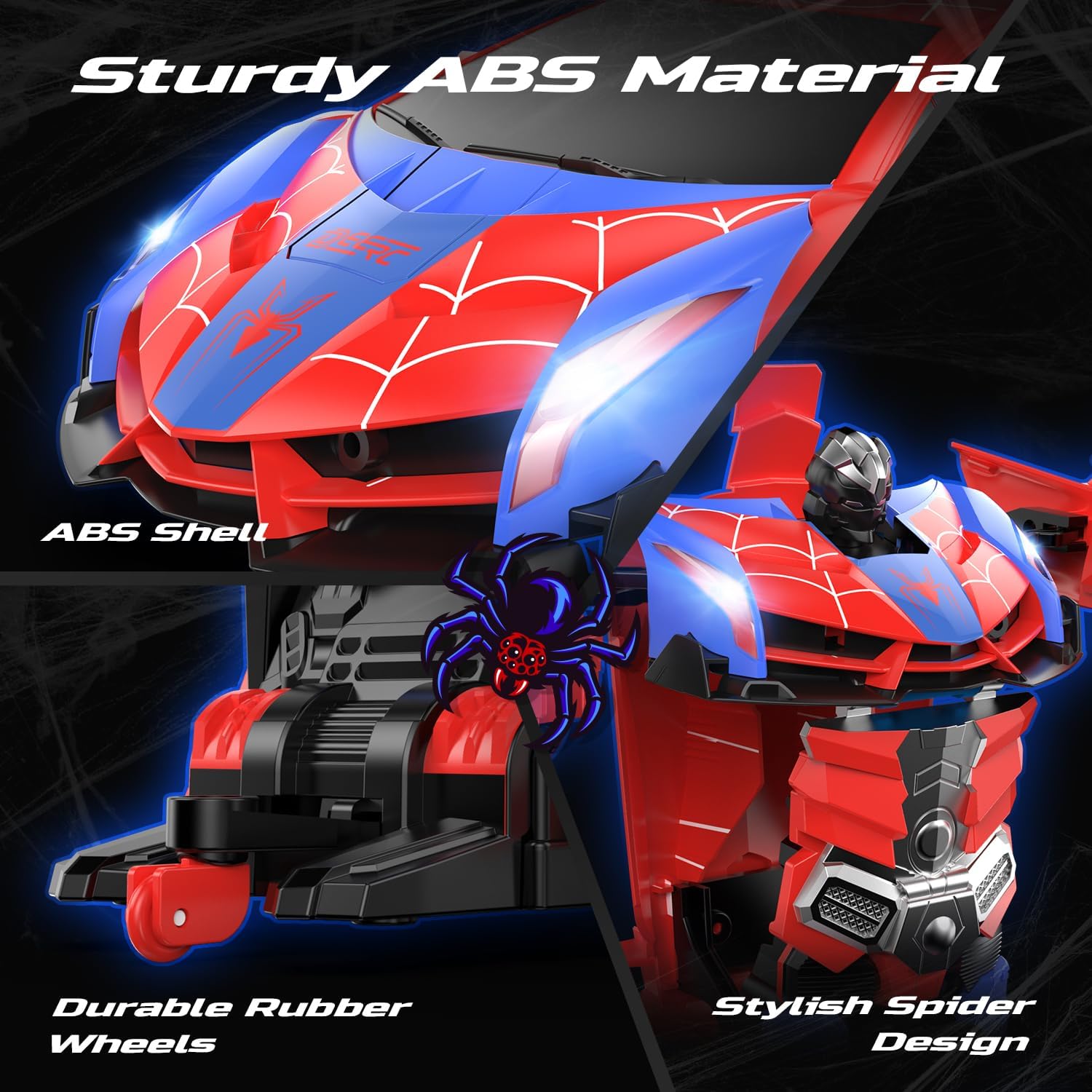
Image 6.1: Details of the toy's durable ABS material and rubber wheels.
7. Risoluzione Dei Problemi
If you encounter issues with your DEERC Spider RC Car Transform Robot, refer to the following common problems and solutions:
| Problema | Possibile causa | Soluzione |
|---|---|---|
| Toy does not respond to remote control. | Low battery in toy or remote; pairing failure; interference. | Charge toy battery fully. Replace remote control batteries. Re-pair the remote and toy (Section 4.4). Ensure no other 2.4GHz devices are causing interference. |
| Breve tempo di funzionamento. | Batteria non completamente carica; batteria obsoleta. | Ensure the battery is fully charged before each use. Consider purchasing a spare battery for extended playtime. |
| Transformation is not smooth or incomplete. | Ostruzione; disallineamento del meccanismo. | Ensure no debris is blocking the moving parts. Gently assist the transformation if minor tweaking is needed, but do not force it. |
| Toy moves slowly or erratically. | Low battery; damaged motor/gears. | Charge toy battery. If the problem persists after charging, contact customer support. |
8. Specifiche
- Dimensioni del prodotto: 9.05 x 3.74 x 2.36 pollici
- Peso dell'articolo: 14.6 once
- ASIN: B0D9M3W6GL
- Età consigliata dal produttore: 8 anni e oltre
- Batterie: 1 Lithium Ion battery (included) for toy, 2 AA batteries (not included) for remote.
- Frequenza di controllo: 2.4GHz
- Produttore: CERCARE
9. Garanzia e supporto
DEERC products are designed for quality and performance. For any questions, technical assistance, or warranty claims, please contact DEERC customer support. Refer to the product packaging or the official DEERC websito per le informazioni di contatto più aggiornate.
Si prega di conservare la prova d'acquisto ai fini della garanzia.


