1. Introduzione
The Anywin F4 Smart Tracker is a compact, rechargeable device designed to help you locate your valuable items using Apple's Find My network. This manual provides essential information for setting up, operating, and maintaining your smart tracker to ensure optimal performance.
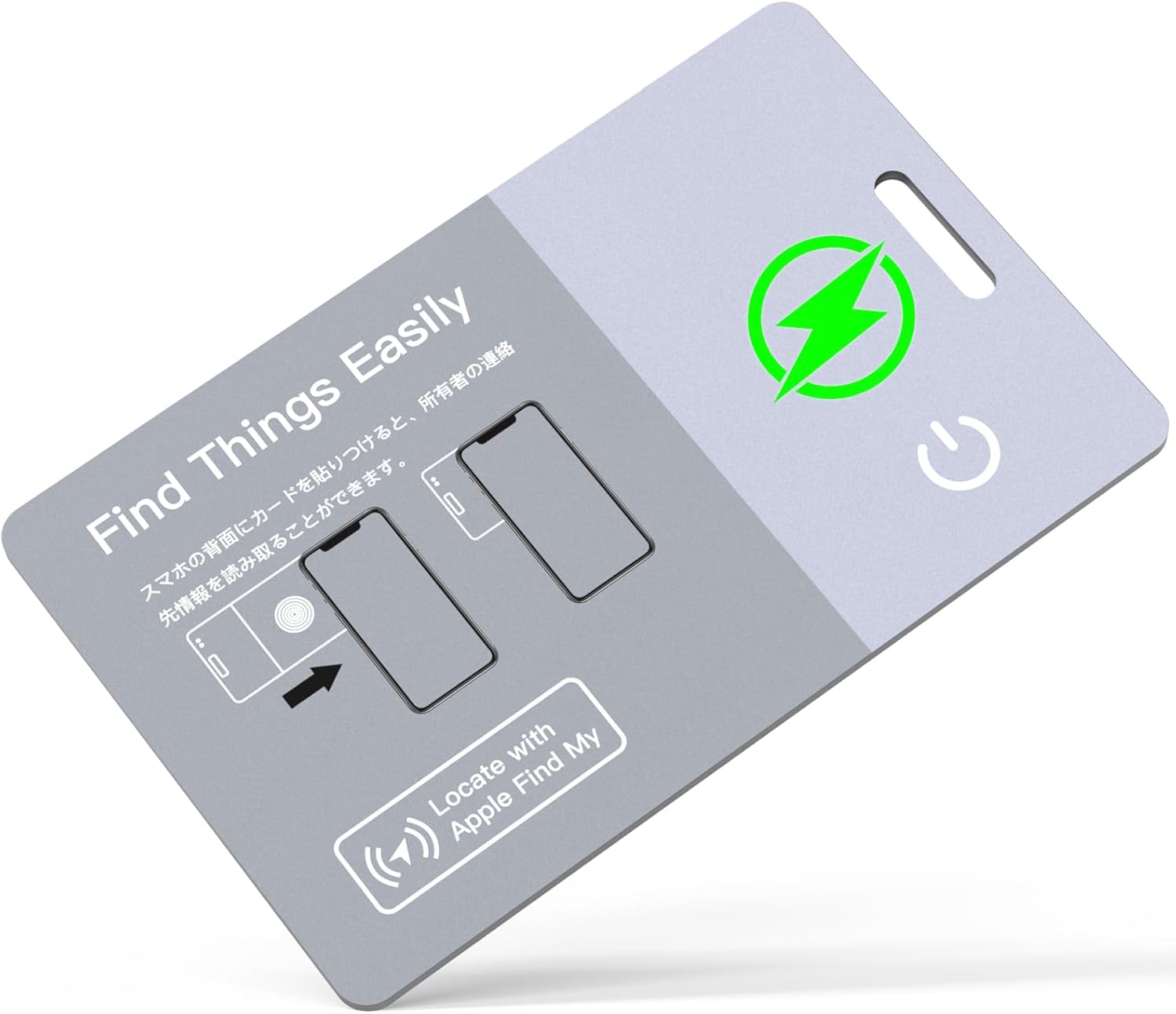
Image 1.1: Anywin F4 Smart Tracker. This image displays the front of the card-shaped tracker, highlighting its slim design and compatibility with Apple's Find My network.
2. Contenuto della confezione
Si prega di verificare che tutti gli articoli siano presenti nel pacco:
- Anywin F4 Smart Tracker
- Cavo di ricarica USB
- Cinghia
- Manuale di istruzioni (questo documento)

Image 2.1: Package Contents. This image shows the Anywin F4 Smart Tracker, a USB charging cable, and a strap, as typically included in the product packaging.
3. Caratteristiche del prodotto
- Design ultra sottile: At just 1.6mm, it is designed to fit discreetly in wallets or other slim spaces.
- Batteria ricaricabile: Offers approximately 6 months of use on a single 1-hour charge, with an estimated lifespan of 10 years.
- Opzioni di doppia ricarica: Supports both wired (via included USB cable) and wireless charging (using a 5V/1A wireless charger, sold separately).
- Funzionalità NFC: Enables contact information retrieval when the tracker is found by another person.
- Grado di impermeabilità IP68: Fornisce protezione contro la polvere e l'immersione in acqua.
- 80dB Beep Sound: Emits a loud sound to help locate items when nearby.
- Compatibilità con Trova la mia rete di Apple: Utilizes Apple's extensive network for precise location tracking (iOS devices only).
- Lost Mode & Notifications: Receive alerts when the tracker is out of range and activate Lost Mode to display contact information.

Image 3.1: Key Product Features. This infographic visually summarizes the main advantages of the Anywin F4 Smart Tracker, including its charging capabilities, slim profile, durability, and water resistance.
4. Impostazione
To begin using your Anywin F4 Smart Tracker, follow these steps to pair it with your iOS device:
- Ensure your iOS device (iPhone, iPad, or Mac) has Bluetooth enabled.
- Press and hold the power button on the Anywin F4 Smart Tracker until it emits a sound or indicator light activates (refer to device for specific indicator).
- Apri l'app "Dov'è" sul tuo dispositivo iOS.
- Navigate to the 'Items' tab and tap the '+' icon to add a new item.
- Select 'Add Other Item' and follow the on-screen prompts to connect your Anywin F4 Smart Tracker.
- Once connected, you can name your tracker and assign an emoji for easy identification.

Image 4.1: Instant Pairing Process. This image illustrates the six steps required to pair the smart tracker with an iOS device, from enabling Bluetooth to confirming the connection in the Find My app.
5. Istruzioni per l'uso
5.1 Localizzazione degli oggetti
To find an item attached to your Anywin F4 Smart Tracker:
- Apri l'app "Dov'è" sul tuo dispositivo iOS.
- Select the Anywin F4 Smart Tracker from your list of items.
- L'app visualizzerà l'ultima posizione nota del localizzatore su una mappa.
- If the tracker is nearby and within Bluetooth range, tap 'Play Sound' to make the tracker emit an 80dB beep, guiding you to its exact location.

Image 5.1: Playing Sound to Locate Item. This image demonstrates how to use the 'Play Sound' feature in the Find My app to locate the tracker when it is hidden nearby, such as within a sofa.

Image 5.2: Map Tracking. This image shows the Find My app displaying the precise location of the smart tracker on a map, useful for finding items in larger areas.
5.2 Lost Mode and Notifications
The Anywin F4 Smart Tracker provides alerts for left-behind items and a Lost Mode for recovery:
- Notifiche di oggetti abbandonati: If your tracker moves out of your iOS device's Bluetooth range, you will receive an automatic notification from the 'Find My' app, indicating the item has been left behind.
- Attivazione della modalità smarrito: In the 'Find My' app, you can enable 'Lost Mode' for your tracker. This allows you to enter a contact phone number or email address.
- NFC Recovery: If someone finds your tracker while it's in Lost Mode, they can tap their NFC-enabled smartphone to the tracker. Your contact information will automatically appear on their phone, facilitating its return. Instructions for NFC use are printed on the tracker itself.

Image 5.3: Left-Behind Notification. This image shows an alert on an iPhone indicating that the smart tracker has been left behind, providing peace of mind for valuable items.

Image 5.4: NFC Contact Information Retrieval. This image illustrates how a finder can tap their smartphone to the tracker to automatically retrieve the owner's contact details when the tracker is in Lost Mode.
6. Ricarica
The Anywin F4 Smart Tracker features a rechargeable battery with two convenient charging methods:
- Ricarica cablata: Connect the included USB charging cable to the tracker and a power source (e.g., computer USB port, USB wall adapter).
- Ricarica wireless: Place the tracker on a compatible 5V/1A wireless charging pad (not included).
A full charge takes approximately 1 hour and provides up to 6 months of continuous use. The tracker has an estimated battery lifespan of 10 years.

Image 6.1: Rechargeable and Eco-Friendly. This image highlights the dual charging capabilities and the long-term battery performance of the smart tracker.

Image 6.2: Wired and Wireless Charging. This image visually demonstrates both methods of charging the Anywin F4 Smart Tracker.
7. Manutenzione
To ensure the longevity and optimal performance of your Anywin F4 Smart Tracker:
- Pulizia: Pulisci il tracker con un panno morbido e asciutto. Evita di utilizzare prodotti chimici aggressivi o materiali abrasivi.
- Esposizione all'acqua: While the device is IP68 waterproof, prolonged submersion or exposure to high-pressure water jets should be avoided. Ensure the charging port is dry before charging.
- Magazzinaggio: Store the tracker in a cool, dry place when not in use. Avoid extreme temperatures.
- Ciclo di ricarica: Recharge the device when the battery level is low to maintain battery health.

Image 7.1: Waterproof Feature. This image shows the tracker in water, illustrating its IP68 rating for water resistance.
8. Risoluzione Dei Problemi
| Problema | Possibile causa | Soluzione |
|---|---|---|
| Tracker not pairing with iOS device. | Bluetooth is off; tracker battery is low; tracker is not in pairing mode; iOS device is not compatible. | Ensure Bluetooth is enabled on your iOS device. Charge the tracker fully. Press and hold the tracker's power button to enter pairing mode. Confirm your iOS device is running a compatible version of iOS. |
| Cannot hear the beep sound. | Tracker is out of Bluetooth range; tracker battery is low; environmental noise. | Check the tracker's location on the map in the 'Find My' app. Move closer to the tracker. Charge the tracker. Reduce ambient noise if possible. |
| La funzione NFC non funziona. | Tracker is not in 'Lost Mode'; NFC is disabled on the finding smartphone; incorrect tapping position. | Activate 'Lost Mode' for the tracker in the 'Find My' app. Ensure the finding smartphone has NFC enabled. Tap the smartphone directly to the designated NFC area on the tracker (indicated by the printed instructions). |
| La batteria si scarica rapidamente. | Frequent use of sound feature; tracker constantly out of range; aging battery. | Minimize unnecessary use of the sound feature. Keep the tracker within Bluetooth range of your iOS device when possible. If the issue persists, contact customer support. |
9. Specifiche
- Modello: F4
- Dimensioni: Dimensioni: 8.5 x 5.4 x 0.16 cm
- Peso: 70 grammi
- Durata della batteria: Approximately 6 months (on a single charge)
- Durata della batteria: Circa 10 anni
- Tempo di ricarica: Circa 1 ora per la carica completa
- Ingresso di ricarica: USB (wired) or 5V/1A wireless charger (wireless)
- Grado di impermeabilità: Grado di protezione IP68
- Uscita audio: 80 dB
- Connettività: Bluetooth (per Trova la mia rete)
- Compatibilità: iOS devices only (iPhone, iPad, Mac)
- Caratteristiche: NFC Function, Lost Mode, Left-Behind Notifications
- Componenti inclusi: Smart Tracker, USB Charging Cable, Strap

Image 9.1: Physical Dimensions. This image provides a visual representation of the tracker's slim profile and exact measurements.
10. Garanzia e supporto
The Anywin F4 Smart Tracker comes with a Garanzia a lungo termine di 2 anni. We also offer unlimited customer support to assist you with any questions or issues you may encounter. Our support team aims to provide a complete resolution within 24 hours.
For support, please refer to the contact information provided with your purchase or visit the official Anywin websito.


