1. Introduzione
Thank you for choosing the SHARP 55GL4060E 55-inch 4K Ultra HD Google TV. This manual provides essential information for setting up, operating, and maintaining your new television. Please read this manual thoroughly before using the product to ensure safe and optimal performance. This television features a 4K Ultra HD display, Google TV operating system, HDMI 2.1 with eARC, Dolby Vision HDR, Dolby Atmos immersive sound, integrated Google Assistant, and Chromecast built-in.
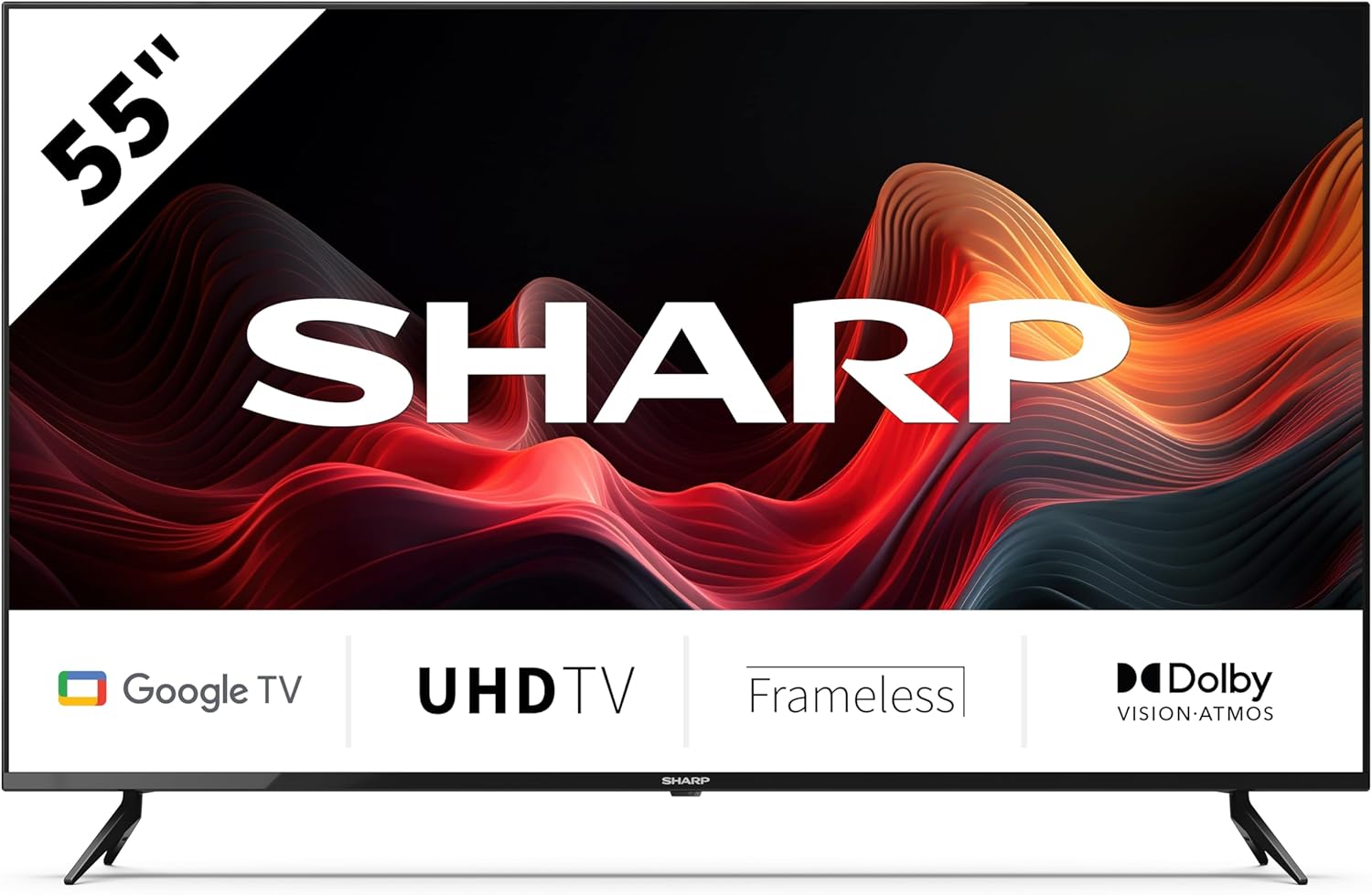
This image displays the SHARP 55GL4060E television from the front, showcasing its 55-inch frameless screen, the SHARP logo at the bottom center, and the two V-shaped stands. The screen shows a vibrant abstract red and orange waveform design. Below the screen, icons indicate 'Google TV', 'UHD TV', 'Frameless', and 'Dolby Vision Atmos'.
2. Informazioni sulla sicurezza
Per evitare danni e garantire un funzionamento sicuro, osservare le seguenti precauzioni di sicurezza:
- Alimentazione elettrica: Collegare il televisore solo a una presa di corrente CA con il volume correttotage. Non sovraccaricare le prese di corrente.
- Ventilazione: Ensure adequate ventilation around the TV. Do not block ventilation openings. Avoid placing the TV on soft surfaces or in enclosed spaces.
- Pulizia: Scollegare il televisore prima di pulirlo. Utilizzare un panno morbido e asciutto. Non utilizzare detergenti liquidi o spray.
- Acqua e umidità: Non esporre il televisore a pioggia o umidità. Non posizionare oggetti contenenti liquidi, come vasi, sul televisore.
- Posizionamento: Place the TV on a stable, level surface. If wall-mounting, use a VESA-compatible mount and ensure it is securely installed. Keep the TV away from direct sunlight, heat sources, and strong magnetic fields.
- Bambini: Sorvegliare i bambini per evitare che si arrampichino sul televisore o sul supporto.
3. Contenuto della confezione
Verificare che tutti gli articoli siano presenti nella confezione:
- SHARP 55GL4060E 55-inch 4K Ultra HD Google TV
- Telecomando
- Batterie AAA (x2)
- Guida rapida
- TV Stands (x2) and Screws
4. Impostazione
4.1 Fissaggio dei supporti TV
- Posizionare con cautela lo schermo del televisore su una superficie morbida e piana per evitare danni.
- Allineare ciascun supporto con i fori delle viti corrispondenti nella parte inferiore del televisore.
- Fissare i supporti utilizzando le viti fornite. Assicurarsi che siano ben serrate.
4.2 Montaggio a parete
If you choose to wall-mount your TV, ensure you use a VESA-compatible wall mount. The VESA mounting dimensions for this model are 400 x 300 mm. Consult a professional for wall mounting installation to ensure safety and proper attachment.
4.3 Collegamento di dispositivi esterni
- HDMI: Connect devices such as Blu-ray players, game consoles, or set-top boxes to the HDMI ports. This TV features 4 HDMI 2.1 ports with eARC support.
- USB: Connect USB storage devices for media playback or software updates to the 2 USB ports.
- Collegamento Ethernet: Per una connessione Internet stabile, collega un cavo Ethernet dal router alla porta LAN del televisore.
- Wifi: Connect to your wireless network for internet access and smart TV features.
- Bluetooth: Abbina dispositivi abilitati Bluetooth come cuffie o soundbar.
4.4 Configurazione iniziale
- Collegare il cavo di alimentazione a una presa elettrica.
- Premere il pulsante di accensione sul telecomando per accendere il televisore.
- Follow the on-screen instructions to complete the initial setup, including language selection, network connection, and Google account sign-in.
5. Utilizzo del televisore
5.1 Controllo remoto finitoview
The remote control allows you to navigate the Google TV interface, adjust settings, and control playback. Insert the two AAA batteries into the remote control, ensuring correct polarity.
5.2 Funzioni di base
- Energia: Premere per accendere o spegnere il televisore.
- Volume: Utilizzare i pulsanti del volume per regolare il livello del suono.
- Ingresso: Select the desired input source (HDMI 1, HDMI 2, USB, etc.).
- Navigazione: Use the directional pad and OK button to move through menus and make selections.
- Casa: Return to the Google TV home screen.
5.3 Funzionalità di Google TV
- Assistente Google: Press the Google Assistant button on your remote and speak into the microphone to search for content, control smart home devices, or get information.
- Chromecast integrato: Trasmetti i contenuti dal tuo smartphone, tablet o computer compatibile direttamente sulla tua TV.
- Applicazioni: Access a wide range of streaming services and applications from the Google Play Store.
6. Manutenzione
6.1 Pulizia del televisore
- Schermo: Pulire delicatamente lo schermo con un panno morbido e privo di lanugine. Per macchie ostinate, strofinare leggermenteampimmergi il panno con acqua (non spruzzare direttamente sullo schermo).
- Corpo: Pulire la cornice e il supporto del televisore con un panno morbido e asciutto.
- Attenzione: Do not use abrasive cleaners, alcohol, benzene, or thinners, as these can damage the TV's surface.
6.2 Aggiornamenti software
Your Google TV may receive automatic software updates. You can also manually check for updates through the TV's settings menu to ensure you have the latest features and security patches.
7. Risoluzione Dei Problemi
Se riscontri problemi con il tuo televisore, fai riferimento ai seguenti problemi comuni e alle relative soluzioni:
- Nessun potere: Ensure the power cord is securely plugged into both the TV and the electrical outlet. Try a different outlet.
- Nessuna immagine/suono: Verificare che sia selezionata la sorgente di ingresso corretta. Controllare tutti i collegamenti dei cavi (HDMI, ecc.). Riavviare i dispositivi collegati.
- Il telecomando non funziona: Controllare le batterie e sostituirle se necessario. Assicurarsi che non vi siano ostacoli tra il telecomando e il sensore IR del televisore.
- Problemi di connessione di rete: Riavvia il router e il modem. Controlla la password del Wi-Fi. Se utilizzi una connessione Ethernet, assicurati che il cavo sia collegato correttamente.
- Problemi di qualità dell'immagine: Regola le impostazioni dell'immagine (luminosità, contrasto, colore). Assicurati che la sorgente del contenuto sia di alta qualità.
Per problemi persistenti, consultare le risorse di supporto online o contattare il servizio clienti.
8. Specifiche
| Caratteristica | Specificazione |
|---|---|
| Marca | Affilato |
| Numero di modello | 55GL4060E |
| Dimensioni dello schermo | 55 pollici |
| Tecnologia di visualizzazione | GUIDATO |
| Risoluzione | 4K Ultra HD |
| Frequenza di aggiornamento | Frequenza 60 Hz |
| Sistema operativo | TV di Google |
| Caratteristiche speciali | Google Assistant and Chromecast built-in, Dolby Vision, Dolby Atmos |
| Tecnologia di connettività | Bluetooth, Ethernet, HDMI (4x HDMI 2.1 with eARC), USB (2x), Wi-Fi |
| Colore | Nero |
| Dimensioni del prodotto (con supporto) | 1116.4 x 692.9 x 264.7 mm (L x A x P) |
| Dimensioni del prodotto (senza supporto) | 1116.4 x 651.3 x 91.5 mm (L x A x P) |
| Distance between stands | 1095 millimetri |
| Peso netto | 11 kg |
| VESA Wall Mount Support | 400 x 300 millimetri |
| Dispositivi compatibili | Laptop, smartphone, tablet, game console |
| Composizione della batteria | Alkaline (2 AAA included) |
9. Garanzia e supporto
For warranty information, please refer to the warranty card included with your product or visit the official Sharp website. For technical support, troubleshooting assistance, or service inquiries, please contact Sharp customer support through their official channels. Keep your purchase receipt as proof of purchase.


