Introduzione
Welcome to the user manual for your BUGANI Wireless Earbuds. These earbuds are designed to provide an immersive audio experience with deep bass, crystal-clear calls, and a comfortable, secure fit. Featuring Bluetooth 5.3 for stable connectivity and IPX6 water resistance, they are ideal for various activities, from daily commutes to sports.

Image: BUGANI Wireless Earbuds in black and white charging cases, highlighting the sleek design and portability.
Informazioni sulla sicurezza
Please read the following safety guidelines carefully before using your earbuds:
- Non immergere gli auricolari in acqua.
- Tenere lontano da temperature estreme.
- Non smontare o tentare di riparare il dispositivo.
- Utilizzare solo cavi di ricarica e adattatori certificati.
- Evitare l'ascolto ad alto volume per periodi prolungati per evitare danni all'udito.
Contenuto della confezione
The following items are included in your BUGANI Wireless Earbuds package:
- 1 x BUGANI B09 Wireless Earbuds
- Cavo di ricarica 1 x USB-C
- 1 x User Quick Guide
- 3 x Different Sizes of Eartips (S, M, L)
- 3 diverse misure di alette auricolari in silicone (S, M, L)
Prodotto finitoview
The BUGANI B09 earbuds feature a compact design with touch controls and integrated microphones for clear communication. The charging case provides extended battery life and secure storage.
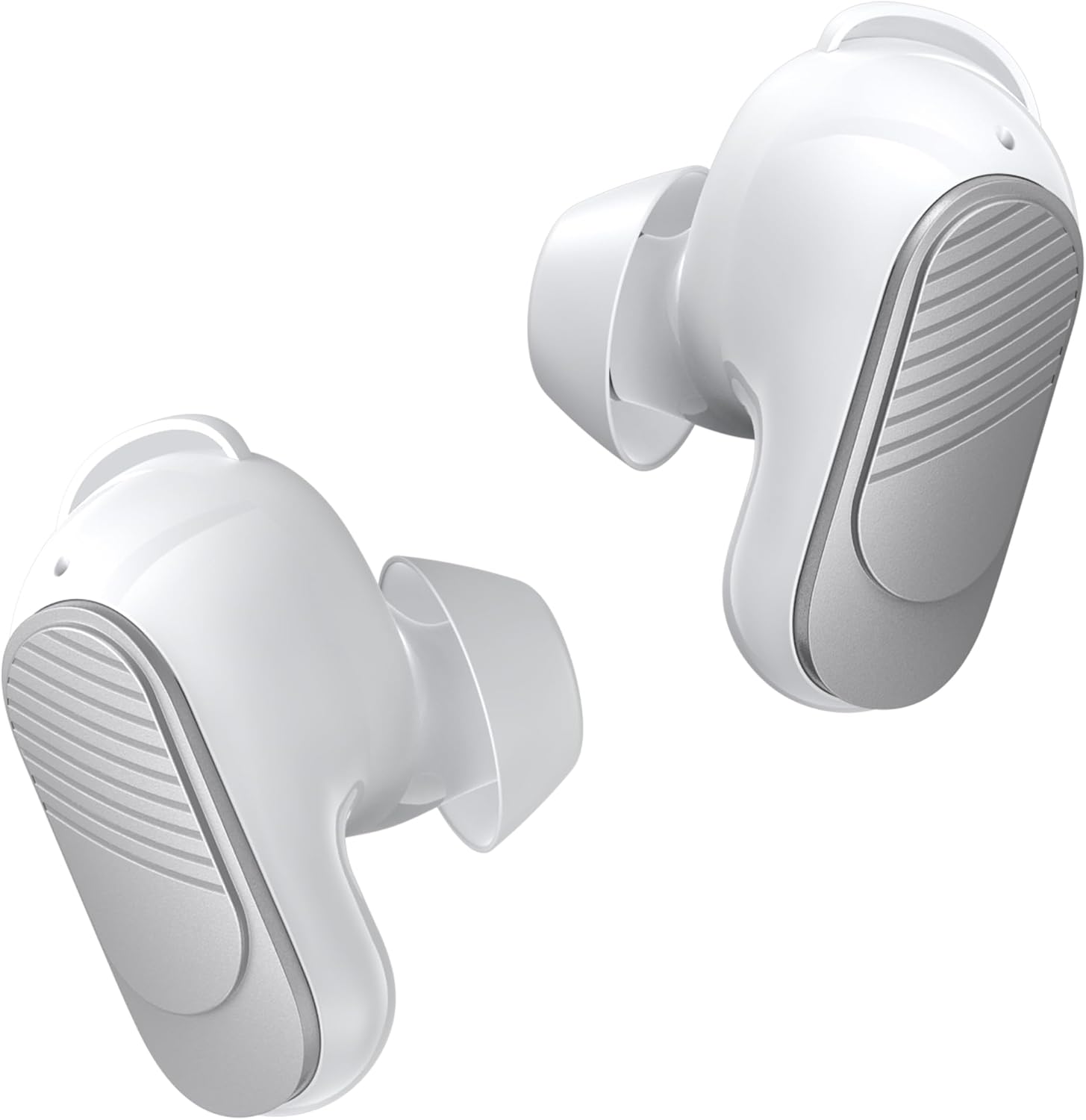
Image: A pair of white BUGANI wireless earbuds, showing their ergonomic shape.

Immagine: Un esploso view diagram illustrating the internal acoustic and electronic components of a BUGANI earbud, emphasizing distortion-free sound.
Impostare
Ricarica degli auricolari e della custodia
Prima del primo utilizzo, caricare completamente gli auricolari e la custodia di ricarica.
- Inserire gli auricolari nella custodia di ricarica. Assicurarsi che siano posizionati correttamente.
- Collegare il cavo di ricarica USB-C alla porta di ricarica sulla custodia e l'altra estremità a una fonte di alimentazione USB.
- Le spie luminose sulla custodia mostrano lo stato di carica. Una ricarica completa della custodia richiede circa 1.5 ore.

Image: The BUGANI earbuds inside their charging case, illustrating the 24-hour total playtime with the case and 6 hours from a single earbud charge.
Accoppiamento Bluetooth
Per una maggiore praticità, gli auricolari sono dotati di un sistema di associazione in un solo passaggio.
- Aprire la custodia di ricarica. Gli auricolari entreranno automaticamente in modalità di associazione.
- Sul tuo dispositivo (smartphone, tablet, computer), attiva il Bluetooth.
- Cercare "BUGANI B09" in the list of available Bluetooth devices and select it to connect.
- Una volta connessi, gli auricolari si riconnetteranno automaticamente all'ultimo dispositivo associato quando verranno estratti dalla custodia.

Image: A visual representation of Bluetooth 5.3 technology, highlighting its benefits for stable and efficient wireless communication.

Image: A smartphone screen showing successful Bluetooth pairing with 'BUGANI B09', alongside the earbuds and charging case, demonstrating the ease of one-step pairing and broad device compatibility.
Montaggio degli auricolari
For optimal sound quality and comfort, choose the correct size of eartips and earwings.
- Select the eartips (S, M, L) that provide a snug fit in your ear canal.
- Select the earwings (S, M, L) that securely anchor the earbuds in your outer ear.
- Gently insert the earbuds into your ears and twist slightly to ensure a secure and comfortable seal.

Image: A close-up of the earbud design, emphasizing its lightweight nature (3.9g) and the inclusion of wingtips for a secure and comfortable fit.

Image: Various sizes of eartips and earwings are displayed, illustrating the options available to achieve maximum comfort and a perfect fit for different ear shapes.
Utilizzo degli auricolari
The BUGANI B09 earbuds feature intuitive touch controls on each earbud.

Image: A comprehensive diagram detailing the touch control gestures for the BUGANI earbuds, covering functions such as power on/off, music playback, call handling, volume adjustment, and voice assistant activation.
Controllo della musica
- Riproduci/Pausa: L/R Touch 1 quickly.
- Prossima canzone: R Touch 2 quickly.
- Canzone precedente: L Touch 2 quickly.
- Aumenta volume: R Touch 3 quickly.
- Volume basso: L Touch 3 quickly.
Controllo delle chiamate
- Rispondi alla chiamata: L/R Touch 1 quickly.
- Appendere: L/R Touch 1 quickly.
- Rifiuta chiamata: L/R Touch 2 quickly.

Image: A woman wearing a BUGANI earbud, with an overlay highlighting the microphone location and emphasizing the crystal-clear call quality due to dual-mic noise isolation.
Assistente vocale
- Attiva l'assistente vocale: L/R Long press for 2s.
Accensione/spegnimento
- Accensione: L/R Long press for 3s.
- Spegni: L/R Long press for 5s.
Reset
- Ripristina auricolari: L&R Touch 5 quickly.
Manutenzione
Pulizia
Pulisci regolarmente gli auricolari e la custodia di ricarica per garantire prestazioni e igiene ottimali.
- Per pulire gli auricolari e la custodia di ricarica, utilizzare un panno morbido, asciutto e privo di lanugine.
- Per sporco ostinato, leggermente dampLavare il panno con acqua. Non utilizzare prodotti chimici aggressivi o materiali abrasivi.
- Rimuovere delicatamente eventuali residui di cerume o detriti dagli auricolari e dalla rete dell'altoparlante utilizzando una piccola spazzola morbida o un cotton fioc.
Magazzinaggio
Quando non li usi, riponi gli auricolari nella custodia di ricarica per proteggerli da polvere e danni e mantenerli carichi.

Image: A woman engaged in physical activity while wearing BUGANI earbuds, accompanied by an IPX6 rating icon, signifying their waterproof and sweatproof capabilities.
Risoluzione dei problemi
If you encounter any issues with your BUGANI Wireless Earbuds, please refer to the table below for common problems and solutions:
| Problema | Soluzione |
|---|---|
| Gli auricolari non si accoppiano | Ensure earbuds are charged. Turn off and on Bluetooth on your device. Try resetting the earbuds (L&R Touch 5 quickly). |
| Un solo auricolare funzionante | Place both earbuds back into the charging case, close the lid, then open it again. Ensure both earbuds are charged. Try resetting the earbuds. |
| Volume basso o scarsa qualità del suono | Adjust volume on your device and earbuds. Ensure eartips are the correct size for a secure seal. Clean any debris from the speaker mesh. |
| Gli auricolari non si caricano | Assicurati che il cavo di ricarica sia collegato saldamente. Controlla che la custodia di ricarica sia alimentata. Pulisci i contatti di ricarica su entrambi gli auricolari e sulla custodia. |
| Disconnections during use | Ensure you are within the Bluetooth range of your device. Avoid obstacles between the earbuds and your device. |
Specifiche
Key technical specifications for the BUGANI B09 Wireless Earbuds:
- Modello: BUGANI B09
- Tecnologia di connettività: Senza fili (Bluetooth 5.3)
- Tecnologia di comunicazione wireless: Bluetooth
- Durata media della batteria: 6 ore (auricolari), 24 ore (con custodia di ricarica)
- Livello di resistenza all'acqua: IPX6 resistente all'acqua
- Tipo di controllo: Controllo touch
- Caratteristiche speciali: Built-In Voice Assistant, ENC Noise Cancelling, Deep Bass, Hi-Fi Stereo Sound, Ergonomic design, Fast Charging, Ultra Lightweight and Mini, Auto Pairing
- Materiale: Plastica
- Numero modello articolo: BUGANI B09
- Dimensioni del pacco: 12.9 x 9.6 x 4.7 cm; 120 g
Garanzia e supporto
BUGANI products come with a standard manufacturer's warranty. For detailed warranty information, technical support, or service inquiries, please refer to the contact information provided in the quick guide included with your product or visit the official BUGANI websito.


