Introduzione
The Maxcom FW59 Kiddo is a 4G smartwatch specifically designed for children, offering a blend of safety features and communication capabilities. It allows parents to stay connected with their children and monitor their location, providing peace of mind. Key features include video and voice calls, GPS tracking with safe zone definition, an SOS button for emergencies, and a user-friendly interface.
This manual provides detailed instructions on how to set up, operate, and maintain your Maxcom FW59 Kiddo smartwatch to ensure optimal performance and safety.
Contenuto della confezione
Si prega di selezionare la casella per i seguenti elementi:
- Maxcom FW59 Kiddo Smartwatch
- Cavo di ricarica USB
- Manuale dell'utente (questo documento)
- Strumento di espulsione della scheda SIM (se applicabile)
Guida all'installazione
1. Installazione della scheda SIM
The Maxcom FW59 Kiddo requires a nano SIM card for 4G connectivity, enabling calls and GPS tracking. Ensure the SIM card is active and supports 4G LTE networks.
- Individuare lo slot per la scheda SIM sul lato dello smartwatch.
- Using the provided SIM ejector tool or a small pin, gently press into the small hole next to the SIM slot to open the tray.
- Carefully place the nano SIM card into the tray with the gold contacts facing down, ensuring it is correctly oriented.
- Spingere delicatamente il vassoio della SIM nello slot finché non scatta in posizione.
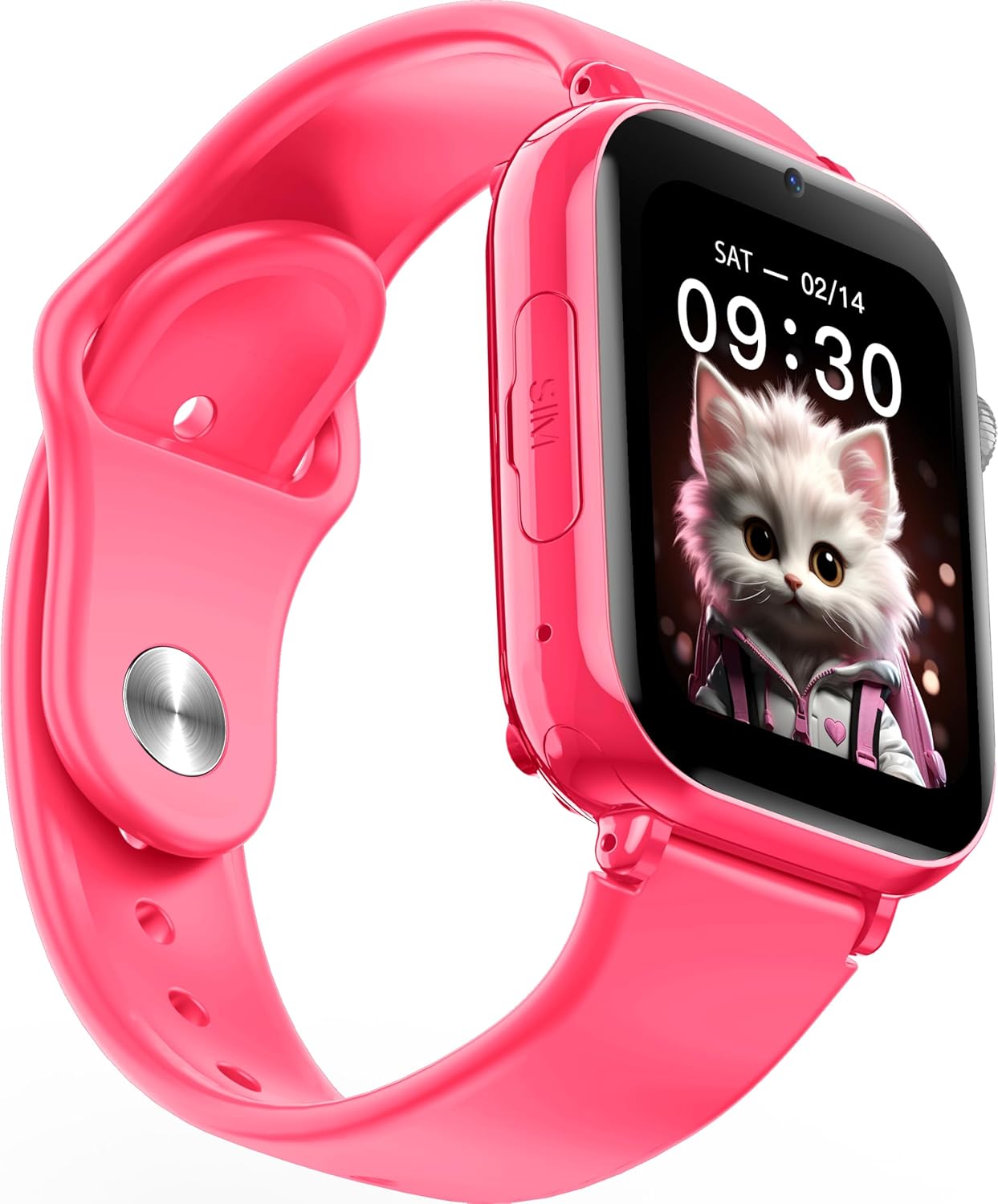
Immagine: Angolata view of the Maxcom FW59 Kiddo smartwatch, highlighting the location of the SIM card slot on the side.
2. Ricarica dello smartwatch
Before first use, fully charge the smartwatch. The device is equipped with a 670 mAh Lithium Ion battery.
- Connect the USB charging cable to the charging port on the smartwatch.
- Collegare l'altra estremità del cavo USB a un adattatore di alimentazione USB compatibile (non incluso) o alla porta USB di un computer.
- Lo schermo indicherà lo stato di carica. Una carica completa richiede in genere circa 2-3 ore.
3. Installazione e associazione dell'app
To utilize all features, parents must install the "MAXCOM TRACKER" mobile application on their smartphone and pair it with the smartwatch.
- Download the "MAXCOM TRACKER" app from your smartphone's app store (Google Play Store for Android or Apple App Store for iOS).
- Apri l'app e crea un account o accedi se ne hai già uno.
- Follow the in-app instructions to add a new device. This usually involves scanning a QR code displayed on the smartwatch screen or manually entering the device ID.
- Once paired, you can configure settings, add contacts, define safe zones, and track the smartwatch's location from the app.
Utilizzo dello Smartwatch
Navigazione di base
The Maxcom FW59 Kiddo features a 1.85" IPS touchscreen display for easy interaction. Swipe left/right or up/down to navigate through menus and applications. Press the side button to return to the home screen or wake the device.

Immagine: Frontale view of the Maxcom FW59 Kiddo smartwatch displaying the time and a cute cat wallpaper.
Video and Voice Calls
With a nano SIM card inserted, the smartwatch supports both video and voice calls to pre-approved contacts.
- Effettuare una chiamata: Navigate to the "Contacts" or "Phone" application, select the desired contact, and choose to initiate a voice or video call.
- Ricevere una chiamata: When a call comes in, the smartwatch will ring and display the caller ID. Tap the green icon to answer or the red icon to decline.
Funzione SOS
The dedicated SOS button provides an immediate way for the child to alert pre-set emergency contacts.
- Attivazione SOS: Press and hold the SOS button (usually a prominent side button) for a few seconds.
- The smartwatch will automatically call the emergency contacts in a pre-defined sequence until one answers. It will also send an alert with the child's current location to the parent's app.
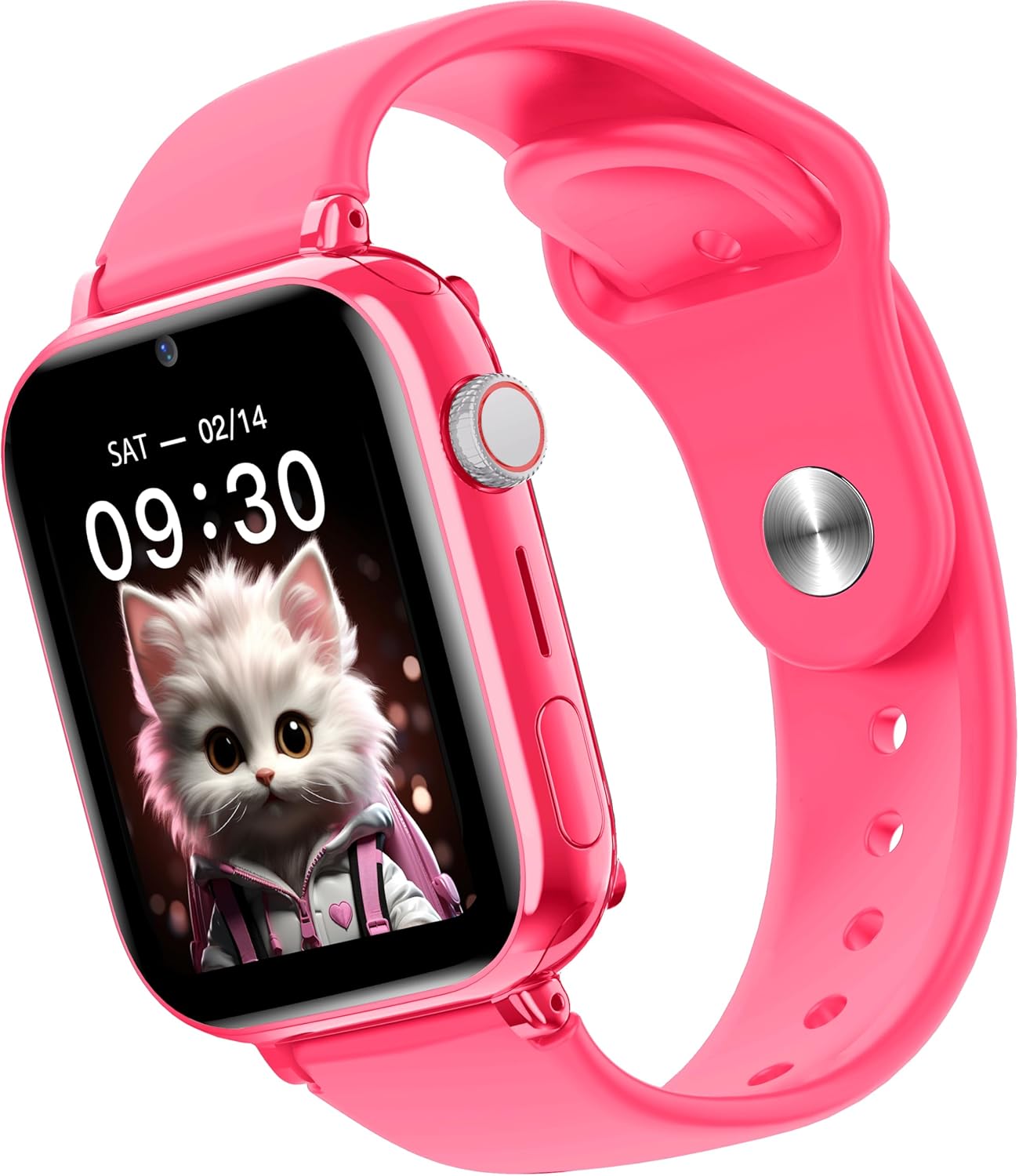
Immagine: Lato view of the Maxcom FW59 Kiddo smartwatch, illustrating the physical buttons, including the SOS button.
GPS Tracking and Safe Zones
Parents can monitor the child's location in real-time via the MAXCOM TRACKER app.
- Monitoraggio in tempo reale: Open the MAXCOM TRACKER app on your smartphone to view the smartwatch's current location on a map.
- Zone sicure: In the app, you can define virtual geographic boundaries (e.g., home, school). You will receive notifications when the smartwatch enters or exits these designated safe zones.
- Cronologia del percorso: The app also allows you to review the historical movement data of the smartwatch.
Funzione della fotocamera
The smartwatch includes a built-in camera. Children can take photos directly from the watch, and parents can remotely activate the camera from the MAXCOM TRACKER app to capture images of the surroundings.
Phone Book Management
Contacts can only be added and managed through the MAXCOM TRACKER app by the parent. This ensures that the child can only communicate with pre-approved numbers.
Manutenzione
Pulizia
Per mantenere il tuo smartwatch pulito e in buone condizioni:
- Pulire lo schermo e il corpo con un panno morbido e privo di lanugine.
- Per segni ostinati, leggermente dampLavare il panno con acqua. Evitare l'uso di prodotti chimici aggressivi o materiali abrasivi.
- Ensure the charging port and SIM slot are free of dust and debris.
Cura della batteria
Proper battery care extends the life of your device:
- Evitare temperature estreme, poiché possono compromettere le prestazioni della batteria.
- Caricare regolarmente il dispositivo, ma evitare di lasciarlo completamente scarico per periodi prolungati.
- Utilizzare solo il cavo di ricarica fornito.
Risoluzione dei problemi
If you encounter issues with your Maxcom FW59 Kiddo, refer to the following common solutions:
- Lo smartwatch non si accende: Assicurarsi che la batteria sia carica. Collegare il dispositivo al caricabatterie e attendere qualche minuto prima di provare ad accenderlo.
- Nessun segnale di rete/impossibile effettuare chiamate:
- Check if the nano SIM card is correctly inserted and active.
- Verify that the SIM card has sufficient credit or an active data plan.
- Assicurati di trovarti in un'area con copertura di rete 4G.
- Posizione GPS imprecisa:
- Assicurati che lo smartwatch abbia una chiara view del cielo per una ricezione ottimale del segnale GPS.
- La precisione della posizione può essere influenzata dalla densità degli edifici, dalle aree sotterranee o da un segnale di rete debole.
- Check the MAXCOM TRACKER app settings to ensure location services are enabled for the smartwatch.
- Impossibile associare l'app:
- Ensure the smartwatch is powered on and has a network connection.
- Verify that the QR code or device ID is entered correctly in the app.
- Prova a riavviare sia lo smartwatch che lo smartphone.
- Breve durata della batteria:
- Frequent video calls, high screen brightness, and continuous GPS tracking can consume more battery.
- Adjust settings in the app to optimize battery usage (e.g., location update frequency).
If the issue persists, please contact Maxcom customer support for further assistance.
Specifiche
| Caratteristica | Dettaglio |
|---|---|
| Marca | MassimoCom |
| Nome del modello | FW59 Kiddo |
| Dimensioni dello schermo | 1.85 pollici |
| Tipo di visualizzazione | IPS (240 x 280 resolution) |
| Sistema operativo | Closed OS |
| Capacità di archiviazione della memoria | 2 MB |
| Capacità della batteria | 670 mAh (ioni di litio) |
| Tecnologia cellulare | 4G |
| Tecnologia di connettività | Bluetooth, radiofrequenza |
| Caratteristiche speciali | Kids Tracking, SOS Button, Video/Voice Calls |
| Peso dell'articolo | 300 grammi |
Garanzia e supporto
For information regarding warranty coverage and terms for your Maxcom FW59 Kiddo smartwatch, please refer to the warranty card included with your purchase or visit the official Maxcom website. For technical support, troubleshooting beyond this manual, or service inquiries, please contact Maxcom customer support through their official channels.


