Introduzione
Thank you for choosing Docooler BT5.4 Wireless Earhook Headphones. This manual provides essential information for the proper setup, operation, and maintenance of your new headphones. Please read it carefully before use and retain it for future reference.

Image: The Docooler BT5.4 Wireless Earhook Headphones with their charging case, showcasing the ergonomic design.
Impostare
1. Ricarica delle cuffie e della custodia
Prima del primo utilizzo, assicurarsi che sia gli auricolari sia la custodia di ricarica siano completamente carichi.
- Tempo di ricarica degli auricolari: Circa 40 minuti.
- Tempo di ricarica della custodia di ricarica: Circa 1 ora.
Connect the provided charging cable to the charging case and a compatible USB power source. The charging case display will indicate the charging status.
2. Abbinamento iniziale
The Docooler BT5.4 headphones feature automatic power-on and fast pairing.
- Rimuovi entrambi gli auricolari dalla custodia di ricarica. Si accenderanno automaticamente e tenteranno di associarsi tra loro.
- On your Bluetooth-enabled audio device (smartphone, tablet, etc.), go to the Bluetooth settings.
- Cercare available devices and select "Docooler BT5.4" (or similar name) from the list.
- Una volta effettuata la connessione, sentirai un tono di conferma e gli auricolari saranno pronti per l'uso.
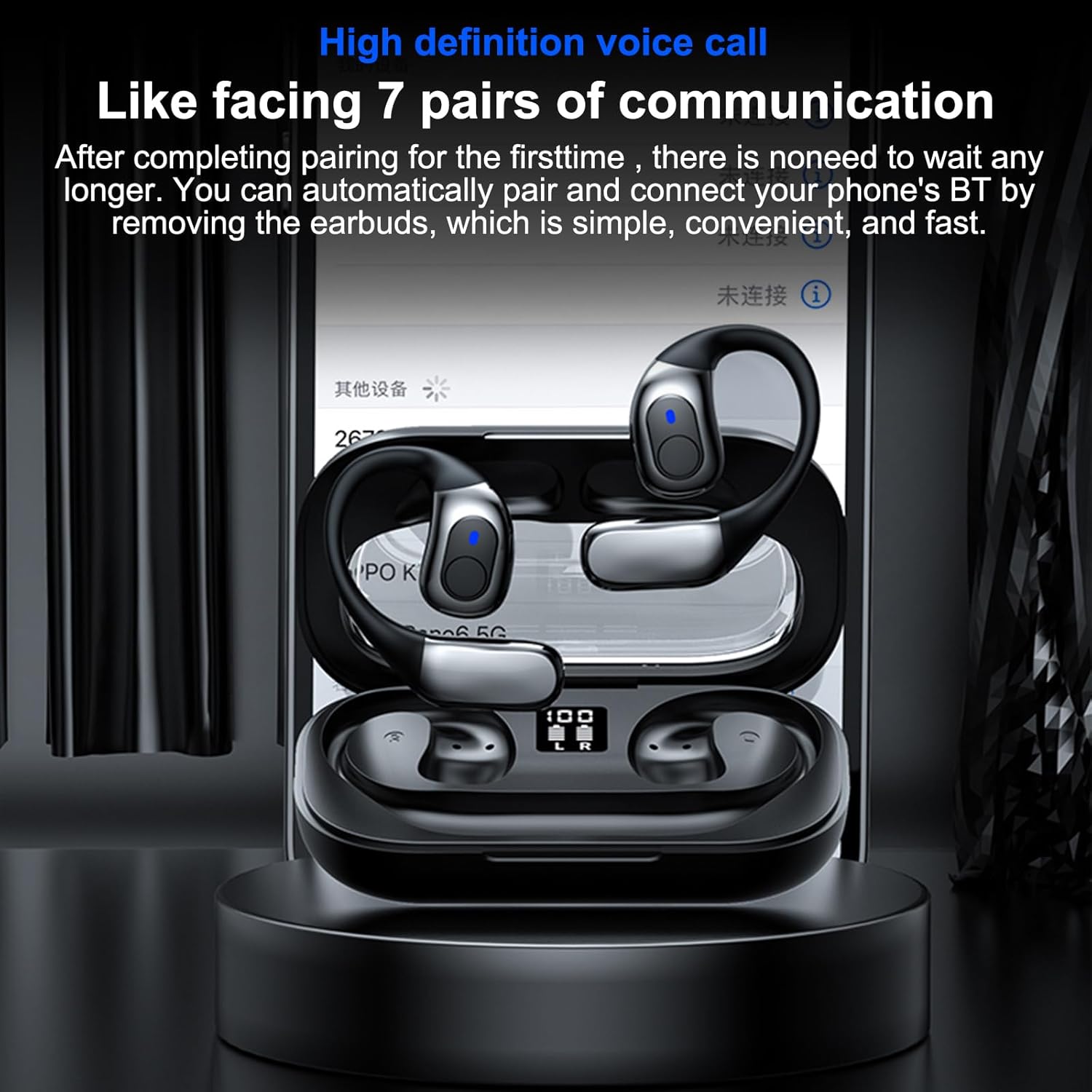
Image: The headphones in their charging case, illustrating the high-definition voice call feature and automatic pairing with a mobile device.
3. Riconnessione automatica
After the initial pairing, the headphones will automatically connect to your last paired device when removed from the charging case, provided Bluetooth is enabled on your device.
Istruzioni per l'uso
1. Indossare le cuffie
The ergonomic earhook design ensures a secure and comfortable fit. Place the earhook over your ear, positioning the earbud speaker towards your ear canal. The design allows for comfortable wear during various activities.

Immagine: un primo piano view of the earhook design, highlighting its comfortable and non-intrusive fit for extended wear.
2. Funzioni di base
- Accensione/spegnimento: Automatically power on when removed from the case, and power off when placed back into the case.
- Riproduci/Pausa: Toccare una volta l'area di controllo touch su uno dei due auricolari.
- Traccia successiva: Tocca due volte l'area di controllo touch sull'auricolare destro.
- Traccia precedente: Tocca due volte l'area di controllo touch sull'auricolare sinistro.
- Rispondi/Termina chiamata: Durante una chiamata in arrivo, toccare una volta l'area di controllo touch su uno degli auricolari.
- Rifiuta chiamata: Durante una chiamata in arrivo, tenere premuta l'area di controllo touch su uno degli auricolari per 2 secondi.
- Attiva l'assistente vocale: Tocca tre volte l'area di controllo touch su uno degli auricolari.
3. Uso di un singolo auricolare
The headphones support true wireless stereo (TWS) and can be used individually. Simply remove one earbud from the charging case, and it will connect to your device. The other earbud can remain in the case or be used separately.
4. Modalità di gioco a bassa latenza
Equipped with BT 5.4 technology, these headphones offer ultra-low latency, providing synchronized audio and video for an enhanced gaming experience. This feature minimizes delay, ensuring sound effects like gunshots and footsteps are heard in real-time.

Image: The headphones displayed with a mobile gaming interface, highlighting the ultra-low latency feature for synchronized audio and video during gameplay.
Manutenzione
1. Pulizia
The headphones are IPX5 life-grade waterproof, making them resistant to sweat and splashes. To clean, gently wipe the earbuds and charging case with a soft, damp cloth. Do not use abrasive cleaners or immerse the charging case in water.

Image: The headphones and charging case with water droplets, demonstrating their IPX5 waterproof and splash-proof capabilities, suitable for exercise.
2. Conservazione
Quando non vengono utilizzate, conservare le cuffie nella custodia di ricarica per proteggerle da polvere e danni. Conservarle in un luogo fresco e asciutto, lontano dalla luce solare diretta e da temperature estreme.
3. Cura della batteria
Per prolungare la durata della batteria, evitare di scaricare completamente le cuffie e la custodia di ricarica frequentemente. Ricaricarle regolarmente, anche se non vengono utilizzate costantemente.
Risoluzione dei problemi
If you encounter issues with your Docooler BT5.4 Wireless Earhook Headphones, please refer to the following common solutions:
- Nessun suono:
- Ensure the headphones are charged and properly paired with your device.
- Controlla il livello del volume sia sul dispositivo che sulle cuffie.
- Try reconnecting the headphones by placing them back in the case and taking them out again.
- Problemi di accoppiamento:
- Make sure Bluetooth is enabled on your device and the headphones are within range (up to 10m).
- Elimina il dispositivo dalle impostazioni Bluetooth del telefono e riprova ad associarlo.
- Ensure both earbuds are removed from the charging case for initial pairing.
- Gli auricolari non si caricano:
- Verificare che il cavo di ricarica sia collegato saldamente sia alla custodia sia alla fonte di alimentazione.
- Controllare se la custodia di ricarica è alimentata.
- Ensure the earbuds are correctly seated in the charging case, and the charging contacts are clean.
- Connessione intermittente:
- Move closer to your audio device to ensure you are within the 10m transmission range.
- Avoid environments with significant wireless interference (e.g., crowded Wi-Fi areas).
- Riavvia sia il dispositivo che le cuffie.
Specifiche
| Caratteristica | Specificazione |
|---|---|
| Versione Bluetooth | 5.4 |
| Distanza di trasmissione | Fino a 10 m (senza ostacoli) |
| Diametro guida | 14mm |
| Gamma di frequenza | Da 15 a 20 kHz |
| Impedenza | 32Ω |
| Capacità della batteria della custodia di ricarica | 3.7 V 400 mAh |
| Capacità della batteria degli auricolari (ciascuno) | 3.7 V 50 mAh |
| Tempo di riproduzione musicale | Approximately 5 hours (depends on music volume) |
| Tempo di ricarica degli auricolari | Circa 40 minuti |
| Tempo di ricarica della custodia di ricarica | Circa 1 ora |
| Grado di impermeabilità | Grado di protezione IPX5 |
| Dimensioni del pacco | 6.18 x 3.94 x 1.77 pollici |
| Peso dell'articolo | 5 once |
| Produttore | Docooler |
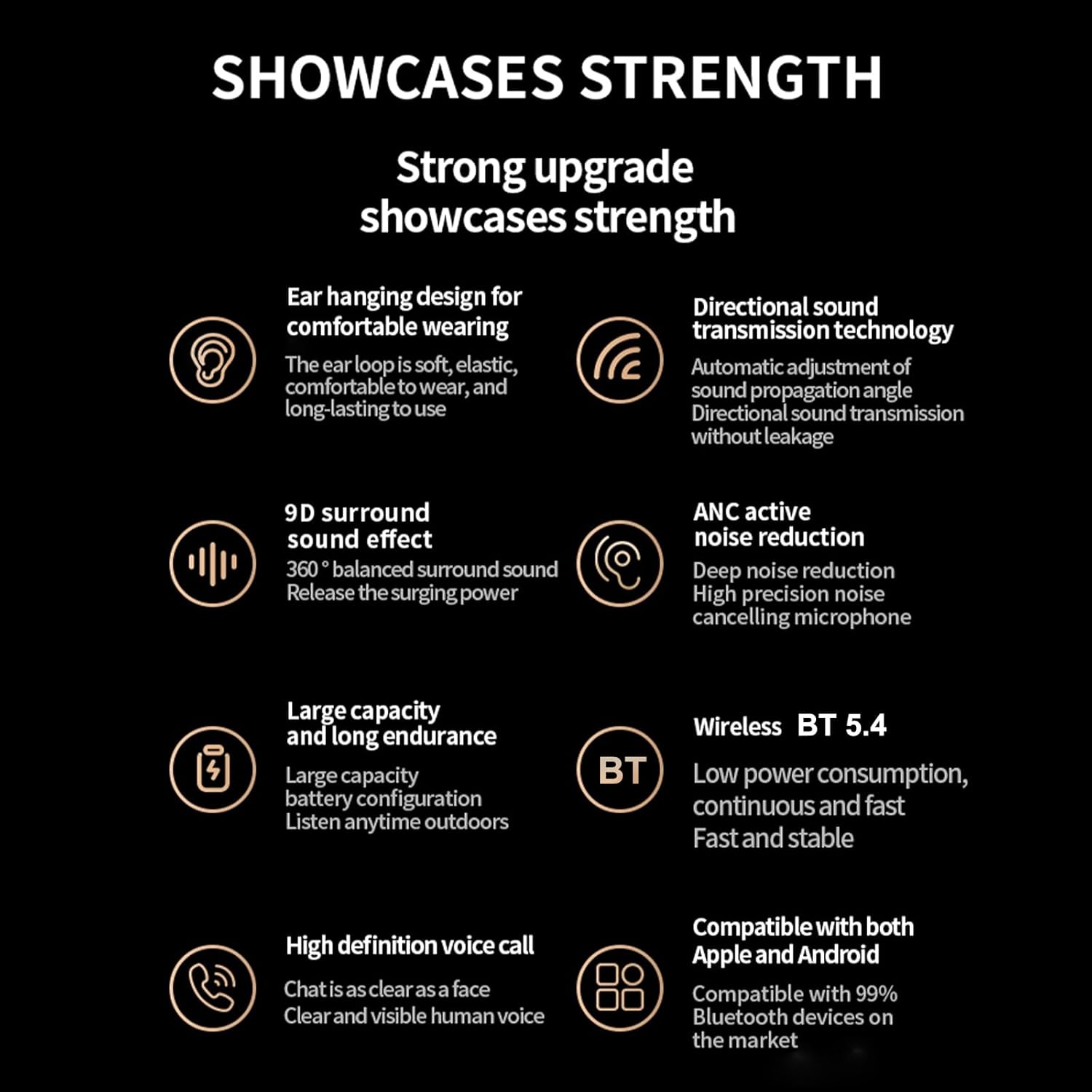
Immagine: Un overview of the headphones' key features, including BT 5.4, 9D surround sound, ANC, and high-definition voice calls.
Garanzia e supporto
For warranty information and customer support, please refer to the documentation included with your purchase or visit the official Docooler websito. Conservare la prova d'acquisto per eventuali reclami in garanzia.


