1. Introduzione
The FLEXISPOT E6 Pro Oval Dual Motor Standing Desk Frame (Model E8) is designed to provide a versatile and ergonomic workspace. This height-adjustable electric desk frame features a robust 3-stage oval leg system and powerful dual motors, allowing for smooth and quiet transitions between sitting and standing positions. The intuitive LED control panel includes memory presets and a convenient USB charging port, enhancing user experience and productivity. This manual provides essential information for the safe assembly, operation, and maintenance of your desk frame.

Figure 1: FLEXISPOT E6 Pro Oval Dual Motor Standing Desk Frame (Black)
2. Informazioni sulla sicurezza
Per garantire un funzionamento sicuro ed evitare danni, attenersi alle seguenti linee guida:
- Ensure the desk is securely assembled according to the provided instructions.
- Do not exceed the maximum weight capacity of 330 lbs (150 kg) to prevent tipping or instability.
- Durante la regolazione dell'altezza, tenere mani e oggetti lontani dalle parti in movimento.
- Evitare di posizionare liquidi direttamente sul pannello di controllo o in prossimità di componenti elettrici.
- Regularly inspect all connections and fasteners to ensure they are tight and secure.
- The desk is equipped with an anti-collision system. However, always exercise caution when adjusting height to prevent accidental contact with objects or persons.
3. Assemblaggio
The FLEXISPOT E6 Pro desk frame is designed for straightforward assembly. Please follow the detailed instructions provided in the separate user manual included with your product. Ensure all components are present before beginning assembly.
3.1 componenti chiave
- Colonne di sollevamento (gambe)
- Piedi
- Traversa
- Scatola di controllo
- Handset (Control Panel)
- Adattatore di alimentazione
- Hardware di montaggio
3.2 Assemblea terminataview
Typically, assembly involves attaching the feet to the lifting columns, connecting the crossbeam, mounting the control box and handset, and finally securing your chosen desktop (sold separately) to the frame. All necessary tools are usually included. Refer to the specific step-by-step diagrams in your product manual for precise instructions.

Figura 2: Esploso view of the FLEXISPOT E6 Pro desk frame components.
4. Istruzioni per l'uso
4.1 Regolazione dell'altezza
The E6 Pro features a 3-stage oval leg system, offering a broad height adjustment range from 23.6 inches to 48.8 inches. This allows users of various heights, from children to tall adults, to find their optimal ergonomic position.
- Alza la scrivania: Premere e tenere premuto il tasto Freccia su pulsante sul pannello di controllo.
- Scrivania inferiore: Premere e tenere premuto il tasto Freccia giù pulsante sul pannello di controllo.
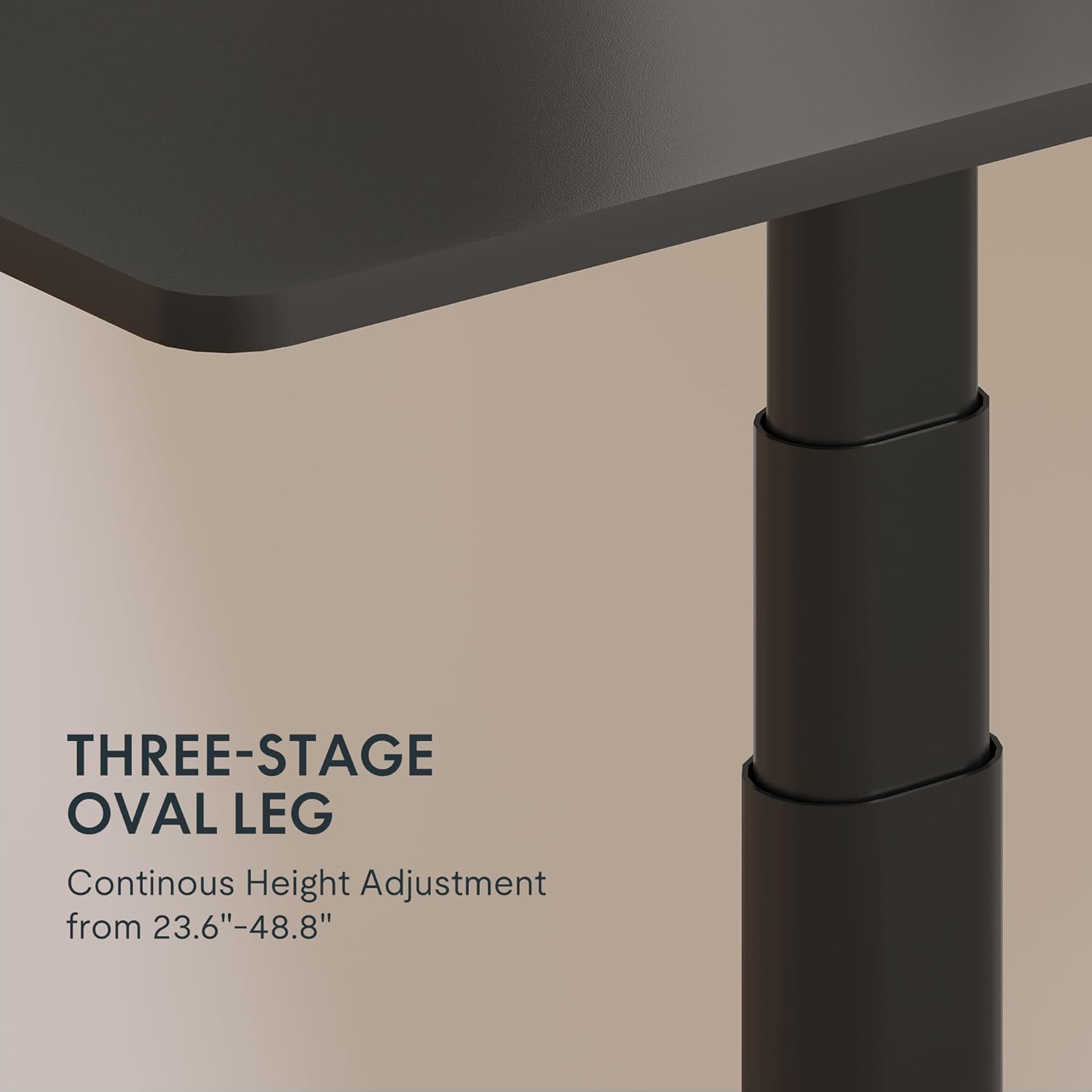
Figure 3: Close-up of the 3-stage oval leg mechanism.
4.2 LED Control Panel with Memory Presets and USB Port
The intuitive LED control panel allows for easy height adjustments and includes programmable memory presets for your preferred sitting and standing heights. It also features a convenient USB port for charging devices.
- Impostazione delle preimpostazioni di memoria: Regolare la scrivania all'altezza desiderata utilizzando le frecce Su/Giù. Premere il tasto 'M' pulsante, quindi premere uno dei pulsanti preimpostati numerati ('1', '2', '3', O '4') per salvare l'altezza corrente.
- Richiamo delle preimpostazioni di memoria: Press any of the numbered preset buttons ('1', '2', '3', O '4') per spostare automaticamente la scrivania all'altezza salvata.
- Porta di ricarica USB: Use the integrated USB port to conveniently charge your electronic devices.
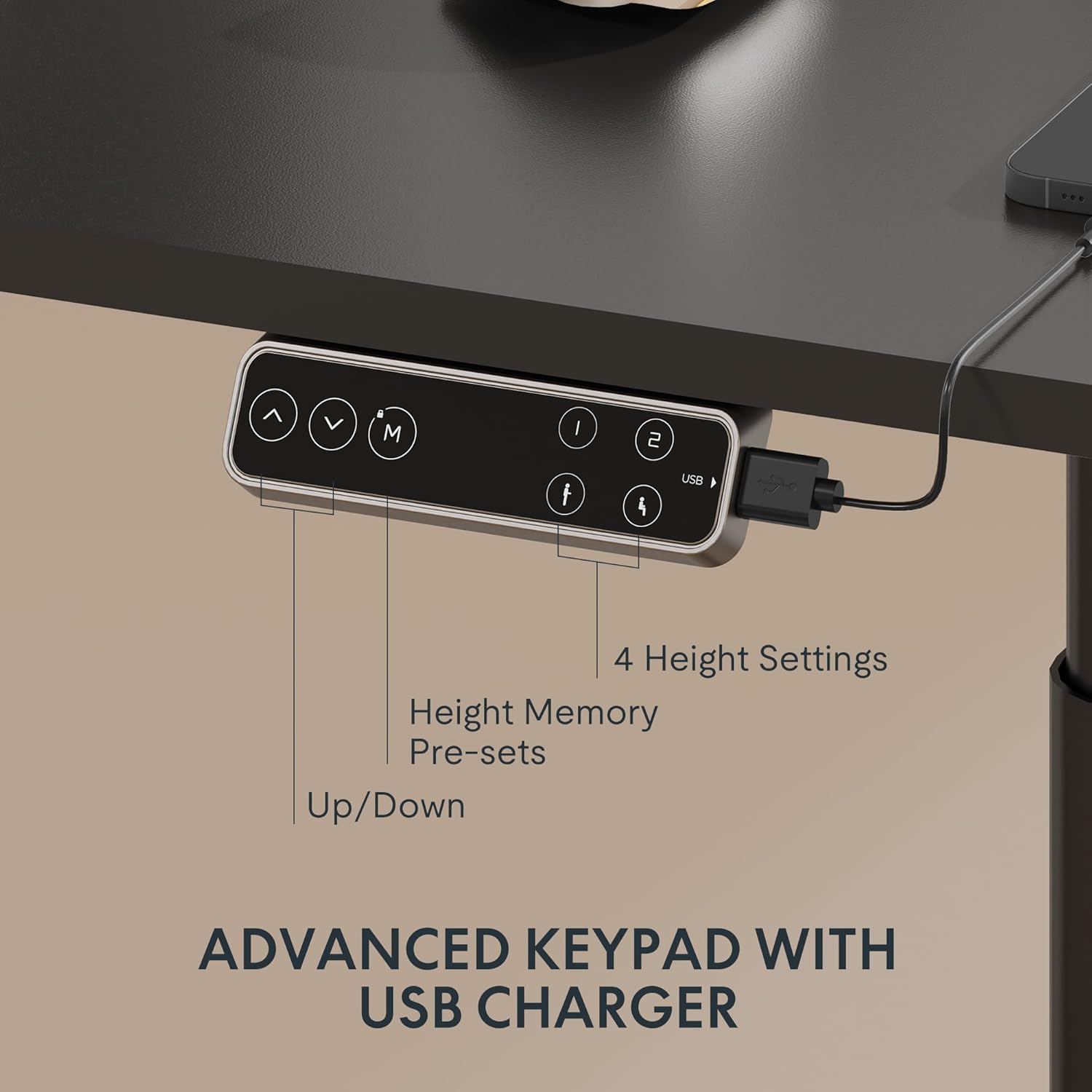
Figure 4: LED Control Panel with memory presets and USB port.
Sistema a doppio motore 4.3
The E6 Pro is equipped with quiet dual motors that operate at less than 45dB, ensuring minimal disturbance in your workspace. These powerful motors can handle up to 330 lbs (150 kg) of weight, providing stable and reliable performance.
4.4 Sistema anticollisione
For enhanced safety, the desk features an anti-collision system. If the desk encounters an obstruction during height adjustment, it will automatically stop and reverse slightly to prevent damage or injury. This system is designed to protect both the desk and its surroundings.
5. Specifiche
| Caratteristica | Dettaglio |
|---|---|
| Marca | FLESSIBILE |
| Numero di modello | E8 |
| Progettazione della scrivania | Telaio per scrivania in piedi |
| Gambetages | 3 annitages Oval Leg |
| Gamma di regolazione dell'altezza | Da 23.6" a 48.8" |
| Tipo di motore | Doppio motore |
| Capacità di peso | Fino a 330 libbre (150 kg) |
| Livello di rumore | Meno di 45 dB |
| Pannello di controllo | LED with 4 Memory Presets & USB Port |
| Caratteristica speciale | Sistema anticollisione |
| Materiale di base | Metallo |
| Colore | Cornice nera |
| Assemblaggio richiesto | SÌ |
6. Manutenzione
To ensure the longevity and optimal performance of your FLEXISPOT E6 Pro desk frame, regular maintenance is recommended:
- Pulizia: Pulisci la struttura della scrivania con un panno morbido eamp panno. Evitare l'uso di prodotti chimici aggressivi o detergenti abrasivi che potrebbero danneggiare la finitura.
- Gestione dei cavi: Periodically check and organize cables to prevent tangling or damage, especially during height adjustments.
- Controllo del dispositivo di fissaggio: Ogni pochi mesi, ispezionare tutte le viti e i bulloni per assicurarsi che siano ben serrati. Serrare nuovamente se necessario.
- Distribuzione del peso: Distribute weight evenly across the desktop to prevent undue stress on the frame and motors.
7. Risoluzione Dei Problemi
If you encounter any issues with your desk frame, please refer to the following common troubleshooting steps:
- La scrivania non si muove: Check all cable connections to ensure they are securely plugged into the control box and power outlet. Verify the power adapter is functioning.
- Movimento irregolare: Ensure the desk is not overloaded and that weight is evenly distributed. Perform a reset procedure (refer to your specific user manual for reset instructions).
- Codici di errore sul display: Consult your user manual for a list of error codes and their corresponding solutions.
- Sistema anticollisione che si attiva frequentemente: Assicurarsi che non vi siano ostacoli lungo il percorso della scrivania durante lo spostamento.
If the problem persists after attempting these steps, please contact FLEXISPOT customer support for further assistance.
8. Garanzia e supporto
FLEXISPOT provides a comprehensive warranty for your peace of mind:
- Copertura di 5 anni: Si applica al telaio della scrivania e al motore.
- Copertura di 2 anni: Si applica al pannello di controllo e all'elettronica.
For warranty claims, technical support, or any questions regarding your FLEXISPOT E6 Pro desk frame, please visit the official FLEXISPOT weboppure contatta direttamente il servizio clienti. Conserva la ricevuta d'acquisto come prova d'acquisto.
9. Video di prodotto
9.1 Why Choose FLEXISPOT E6
Video 1: This official FLEXISPOT video highlights the key features and benefits of the E6 series, including its robust construction and smooth operation.
9.2 Welcome to FLEXISPOT'S Mega Factory
Video 2: An inside look at the FLEXISPOT manufacturing facility, showcasing the precision and quality control involved in producing their products.


