1. Introduzione
Questo manuale fornisce informazioni essenziali per l'uso sicuro ed efficiente del tuo Blackview Tab 60 WiFi Android Tablet. Please read this manual thoroughly before operating the device and retain it for future reference.

Immagine 1.1: Neroview Tab 60 WiFi Android Tablet overview, highlighting Android 15 and AI capabilities.
2. Impostazione
2.1. Cosa c'è nella scatola
Verificare che tutti gli articoli siano presenti nella confezione:
- Neroview Tavoletta Wi-Fi Tab 60
- 10W Adattatore di alimentazione
- Cavo USB-C
- Manuale d'uso

Immagine 2.1: Illustrazione del Neroview Tab 60 WiFi tablet and its included accessories.
2.2. Accensione iniziale e configurazione
- Premere e tenere premuto il tasto Pulsante di accensione situato sul lato del tablet fino al Neroview appare il logo.
- Segui le istruzioni sullo schermo per selezionare la lingua, connetterti a una rete Wi-Fi e configurare il tuo account Google.
- Review e accettare i termini e le condizioni per completare la configurazione iniziale.
2.3. Espansione della memoria
The tablet supports memory expansion to enhance performance. To expand the virtual RAM:
- Vai a Impostazioni.
- Selezionare Informazioni sul tablet.
- Tocca su Memoria.
- Adjust the memory bar to the desired expansion level, up to 12GB (4GB real + 8GB virtual).

Image 2.2: Visual representation of the tablet's storage and memory capabilities, including RAM, ROM, and expandable storage.
3. Utilizzo del tablet
3.1. Android 15 and Doke OS 4.0 Features
Il tuo neroview Tab 60 WiFi runs on Android 15 with the Doke OS 4.0 interface, offering enhanced features and privacy controls.
- Tutela della privacy: Manage app permissions and data sharing from a centralized privacy dashboard.
- Parental Screen Usage Restrictions: Utilize parental controls to manage screen time and content access.
- Three-finger Screenshots: Capture screenshots quickly by swiping down with three fingers.
- Schermo diviso con associazione app: Run two applications simultaneously side-by-side for improved multitasking.
- Memoria atomizzata 2.0: Optimizes RAM allocation for smoother performance and efficient background app management.
- App Workspace: Crea un professionista separatofiles for work and personal use to maintain data privacy and organization.

Image 3.1: Key features of the Android 15 operating system on the Blackview Scheda 60 WiFi.

Image 3.2: Demonstrating the multitasking split screen functionality for enhanced productivity.
3.2. Display e media
The 10.1-inch HD display provides a clear visual experience. The tablet supports Widevine L1, enabling high-definition streaming from platforms like Netflix, Disney+, and Hulu.
- Modalità di lettura: Adjusts the screen for a more comfortable reading experience.
- Modalità di protezione degli occhi (modalità notturna): Reduces blue light emission to minimize eye strain, especially in low-light conditions.
- Modalità scura: Changes the system's color scheme to a darker palette, which can save battery and reduce glare.

Image 3.3: Highlighting the 10.1-inch HD display and Widevine L1 support for streaming.

Image 3.4: Various display modes available on the tablet for different usage scenarios.
3.3. AI Features with Google Gemini
Il Neroview Tab 60 WiFi integrates Google Gemini AI for enhanced interaction and productivity.
- Chat intelligenti basate sull'intelligenza artificiale: Engage in intelligent conversations and receive assistance.
- Domande e risposte intelligenti con intelligenza artificiale e comando vocale: Ask questions and get answers using voice commands.
- Controllo intelligente AI: Use AI to manage various tablet functions and applications.
- Conversazione in tempo reale con intelligenza artificiale: Facilitates natural and continuous dialogue.
- Attivazione vocale AI: Unlock and control your tablet using your voice.
- Smart AI Assistance: Provides real-time answers and insights based on your screen content.

Immagine 3.5: Es.ample of AI Smart Chats and AI Text-to-Image Generation.

Immagine 3.6: Passoview of AI Voice-enabled Intelligent Q&A and AI Real-time Conversation.
3.4. Funzionalità della fotocamera
Il tablet è dotato di una fotocamera posteriore da 8 MP e di una fotocamera anteriore da 5 MP per scattare foto e registrare video.

Immagine 3.7: Dettagli delle fotocamere anteriore e posteriore del tablet.
3.5. Audio e connettività
- Doppi altoparlanti Smart Box: Enjoy stereo sound quality for media consumption.
- Jack per cuffie da 3.5 mm: Collega le cuffie cablate per un ascolto privato.
- Wi-Fi 6 (802.11ax): Provides faster, more reliable wireless internet connectivity, especially in crowded network environments.
- Bluetooth 5.3: Offers improved transmission speed and lower latency for connecting wireless accessories.
- Schermo di trasmissione wireless: Share your tablet's display to a larger screen wirelessly.

Image 3.8: Audio features including dual speakers and headphone jack.

Image 3.9: Information on the tablet's wireless connectivity options.
4. Manutenzione
4.1. Gestione della batteria
The tablet is equipped with a 5100mAh battery and supports 10W fast charging via its Type-C port.
- Per prolungare la durata della batteria, evitare temperature estreme e scaricarla completamente frequentemente.
- Use the provided 10W power adapter and USB-C cable for optimal charging.

Image 4.1: Battery capacity and charging information for the tablet.
4.2. Assistenza generale
- Clean the screen with a soft, lint-free cloth. Avoid abrasive materials or harsh chemicals.
- Protect the tablet from drops and impacts. Consider using a protective case.
- Tenere la compressa lontana dall'acqua e dall'umidità eccessiva.
5. Risoluzione Dei Problemi
Se riscontri problemi con il tuo Blackview Tab 60 WiFi, try the following steps:
- Riavviare il tablet: Un semplice riavvio può risolvere molti piccoli problemi software.
- Controlla gli aggiornamenti software: Ensure your tablet's operating system is up to date by going to Impostazioni > Sistema > Aggiornamento di sistema.
- Cancella cache app: Se un'app si comporta in modo anomalo, prova a svuotarne la cache tramite Impostazioni > App > [Nome app] > Archiviazione > Cancella cache.
- Ripristino delle impostazioni di fabbrica (ultima risorsa): If problems persist, you may need to perform a factory reset. Back up all important data before proceeding, as this will erase all data on the tablet. Go to Impostazioni > Sistema > Opzioni di ripristino > Cancella tutti i dati (ripristino delle impostazioni di fabbrica).
- Contatta l'assistenza: If the issue cannot be resolved, refer to the Warranty and Support section for contact information.
6. Specifiche
| Caratteristica | Specificazione |
|---|---|
| Marca | Neroview |
| Nome del modello | Tab60WiFi |
| Numero modello articolo | A523 |
| Sistema operativo | Androide 15 |
| Processore | 1.8 GHz Octa-Core (Allwinner A523) |
| Memoria RAM | 12 GB (4 GB reali + 8 GB virtuali) |
| Memoria interna | 128 GB |
| Archiviazione espandibile | Up to 2 TB (Micro TF) |
| Dimensioni dello schermo | 10.1 pollici |
| Risoluzione dello schermo | 1280 x 800 pixel (HD) |
| standard wireless | 802.11ax (Wi-Fi 6) |
| Bluetooth | Bluetooth 5.3 |
| Capacità della batteria | 5100mAh |
| Ricarica | 10W Fast-Charging, Type-C Port |
| Telecamera posteriore | 8MP |
| Fotocamera frontale | 5MP |
| Dimensioni del prodotto | Dimensioni: 24.38 x 17.02 x 0.76 cm |
| Peso dell'articolo | 960 grammi |
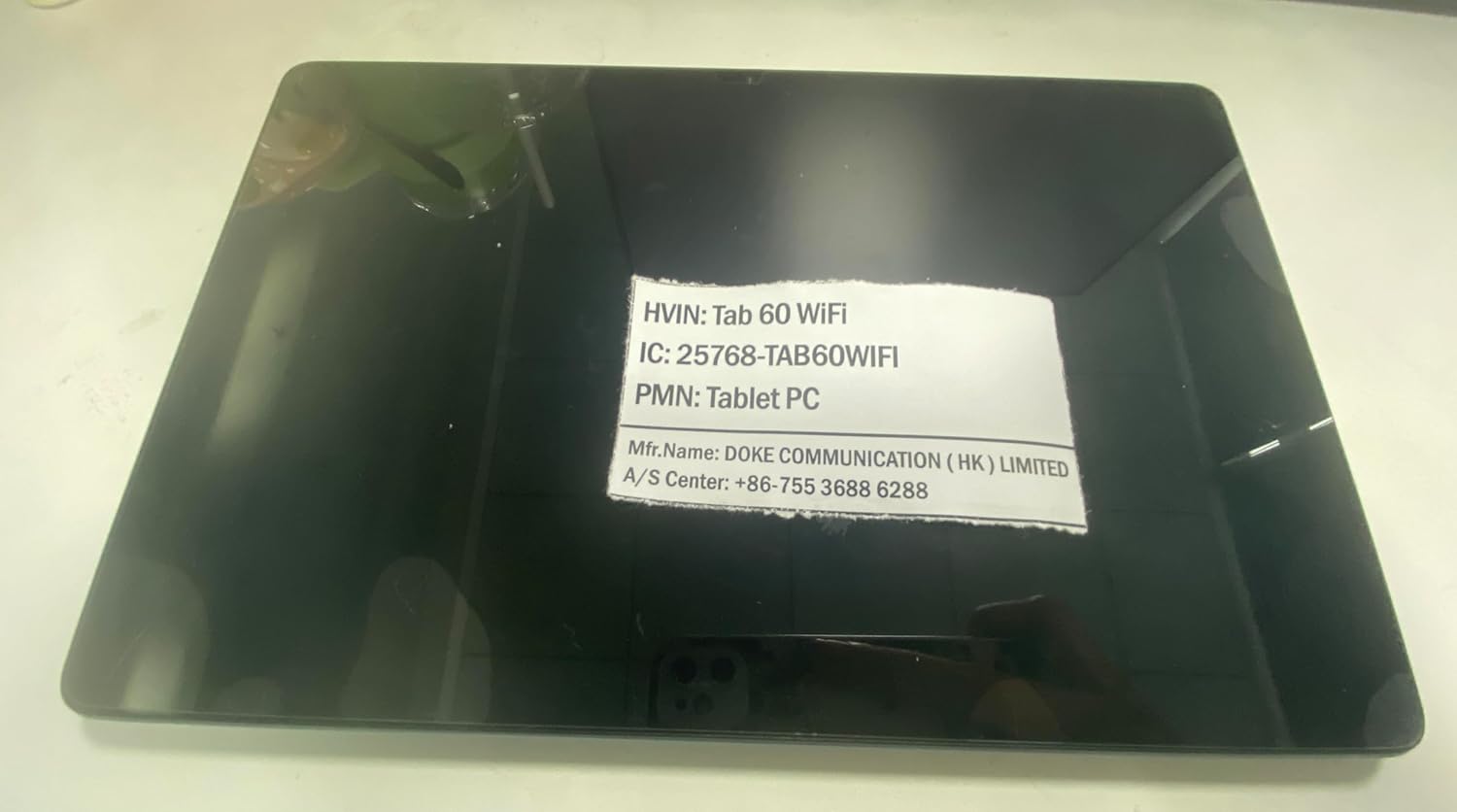
Image 6.1: Product identification label with model and manufacturer details.
7. Garanzia e supporto
7.1. Informazioni sulla garanzia
Il Neroview Tab 60 WiFi comes with a Garanzia senza preoccupazioni di 720 giorni dalla data di acquisto. Questa garanzia copre i difetti di fabbricazione e assicura l'affidabilità del prodotto.
7.2. Assistenza clienti
Per qualsiasi domanda, assistenza tecnica o richiesta di garanzia, contattare Blackview assistenza clienti:
- Supporto via e-mail: Aftersales-us@blackview.hk
- Supporto online: Contact us through the Amazon order page for your purchase.
- Centro Servizi: +86-755 3688 6288
Please have your purchase details and product model number (Tab60WiFi) ready when contacting support to expedite the service process.


