1. Introduzione
This manual provides detailed instructions for setting up, operating, and maintaining your THOMSON 40-inch FHD Fire TV. Please read this manual thoroughly before using the television to ensure proper functionality and safety. Keep this manual for future reference.
2. Informazioni sulla sicurezza
Quando si utilizza questo prodotto, seguire sempre le precauzioni di sicurezza di base per ridurre il rischio di incendi, scosse elettriche e lesioni.
- Non esporre il televisore alla pioggia o all'umidità.
- Non ostruire le aperture di ventilazione.
- Assicurare una corretta messa a terra della spina di alimentazione.
- Scollegare il televisore durante i temporali o quando non viene utilizzato per lunghi periodi.
- Affidare tutti gli interventi di assistenza a personale qualificato.
3. Contenuto della confezione
Verifica che tutti gli articoli siano inclusi nel tuo pacco:
- THOMSON 40-inch FHD Fire TV
- Telecomando (con batterie)
- Cavo di alimentazione
- Supporto TV (2 pezzi)
- Viti per supporto TV
- Manuale dell'utente (questo documento)

Image: The product box illustrating the TV, remote control, and various features like Fire TV, Alexa, and Dolby Audio.
4. Prodotto finitoview
Familiarize yourself with the components and connections of your THOMSON Fire TV.
4.1 Front View

Image: The front of the TV, showcasing its slim bezel and the Fire TV smart interface with popular streaming applications.
4.2 Lato View e dimensioni
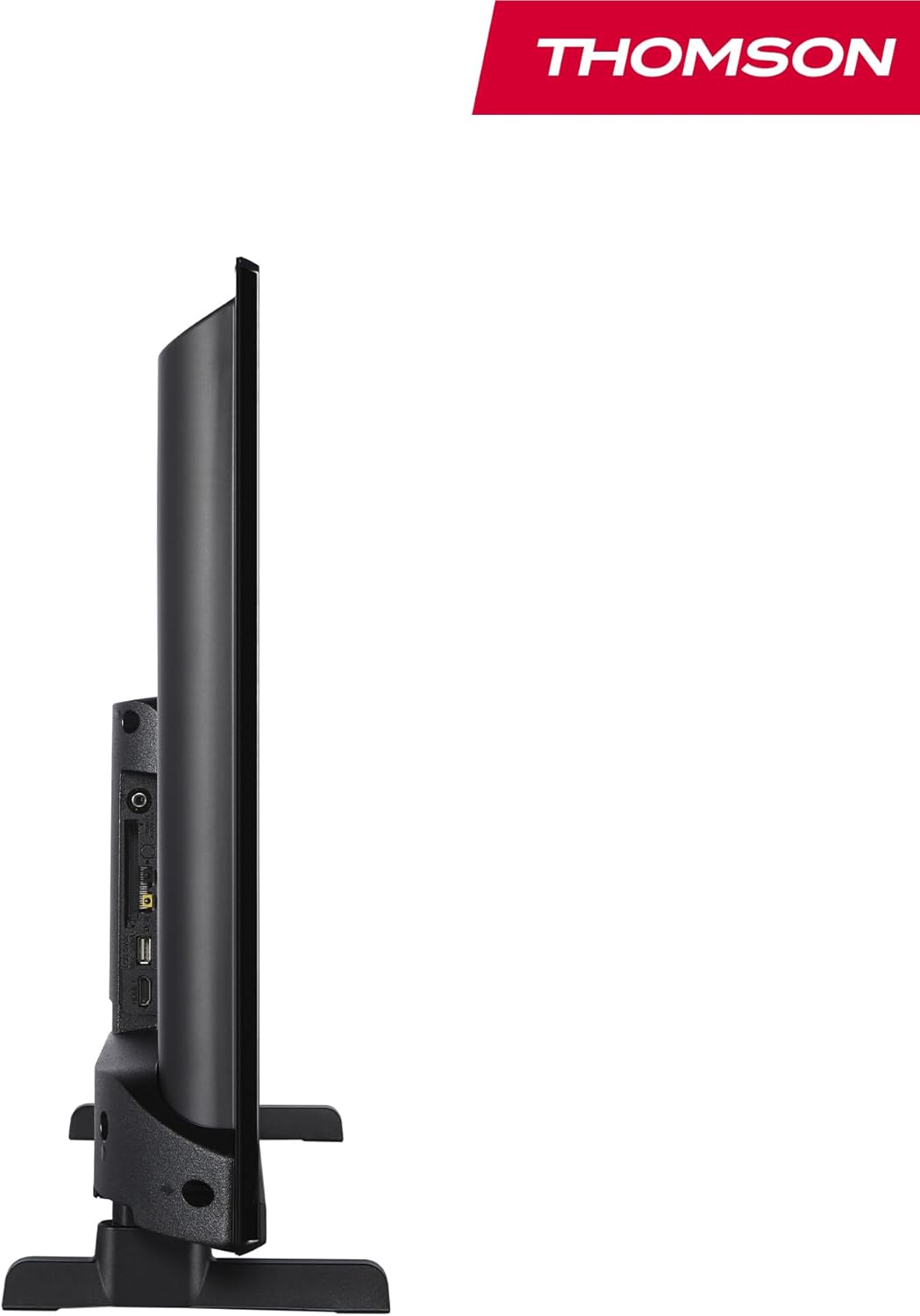
Immagine: Lato A view of the television, demonstrating its thin profile.

Image: A diagram illustrating the physical dimensions of the TV, including width, height, and depth with the stand.
4.3 Posteriore View e porti
The rear panel of your TV features various input and output ports for connecting external devices.

Immagine: Un dettaglio view of the TV's rear panel, highlighting all connectivity ports such as HDMI, USB, Audio Out, CI+, and antenna inputs.
- Uscita audio: Per collegare sistemi audio esterni.
- IC+: Slot Common Interface Plus per moduli di accesso condizionale.
- Cuffie: Jack da 3.5 mm per l'ascolto privato.
- INGRESSO AV: Per collegare dispositivi più vecchi con video composito e audio stereo.
- Porta USB 2.0: Per la riproduzione di contenuti multimediali da unità USB.
- HDMI 1.4 (x2): Interfaccia multimediale ad alta definizione per il collegamento di lettori Blu-ray, console di gioco, ecc.
- Antenna: For connecting a terrestrial antenna (DVB-T2).
- Satellitare: Per il collegamento di un'antenna parabolica (DVB-S2).
- LAN: Porta Ethernet per la connessione di rete cablata.
5. Impostazione
5.1 Fissaggio del supporto TV
- Posizionare con cautela il televisore a faccia in giù su una superficie morbida e piana per evitare di danneggiare lo schermo.
- Allineare i pezzi del supporto con le fessure corrispondenti nella parte inferiore del televisore.
- Fissare i supporti utilizzando le viti fornite.
5.2 Accensione iniziale e connessione di rete
- Collegare il cavo di alimentazione al televisore e a una presa a muro.
- Premere il pulsante di accensione sul televisore o sul telecomando per accenderlo.
- Follow the on-screen instructions for initial setup, including language selection and network connection (Wi-Fi or Ethernet).
- Log in with your Amazon account to activate Fire TV features.
5.3 Tuner Setup (Triple-Tuner)
Your TV is equipped with a triple-tuner for DVB-C (cable), DVB-S2 (satellite), and DVB-T2 (terrestrial) reception.

Image: The DVB-T2/C/S2 tuner inputs, allowing connection to various broadcast sources.
- Connect your antenna or satellite cable to the appropriate input on the TV.
- Navigate to the TV settings and select 'Channel Scan' or 'Tuner Setup'.
- Choose your broadcast type (Antenna, Cable, or Satellite) and follow the prompts to scan for available channels.
6. Istruzioni per l'uso
6.1 Interfaccia Fire TV
The Fire TV interface provides easy access to your favorite streaming services, apps, and live TV.
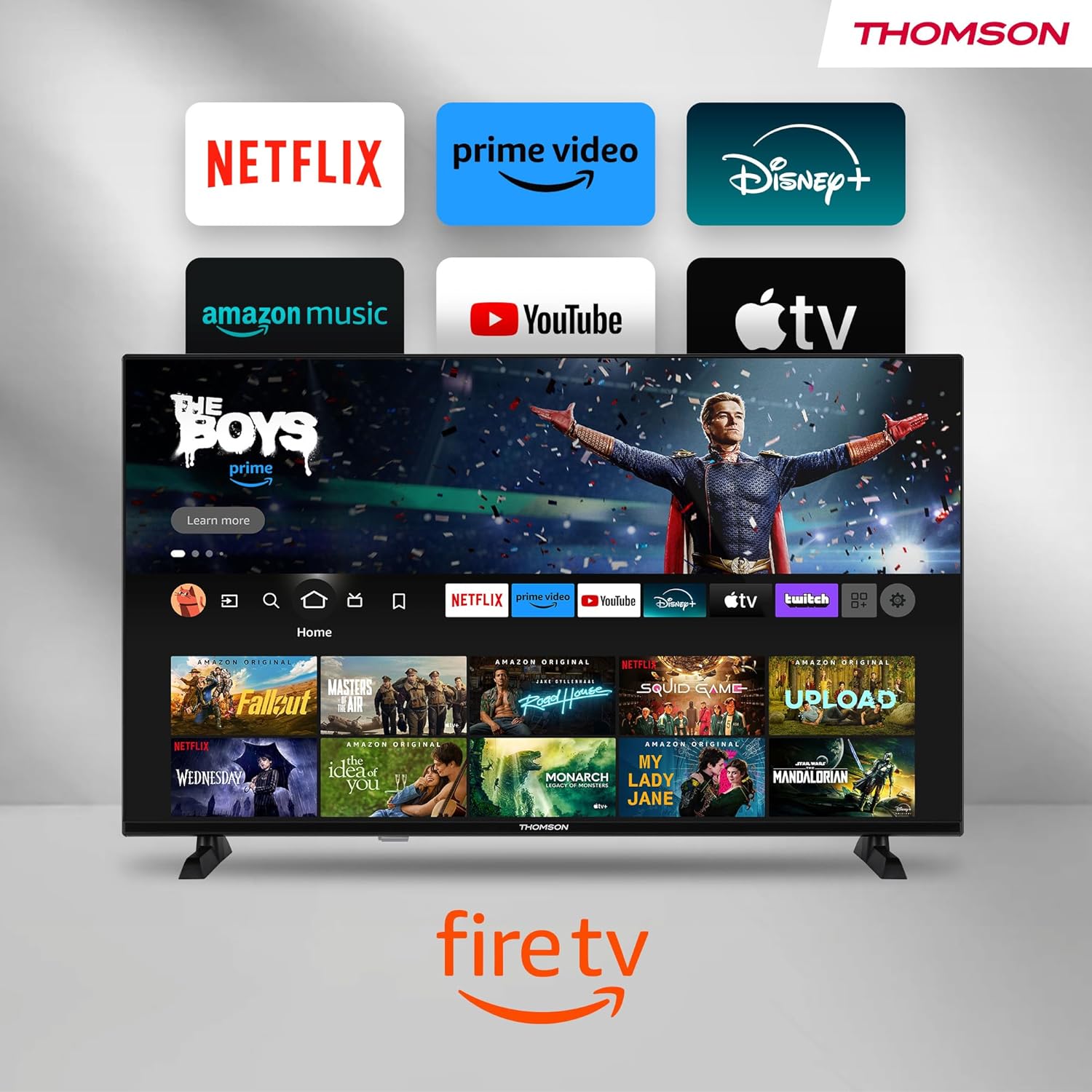
Image: The Fire TV home screen, showing a selection of popular streaming apps and content recommendations.
Navigate using the remote control's directional pad. The home screen provides personalized recommendations and quick access to your installed applications.
6.2 Controllo vocale Alexa
Use the integrated Alexa voice control for hands-free operation.
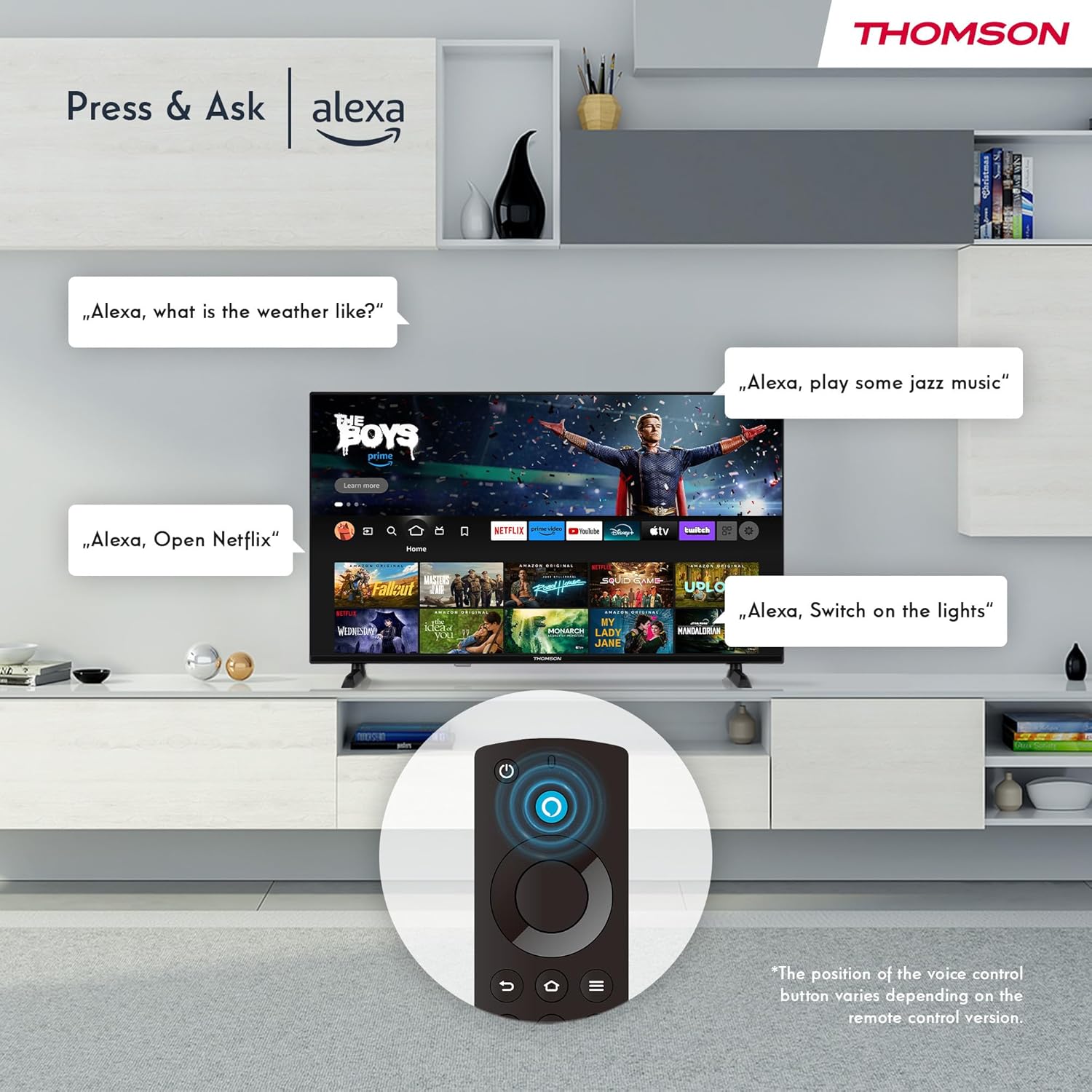
Image: Demonstrating Alexa voice commands for controlling the TV, searching content, and managing smart home devices.
Premi il pulsante Alexa sul telecomando e pronuncia il comando. Puoi chiedere ad Alexa di:
- Cercare film o programmi TV.
- Avvia applicazioni.
- Control playback (pause, play, skip).
- Check the weather or news.
- Controlla i dispositivi domestici intelligenti compatibili.
6.3 Integrazione della casa intelligente
Manage your connected smart home devices directly from your TV's integrated dashboard.

Image: The Smart Home dashboard, providing a centralized control panel for various smart devices in your home.
Access the Smart Home dashboard to monitor and control devices such as cameras, lights, and plugs.
6.4 Funzionalità AirPlay
Stream content directly from your Apple devices (iPhone, iPad, Mac) to your THOMSON Fire TV using AirPlay.

Image: A demonstration of Apple AirPlay, showing content being mirrored from an iOS device to the television screen.
Ensure both your Apple device and the TV are connected to the same Wi-Fi network. Select the AirPlay icon on your Apple device and choose your THOMSON TV from the list of available devices.
6.5 Creating User Profiles
Crea più utenti profiles for personalized content recommendations and settings.

Image: The user profile selection screen on Fire TV, allowing different users to have their own personalized viewesperienza di acquisizione.
From the Fire TV home screen, navigate to the profile selection to add or switch profileS. Ogni professionistafile can have its own watch history and app preferences.
6.6 HDR10 e Dolby Audio
Experience enhanced picture quality with HDR10 and immersive sound with Dolby Audio.

Image: A visual comparison demonstrating the improved contrast and color vibrancy offered by HDR10 technology.

Image: A graphic illustrating the immersive sound experience provided by Dolby Audio.
HDR10 provides a wider range of colors and contrasts, while Dolby Audio delivers rich, clear, and powerful sound.
6.7 telecomando
The ergonomic Bluetooth remote control provides easy navigation and direct access to key features.
- Pulsante Alexa: Tenere premuto per attivare i comandi vocali.
- Pad di navigazione: Per spostarsi nei menu e selezionare le voci.
- Pulsanti Netflix/Prime Video: Accesso diretto a questi servizi di streaming.
- Amazon Silk Button: Accesso diretto al web browser.
7. Manutenzione
Per garantire la longevità e le prestazioni ottimali del tuo televisore, segui queste linee guida per la manutenzione:
- Pulizia dello schermo: Pulisci delicatamente lo schermo con un panno morbido e privo di lanugine. Per le macchie ostinate, utilizza un detergente per schermi specifico per TV, applicato sul panno, non direttamente sullo schermo.
- Pulizia dell'armadio: Per pulire il mobile TV, utilizzare un panno morbido e asciutto. Non utilizzare detergenti abrasivi o solventi.
- Ventilazione: Assicurarsi che le aperture di ventilazione sul retro del televisore non siano ostruite per evitare il surriscaldamento.
- Cavo di alimentazione: Controllare regolarmente il cavo di alimentazione per verificare la presenza di eventuali danni. In caso contrario, sostituirlo immediatamente.
8. Risoluzione Dei Problemi
Se riscontri problemi con il tuo televisore, fai riferimento ai seguenti problemi comuni e alle relative soluzioni:
| Problema | Possibile causa/soluzione |
|---|---|
| Nessun potere | Check if the power cord is securely plugged into the TV and the wall outlet. Ensure the outlet is active. |
| Nessuna immagine, ma l'audio è presente | Check input source. Ensure external devices are properly connected and powered on. |
| Nessun suono, ma l'immagine è presente | Check volume level. Ensure Mute is not activated. Check audio cables for external devices. |
| Il telecomando non funziona | Check batteries. Ensure there are no obstructions between the remote and the TV. Re-pair the Bluetooth remote if necessary. |
| Impossibile connettersi al Wi-Fi | Ensure Wi-Fi is enabled on the TV. Check Wi-Fi password. Restart your router. Move TV closer to router. |
| Le app sono lente o si bloccano | Restart the TV. Clear app cache or data in settings. Ensure sufficient internet speed. |
Se il problema persiste, contattare l'assistenza clienti.
9. Specifiche
| Caratteristica | Dettaglio |
|---|---|
| Numero di modello | 40FF2S34 |
| Dimensioni dello schermo | 40.0 pollici (100 cm) |
| Tecnologia di visualizzazione | GUIDATO |
| Risoluzione | 1080p (Full HD) |
| Frequenza di aggiornamento | Frequenza 60 Hz |
| Proporzioni | 16:9 |
| Connettività | Wi-Fi, Bluetooth 5.0, 2x HDMI 1.4, USB 2.0, AV IN, Audio Out, CI+, LAN |
| Sintonizzatori | DVB-C, DVB-S2, DVB-T2 |
| Caratteristiche speciali | Fire TV, Alexa Voice Control, AirPlay, HDR10, Dolby Audio, Smart Home Dashboard, User Profiles |
| Dimensioni (con supporto) | 90.2 x 55.4 x 17.5 cm (L x A x P) |
| Peso | 9 kg |
| Valutazione dell'efficienza energetica | E |
| Componenti inclusi | Telecomando |
| Lingue supportate | Spanish, French, English, Italian, Germanic languages |
10. Garanzia e supporto
Your THOMSON Fire TV comes with a manufacturer's warranty. Please refer to the warranty card included in your package for specific terms and conditions.
For technical support, troubleshooting assistance, or warranty claims, please visit the official THOMSON support website or contact their customer service line. Keep your purchase receipt and model number (40FF2S34) handy when contacting support.
Supporto online: www.thomsonconsumer.com/support


