1. Introduzione
The myCharge Power + Plug Max 20K is a compact portable power bank designed to provide extended battery life for your electronic devices. It features a built-in USB-C cable and a folding wall plug for convenient recharging. This device is capable of charging two devices simultaneously, offering up to 120 hours of additional battery life.
Caratteristiche principali:
- Batteria interna da 20,000 mAh: Provides substantial power for multiple charges.
- Cavo USB-C integrato: Integrated cable for direct device charging.
- Spina a muro pieghevole: Allows for direct wall charging of the power bank without extra adapters.
- Porta USB-C aggiuntiva: Enables simultaneous charging of a second device.
- Design compatto e leggero: Facile da trasportare durante i viaggi.
- Ecologico: Built-in features reduce the need for extra adapters and cables, minimizing e-waste.
2. Prodotto finitoview
Familiarize yourself with the components of your myCharge Power + Plug portable charger.

Figura 2.1: Davanti view of the myCharge Power + Plug portable charger, showing the sleek black design and the integrated USB-C charging cable.

Figura 2.2: The portable charger demonstrating its built-in foldable wall plug, shown both extended and plugged into a wall outlet for convenient recharging.

Figura 2.3: The power bank actively charging an iPhone via its built-in cable, illustrating its compatibility with various Apple and Android devices including smartphones, tablets, earbuds, headphones, and speakers.
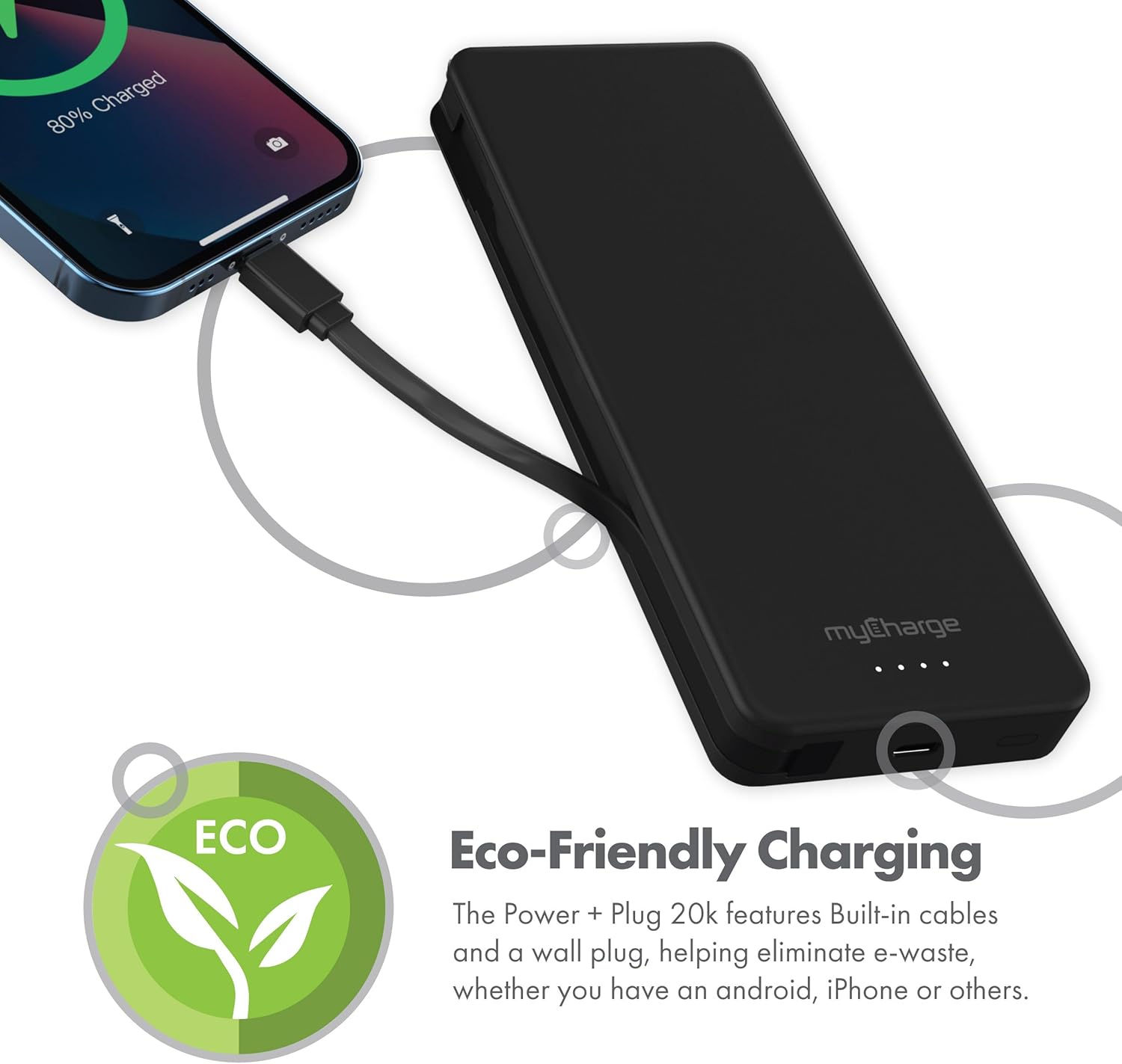
Figura 2.4: The device charging an iPhone, highlighting its eco-friendly design with built-in cables and wall plug to reduce electronic waste.
3. Impostazione
3.1 Ricarica iniziale del Power Bank
- Locate the foldable wall plug on the back of the power bank.
- Flip down the prongs of the wall plug.
- Collegare il power bank direttamente a una presa a muro standard.
- The LED indicator lights on the front of the power bank will illuminate to show the charging status. All four lights will be solid when fully charged.
3.2 Comprensione degli indicatori LED
The myCharge Power + Plug features four LED lights on its front surface to indicate the remaining battery life and charging status:
- Quattro luci fisse: 75-100% charged.
- Tre luci fisse: 50-75% charged.
- Due luci fisse: 25-50% charged.
- Una luce fissa: 0-25% charged.
- Luci lampeggianti: Indicates the power bank is actively charging.
4. Istruzioni per l'uso
4.1 Charging a Single Device
- For devices with a USB-C port, extend the built-in USB-C cable from the side of the power bank.
- Connect the USB-C cable directly to your device's charging port.
- Il power bank inizierà automaticamente a caricare il tuo dispositivo.
4.2 Charging Two Devices Simultaneously
- Connect your first device using the built-in USB-C cable as described above.
- For your second device, use your own USB-C to USB-C or USB-C to Lightning cable.
- Plug one end of your cable into the additional USB-C port on the power bank.
- Connect the other end of your cable to your second device.
- Entrambi i dispositivi si caricheranno contemporaneamente.
4.3 Video ufficiale del prodotto
Watch this official video from myCharge for a visual guide on using the Power + Plug 20K:
4.1 video: An official product video from myCharge demonstrating the features and usage of the myCharge Power + Plug 20K portable charger, including its built-in cables and wall plug.
5. Manutenzione
- Pulizia: Utilizzare un panno morbido e asciutto per pulire l'esterno del power bank. Evitare l'uso di prodotti chimici aggressivi o materiali abrasivi.
- Magazzinaggio: Conservare il power bank in un luogo fresco e asciutto, lontano dalla luce solare diretta e da temperature estreme.
- Cura della batteria: Per prolungare la durata della batteria, caricare completamente il power bank almeno una volta ogni tre mesi, anche se non lo si utilizza regolarmente.
- Evitare danni: Do not drop, puncture, or disassemble the device. Keep it away from water and high humidity.
6. Risoluzione Dei Problemi
| Problema | Possibile causa | Soluzione |
|---|---|---|
| La power bank non si ricarica | Wall plug not fully extended or not properly seated in outlet. Outlet is not active. | Ensure the wall plug is fully extended and securely plugged into a working wall outlet. Try a different outlet. |
| Il dispositivo non si ricarica dal power bank | Power bank battery is depleted. Cable is not properly connected. Device is not compatible. | Recharge the power bank. Ensure cables are securely connected to both the power bank and the device. Verify device compatibility with USB-C charging. |
| Ricarica lenta | Using a non-optimal cable or adapter. Device drawing high power. | Ensure you are using the built-in USB-C cable or a high-quality USB-C cable. Close unnecessary applications on your device. |
| Gli indicatori LED non funzionano | Il power bank è completamente scarico. | Plug the power bank into a wall outlet and allow it to charge for a few minutes. The lights should eventually illuminate. |
7. Specifiche
| Numero di modello | AP20K |
| Capacità della batteria | 20,000 mAh |
| Tipo di batteria | Polimero di litio (2 incluso) |
| Dimensioni del prodotto | 5.9 x 2.84 x 1 pollici |
| Peso dell'articolo | 1.06 libbre |
| Tipo di connettore | Built-in USB-C cable & additional USB-C port |
| Colore | 20000 mAh - Black |
| Produttore | la mia carica |
| Paese di origine | Cina |
8. Garanzia e supporto
The myCharge Power + Plug portable charger is covered by a Garanzia di 1 anno dalla data di acquisto. Questa garanzia copre difetti di materiali e lavorazione in condizioni di normale utilizzo.
For warranty claims, technical support, or any inquiries regarding your product, please visit the official myCharge webo contattare il servizio clienti. Conservare la prova d'acquisto per la convalida della garanzia.
Note: Warranty terms may vary. Please refer to the official myCharge website or product packaging for the most current and detailed warranty information.


