1. Prodotto finitoview
Il Fantech REVOLVER II WGP12 è un versatile gamepad wireless a 2.4 GHz progettato per un'esperienza di gioco immersiva su più piattaforme, tra cui PC, PlayStation 3 e laptop. È dotato di doppi motori a vibrazione per un feedback tattile, una batteria ricaricabile integrata per un gioco prolungato e un design ergonomico per un utilizzo confortevole.
- Compatibilità universale: Si collega senza problemi a PC, PS3 e laptop tramite una connessione wireless a 2.4 GHz.
- Batteria ricaricabile: Dotato di batteria al litio integrata per un gioco wireless di lunga durata.
- Motori a doppia vibrazione: Fornisce un feedback immersivo che risponde alle azioni di gioco.

Immagine 1.1: mostrato il gamepad wireless Fantech REVOLVER II WGP12asinle sue caratteristiche principali includono la connessione wireless a 2.4 GHz, il layout familiare, il rumble professionale e la compatibilità con X-Input/D-Input.
2. Guida all'installazione
2.1 Contenuto della confezione
Prima di procedere, assicurati che tutti gli elementi siano presenti:
- Gamepad wireless Fantech REVOLVER II WGP12
- Chiavetta wireless USB da 2.4 GHz
- Cavo di ricarica USB
- Manuale dell'utente (questo documento)
2.2 Connessione wireless
- Inserisci il dongle wireless USB da 2.4 GHz in una porta USB disponibile sul tuo PC, PS3 o laptop.
- Accendi il gamepad Fantech REVOLVER II WGP12 premendo il pulsante centrale con il logo "Fantech".
- Il gamepad si connetterà automaticamente al dongle. Le spie luminose sul gamepad confermeranno l'avvenuta connessione.

Immagine 2.1: Il gamepad Fantech REVOLVER II WGP12 e il suo dongle USB wireless da 2.4 GHz, che illustrano il metodo di connessione wireless.
2.3 Carica iniziale
Per prestazioni ottimali, si consiglia di caricare completamente il gamepad prima del primo utilizzo.
- Collegare l'estremità piccola del cavo di ricarica USB alla porta di ricarica del gamepad.
- Collegare l'estremità più grande del cavo di ricarica USB a una fonte di alimentazione USB (ad esempio, una porta USB del computer, un adattatore da parete USB).
- Le spie luminose sul gamepad mostrano lo stato di carica. Una ricarica completa richiede in genere circa 3 ore.
3. Istruzioni per l'uso
Disposizione dei 3.1 pulsanti
Il REVOLVER II WGP12 presenta un layout simile a quello di una console, progettato per un controllo intuitivo e un rapido adattamento. Include una croce direzionale, due levette analogiche, pulsanti azione (A, B, X, Y), pulsanti dorsali, grilletti e pulsanti Start/Select dedicati.

Immagine 3.1: Un utente che tiene in mano il gamepad Fantech REVOLVER II WGP12, che ne mostra la familiare disposizione dei pulsanti, simile a quella di una console, e il design ergonomico.
3.2 Feedback a doppia vibrazione
Vivi un'esperienza immersiva migliorata grazie ai doppi motori di vibrazione del gamepad. Questi motori forniscono un feedback tattile per eventi di gioco come collisioni, esplosioni e altre azioni, aggiungendo un nuovo livello di realismo alle tue sessioni di gioco. Assicurati che il tuo gioco supporti il feedback di vibrazione affinché questa funzionalità funzioni.

Immagine 3.2: Primo piano del gamepad Fantech REVOLVER II WGP12 che mette in evidenza i doppi motori di feedback delle vibrazioni, indicati da motivi a onda.
3.3 Modalità cablata e wireless
Il REVOLVER II WGP12 supporta sia la connettività wireless che quella cablata. Per giocare in modalità wireless, utilizza il dongle USB da 2.4 GHz. Se preferisci una connessione cablata o devi ricaricare il gamepad durante il gioco, collegalo semplicemente al tuo dispositivo tramite il cavo di ricarica USB. Il gamepad passerà automaticamente alla modalità cablata quando collegato tramite cavo.

Immagine 3.3: Due gamepad Fantech REVOLVER II WGP12, uno collegato tramite cavo (modalità cablata) e l'altro con il suo dongle USB (modalità wireless), che illustrano le doppie opzioni di connettività.
4. Manutenzione
4.1 Cura della batteria
Il gamepad è dotato di una batteria ricaricabile agli ioni di litio integrata da 600 mAh. Per prolungare la durata della batteria:
- Evitare di scaricare completamente la batteria frequentemente.
- Caricare il gamepad utilizzando il cavo USB in dotazione e una fonte di alimentazione compatibile.
- Se si conserva il gamepad per un periodo prolungato, caricarlo a circa il 50% e conservarlo in un luogo fresco e asciutto.
- Una carica completa garantisce circa 10 ore di standby.
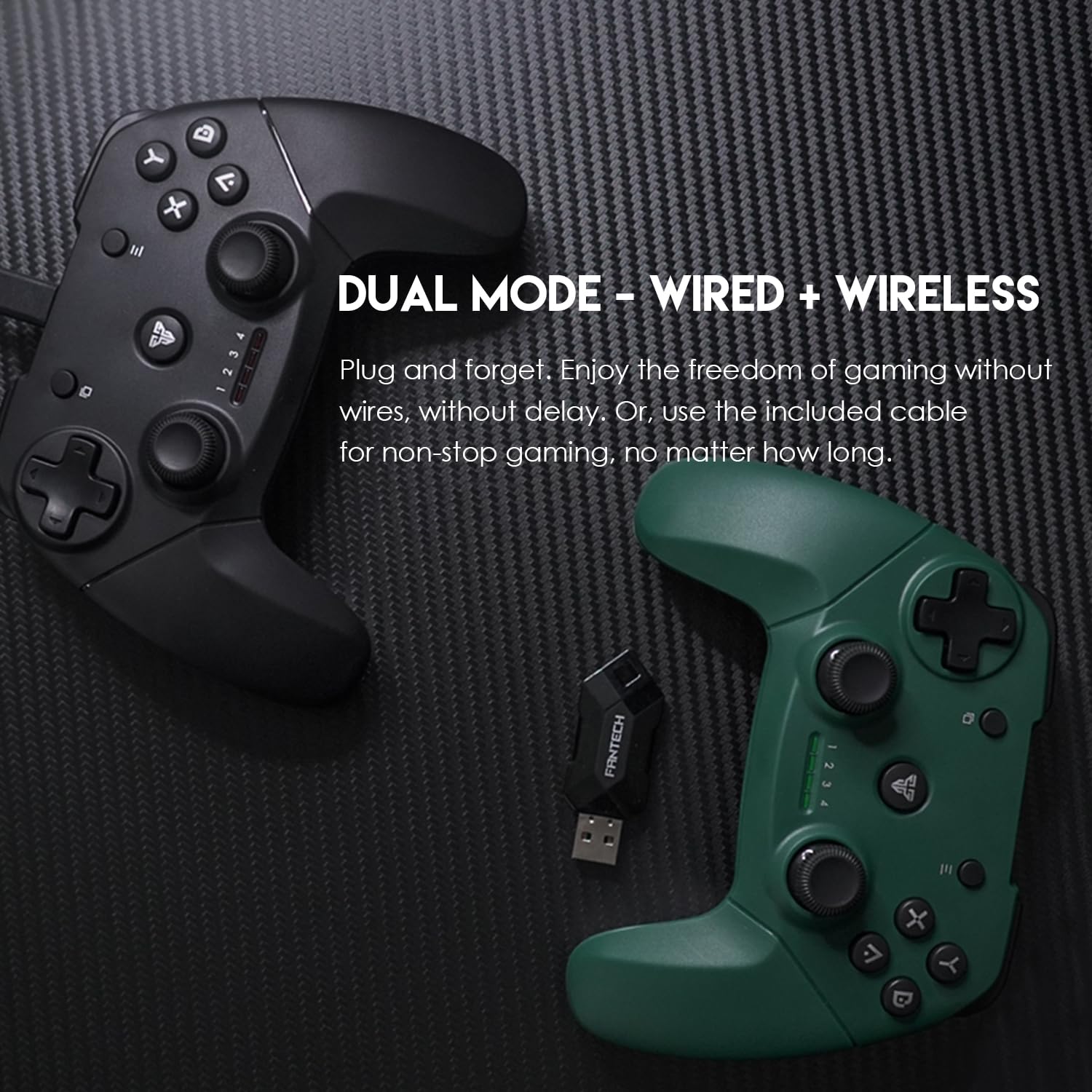
Immagine 4.1: Il gamepad Fantech REVOLVER II WGP12 con l'icona della batteria, che indica la funzione di batteria ricaricabile integrata.
4.2 Pulizia
Per pulire il gamepad, utilizzare un panno morbido e asciutto. Per lo sporco ostinato, utilizzare un panno leggermenteamp È possibile utilizzare un panno e asciugare immediatamente. Evitare l'uso di prodotti chimici aggressivi, detergenti abrasivi o solventi, poiché possono danneggiare la superficie e i componenti interni.
4.3 Conservazione
Conservare il gamepad in un ambiente pulito e asciutto, lontano dalla luce solare diretta, da temperature estreme e da umidità eccessiva. Tenerlo lontano da forti campi magnetici per evitare potenziali interferenze con i componenti elettronici.
5. Risoluzione Dei Problemi
| Problema | Possibile causa | Soluzione |
|---|---|---|
| Il gamepad non si accende. | Batteria scarica o scarica. | Caricare il gamepad per almeno 30 minuti. |
| Il gamepad non si connette in modalità wireless. | Dongle non inserito correttamente o non riconosciuto. Gamepad fuori portata. | Assicurati che il dongle USB sia inserito saldamente. Prova una porta USB diversa. Avvicina il gamepad al dongle (entro 7-8 metri). |
| Il feedback tramite vibrazione non funziona. | Il gioco non supporta la vibrazione. La funzione vibrazione è disattivata nelle impostazioni di gioco. | Controlla se il gioco supporta il feedback tramite vibrazione. Verifica le impostazioni di vibrazione all'interno del gioco. |
| Ritardo di input o perdita di connessione. | Interferenza da altri dispositivi wireless. Batteria scarica. | Allontanarsi da altri dispositivi wireless a 2.4 GHz. Caricare il gamepad. |
6. Specifiche tecniche
| Caratteristica | Specificazione |
|---|---|
| Numero di modello | WGP12 |
| Connettività | Wireless/cablato a 2.4 GHz (USB) |
| Pulsanti | 17 pezzi |
| Vibrazione | Motori a doppia vibrazione |
| Batteria | Batteria agli ioni di litio ricaricabile integrata da 600 mAh |
| wireless Range | 7 m - 8 m |
| Tempo di ricarica | Circa 3 ore |
| Tempo di standby | Circa 10 ore |
| Dimensioni del prodotto (LxWxH) | Dimensioni: 16 x 5 x 11 cm |
| Peso del controller | 182 g (circa) |
| Peso dell'articolo (con imballaggio) | 210g |
| Paese di origine | Cina |
| Nome generico | Controller Joystick per PC e Play station |

Immagine 6.1: Rappresentazione visiva delle dimensioni del gamepad Fantech REVOLVER II WGP12 e riepilogo delle sue specifiche tecniche.
7. Garanzia e supporto
Per informazioni sulla garanzia e sull'assistenza clienti, consultare la documentazione fornita al momento dell'acquisto o contattare il rivenditore. I recapiti del produttore potrebbero essere disponibili anche sulla confezione del prodotto o sul sito ufficiale Fantech. websito.


