Manuale utente del dispositivo di chiusura motorizzato per valvole EMOS GoSmart Smart Home
Model: P5640S | Brand: EMOS
1. Introduzione
Thank you for choosing the EMOS GoSmart Smart Home Motorized Valve Closer. This device is designed to provide precise and automated control over your water and gas valves, enhancing safety and energy efficiency in your home. It integrates seamlessly with various Smart Home systems via ZigBee 3.0, offering both app-based and manual control options. Please read this manual carefully before installation and operation to ensure proper use and maximize the product's lifespan.
2. Informazioni sulla sicurezza
Per evitare lesioni o danni al dispositivo, osservare sempre le seguenti precauzioni di sicurezza:
- Assicurarsi che l'alimentazione sia scollegata prima dell'installazione o della manutenzione.
- This device is designed for indoor use only. Do not expose it to water or extreme temperatures.
- Non tentare di smontare o riparare il dispositivo da soli. Per qualsiasi intervento di assistenza, rivolgersi a personale qualificato.
- Ensure the valve you are attaching the closer to is in good working condition and moves freely.
- Tenere fuori dalla portata dei bambini.
- Utilizzare esclusivamente l'adattatore di alimentazione fornito.
3. Contenuto della confezione
Verificare che tutti gli articoli siano presenti nel pacco:
- EMOS GoSmart - Smart Home Motorized Valve Closer for Water/Gas (Zigbee)
- 12V DC/1000mA Power Adapter with 1.4m Cable
- Staffe di montaggio e viti
- Manuale dell'utente (questo documento)
4. Prodotto finitoview
The EMOS GoSmart valve closer consists of the main motor unit, a power input, and adjustable mounting brackets. It features a power button, a status LED, and a Wi-Fi indicator for easy monitoring and control.

Figure 4.1: EMOS GoSmart Motorized Valve Closer and App Interface

Figura 4.2: in alto View of the Valve Closer with Controls

Figura 4.3: Dimensioni del prodotto
5. Configurazione e installazione
5.1 Installazione fisica
The valve closer is designed to be mounted on existing water or gas ball valves (1/2'' to 1 1/4'').
- Ensure the valve is in the desired position (open or closed) before mounting.
- Position the valve closer over the valve handle.
- Secure the device using the provided mounting brackets and screws. Ensure the device is firmly attached and does not twist or move when the valve is operated.
- Verify that the valve closer's arm aligns correctly with the valve handle for smooth operation.

Figure 5.1: Installation on a Gas Valve

Figure 5.2: Installation on a Water Valve
5.2 Collegamento di alimentazione
Connect the provided 12V DC power adapter to the valve closer's power input. Plug the adapter into a standard electrical outlet. The device will power on automatically.
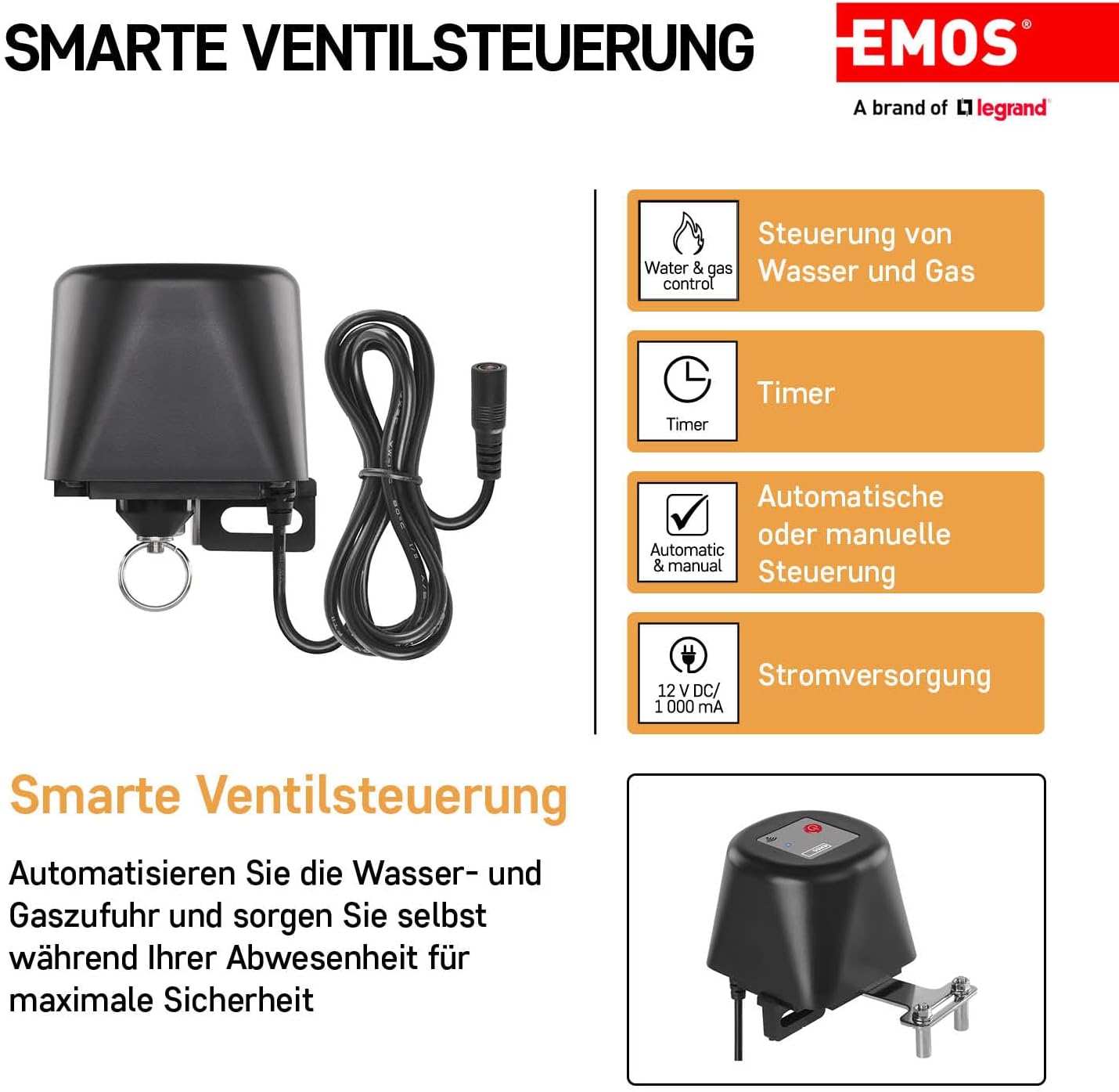
Figura 5.3: Collegamento di alimentazione
5.3 App Integration (Zigbee Gateway Required)
To utilize the smart features, a ZigBee gateway (e.g., TUYA, LIDL, Smartlife compatible) is required.
- Download the EMOS GoSmart app (or compatible Smart Home app like Tuya Smart/Smart Life) from your smartphone's app store (available on iOS and Android).
- Apri l'app e registrati o accedi.
- Add a new device. Follow the in-app instructions to pair the valve closer with your ZigBee gateway. This typically involves putting the gateway into pairing mode and then activating the pairing mode on the valve closer (refer to the app's specific instructions for device addition).
- Once paired, you can rename the device and configure its settings.

Figure 5.4: EMOS GoSmart App Interface
6. Istruzioni per l'uso
6.1 Controllo manuale
The valve closer can be operated manually using the physical button on the device. Press the button once to toggle the valve's state (open/close). The status LED will indicate the current state.
6.2 App Control and Automation
Once connected to your Smart Home system via the app, you can control the valve closer remotely and set up automated routines:
- Telecomando: Open the app and tap on the valve closer device to toggle its state (open/close) from anywhere with an internet connection.
- Funzioni del timer: Set schedules for the valve to open or close at specific times of the day or week.
- Scenari di automazione: Create smart scenarios based on other smart devices. For example, if a leak detector senses water, the valve closer can automatically close the main water valve.
- Controllo vocale: Integrate with voice assistants like Google Home or Amazon Alexa to control the valve using voice commands (e.g., "Alexa, turn off the water valve").
7. Manutenzione
The EMOS GoSmart valve closer requires minimal maintenance:
- Wipe the device with a soft, dry cloth to remove dust. Do not use abrasive cleaners or solvents.
- Controllare periodicamente le staffe di montaggio per assicurarsi che siano sempre ben salde.
- Ensure the valve handle remains easy to turn manually to prevent excessive strain on the motor.
8. Risoluzione Dei Problemi
| Problema | Possibile causa | Soluzione |
|---|---|---|
| Il dispositivo non risponde. | No power; not paired with gateway; app issue. | Check power connection. Re-pair with ZigBee gateway. Restart app/smartphone. |
| La valvola non si apre/chiude completamente. | Obstruction; valve too stiff; incorrect installation. | Check for obstructions. Ensure valve moves freely manually. Re-adjust mounting. |
| Device twists/rotates during operation. | Insufficiently secured mounting. | Tighten mounting screws. Ensure brackets are firmly gripping the valve and pipe. |
| Cannot pair with ZigBee gateway. | Gateway not in pairing mode; device too far from gateway; interference. | Ensure gateway is in pairing mode. Move device closer to gateway. Check for other ZigBee devices causing interference. |
| Included brackets do not fit my valve. | Valve type/size incompatibility. | Custom mounting solutions may be required for specific valve configurations. |
9. Specifiche
| Caratteristica | Dettaglio |
|---|---|
| Produttore | EMO |
| Numero di modello | P5640S |
| Dimensioni del prodotto | Dimensioni: 10.4 x 7.9 x 7 cm |
| Peso dell'articolo | 620 grammi |
| Colore | Nero |
| Tipo di unità | Elettrico |
| Fonte di alimentazione | DC 12V / 1000mA (Power Adapter Included) |
| Connettività | ZigBee 3.0 |
| Dimensioni delle valvole compatibili | 1/2'' to 1 1/4'' |
| Dispositivi compatibili | iPhone, Tablet, Smartphone (via app) |
| Compatibilità con la casa intelligente | TUYA, LIDL, Smartlife, Google Home, Alexa (via ZigBee gateway) |
10. Garanzia e supporto
EMOS products are manufactured to high-quality standards and are subject to rigorous testing. For warranty information and technical support, please refer to the official EMOS webo contatta il tuo rivenditore locale. Conserva la ricevuta d'acquisto come prova d'acquisto.
For further assistance, you may visit the EMOS brand store on Amazon: EMOS Brand Store


