1. Introduzione
This manual provides essential instructions for the safe and efficient use of your DALI IO-8 Wireless/Wired Hi-Fi Headphones. Please read this manual thoroughly before using the product and retain it for future reference. The DALI IO-8 headphones are designed to deliver a high-fidelity audio experience with advanced features such as Active Noise Cancellation (ANC), Bluetooth AptX Adaptive connectivity, and a long-lasting battery.
2. Prodotto finitoview
Familiarize yourself with the components and controls of your DALI IO-8 headphones.

Figura 2.1: Davanti view delle cuffie DALI IO-8, mostrateasing the caramel and white color scheme and overall design.

Figura 2.2: Top-down view of the DALI IO-8 headphones, highlighting the earcups and visible control buttons on the side.
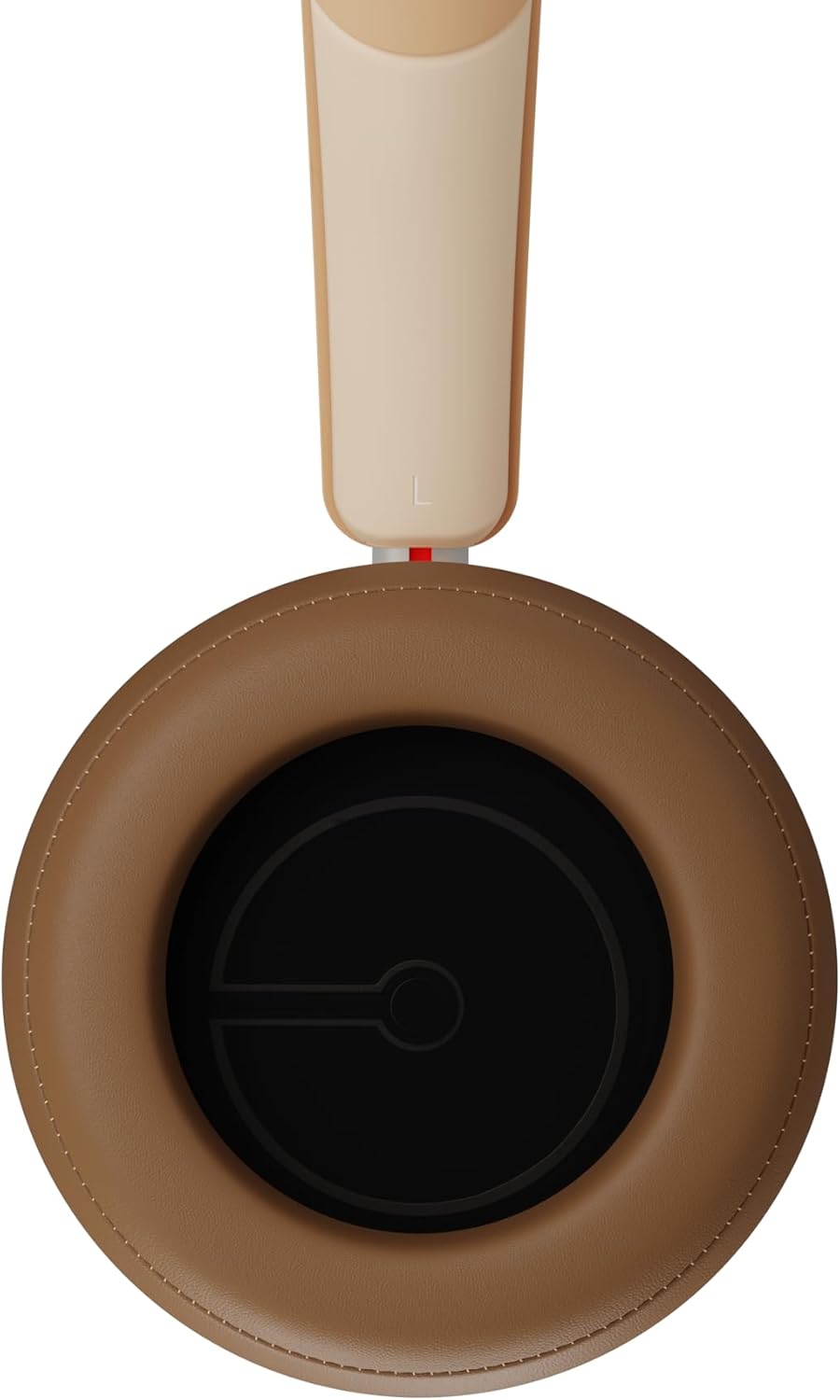
Figura 2.3: Interno view of a DALI IO-8 earcup, showing the soft padding and driver grille, designed for comfort and sound delivery.

Figura 2.4: Avvicinamento view of the DALI IO-8 earcup, showing the USB-C charging port and other control buttons.
2.1 Contenuto della confezione
- Cuffie DALI IO-8
- Cavo di ricarica USB-C
- Cavo audio da 3.5 mm
- Custodia da viaggio (se inclusa)
- Manuale dell'utente (questo documento)
2.2 Componenti delle cuffie

Figura 2.5: Esploso view illustrating the internal components of the DALI IO-8 headphones, including the 50mm driver, circuitry, and earcup structure.
- Headband (Adjustable)
- Earcups (Over-ear design with genuine leather)
- 50mm Driver (SMC Driver Technology)
- Control Buttons (Power, Volume, ANC, Multifunction)
- USB-C Port (Charging and Wired Audio)
- 3.5mm Audio Jack (Wired Audio)
- Microphones (for ANC and calls)
3. Impostazione
3.1 Ricarica delle cuffie
Before initial use, fully charge your DALI IO-8 headphones.
- Connect the supplied USB-C cable to the USB-C port on the headphone earcup.
- Collegare l'altra estremità del cavo USB-C a una fonte di alimentazione USB compatibile (ad esempio, una porta USB del computer, un adattatore da parete USB).
- The LED indicator will show charging status. A full charge provides up to 35 hours of playback with ANC enabled.
- Una volta caricata completamente, scollegare il cavo.
3.2 Accensione/spegnimento
- Per accendere: Press and hold the Power button for approximately 2 seconds until the LED indicator illuminates.
- Per spegnere: Tenere premuto il pulsante di accensione per circa 3 secondi finché l'indicatore LED non si spegne.
3.3 Associazione Bluetooth
The DALI IO-8 supports Bluetooth AptX Adaptive for high-quality wireless audio.
- Assicurati che le cuffie siano spente.
- Press and hold the Power button for approximately 5 seconds until the LED indicator flashes blue rapidly. This indicates pairing mode.
- Sul tuo dispositivo audio (smartphone, tablet, computer), attiva il Bluetooth e cerca i dispositivi disponibili.
- Select "DALI IO-8" from the list of found devices.
- Once paired, the LED indicator will glow solid blue or flash slowly.
- Una volta accese, le cuffie tenteranno automaticamente di riconnettersi all'ultimo dispositivo associato.
3.4 Connessione cablata
The DALI IO-8 can be used with a wired connection via the 3.5mm audio jack or USB-C.
- Cavo audio da 3.5 mm: Connect one end of the supplied 3.5mm audio cable to the headphone's 3.5mm jack and the other end to your audio source's headphone output. The headphones can be used passively in this mode, or actively with ANC and amplification if powered on.
- USB-C Audio: Connect the supplied USB-C cable to the headphone's USB-C port and the other end to a compatible USB audio output on your computer or device. This mode allows for digital audio transmission and charging simultaneously.
4. Utilizzo delle cuffie
4.1 Cancellazione attiva del rumore (ANC)
The DALI IO-8 features three distinct ANC modes and wind noise suppression.
- Press the dedicated ANC button to cycle through the available modes:
- ANC su: Massima cancellazione del rumore.
- Modalità trasparenza: Allows ambient sounds to pass through for situational awareness.
- ANC disattivato: Active noise cancellation is disabled.
- Wind noise suppression is automatically engaged in ANC modes to reduce interference from wind.
4.2 modalità audio
Customize your listening experience with two sound profiles.
- Press the Sound Mode button (if available, or refer to specific button on device) to switch between:
- Hi-Fi Mode: Delivers a balanced and neutral sound signature.
- Modalità bassi: Enhances low-frequency response for a more impactful bass.
4.3 Playback and Volume Control
Use the control buttons on the earcup for media playback and volume adjustments.
- Aumenta volume: Premere il pulsante '+'.
- Volume basso: Premere il pulsante '-'.
- Riproduci/Pausa: Premere una volta il pulsante multifunzione.
- Traccia successiva: Premere due volte il pulsante Multifunzione.
- Traccia precedente: Triple-press the Multifunction button.
4.4 Gestione delle chiamate
Manage phone calls when connected via Bluetooth.
- Rispondi/Termina chiamata: Premere una volta il pulsante multifunzione.
- Rifiuta chiamata: Tenere premuto il pulsante multifunzione per 2 secondi.
- Attiva l'assistente vocale: Press and hold the Multifunction button for 2 seconds (when not on a call).
5. Manutenzione
5.1 Pulizia
- Pulisci le cuffie con un panno morbido, asciutto e privo di lanugine.
- Non utilizzare detergenti abrasivi, solventi o spray chimici.
- Per i padiglioni auricolari, pulire delicatamente con un panno leggermente damp panno se necessario, quindi asciugare immediatamente.
- Assicurarsi che non penetri umidità nelle porte o nelle aperture.
5.2 Conservazione
- Quando non le utilizzi, conservale nella loro custodia protettiva da viaggio per evitare danni.
- Evitare di esporre le cuffie a temperature estreme, umidità o luce solare diretta.
6. Risoluzione Dei Problemi
| Problema | Possibile causa | Soluzione |
|---|---|---|
| Nessun potere | La batteria è scarica. | Caricare le cuffie utilizzando il cavo USB-C in dotazione. |
| Impossibile effettuare l'associazione tramite Bluetooth | Cuffie non in modalità di associazione; Bluetooth del dispositivo disattivato; troppo lontano dal dispositivo. | Ensure headphones are in pairing mode (rapid blue LED flash). Turn on Bluetooth on your device. Move headphones closer to the device. Forget "DALI IO-8" on your device and re-pair. |
| Nessun suono | Volume too low; incorrect input source; headphones not connected. | Increase volume on headphones and source device. Check Bluetooth connection or wired cable. Ensure the correct audio output is selected on your device. |
| L'ANC non funziona in modo efficace | ANC mode off; poor earcup seal. | Ensure ANC is enabled. Adjust headphones for a proper seal around your ears. |
7. Specifiche
| Caratteristica | Dettaglio |
|---|---|
| Nome del modello | DALI IO-8 |
| Marca | DALI |
| Tecnologia di connettività | Cablato, Wireless (Bluetooth) |
| Tecnologia di comunicazione wireless | Bluetooth (AptX Adaptive) |
| Cancellazione del rumore | Active Noise Suppression (ANC) with Wind Noise Suppression |
| Posizionamento dell'orecchio | Sopra l'orecchio |
| Dimensioni del conducente | 50mm (SMC Driver Technology) |
| Impedenza | 25 ohm |
| Presa per cuffie | 3.5 millimetri |
| Durata della batteria | Fino a 35 ore (con ANC) |
| Materiali | Genuine Leather (earcups) |
8. Informazioni sulla sicurezza
Please observe the following safety guidelines to ensure safe operation and prevent damage to your headphones or injury to yourself.
- Do not expose the headphones to water, rain, or moisture.
- Evitare temperature estreme.
- Do not disassemble, repair, or modify the headphones. This voids the warranty.
- Per evitare danni all'udito, ascoltare a volume moderato.
- Tenere fuori dalla portata dei bambini.
- Smaltire il prodotto in modo responsabile secondo le normative locali.
9. Garanzia e supporto
DALI products are manufactured to high standards and are covered by a limited warranty. For specific warranty terms and conditions, please refer to the warranty card included with your product or visit the official DALI website. For technical support, troubleshooting assistance, or service inquiries, please contact your authorized DALI dealer or DALI customer support.

Figura 9.1: A person wearing the DALI IO-8 headphones, demonstrating their comfortable fit and use in a real-world environment.


