1. Introduzione
This user manual provides detailed instructions for the SONRU Bluetooth 5.3 Receiver. This wireless audio adapter is designed to bring Bluetooth connectivity to various audio systems, including car stereos, home stereos, wired headphones, and speakers. Featuring advanced Bluetooth 5.3 technology, it ensures a faster, more stable, and smarter connection with minimal sound quality loss. The device also supports hands-free calling and dual device connection, enhancing your audio experience and convenience.
2. Informazioni sulla sicurezza
Keep away from water and extreme temperatures. Do not expose to high heat or fire. Do not short-circuit. Avoid contact with liquids. Do not dispose of in fire. May interfere with other wireless devices. Follow local regulations for battery disposal.
3. Contenuto della confezione
Si prega di verificare che tutti gli articoli siano inclusi nel pacco:
- 1 x SONRU Bluetooth Wireless Receiver (Model J48)
- 1 adattatore audio da 3.5 mm
- 1 cavo audio da 3.5 mm
- 1 cavo audio RCA
- 1 x Cavo di ricarica di tipo C
- 1 x Manuale utente e scheda di garanzia

Image: All components included in the SONRU Bluetooth Receiver package.
4. Impostazione
4.1 Carica iniziale
Before first use, fully charge the Bluetooth receiver. Connect the provided Type-C charging cable to the receiver's charging port and a USB power source. A full charge typically takes approximately 1.5 hours. The device supports charging while in use.
4.2 Collegamento alla sorgente audio
The SONRU Bluetooth Receiver offers versatile connectivity options:
- For 3.5mm AUX Input: Use the included 3.5mm audio adapter or 3.5mm audio cable to connect the receiver to your car's AUX port, home stereo, wired headphones, or speaker.
- For RCA Input: Use the included RCA audio cable to connect the receiver to older home stereo systems or other audio equipment with RCA inputs.

Image: The receiver's wide compatibility with various audio devices.
4.3 Associazione Bluetooth
- Accensione: Press and hold the multifunction button on the receiver to power it on. The LED display will light up.
- Abilita Bluetooth: Sul tuo dispositivo mobile (smartphone, tablet, ecc.), vai alle impostazioni Bluetooth e assicurati che il Bluetooth sia abilitato.
- Seleziona dispositivo: Look for "J48" in the list of available Bluetooth devices and select it to pair. Once connected, the receiver will indicate successful pairing.
- Riproduci audio: Begin playing audio on your mobile device. The sound will now be transmitted wirelessly to the connected audio system.
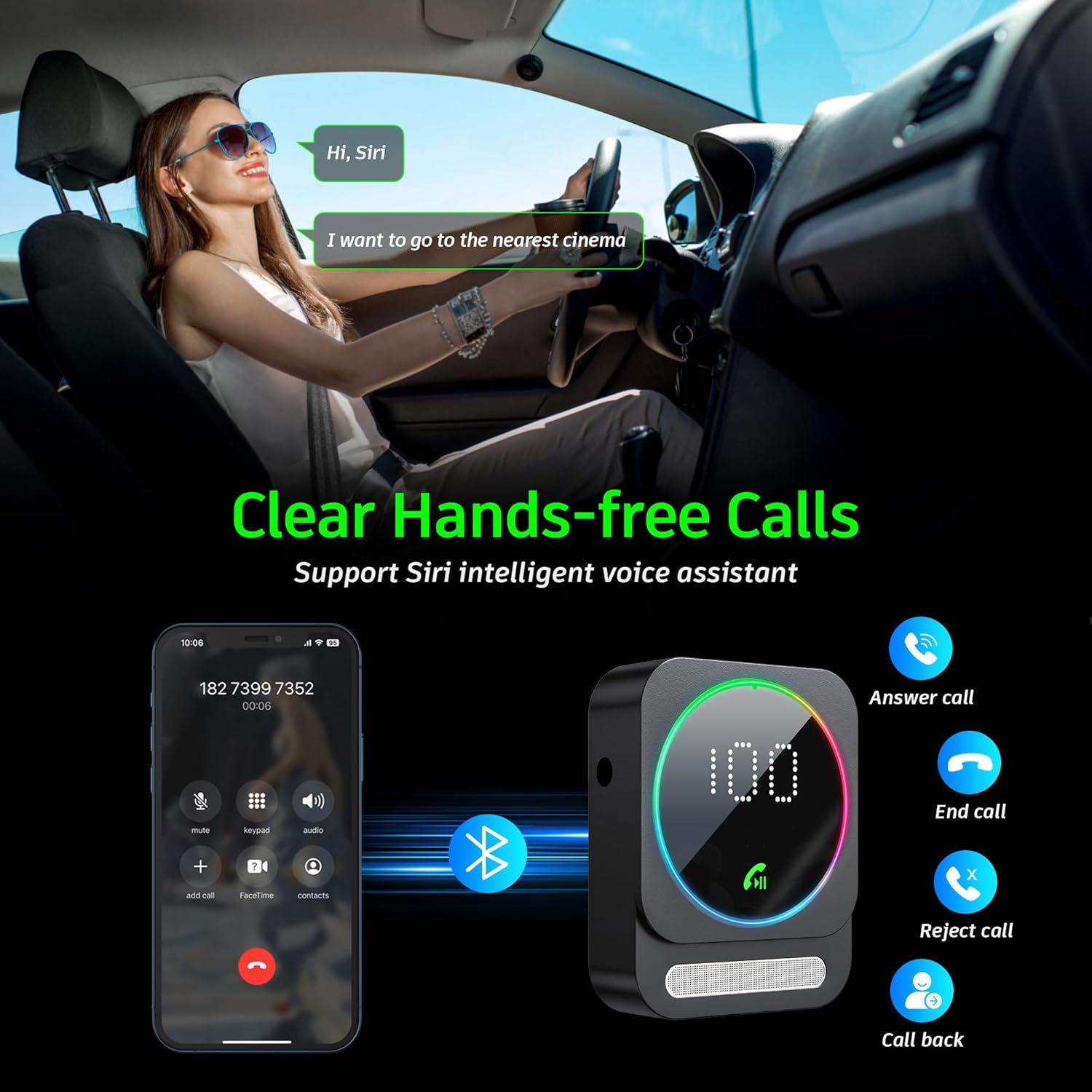
Image: Bluetooth pairing process in a car environment.
5. Istruzioni per l'uso
5.1 Chiamate in vivavoce
The receiver is equipped with a high-quality microphone and CVC8.0 technology for clear hands-free calls.
- Rispondi alla chiamata: Premere una volta il pulsante multifunzione.
- Termina chiamata: Premere una volta il tasto multifunzione durante una chiamata.
- Rifiuta chiamata: Tenere premuto il pulsante multifunzione per 2 secondi.
- Ricomponi l'ultimo numero: Premere due volte il pulsante multifunzione.
- Attiva l'Assistente vocale (Siri/Assistente Google): Premere tre volte il pulsante multifunzione.

Image: Multifunction and volume buttons on the receiver.
5.2 Riproduzione di musica
- Riproduci/Pausa: Premere una volta il pulsante multifunzione.
- Traccia successiva: Premere brevemente il pulsante "+".
- Traccia precedente: Premere brevemente il pulsante "-".
- Aumenta volume: Premere a lungo il pulsante "+".
- Volume basso: Premere a lungo il pulsante "-".
5.3 Connessione a doppio dispositivo
The SONRU Bluetooth Receiver can connect to two Bluetooth devices simultaneously. This allows for convenient switching between devices for music or calls. Note that audio from both devices cannot be played simultaneously; you must switch between them.
Image: The receiver's ability to connect to two devices simultaneously.
5.4 Durata della batteria e ricarica
The built-in 250mAh battery provides up to 16 hours of continuous use on a single charge. The device can be fully charged in approximately 1.5 hours using the provided Type-C cable. It supports charging while in use, making it ideal for long journeys.

Image: Visual representation of the receiver's battery life and charging features.
6. Manutenzione
To ensure the longevity and optimal performance of your SONRU Bluetooth Receiver, follow these maintenance guidelines:
- Pulizia: Per pulire il dispositivo, utilizzare un panno morbido e asciutto. Non utilizzare detergenti liquidi o spray.
- Magazzinaggio: Conservare il dispositivo in un luogo fresco e asciutto, lontano dalla luce solare diretta e da temperature estreme.
- Evitare l'impatto: Non far cadere il dispositivo né sottoporlo a forti urti, poiché ciò potrebbe danneggiare i componenti interni.
- Cura del cavo: Handle cables gently. Avoid bending or pulling them excessively to prevent damage.
7. Risoluzione Dei Problemi
If you encounter issues with your SONRU Bluetooth Receiver, please refer to the following common solutions:
| Problema | Soluzione |
|---|---|
| Il dispositivo non si accende. | Assicurati che il dispositivo sia completamente carico. Collegalo a una fonte di alimentazione tramite il cavo Type-C e riprova. |
| Impossibile effettuare l'associazione con il dispositivo mobile. |
|
| Nessun suono o scarsa qualità del suono. |
|
| La qualità delle chiamate è scarsa. | Ensure the microphone is not obstructed. Reduce background noise if possible. The CVC8.0 technology helps filter out echoes and background noise. |
8. Specifiche
| Caratteristica | Dettaglio |
|---|---|
| Versione Bluetooth | 5.3 |
| Tecnologia di connettività | AUX, RCA |
| Capacità della batteria | 250mAh |
| Tempo di ricarica | Circa 1.5 ore |
| Tempo di utilizzo | Fino a 16 ore |
| Caratteristiche speciali | Hands-Free Calls, Dual AUX Outputs, Digital Display, Ambient Light |
| Campo di lavoro | Fino a 33 piedi (10 m) senza ostacoli |
| Dimensioni | 6.65 x 2.76 x 0.94 pollici |
| Peso dell'articolo | 2.89 once |
Video: Un oltreview of the SONRU Bluetooth 5.3 Receiver's features and usage scenarios.
9. Garanzia e supporto
SONRU provides a warranty for this product. For detailed warranty information, please refer to the included Warranty Card in your package. If you encounter any problems or are not satisfied with your product, please contact SONRU customer support for assistance. We are committed to providing a satisfactory solution.
In genere è possibile trovare le informazioni di contatto dell'assistenza sul sito web del produttore websito o tramite il rivenditore presso cui hai acquistato il prodotto.


