Introduzione
This manual provides comprehensive instructions for the safe and efficient use of your Hello Kitty Wireless Bluetooth Light-Up Headphones. Please read this manual thoroughly before operating the device and retain it for future reference.

Immagine: Frontale view of the Hello Kitty Wireless Bluetooth Light-Up Headphones in white, featuring the iconic Hello Kitty face on the earcups and light-up cat ears on the headband.
Cosa c'è nella scatola
Verificare che tutti gli articoli siano presenti al momento dell'apertura della confezione:
- Hello Kitty Wireless Bluetooth Light-Up Headphones
- Cavo di ricarica USB
- Manuale dell'utente (questo documento)
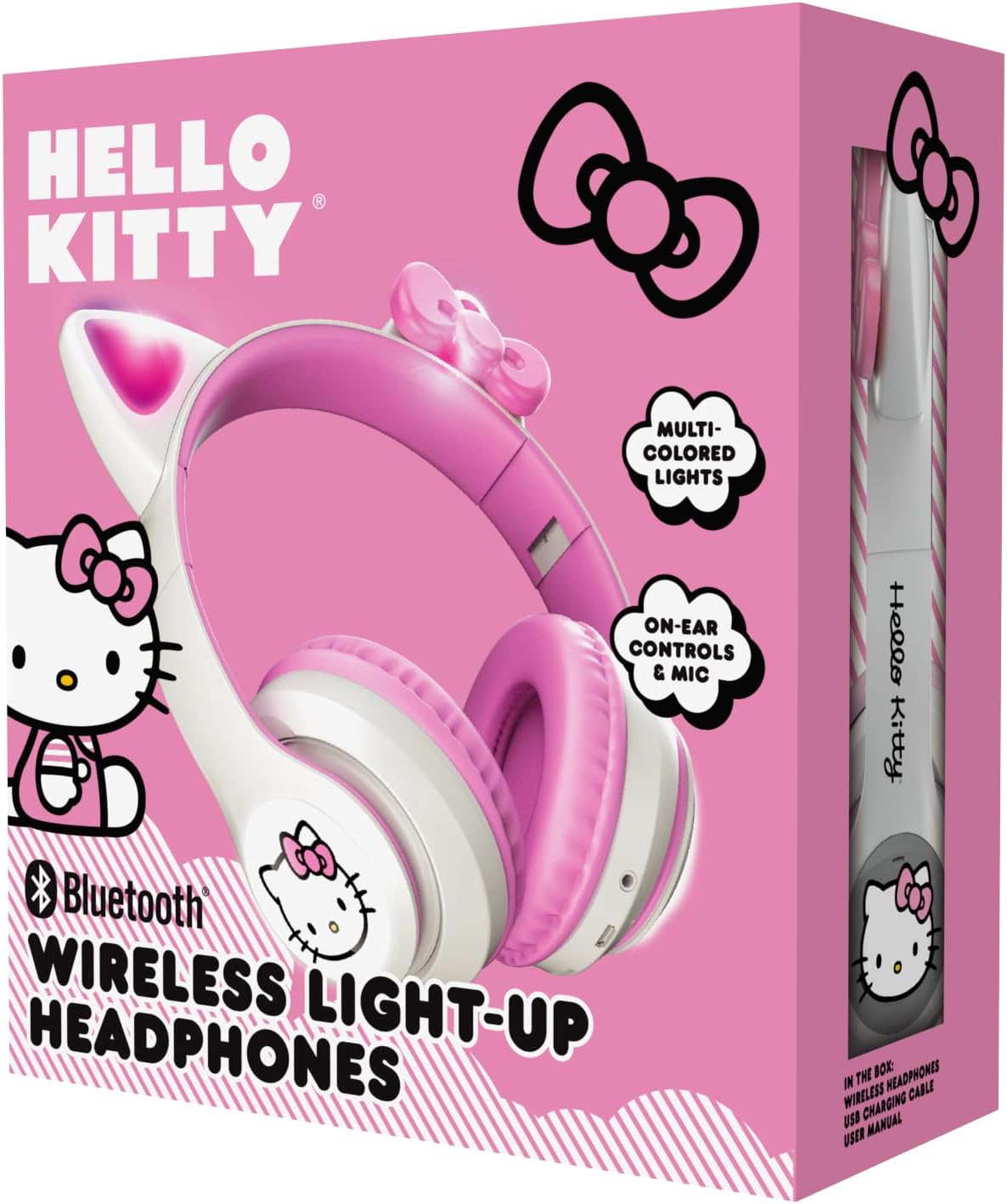
Image: The retail packaging for the Hello Kitty Wireless Bluetooth Light-Up Headphones, illustrating the headphones and the USB charging cable.
Caratteristiche del prodotto
- Connettività Bluetooth: Abbinamento wireless senza interruzioni con dispositivi compatibili.
- Light-Up LED Earcups & Cat Ears: Features Hello Kitty graphics on earcups and colorful LED lights in the ears. Lights can change with music or be turned on/off as desired.
- Design pieghevole e portatile: Easy to store and carry, ideal for travel.
- Microfono incorporato: Enables hands-free calls, voice chats, and gaming communication.
- Fascia regolabile: Provides a custom and comfortable fit for various head sizes.
Impostare
1. Carica delle cuffie
Before first use, fully charge the headphones. Connect the included USB charging cable to the charging port on the headphones and to a USB power source (e.g., computer, wall adapter). The LED indicator will show charging status and turn off or change color when fully charged.
2. Accoppiamento Bluetooth
- Assicurati che le cuffie siano spente.
- Tenere premuto il pulsante di accensione finché l'indicatore LED non lampeggia in blu e rosso, indicando la modalità di associazione.
- Sul tuo dispositivo (smartphone, tablet, laptop), attiva il Bluetooth e cerca i dispositivi disponibili.
- Select "Hello Kitty Headphones" from the list of devices.
- Una volta effettuato l'accoppiamento, l'indicatore LED in genere emetterà una luce blu fissa o lampeggerà lentamente.
Nota: se viene richiesta una password, immettere "0000".
Istruzioni per l'uso
Accensione/spegnimento
- Per accendere: Tenere premuto il pulsante di accensione per circa 3 secondi.
- Per spegnere: Tenere premuto il pulsante di accensione per circa 5 secondi.
Controllo del volume
- Aumenta volume: Premere il pulsante '+'.
- Volume basso: Premere il pulsante '-'.
Riproduzione musicale
- Riproduci/Pausa: Press the Multi-function button (often the Power button when not powering on/off).
- Traccia successiva: Premere e tenere premuto il pulsante '+'.
- Traccia precedente: Premere e tenere premuto il pulsante '-'.
Gestione delle chiamate
- Rispondi/Termina chiamata: Premi il pulsante Multifunzione.
- Rifiuta chiamata: Tieni premuto il pulsante multifunzione.
- Ricomponi l'ultimo numero: Premi due volte il pulsante Multifunzione.
Controllo della luce a LED
The LED lights on the earcups and cat ears can be controlled independently. Locate the dedicated light button (refer to the diagram in the included quick start guide if available). Press the button to cycle through light modes (e.g., blinking, solid, off).
Adjusting and Folding
- Regola la fascia: Gently slide the earcups up or down along the headband to achieve a comfortable fit.
- Piegare per riporlo: The earcups can be folded inwards towards the headband for compact storage and portability.

Image: The Hello Kitty Wireless Bluetooth Light-Up Headphones shown in their folded position, demonstrating their portability.
Manutenzione
- Pulizia: Pulire le cuffie con un panno morbido e asciutto. Non utilizzare detergenti abrasivi né immergerle in acqua.
- Magazzinaggio: Store the headphones in a cool, dry place away from direct sunlight and extreme temperatures. Utilize the foldable design for compact and safe storage.
- Cura della batteria: Per prolungare la durata della batteria, caricare regolarmente le cuffie, anche se non vengono utilizzate frequentemente. Evitare di scaricare completamente la batteria per periodi prolungati.
Risoluzione dei problemi
| Problema | Possibile soluzione |
|---|---|
| Le cuffie non si accendono. | Assicurati che le cuffie siano completamente cariche. Collegale a una fonte di alimentazione e riprova. |
| Impossibile associare il dispositivo. |
|
| Nessun suono o volume basso. |
|
| Le luci LED non funzionano. | Press the dedicated light control button to cycle through modes or turn them on. Ensure headphones have sufficient battery. |
Specifiche
- Nome modello: Hello Kitty Wireless Bluetooth Light-Up Headphones with Built-in Microphone, Foldable Design, Adjustable Headband, 8 Hours Playtime, LED Kitty Earcups, for Kids & Adults (White)
- Numero modello: HKLEDBTHP2-WH-MFN
- Tecnologia di connettività: Wireless (Bluetooth)
- Versione Bluetooth: 5.0
- Forma dell'auricolare: Sull'orecchio
- Materiale: Plastica
- Peso dell'articolo: 0.27 chilogrammi (9.6 once)
- Batteria: 1 batteria non standard (inclusa)
- Caratteristiche speciali: Adjustable Headband, Foldable, Lightweight, Light-Up LED Earcups & Cat Ears, Built-in Microphone
- Dispositivi compatibili: Smartphone, tablet, laptop
- Produttore: Telecomunicazioni del sud
- Codice UPC: 680079035358
Garanzia e supporto
For warranty information and technical support, please refer to the contact details provided on the product packaging or visit the official Hello Kitty or Southern Telecom websito. Conservare la prova d'acquisto per eventuali reclami in garanzia.


