1. Informazioni importanti sulla sicurezza
Please read all safety instructions carefully before using your Xiaomi TV S Mini LED 75" 2025. Keep this manual for future reference.
- Fonte di energia: Collegare il televisore solo a una fonte di alimentazione CA come indicato sull'etichetta.
- Ventilazione: Assicurare un'adeguata ventilazione attorno al televisore. Non ostruire le aperture di ventilazione.
- Acqua e umidità: Non esporre il televisore a pioggia o umidità. Non posizionare oggetti contenenti liquidi sul televisore.
- Pulizia: Scollegare il televisore prima di pulirlo. Utilizzare un panno morbido e asciutto. Evitare detergenti liquidi.
- Manutenzione: Non tentare di riparare questo prodotto da soli. Affidare tutte le operazioni di manutenzione a personale di assistenza qualificato.
- Posizionamento: Place the TV on a stable, level surface or mount it securely to a wall using a compatible VESA mount.
2. Contenuto della confezione
Verificare che tutti gli articoli siano presenti nel pacco:
- Xiaomi TV S Mini LED 75" 2025
- Telecomando
- Cavo di alimentazione
- TV Stand Components (if included)
- Manuale dell'utente (questo documento)
3. Guida all'installazione
3.1 Disimballaggio del televisore
Carefully remove the TV from its packaging. It is recommended to have two people for this process due to the size and weight of the 75-inch model.
3.2 Installing the TV Stand (Optional)
If you are not wall-mounting the TV, attach the included stand components according to the separate stand installation guide. Ensure all screws are tightened securely.
3.3 Montaggio a parete (opzionale)
The Xiaomi TV S Mini LED 75" 2025 supports VESA wall mounts with a pattern of 400 x 300 mm. Use appropriate wall-mounting hardware and consult a professional for installation to prevent injury or damage.
3.4 Collegamento delle periferiche
Connect your devices to the TV's input ports. Refer to the back panel image for port locations.
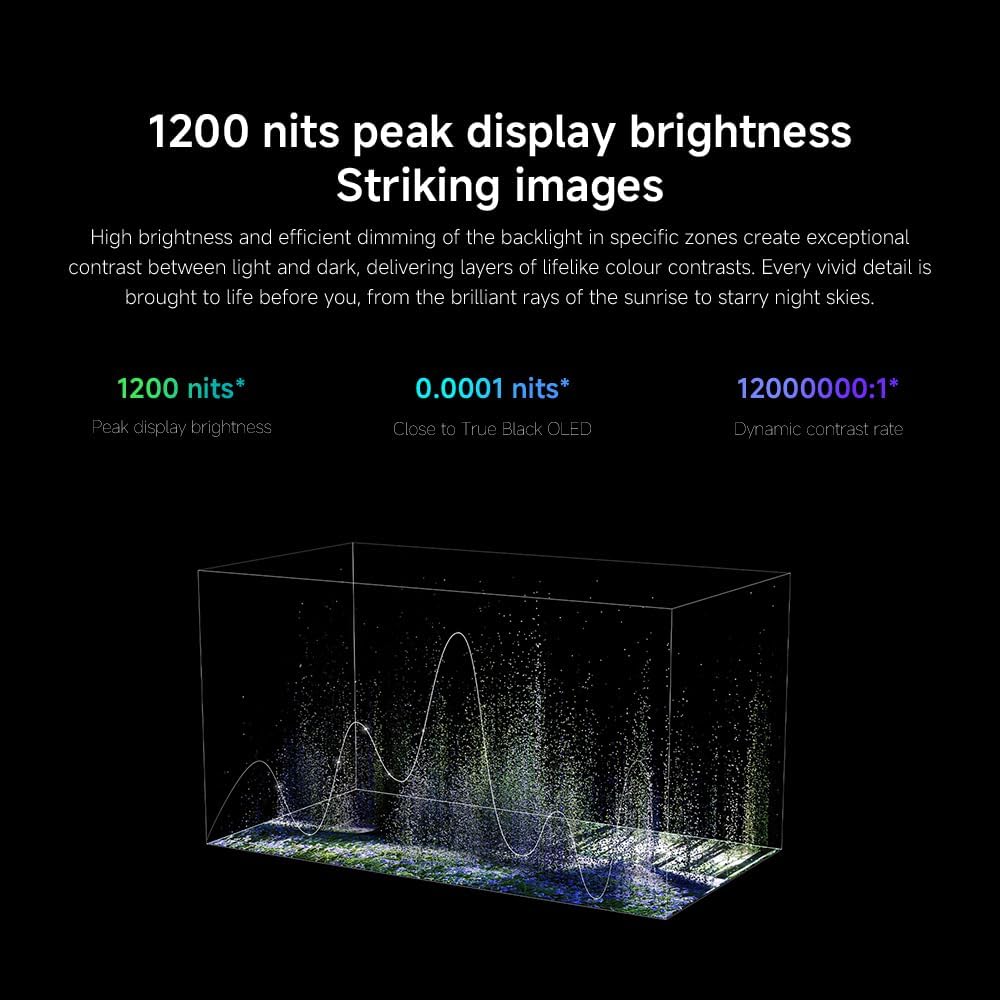
Immagine: Posteriore view of the TV displaying available connection ports.
- Energia: Collegare il cavo di alimentazione al televisore e poi a una presa di corrente.
- HDMI: Connect Blu-ray players, game consoles, or other HDMI devices.
- USB: Collegare dispositivi di archiviazione USB per la riproduzione di contenuti multimediali.
- Collegamento Ethernet: Per una connessione Internet cablata.
- Antenna/cavo: Collega l'ingresso dell'antenna o della TV via cavo.
3.5 Accensione iniziale e configurazione iniziale
After connecting all cables, plug in the TV and press the power button on the remote control. Follow the on-screen instructions to complete the initial setup, including network connection, Google account login, and channel scanning.

Immagine: Frontale view of the Xiaomi TV S Mini LED 75" 2025.
4. Istruzioni per l'uso
4.1 Controllo remoto finitoview
The included remote control provides access to all TV functions. Familiarize yourself with the button layout for easy navigation.
4.2 Funzioni di base
- Energia: Premere per accendere o spegnere il televisore.
- Volume: Use the +/- buttons to adjust the sound level.
- Canale: Utilizzare i pulsanti CH +/- per cambiare canale.
- Ingresso: Select the desired input source (HDMI, AV, etc.).
- Casa: Access the Google TV home screen.
4.3 Funzionalità Smart TV (Google TV)
Your Xiaomi TV runs on Google TV, offering a personalized entertainment experience.

Image: Google TV interface with app icons and content suggestions.
- Applicazioni: Scarica e installa le applicazioni dal Google Play Store.
- Assistente vocale: Use the built-in Google Assistant for voice commands.
- Consigli sui contenuti: Google TV provides personalized recommendations based on your viewabitudini.

Image: Using the Hey Google voice assistant to search for content.
4.4 Impostazioni di visualizzazione
Regola le impostazioni dell'immagine per ottimizzare la tua viewesperienza di acquisizione.
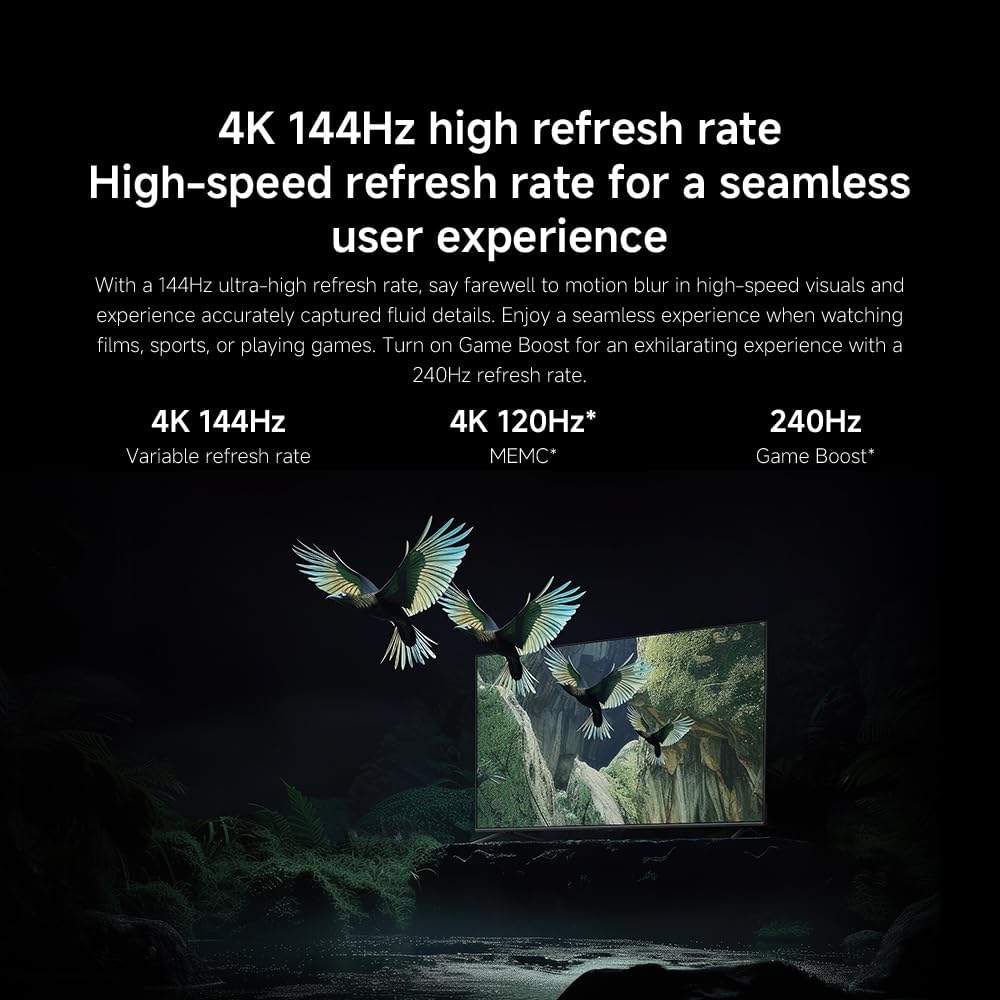
Immagine: Oltreview of the TV's advanced display technologies.
- Modalità immagine: Select from various preset modes (e.g., Standard, Vivid, Movie, Game) or customize your own.
- Luminosità/Contrasto: Fine-tune these settings for optimal visual clarity. The TV features 1200 nits peak brightness for stunning visuals.
- Colore: Adjust color saturation and tint. The QD-MiniLED display offers accurate color reproduction.
- Frequenza di aggiornamento: The TV supports a 144Hz refresh rate for ultra-smooth motion.
- Motore di intelligenza artificiale: The powerful AI engine enhances image quality automatically.

Image: Visual representation of the 144Hz refresh rate for seamless motion.
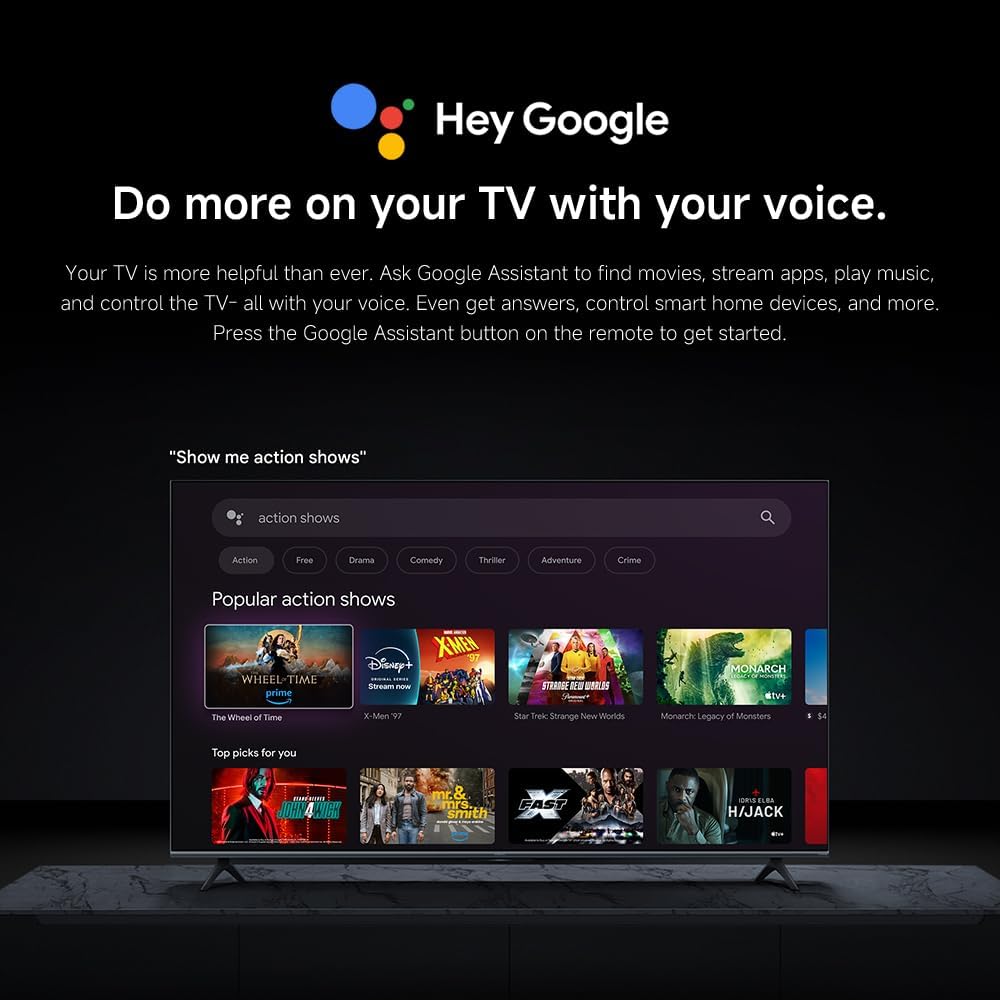
Image: The Quad cortex A73 processor, responsible for AI image enhancement and performance.
4.5 Impostazioni audio
Configure audio output and sound enhancements.

Image: Depiction of the TV's quality audio-visual experience.
- Modalità audio: Choose from preset sound modes (e.g., Standard, Movie, Music) or customize.
- Dolby Atmos: Enable Dolby Atmos for an immersive audio experience.
4.6 Connettività
The TV offers various connectivity options.
- Bluetooth: Connect Bluetooth-enabled devices such as headphones or speakers.
- Wifi: Collegati alla rete wireless domestica per accedere a Internet.
- Utilizzo di Apple AirPlay: Trasmetti in streaming i contenuti direttamente dai tuoi dispositivi Apple.
Image: Apple AirPlay functionality for streaming from Apple devices.
5. Manutenzione
5.1 Pulizia dello schermo
Per pulire lo schermo, scollegare prima il televisore. Pulire delicatamente lo schermo con un panno morbido e privo di lanugine. Per macchie ostinate, strofinare leggermenteampen the cloth with water or a specialized screen cleaner, then wipe dry immediately. Do not spray liquid directly onto the screen.
5.2 Aggiornamenti software
The TV may receive software updates periodically to improve performance and add new features. Ensure your TV is connected to the internet to receive these updates. You can check for updates manually in the TV's settings menu.
6. Risoluzione Dei Problemi
Se riscontri problemi con la tua TV, fai riferimento alle seguenti soluzioni comuni:
| Problema | Possibile soluzione |
|---|---|
| Nessun potere | Controllare che il cavo di alimentazione sia collegato saldamente al televisore e alla presa di corrente. Assicurarsi che la presa sia funzionante. |
| Nessuna immagine, ma l'audio è presente | Verificare che sia selezionata la sorgente di ingresso corretta. Controllare i collegamenti dei cavi ai dispositivi esterni. |
| Nessun suono, ma l'immagine è presente | Check volume level and mute status. Ensure audio cables are connected correctly. |
| Il telecomando non funziona | Sostituire le batterie. Assicurarsi che non vi siano ostacoli tra il telecomando e la TV. |
| Qualità dell'immagine scadente | Adjust picture settings (brightness, contrast, sharpness). Check antenna or cable connection. Ensure content source is high quality. |
| Smart TV features unresponsive | Check internet connection. Restart the TV by unplugging it for a few minutes and plugging it back in. |
If the issue persists after trying these steps, contact customer support.
7. Specifiche
Key technical specifications for the Xiaomi TV S Mini LED 75" 2025:
| Caratteristica | Specificazione |
|---|---|
| Marca | XiaomiMi |
| Numero di modello | 59292 |
| Dimensioni dello schermo | 75 pollici |
| Tecnologia di visualizzazione | 4K UHD, LED, QD-MiniLED |
| Risoluzione | Risoluzione 4K (3840 x 2160) |
| Frequenza di aggiornamento | Frequenza 144 Hz |
| Luminosità massima | 1200 nidi |
| Sistema operativo | TV di Google |
| Processore | Quad Cortex A73 |
| Memoria RAM | 3 GB |
| Magazzinaggio | 32 GB |
| Tecnologia audio | Dolby Atmos |
| Connettività | Bluetooth, Wi-Fi, Apple AirPlay |
| Dimensioni del prodotto (con supporto) | 42.5P x 166.8L x 102.8A cm |
| Peso del prodotto (con supporto) | 31 kg |
| Supporto a parete VESA | 400 x 300 millimetri |
| Componenti inclusi | TV, remote control, power cable |
8. Garanzia e supporto
Your Xiaomi TV S Mini LED 75" 2025 is covered by a manufacturer's warranty. Please refer to the warranty card included in your package for specific terms and conditions. For technical support, service inquiries, or to purchase accessories, please visit the official Xiaomi websito o contattare i centri di assistenza autorizzati.
Risorse online: For additional information, FAQs, and software downloads, visit the official Xiaomi support page.