1. Introduzione
The Hello Kitty Sunrise Alarm Clock is designed to provide a gentle and natural waking experience with its sunrise simulation feature. This digital alarm clock includes multicolor lights, an LED display showing time, date, and temperature, a USB charging port, and a convenient snooze function. Its charming Cinnamoroll design adds a whimsical touch to any room.

Image 1: Hello Kitty Cinnamoroll Sunrise Alarm Clock with multicolor lighting.
2. Informazioni sulla sicurezza
- Non esporre il dispositivo a temperature estreme, alla luce solare diretta o a elevata umidità.
- Utilizzare solo il cavo di alimentazione USB fornito o un equivalente certificato.
- Tenere il dispositivo lontano da acqua o altri liquidi.
- Non tentare di smontare o riparare il dispositivo da soli. Contattare personale di assistenza qualificato.
- Assicurarsi che il dispositivo sia posizionato su una superficie stabile e piana.
3. Contenuto della confezione
Si prega di controllare la confezione per verificare la presenza dei seguenti elementi:
- Hello Kitty Sunrise Alarm Clock (Cinnamoroll design)
- Cavo di alimentazione USB
- Manuale dell'utente (questo documento)
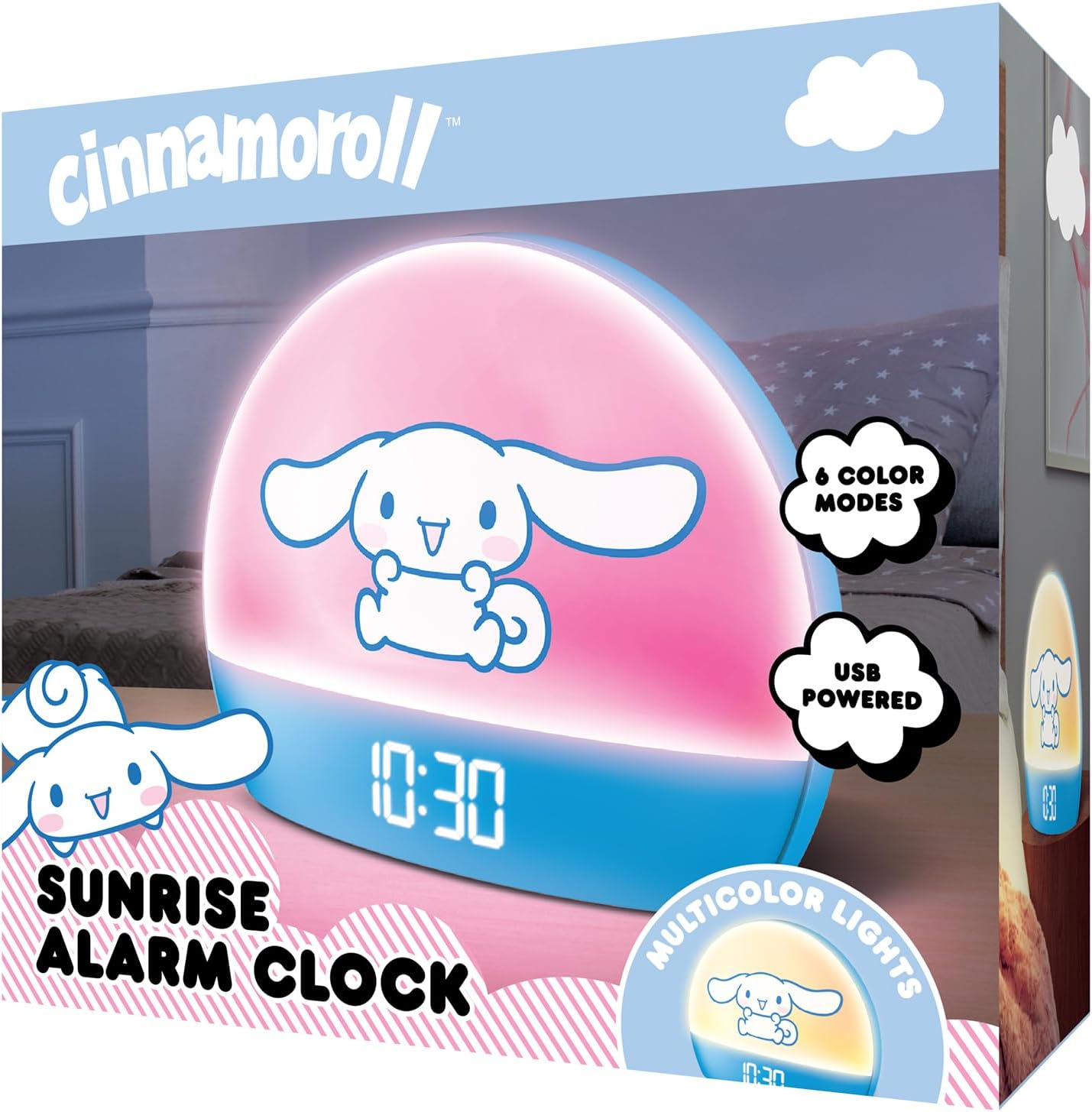
Image 2: Front packaging of the Hello Kitty Cinnamoroll Sunrise Alarm Clock.
4. Prodotto finitoview
Familiarizza con i componenti principali della tua sveglia.
- Display a LED: Mostra ora, data e temperatura.
- Pannello luminoso: Emits multicolor and sunrise simulation lights.
- Pulsanti di controllo: Located on the back or bottom for setting time, alarm, and light functions.
- Porta di ricarica USB: For powering the device and charging external devices.
- Pulsante Ripeti: Typically a prominent button on the top or front.

Image 3: Hello Kitty Cinnamoroll Sunrise Alarm Clock in a bedroom setting.
5. Impostazione
5.1 Collegamento di alimentazione
- Collegare il cavo di alimentazione USB in dotazione alla porta USB sul retro della sveglia.
- Collegare l'altra estremità del cavo USB a un adattatore di alimentazione USB compatibile (non incluso) o a una porta USB alimentata.
- The LED display will light up, indicating the device is powered on.
5.2 Impostazione di data e ora
Specific button names are not provided, so general instructions are given. Refer to the physical device for exact button labels.
- Press the "SET" or "TIME" button to enter time setting mode.
- Use the "UP" and "DOWN" buttons to adjust the hour. Press "SET" again to confirm.
- Adjust the minute using "UP" and "DOWN" buttons. Press "SET" to confirm.
- Continuare questa procedura per impostare anno, mese e giorno.
- The clock may offer 12-hour or 24-hour format selection. Follow on-screen prompts or consult the device's specific button functions.
6. Istruzioni per l'uso
6.1 Impostazione dell'allarme
- Premere il pulsante "ALARM" per accedere alla modalità di impostazione della sveglia.
- Use "UP" and "DOWN" buttons to set the desired alarm hour. Press "ALARM" to confirm.
- Adjust the alarm minute. Press "ALARM" to confirm.
- Some models may allow setting alarm volume or sound. Follow prompts if available.
- To activate/deactivate the alarm, look for an "ALARM ON/OFF" button or a toggle within the alarm setting menu.
6.2 Simulazione dell'alba
The sunrise simulation feature gradually increases light intensity before your set alarm time, mimicking a natural sunrise.
- This feature is typically linked to the alarm function. When the alarm is active, the light will begin to brighten a set period (e.g., 30 minutes) before the alarm sounds.
- Consult the device's specific controls for adjusting the duration or intensity of the sunrise simulation, if applicable.
6.3 luci multicolori
The clock offers various color modes for ambient lighting.
- Press the "LIGHT" or "COLOR" button to cycle through different color options or activate a color-changing mode.
- Press and hold the "LIGHT" button to turn off the ambient light.
- Brightness of the display and ambient light can often be adjusted using dedicated buttons or by holding the "LIGHT" button.
6.4 Funzione posticipa
When the alarm sounds, press the large "SNOOZE" button (usually on top) to temporarily pause the alarm. The alarm will sound again after a short interval (e.g., 5-10 minutes).
6.5 porta di ricarica USB
The integrated USB port can be used to charge small electronic devices like smartphones or tablets. Simply connect your device's charging cable to the USB port on the alarm clock.
6.6 Visualizzazione della temperatura
The LED display shows the current room temperature. No specific action is usually required to view this, as it cycles with time and date or is displayed continuously.
7. Manutenzione
- Pulire l'orologio con un panno morbido e asciutto. Non utilizzare detergenti abrasivi o solventi.
- Ensure the USB port is free from dust and debris.
- Store the clock in a cool, dry place when not in use for extended periods.
8. Risoluzione Dei Problemi
| Problema | Possibile causa | Soluzione |
|---|---|---|
| L'orologio non si accende. | USB cable not connected properly or power source issue. | Check USB cable connection. Try a different USB power adapter or port. Ensure the cable is securely inserted. |
| Time is incorrect or drifts. | Time not set correctly or internal clock issue. | Re-set the time following Section 5.2. If the issue persists, try disconnecting and reconnecting power. |
| L'allarme non suona. | Allarme non attivato o impostato in modo errato. | Verify the alarm is set and activated (check for an alarm icon on the display). Ensure the volume is not set to zero if adjustable. |
| I pulsanti non rispondono. | Temporary software glitch or physical button issue. | Disconnect power for a few seconds and reconnect to reset the device. If buttons remain unresponsive, contact support. |
| La porta di ricarica USB non funziona. | Cable issue, device not fully powered, or port malfunction. | Ensure the clock is properly powered. Try a different USB charging cable. Check if the port is clean and free of debris. |
9. Specifiche
| Marca | Ciao Kitty |
| Numero di modello | HKCLK01CR-MFN |
| Colore | Cinnamoroll |
| Tipo di visualizzazione | Digitale |
| Caratteristiche speciali | Adjustable Brightness, Alarm, Charging Port, LED Display, Temperature Display, Sunrise Simulation, Multicolor Lights |
| Dimensioni del prodotto | 7"L x 6"A |
| Fonte di alimentazione | Elettrico con filo (USB) |
| Materiale | Plastica |
| Peso dell'articolo | 0.4 chilogrammi (14 once) |
| Tecnologia di connettività | USB |
| Produttore | Telecomunicazioni del sud |
10. Garanzia e supporto
For warranty information or technical support, please refer to the contact details provided on the product packaging or visit the official Hello Kitty product support webluogo. Conserva la ricevuta di acquisto per eventuali richieste di garanzia.


