1. Introduzione
Thank you for choosing BUGANI True Wireless Earbuds. This manual provides detailed instructions on how to set up, operate, and maintain your earbuds to ensure optimal performance and longevity. Please read this manual thoroughly before using the product.
2. Contenuto della confezione
Si prega di controllare il contenuto della confezione per assicurarsi che siano presenti tutti gli articoli:
- 1 x BUGANI B09 Wireless Earbuds
- 1 x Custodia di ricarica
- 3 x Different Sizes of Eartips (S, M, L)
- 3 diverse misure di alette auricolari in silicone (S, M, L)
- Cavo di ricarica 1 x USB-C
- 1 x Manuale utente
3. Prodotto finitoview
The BUGANI B09 True Wireless Earbuds are designed for comfort and high-quality audio, featuring deep bass and ENC noise cancellation for clear calls. The compact charging case provides extended playtime.
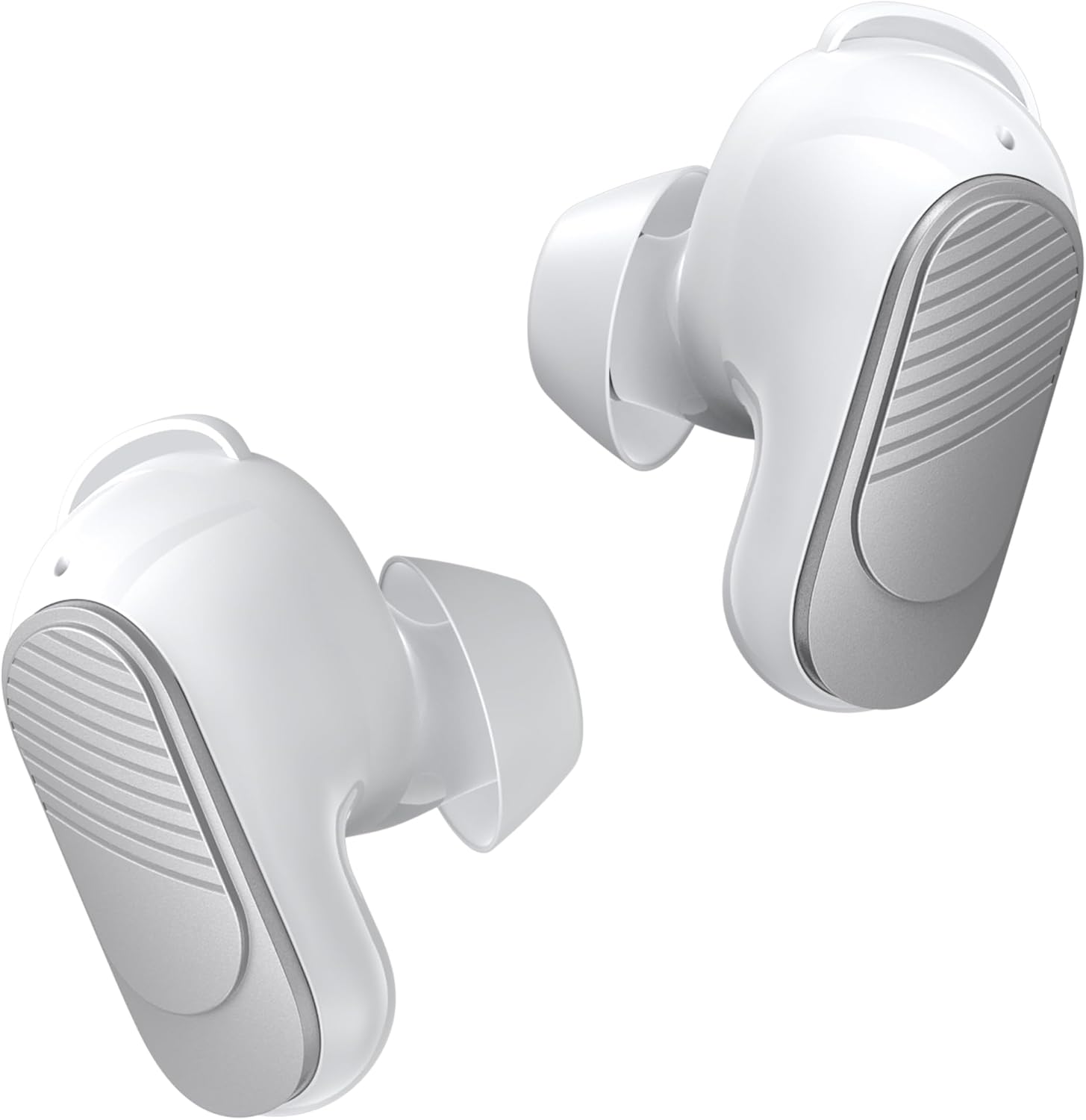
Figure 3.1: BUGANI True Wireless Earbuds (White)

Figure 3.2: Earbuds placed in their charging case with the lid open.
4. Indossare gli auricolari
For optimal sound quality and comfort, it is important to choose the correct ear tips and earwings and wear the earbuds properly.
- Select the Right Fit: Experiment with the three different sizes of eartips (S, M, L) and silicone earwings (S, M, L) included in the package. A snug fit ensures better sound isolation and bass response.
- Inserisci gli auricolari: Gently insert the earbuds into your ear canal. Rotate them slightly until they feel secure and comfortable. The earwings should fit into the concha of your ear to provide stability.

Figure 4.1: Proper placement of the earbuds for a secure and comfortable fit.

Figure 4.2: Included eartips and earwings for customizable comfort.
5. Ricarica degli auricolari e della custodia
Prima del primo utilizzo, assicurati che gli auricolari e la custodia di ricarica siano completamente carichi.
- Ricarica degli auricolari: Inserisci gli auricolari nella custodia di ricarica. La ricarica inizierà automaticamente.
- Ricarica della custodia: Connect the USB-C charging cable to the charging port on the case and to a power source. The indicator lights on the case will show the charging status.
- Durata della batteria: A single charge provides up to 6 hours of playtime. The charging case provides an additional 3 charges, extending total playtime to approximately 24 hours. A full charge for the case takes about 1.5 hours.

Figure 5.1: Earbuds in charging case, illustrating the 24-hour total playtime.

Figure 5.2: Visual representation of battery life: 6 hours per single charge, 24 hours with charging case, 1.5 hours for full case charge.
6. Accoppiamento Bluetooth
Gli auricolari utilizzano il Bluetooth 5.3 per una connessione stabile ed efficiente.
- Abbinamento in un unico passaggio: Apri la custodia di ricarica e gli auricolari entreranno automaticamente in modalità di associazione.
- Connetti al dispositivo: On your device (smartphone, tablet, laptop), enable Bluetooth and search for "BUGANI B09" in the list of available devices. Select it to connect.
- Riconnessione automatica: Once paired, the earbuds will automatically reconnect to the last paired device when taken out of the charging case.

Figure 6.1: Illustrates the one-step pairing process and wide compatibility with various Bluetooth-enabled devices.
7. Istruzioni per l'uso (comandi touch)
The BUGANI B09 earbuds feature intuitive touch controls on each earbud. Refer to the diagram below for specific functions:

Figure 7.1: Detailed diagram of touch control functions for the BUGANI B09 earbuds.
Riproduzione musicale:
- Riproduci/Pausa: Single touch on either L/R earbud.
- Canzone precedente: Double touch on the Left earbud.
- Prossima canzone: Double touch on the Right earbud.
- Aumenta volume: Triple touch on the Left earbud.
- Volume basso: Triple touch on the Right earbud.
Gestione delle chiamate:
- Rispondi alla chiamata: Single touch on either L/R earbud.
- Riagganciare la chiamata: Single touch on either L/R earbud during a call.
- Rifiuta chiamata: Double touch on either L/R earbud.
Altre funzioni:
- Accensione: Premere a lungo l'auricolare L/R per 3 secondi.
- Spegni: Premere a lungo l'auricolare L/R per 5 secondi.
- Assistente vocale: Premere a lungo l'auricolare L/R per 2 secondi.
- Reset: Five quick touches on either L/R earbud.
8. Qualità del suono e prestazioni delle chiamate
The BUGANI B09 earbuds are engineered to deliver an immersive audio experience and crystal-clear calls.
- Suono coinvolgente: Equipped with oversized 10mm dynamic drivers, these earbuds produce powerful sound with enhanced bass and clear mids, providing a rich listening experience for music, movies, and games.
- ENC Noise Cancelling Calls: Featuring a BUGANI intelligent noise reduction algorithm and built-in dual microphones, the earbuds accurately pick up your voice while effectively blocking out background noise, ensuring clear communication during calls and video chats.

Figure 8.1: Diagram illustrating the internal components responsible for distortion-free sound.

Figure 8.2: Demonstrates the crystal-clear call quality provided by the dual-mic noise cancellation.
9. Resistenza all'acqua (IPX6)
The BUGANI B09 earbuds are rated IPX6 water-resistant, protecting them from sweat, splashes, and light rain. This makes them suitable for workouts and outdoor activities.
Importante: Non immergere gli auricolari in acqua.

Figure 9.1: Earbuds are designed to withstand sweat and splashes during physical activity.

Figure 9.2: Visual representation of the earbuds' water resistance.
10. Manutenzione e cura
Una cura adeguata prolungherà la durata dei tuoi auricolari.
- Pulizia: Pulisci regolarmente gli auricolari e la custodia di ricarica con un panno morbido, asciutto e privo di lanugine. Non utilizzare detergenti abrasivi o solventi.
- Suggerimenti per le orecchie: Rimuovere e pulire periodicamente i gommini auricolari con acqua e sapone neutro. Assicurarsi che siano completamente asciutti prima di riapplicarli.
- Magazzinaggio: Quando non li usi, riponi gli auricolari nella custodia di ricarica per proteggerli da polvere e danni.
- Temperatura: Evitare di esporre gli auricolari a temperature estreme (calde o fredde) o a elevata umidità.
11. Risoluzione Dei Problemi
Se riscontri problemi con gli auricolari, prova le seguenti soluzioni:
| Problema | Soluzione |
|---|---|
| Gli auricolari non si accoppiano |
|
| Nessun suono da un auricolare |
|
| La custodia di ricarica non si ricarica |
|
| Scarsa qualità delle chiamate |
|
12. Specifiche
| Caratteristica | Dettaglio |
|---|---|
| Nome del modello | BUGANI B09 |
| Tecnologia di connettività | Wireless (Bluetooth) |
| Versione Bluetooth | 5.3 |
| Posizionamento dell'orecchio | Nell'orecchio |
| Tipo di controllo | Controllo touch |
| Durata della batteria (auricolari) | Fino a 6 ore |
| Tempo di riproduzione totale (con custodia) | Fino a 24 ore |
| Tipo di driver audio | Driver dinamico (10 mm) |
| Cancellazione del rumore | ENC (cancellazione del rumore ambientale) per le chiamate |
| Livello di resistenza all'acqua | Grado di protezione IPX6 |
| Gamma di frequenza | 20 Hz - 20,000 Hz |
| Materiale | Plastica |
| Peso dell'articolo | 3.84 once |
| Produttore | BUGANI |
13. Garanzia e supporto
BUGANI products are designed and manufactured to the highest quality standards. For warranty information and technical support, please refer to the warranty card included in your package or visit the official BUGANI websito. Conserva la ricevuta d'acquisto come prova d'acquisto.
For further assistance, please contact BUGANI customer service.


