Introduzione
Thank you for choosing the Brookstone Electric Heated Plush Blanket. This manual provides essential information for the safe and efficient operation of your new heated blanket. Please read it thoroughly before first use and retain it for future reference.
Informazioni sulla sicurezza
IMPORTANT SAFETY INSTRUCTIONS. DO NOT DESTROY.
- Read all instructions carefully before using this heated blanket.
- Do not use this blanket with an infant, child, incapacitated person, or anyone insensitive to heat, such as a person with poor blood circulation.
- Non utilizzare se la coperta è bagnata.
- Non utilizzare se il cavo di alimentazione o la spina sono danneggiati. Contattare l'assistenza clienti per assistenza.
- Ensure all connectors are fully engaged and secure before plugging into a power outlet.
- Do not dry clean this blanket. Dry cleaning solvents may damage the insulation of the heating element.
- Avoid using sharp objects or pins on the blanket, as they may damage the heating wires.
- Unplug the blanket from the wall outlet when not in use.
- Do not bundle, pinch, or crease the blanket excessively during use, as this may cause overheating.
Contenuto della confezione
- 1 x Brookstone Electric Heated Plush Blanket (King Size)
- 2 x User-Friendly Controllers (for King size)
- 1 x cavo di alimentazione
- 1 x Manuale di istruzioni
Procedure di installazione
- Unpack the blanket and controller(s) from the packaging.
- Spread the blanket out flat on your bed or desired surface, ensuring there are no folds or bunches.
- Locate the connector(s) on the blanket. For King size, there will be two connectors, one on each side.
- Connect the power cord(s) from the controller(s) to the blanket connector(s). Ensure the arrows on the connectors are aligned and push firmly until they click into place.
- Plug the power cord(s) into a standard 110-120 volt AC wall outlet. Ensure the outlet is functional and provides consistent power.
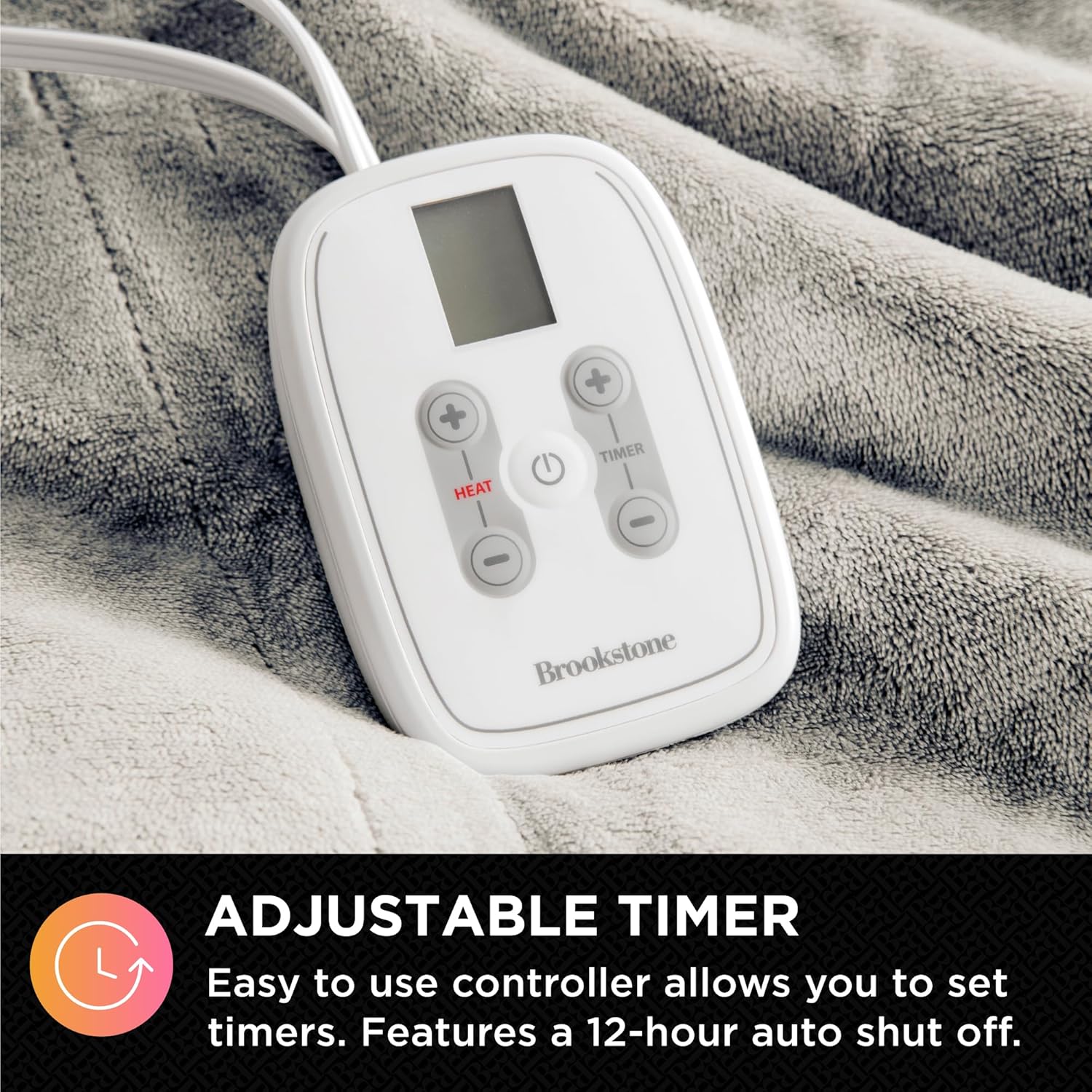
Image: Securely connect the power cord to the blanket's input.
Istruzioni per l'uso
- Accensione/spegnimento: Press the 'HEAT' button on the controller to turn the blanket on. The display will illuminate, and the blanket will begin to warm. Press the 'HEAT' button again to cycle through heat settings or hold to turn off.
- Regolazione delle impostazioni di calore: Use the '+' and '-' buttons next to 'HEAT' to select your desired warmth level. There are 10 heat settings available, ranging from 1 (Warm) to 10 (Hot).
- Impostazione del timer: Use the '+' and '-' buttons next to 'TIMER' to set the auto shut-off duration. You can set the timer from 30 minutes up to 12 hours in 30-minute increments. The blanket will automatically turn off after the set time for safety and energy efficiency.
- Dual Zone Control (King/Queen Sizes): King and Queen size blankets feature two independent controllers. This allows each user to customize their side of the blanket with separate heat and timer settings, providing personalized comfort.
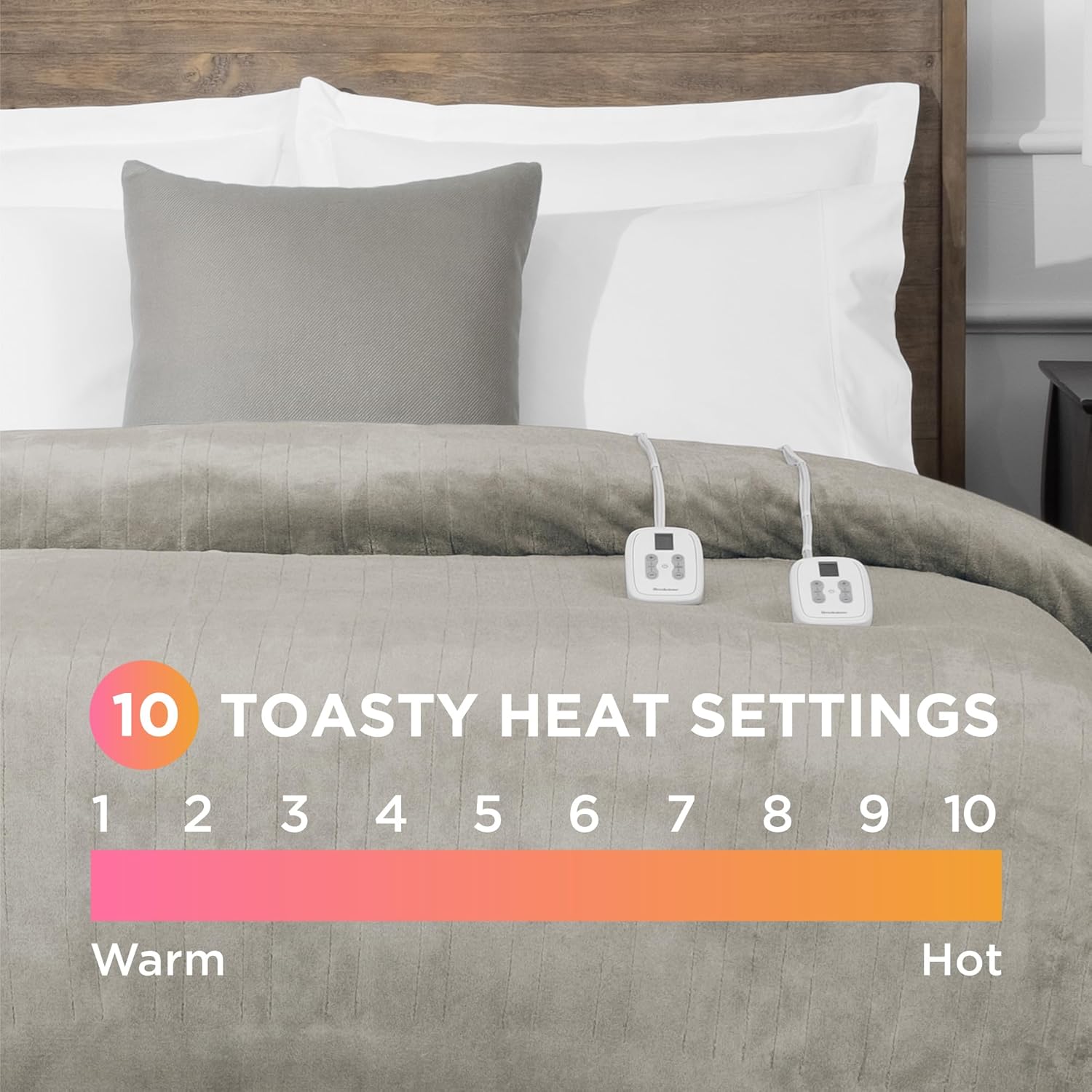
Image: The blanket offers 10 customizable heat settings for optimal comfort.

Image: The user-friendly controller allows easy adjustment of heat and timer settings.

Image: Dual zone controllers provide custom comfort for each side of the bed.
Cura e manutenzione
Una cura adeguata prolungherà la durata della tua coperta termica.
- Prima del lavaggio: Always disconnect the power cord(s) from the blanket and unplug from the wall outlet. Ensure all connectors are fully detached before washing.
- Lavaggio: Machine wash on a gentle cycle with cold water. Do not bleach. Do not iron. Do not dry clean.
- Essiccazione: Tumble dry on low heat or air dry. Ensure the blanket is completely dry before reconnecting to power. Do not use commercial dryers.
- Magazzinaggio: When not in use, store the blanket neatly folded in a cool, dry place. Avoid placing heavy objects on top of the blanket, which could damage the internal wiring.

Image: The blanket is machine washable and dryer safe for easy care.
Risoluzione dei problemi
| Problema | Possibile causa | Soluzione |
|---|---|---|
| La coperta non si riscalda | Power cord not securely connected; Wall outlet not functional; Controller not turned on or set. | Ensure power cord is fully inserted into both blanket and wall outlet. Test wall outlet with another device. Press 'HEAT' button on controller to turn on and select a heat setting. |
| Riscaldamento non uniforme | Blanket is bunched, folded, or creased; Damaged internal wiring. | Spread the blanket out flat. Ensure no heavy objects are on it. If problem persists, discontinue use and contact support. |
| Il display del controller non funziona | No power to the blanket; Controller malfunction. | Check power connection to blanket and wall outlet. Unplug and re-plug the blanket. If still not working, contact customer support. |
If issues persist after attempting these solutions, please contact Brookstone customer support.
Specifiche
- Materiale: Velluto di poliestere
- Colore: Talpa
- Misurare: King (100"L x 90"W)
- Impostazioni di calore: 10 livelli
- Timer spegnimento automatico: Fino a 12 ore
- Energia: 110-120V AC
- Istruzioni per la cura: Lavabile in lavatrice, adatto all'asciugatrice
- Peso dell'articolo: Circa 9.38 libbre
- Numero di modello (ASIN): B0DK64463L

Image: The King size blanket measures 100 inches by 90 inches.
Informazioni sulla garanzia
Brookstone products are manufactured with attention to quality and durability. For specific warranty details regarding your Electric Heated Plush Blanket, please refer to the warranty card included with your product packaging. You may also visit the official Brookstone websito per le informazioni più aggiornate sulla politica di garanzia e sulla registrazione.
Assistenza clienti
Should you have any questions, require assistance, or need to report an issue with your Brookstone Electric Heated Plush Blanket, please contact our customer support team:
- Websito: Visit the official Brookstone websito per FAQ e risorse di supporto.
- E-mail: Refer to your product packaging or the Brookstone websito per supporto diretto via e-mail.
- Telefono: Refer to your product packaging or the Brookstone websito per i numeri di telefono del servizio clienti.
Please have your product model number (B0DK64463L) and purchase date ready when contacting support.


