Introduzione
Welcome to your RCA Wave-68 True Wireless Earbuds. This manual provides detailed instructions on how to set up, operate, maintain, and troubleshoot your earbuds to ensure optimal performance and a seamless audio experience. Please read this manual thoroughly before using your device.
Contenuto della confezione
- Auricolari RCA Wave-68 True Wireless (sinistro e destro)
- Custodia di ricarica
- Cavo di ricarica USB
- Manuale d'uso
Prodotto finitoview
Familiarize yourself with the components of your RCA Wave-68 earbuds and charging case.

Immagine: The RCA Wave-68 earbuds are shown inside their open charging case. The case features a digital display indicating the battery levels of both the case and individual earbuds.
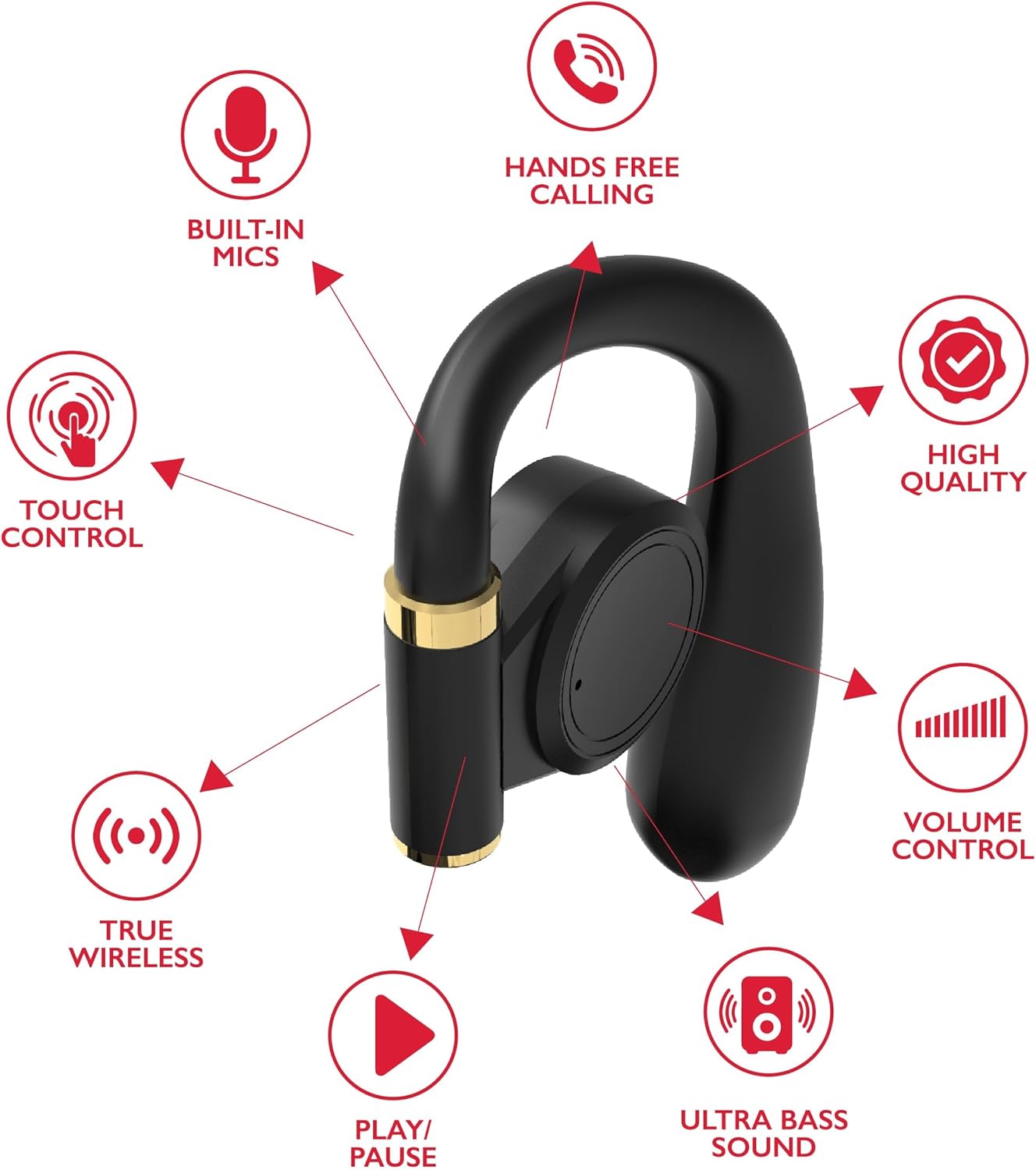
Immagine: A diagram highlights key features of a single RCA Wave-68 earbud, including built-in mics, hands-free calling, touch control, true wireless connectivity, play/pause function, ultra bass sound, volume control, and high-quality audio.
Impostare
1. Ricarica degli auricolari e della custodia
Before first use, fully charge the earbuds and charging case. Place the earbuds into the charging case. Connect the USB charging cable to the charging port on the case and to a power source. The digital display on the case will show the charging status. A full charge provides approximately 20 hours of total playtime with the charging case.
2. Accoppiamento Bluetooth
- Accensione: Open the charging case. The earbuds will automatically power on and enter pairing mode. You may see a blinking light indicator on the earbuds.
- Attiva Bluetooth: Sul tuo dispositivo (smartphone, tablet, ecc.), attiva il Bluetooth.
- Seleziona dispositivo: Cercare Selezionare "RCA Wave-68" nell'elenco dei dispositivi Bluetooth disponibili e selezionarlo per connettersi.
- Conferma: Once connected, the earbuds will indicate successful pairing, and the light indicator may stop blinking or turn off.
If pairing fails, ensure the earbuds are charged and within range of your device. Turn off Bluetooth on other nearby devices to avoid interference.
Istruzioni per l'uso
Accensione/spegnimento
- Accensione: Apri la custodia di ricarica e gli auricolari si accenderanno automaticamente. In alternativa, tieni premuta l'area di controllo touch su entrambi gli auricolari per 3 secondi.
- Spegni: Riposizionare gli auricolari nella custodia di ricarica e chiudere il coperchio. Si spegneranno automaticamente. In alternativa, tenere premuta l'area di controllo touch su entrambi gli auricolari per 5 secondi.
Controlli touch
Gli auricolari RCA Wave-68 sono dotati di comandi touch intuitivi per la gestione della riproduzione audio, delle chiamate e delle funzioni dell'assistente vocale.
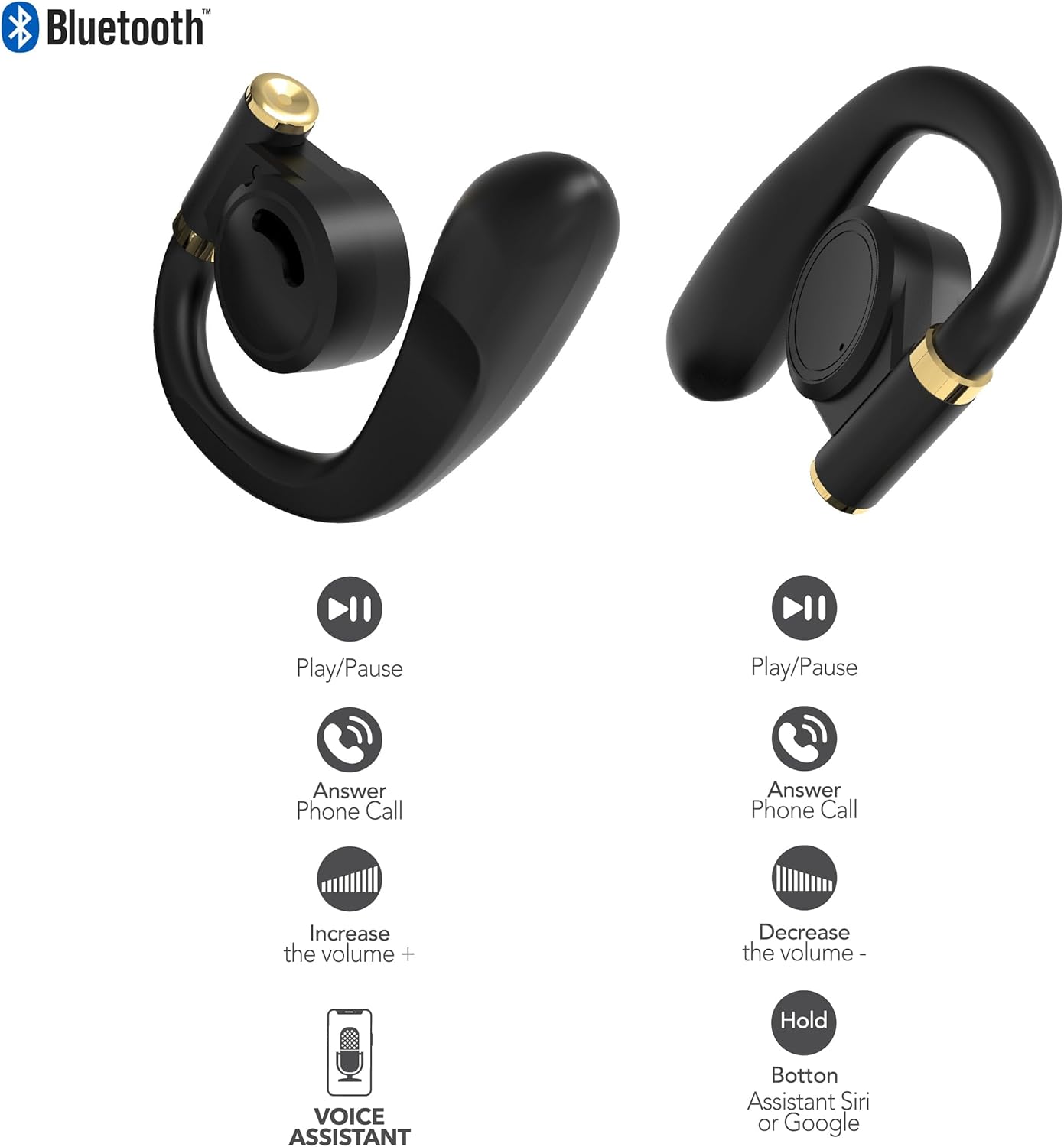
Immagine: This diagram illustrates the touch control functions for both the left and right RCA Wave-68 earbuds, including play/pause, answer phone call, volume increase/decrease, and activating the voice assistant.
- Riproduci/Pausa: Un solo tocco su uno degli auricolari.
- Traccia successiva: Tocca due volte l'auricolare destro.
- Traccia precedente: Tocca due volte l'auricolare sinistro.
- Aumenta volume: Tocca tre volte l'auricolare destro.
- Volume basso: Tocca tre volte l'auricolare sinistro.
- Rispondi/Termina chiamata: Un singolo tocco su uno degli auricolari durante una chiamata in arrivo o una chiamata attiva.
- Rifiuta chiamata: Durante una chiamata in arrivo, tenere premuto uno dei due auricolari per 2 secondi.
- Attiva l'Assistente vocale (Siri/Assistente Google): Tieni premuto uno degli auricolari per 3 secondi.
Modalità trasparenza
The Transparency Mode allows you to hear your surroundings while still enjoying your audio. This feature is useful for awareness in environments like busy streets or public transport.
- Attiva/disattiva la modalità Trasparenza: Consult your device's Bluetooth settings or specific app if available, or refer to the product's quick start guide for a specific touch control gesture if not listed above.
Manutenzione
Pulizia
Una pulizia regolare aiuta a mantenere la qualità del suono e l'igiene.
- Per pulire gli auricolari e la custodia di ricarica, utilizzare un panno morbido, asciutto e privo di lanugine.
- Non utilizzare detergenti abrasivi, alcol o solventi chimici.
- Gently remove any earwax or debris from the earbud tips and speaker mesh using a small, clean brush or cotton swab.
Magazzinaggio
Quando non li usi, riponi gli auricolari nella custodia di ricarica per proteggerli da polvere e danni.
- Conservare in un luogo fresco e asciutto, lontano da temperature estreme.
- Evitare l'esposizione prolungata alla luce solare diretta o all'umidità.
Risoluzione dei problemi
If you encounter issues with your RCA Wave-68 earbuds, refer to the following common solutions:
- Earbuds not powering on automatically: Ensure the charging case is charged. Place earbuds back in the case, close the lid, then open it again. If issues persist, manually power on by pressing and holding the touch control area for 3 seconds.
- Gli auricolari non si associano: Make sure both earbuds are fully charged. Turn off Bluetooth on your device, then turn it back on. Forget "RCA Wave-68" from your device's Bluetooth list and attempt to pair again. Ensure no other devices are actively connected to the earbuds.
- Nessun suono da un auricolare: Place both earbuds back into the charging case, close the lid, and then take them out again. This often re-syncs them. Check your device's audio balance settings.
- Charging case not displaying battery info/not charging: Ensure the USB cable is securely connected to both the case and the power source. Try a different USB cable or power adapter. Clean the charging port on the case for any debris.
- Volume basso o scarsa qualità del suono: Adjust the volume on both your device and the earbuds. Ensure the earbuds are properly seated in your ears for a good seal. Clean any debris from the earbud speaker mesh.
- Auricolari che cadono: Ensure you are using the correct ear tip size for a secure and comfortable fit.
Specifiche
| Caratteristica | Dettaglio |
|---|---|
| Nome del modello | Onda-68 |
| Marca | RCA |
| Tecnologia di connettività | Wireless (Bluetooth) |
| Versione Bluetooth | 5.3 |
| Durata della batteria | Fino a 20 ore (con custodia di ricarica) |
| Metodo di controllo | Tocco |
| Posizionamento dell'orecchio | Nell'orecchio |
| Fattore di forma | Nell'orecchio |
| Materiale | Plastica, Silicone |
| Caratteristiche speciali | Built-In Voice Assistant, Transparency Mode |
| Codice UPC | 850068964468 |
Informazioni sulla sicurezza
- Non smontare o modificare gli auricolari o la custodia di ricarica.
- Evitare di esporre il dispositivo a temperature estreme, umidità o liquidi.
- Non utilizzare gli auricolari ad alto volume per periodi prolungati per evitare danni all'udito.
- Tenere fuori dalla portata dei bambini e degli animali domestici.
- Smaltire il dispositivo in modo responsabile secondo le normative locali.
Garanzia e supporto
RCA products are designed for reliability and performance. For warranty information or technical support, please refer to the warranty card included in your package or visit the official RCA support websito. Conservare la prova d'acquisto per eventuali reclami in garanzia.


