Introduzione
This manual provides detailed instructions for the proper use, setup, and maintenance of your King Lucky i39 Open Ear Headphones. Please read this manual thoroughly before using the product to ensure optimal performance and longevity.
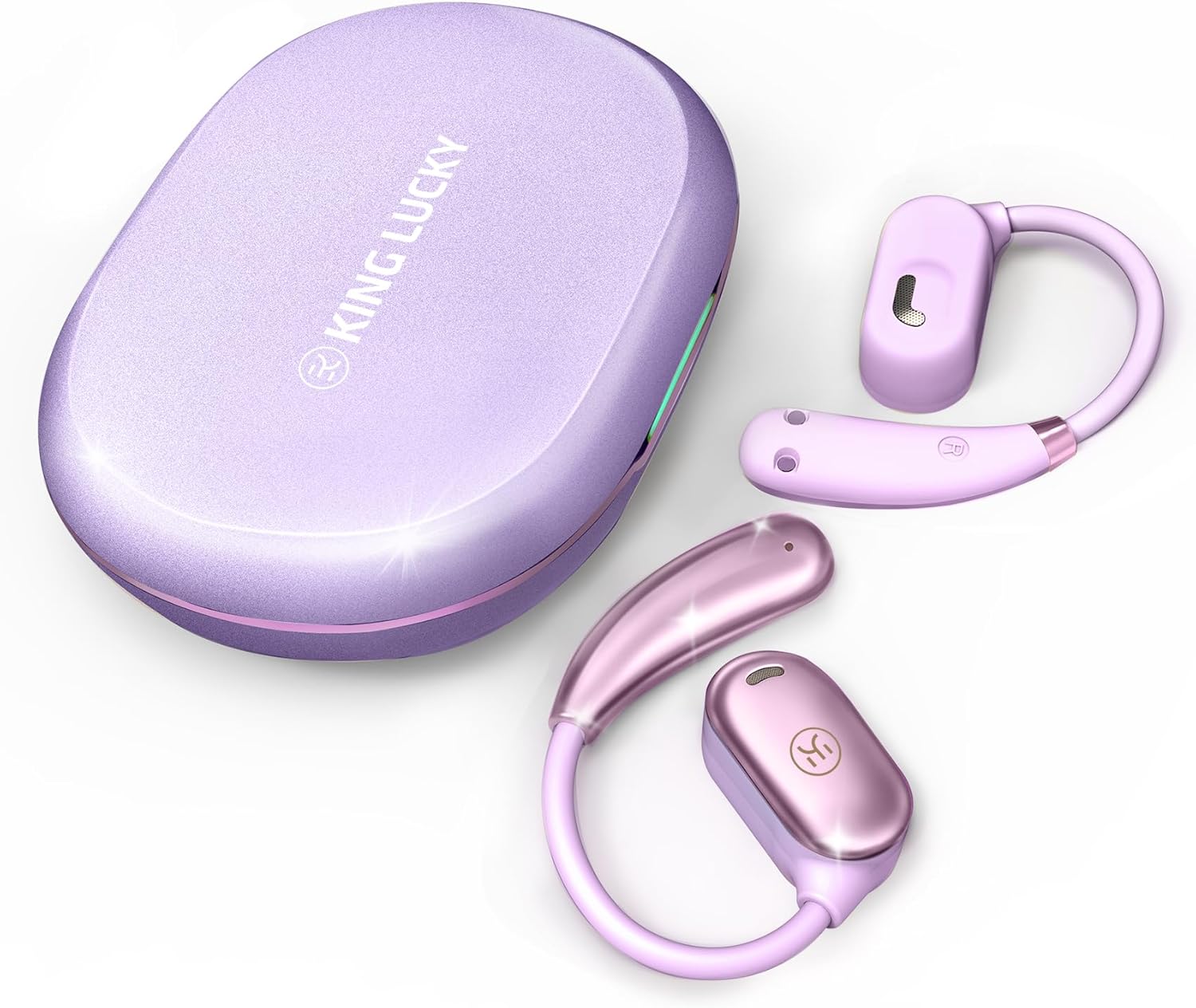
Image: King Lucky i39 Open Ear Headphones and their charging case, both in a purple finish, displayed on a white background.
Contenuto della confezione
Verifica che tutti gli articoli elencati di seguito siano presenti nel tuo pacco:
- King Lucky i39 Open Ear Earbuds (x2)
- Custodia di ricarica (x1)
- Manuale utente (x1)
- Cavo di ricarica di tipo C (x1)

Image: An illustration showing the King Lucky i39 earbuds, their charging case, a USB-C charging cable, and a user manual, indicating the package contents.
Prodotto finitoview
Familiarize yourself with the components of your King Lucky i39 Open Ear Headphones.
- Earbuds: Left and Right open-ear design earbuds.
- Custodia di ricarica: Memorizza e carica gli auricolari.
- Porta di ricarica: Porta USB Type-C sulla custodia di ricarica.
- Indicatori LED: On earbuds and charging case to show battery status and pairing.
- Area di controllo touch: Located on the side of each earbud for various functions.
- Microfoni: Doppio microfono per chiamate nitide.
Impostare
1. Ricarica iniziale
Prima del primo utilizzo, caricare completamente gli auricolari e la custodia di ricarica.
- Posiziona entrambi gli auricolari nella custodia di ricarica.
- Collegare il cavo di ricarica Type-C alla porta di ricarica sulla custodia e a una fonte di alimentazione USB.
- The LED indicators on the case and earbuds will show charging status. A full charge typically takes approximately 2 hours.

Image: The King Lucky i39 charging case open, with both earbuds inside. Digital displays indicate battery levels for the case and individual earbuds, highlighting the charging process.
2. Accoppiamento Bluetooth
Per associare le cuffie a un dispositivo abilitato Bluetooth, segui questi passaggi:
- Assicurarsi che gli auricolari siano carichi e inseriti nella custodia di ricarica.
- Aprire la custodia di ricarica. Gli auricolari entreranno automaticamente in modalità di associazione e i loro indicatori LED lampeggeranno.
- Sul tuo dispositivo (smartphone, tablet, computer), attiva il Bluetooth.
- Cercare "King Lucky i39" in the list of available Bluetooth devices.
- Select "King Lucky i39" to connect. Once connected, the LED indicators on the earbuds will stop flashing, and your device will confirm the connection.
- If pairing fails, place the earbuds back in the case, close the lid, wait a few seconds, then reopen and try again.

Image: King Lucky i39 earbuds and their charging case are shown alongside a smartphone, laptop, and smartwatch, illustrating compatibility with various Bluetooth 5.3 devices.
Istruzioni per l'uso
For optimal comfort and sound quality, follow these steps to properly wear your open-ear headphones:
- Posizione: Hold the earbud with the speaker part facing your ear canal.
- Hook Over Ear: Posizionare delicatamente il gancio auricolare sulla parte superiore dell'orecchio.
- Regolare: Rotate the earbud backward along the auricle until it sits comfortably and securely in position, with the speaker resting just outside your ear canal.
- Verifica adattamento: Ensure the earbud is stable and does not feel loose. The soft silicone and memory metal design should conform to your ear shape.

Image: A three-step diagram illustrating how to wear the King Lucky i39 open ear headphones: placing the earbud above the ear, rotating it backward along the auricle, and completing the insertion for a secure fit.

Image: A close-up of a woman wearing a King Lucky i39 open ear headphone, highlighting its ergonomic design and how it sits comfortably on the ear without entering the ear canal.
Istruzioni per l'uso
The King Lucky i39 headphones feature touch controls on the side of each earbud. A feedback sound confirms each touch input.
Music Playback & Volume Control
- Riproduci/Pausa: Double-tap (x2) on either the Left (L) or Right (R) earbud.
- Volume basso: Single-tap (x1) on the Left (L) earbud.
- Aumenta volume: Single-tap (x1) on the Right (R) earbud.
- Canzone precedente: Triple-tap (x3) on the Left (L) earbud.
- Prossima canzone: Triple-tap (x3) on the Right (R) earbud.
Gestione delle chiamate
- Rispondi/Riaggancia alla chiamata: Double-tap (x2) on either the Left (L) or Right (R) earbud.
- Rifiuta chiamata: Tap and hold for 2 seconds on either the Left (L) or Right (R) earbud.
Altre funzioni
- Attiva l'assistente vocale: Tap and hold for 2 seconds on the Left (L) earbud.
- Modalità di gioco: Tap and hold for 2 seconds on the Right (R) earbud.

Image: A visual guide detailing the touch control functions for the King Lucky i39 earbuds, including single, double, triple taps, and tap-and-hold actions for volume, track control, calls, voice assistant, and game mode.
Manutenzione
Pulizia
- Pulisci regolarmente gli auricolari e la custodia di ricarica con un panno morbido, asciutto e privo di lanugine.
- Non utilizzare detergenti abrasivi, alcol o solventi chimici.
- Assicurarsi che i contatti di ricarica degli auricolari e della custodia siano privi di polvere e detriti.
Magazzinaggio
- Quando non li usi, riponi gli auricolari nella custodia di ricarica per proteggerli e mantenerli carichi.
- Conservare in un luogo fresco e asciutto, lontano da temperature estreme e dalla luce solare diretta.
Resistenza all'acqua
The King Lucky i39 headphones are rated IPX5 water resistant, meaning they can withstand splashes and sweat. They are not designed for submersion in water. Avoid exposing them to strong jets of water or swimming.

Image: Two King Lucky i39 open ear headphones are shown with water droplets on their surface, emphasizing their IPX5 waterproof grade and nano-hydrophobic coating designed to prevent sweat penetration.
Risoluzione dei problemi
Problemi comuni e soluzioni
| Problema | Soluzione |
|---|---|
| Gli auricolari non si associano/connettono. |
|
| Un auricolare non funziona. |
|
| Qualità del suono scadente. |
|
| Gli auricolari non si caricano nella custodia. |
|
Specifiche
| Caratteristica | Dettaglio |
|---|---|
| Nome del modello | i39 |
| Versione Bluetooth | 5.3 |
| Posizionamento dell'orecchio | Orecchio aperto |
| Tipo di driver audio | Driver dinamico (18.7 mm) |
| Durata della batteria (singolo auricolare) | Fino a 8 ore |
| Tempo di riproduzione totale (con custodia di ricarica) | Fino a 60 ore |
| Tempo di ricarica | Circa 2 ore |
| Valutazione della resistenza all'acqua | Grado di protezione IPX5 |
| Metodo di controllo | Controllo touch |
| Peso dell'articolo (per auricolare) | 7.3 g (0.25 once) |
| Gamma di frequenza | 20 Hz - 20,000 Hz |
| Impedenza | 16 Ohm |
| Controllo del rumore | Cancellazione passiva del rumore (ENC per le chiamate) |

Immagine: Un esploso view diagram highlighting the 18.7mm customized dynamic driver of the King Lucky i39 headphones, contrasting its size with a smaller 10mm driver from other models.
Garanzia e supporto
King Lucky products are designed and manufactured to the highest quality standards. For warranty information, technical support, or customer service inquiries, please refer to the contact information provided on the product packaging or visit the official King Lucky websito.
Conservare la prova d'acquisto per eventuali richieste di garanzia.


