Introduzione
The bea-fon Smartwatch 102 is designed to seamlessly integrate into your daily life, offering a blend of style and advanced functionality. Featuring a sleek rectangular design with a 1.83-inch digital display, this smartwatch provides essential health monitoring capabilities, including heart rate, blood oxygen, and sleep tracking. It is compatible with smartphones via the FitCloudPro app, ensuring seamless connectivity. Built for durability, it boasts an IP68 waterproof rating and a long-lasting battery.

Figura 1: Fronte view of the bea-fon Smartwatch 102, displaying time and health metrics.
Contenuto della confezione
Assicurati che nel pacco siano presenti tutti i seguenti elementi:
- bea-fon Smartwatch 102 (with silicone strap)
- Magnetic Charging Cable/Base
- Manuale dell'utente (questo documento)
Prodotto finitoview
The bea-fon Smartwatch 102 features a durable black silicone strap with a magnetic clasp, a rectangular display, and integrated sensors on the back for health monitoring.
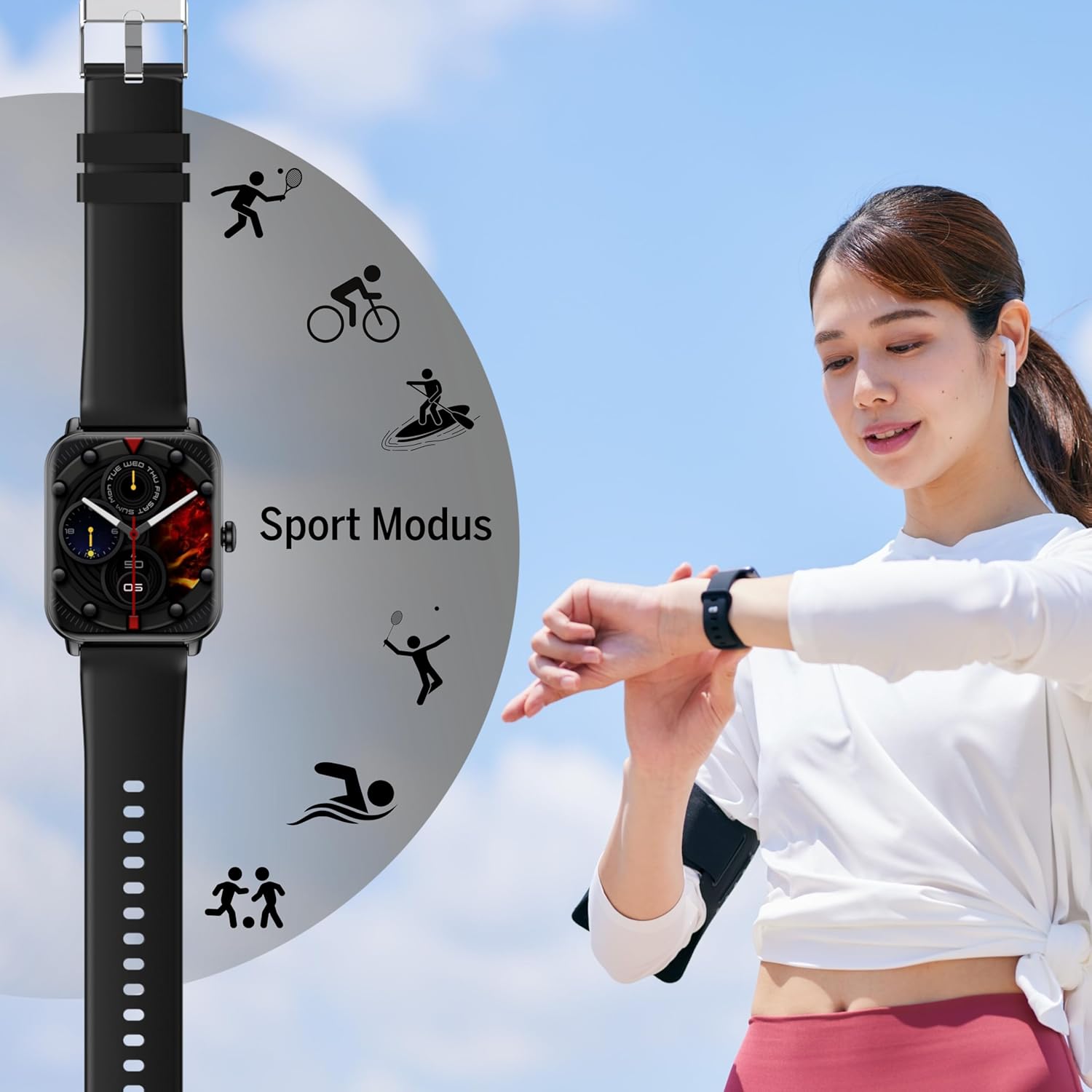
Figura 2: lato view of the Smartwatch 102, highlighting its sleek profile.

Figura 3: Indietro view of the Smartwatch 102, showing the integrated health sensors.
Caratteristiche principali:
- Display: 1.83-inch (4.64 cm) digital screen for clear visibility.
- Durata della batteria: Up to 4-5 days of normal use with a 250mAh Li-ion battery.
- Resistenza all'acqua: IP68 rated, suitable for immersion up to 1 meter.
- Monitoraggio della salute: Integrated heart rate monitor, blood oxygen sensor, and sleep tracker.
- Connettività: Bluetooth for seamless smartphone pairing via FitCloudPro app.
- Progetto: Rectangular watch face with a comfortable silicone strap and magnetic clasp.
Impostare
1. Carica del dispositivo
Before first use, fully charge your bea-fon Smartwatch 102. The device comes with a magnetic charging cable/base.
- Collegare il cavo di ricarica magnetico a un adattatore di alimentazione USB (non incluso) o alla porta USB di un computer.
- Allineare l'estremità magnetica del cavo con i contatti di ricarica sul retro dello smartwatch. I magneti si incastreranno in posizione.
- Il display dell'orologio indicherà lo stato di carica. Una carica completa richiede circa 3 ore.
2. Pairing with Your Smartphone (FitCloudPro App)
To unlock the full potential of your smartwatch, pair it with your smartphone using the FitCloudPro application.
- Scarica il FitCloudPro app dall'App Store (iOS) o dal Google Play Store (Android).
- Assicurati che il Bluetooth sia abilitato sul tuo smartphone.
- Apri l'app FitCloudPro e segui le istruzioni sullo schermo per creare un account o effettuare l'accesso.
- Nell'app, vai alla sezione "Dispositivo" o "Aggiungi dispositivo".
- The app will search for nearby devices. Select "Smartwatch 102" or the corresponding device ID when it appears.
- Se richiesto, conferma la richiesta di associazione sia sullo smartphone che sullo smartwatch.
- Once paired, the app will synchronize data with your smartwatch.

Figure 4: The Smartwatch 102 demonstrating Bluetooth connectivity for smartphone pairing.
Istruzioni per l'uso
Navigazione nell'interfaccia
- Scorri verso l'alto/il basso: Scorri i menu e le notifiche.
- Scorri verso sinistra/destra: Access quick functions or different widgets (e.g., heart rate, steps, weather).
- Rubinetto: Seleziona un elemento o conferma un'azione.
- Pulsante laterale: Press to wake the screen, return to the watch face, or access the main menu.
Funzionalità di monitoraggio della salute
The Smartwatch 102 is equipped with sensors to help you monitor your health.
- Monitoraggio della frequenza cardiaca: L'orologio monitora costantemente la frequenza cardiaca. View dati in tempo reale sull'orologio o grafici dettagliati nell'app FitCloudPro.
- Sensore di ossigeno nel sangue (SpO2): Misura i livelli di ossigeno nel sangue. Assicurati che l'orologio sia ben aderente al polso per ottenere letture accurate.
- Monitoraggio del sonno: Wear the watch to bed to monitor your sleep patterns, including deep sleep, light sleep, and awake times. Data is synchronized with the app for analysis.
Figure 5: Visual representation of the Smartwatch 102's health monitoring capabilities, including heart rate, sleep, and blood oxygen.
Modalità sport
Track your workouts with various built-in sport modes.
- Access the "Sport" menu on your watch.
- Seleziona l'attività desiderata (ad esempio, corsa, ciclismo, nuoto).
- The watch will begin tracking relevant metrics such as duration, calories burned, and heart rate.
- End your workout by following the on-screen prompts. Data will sync to the FitCloudPro app.
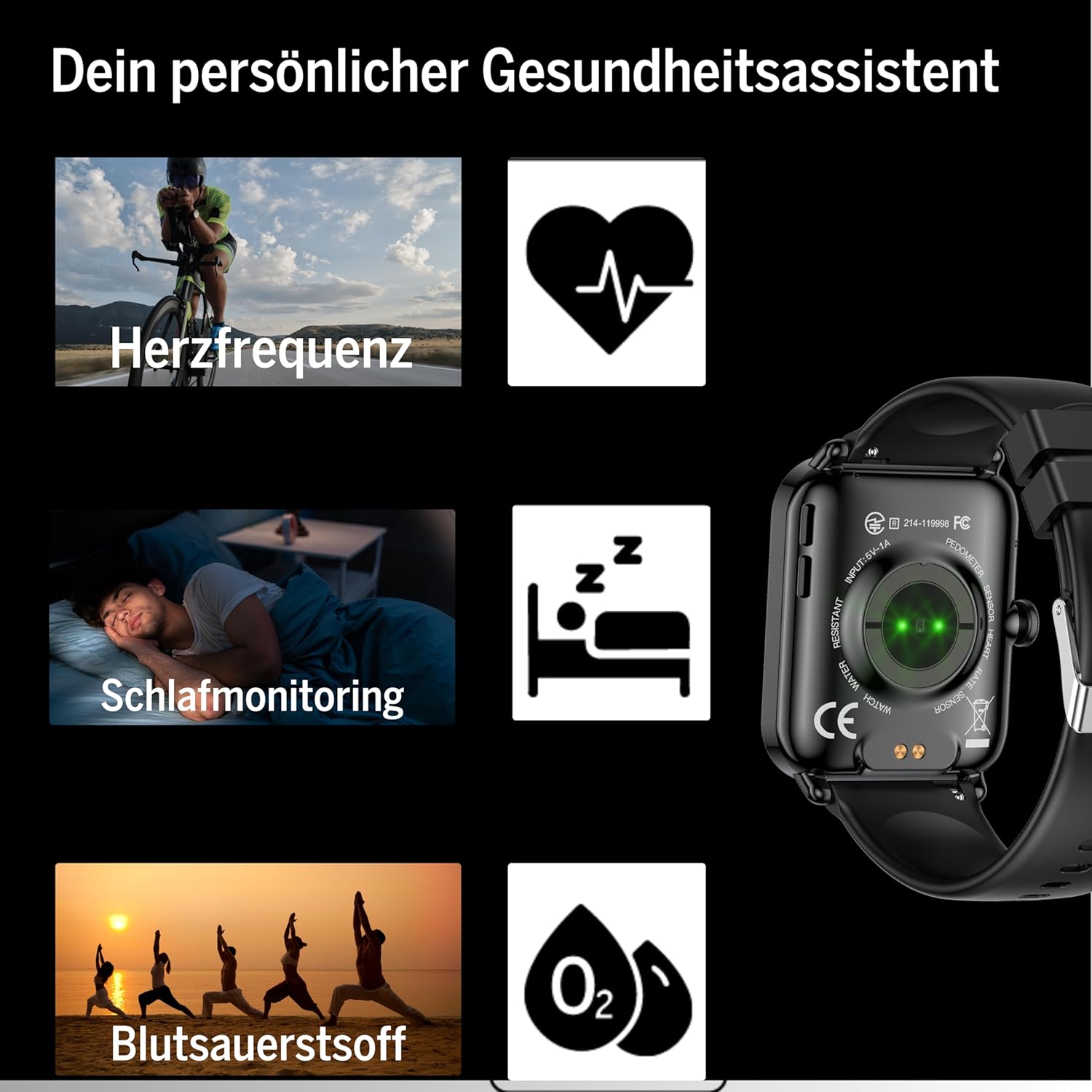
Figure 6: The Smartwatch 102 displaying various sport modes for activity tracking.
Notifiche e chiamate
Once paired, your smartwatch can receive notifications from your smartphone.
- Enable app notifications in the FitCloudPro app settings.
- Incoming calls and messages will be displayed on your watch. You can typically reject calls from the watch, but not answer them directly.
Manutenzione
Cleaning the Smartwatch
Per mantenere l'aspetto e la funzionalità del tuo smartwatch:
- Pulisci regolarmente lo schermo e il cinturino con un panno morbido e asciutto.amp, panno privo di pelucchi.
- Evitare l'uso di prodotti chimici aggressivi, detergenti abrasivi o solventi.
- Prima di procedere alla ricarica, assicurarsi che i contatti di ricarica siano puliti e asciutti.
Resistenza all'acqua (IP68)
The bea-fon Smartwatch 102 has an IP68 water resistance rating, meaning it is protected against dust ingress and can withstand immersion in water up to 1 meter for 30 minutes.
- È adatto all'uso quotidiano, ad esempio per lavarsi le mani, sotto la pioggia e per nuotare in acque poco profonde.
- Do not use the watch in hot water, saunas, or steam rooms, as steam can penetrate the seals.
- Evitare di esporre l'orologio ad acqua ad alta velocità o a sbalzi di temperatura improvvisi.
- Dopo l'esposizione all'acqua, in particolare all'acqua salata, sciacquare l'orologio con acqua dolce e asciugarlo accuratamente.
Risoluzione dei problemi
- L'orologio non si accende: Ensure the watch is fully charged. Connect it to the magnetic charger and leave it for at least 30 minutes.
- Impossibile associare allo smartphone:
- Assicurati che il Bluetooth sia attivato sul tuo telefono e che l'orologio si trovi nel raggio d'azione.
- Riavvia sia il telefono che lo smartwatch.
- Cancella la cache Bluetooth sul telefono (se applicabile) e prova a eseguire nuovamente l'associazione.
- Assicurati che l'app FitCloudPro disponga delle autorizzazioni necessarie.
- Letture sanitarie imprecise:
- Assicurati che l'orologio sia indossato comodamente al polso, né troppo largo né troppo stretto.
- Pulisci i sensori sul retro dell'orologio.
- Evitare movimenti eccessivi durante le letture.
- Notifiche non visualizzate:
- Check notification settings within the FitCloudPro app.
- Ensure your phone's notification settings allow the FitCloudPro app to display alerts.
- Verificare che l'orologio sia connesso tramite Bluetooth.
Specifiche
| Caratteristica | Specificazione |
|---|---|
| Marca | Faro |
| Modello | 102 |
| Dimensioni dello schermo | 1.83 pollici (4.64 cm) |
| Tipo di batteria | 3.7V 250mAh Li-ion rechargeable |
| Durata della batteria | 4-5 giorni (uso normale) |
| Tempo di ricarica | Circa 3 ore |
| Resistenza all'acqua | IP68 (fino a 1 metro) |
| Connettività | Bluetooth |
| Sensori di salute | Heart Rate, Blood Oxygen, Sleep Tracker |
| Dimensioni | 16.5 x 7.3 x 3.7 cm (confezione); 160 g (peso del prodotto) |
| Materiale del cinturino | Silicone |
| Colore | Nero |
Informazioni sulla garanzia
Specific warranty details for the bea-fon Smartwatch 102 may vary by region and retailer. Please refer to the warranty card included with your product or contact your point of purchase for precise warranty terms and conditions. Generally, electronic devices come with a standard manufacturer's warranty covering defects in materials and workmanship under normal use.
Supporto
For technical support, troubleshooting assistance, or further inquiries regarding your bea-fon Smartwatch 102, please refer to the following resources:
- Risorse online: Visita il sito ufficiale Beafon website for FAQs, updated manuals, and support articles.
- FitCloudPro App: The app may offer an in-app support section or contact information.
- Assistenza clienti: Per assistenza iniziale, contattare il rivenditore presso il quale è stato acquistato il prodotto.
Quando contatti l'assistenza, tieni a portata di mano il numero di modello del tuo prodotto (102) e i dettagli dell'acquisto.


