Introduzione
Grazie per l'acquistoasing the Docooler GT77 BT5.4 2-in-1 Wireless Audio Adapter. This device functions as both a Bluetooth transmitter and receiver, allowing you to wirelessly stream audio to and from various devices. It features BT5.4 technology, NFC quick pairing, TF card playback, and RGB ambiance lighting. Please read this manual carefully before use to ensure proper operation and to maximize your experience with the product.
Prodotto finitoview
The Docooler GT77 is a versatile audio adapter designed to enhance your audio connectivity. It can upgrade non-Bluetooth devices to be Bluetooth-compatible, offering seamless audio streaming. The device supports multiple audio input/output options including 3.5mm AUX and RCA.

Image: The Docooler GT77 adapter connected to a speaker and a smartphone, illustrating its use for upgrading wired speakers to wireless.
Caratteristiche principali:
- Funzionalità 2 in 1: Easily switch between Bluetooth Transmitter (TX) and Receiver (RX) modes.
- Bluetooth 5.4: Provides stable and high-quality audio transmission with a range of up to 10 meters.
- Accoppiamento rapido NFC: Simplifies connection with NFC-enabled devices.
- Riproduzione della scheda TF: Supports direct music playback from a TF card (up to 64GB).
- Interfacce audio multiple: Includes 3.5mm AUX and RCA ports for broad compatibility.
- RGB Ambiance Lighting: Customizable lighting to enhance your listening environment.

Image: The Docooler GT77 adapter shown with its various cables, including 3.5mm AUX and RCA, highlighting its rich interface compatibility.
Impostare
Contenuto della confezione:
- 1 x Docooler GT77 BT Audio Adapter
- 1 cavo audio da 3.5 mm
- 1 x Cavo RCA
- 1 x cavo di alimentazione di tipo C
- 1 x Manuale utente
Accensione del dispositivo:
- Connect the provided Type-C power cable to the adapter's USB C port.
- Plug the other end of the Type-C power cable into a 5V USB power source (e.g., USB wall adapter, computer USB port).
- The device will power on automatically, indicated by the RGB lighting.
Istruzioni per l'uso
Mode Switching (Transmitter/Receiver):
The Docooler GT77 features a single button to switch between Transmitter (TX) and Receiver (RX) modes.
- Premere il tasto M/☀ button briefly to toggle between TX and RX modes.
- The device's indicator light will change to reflect the current mode.
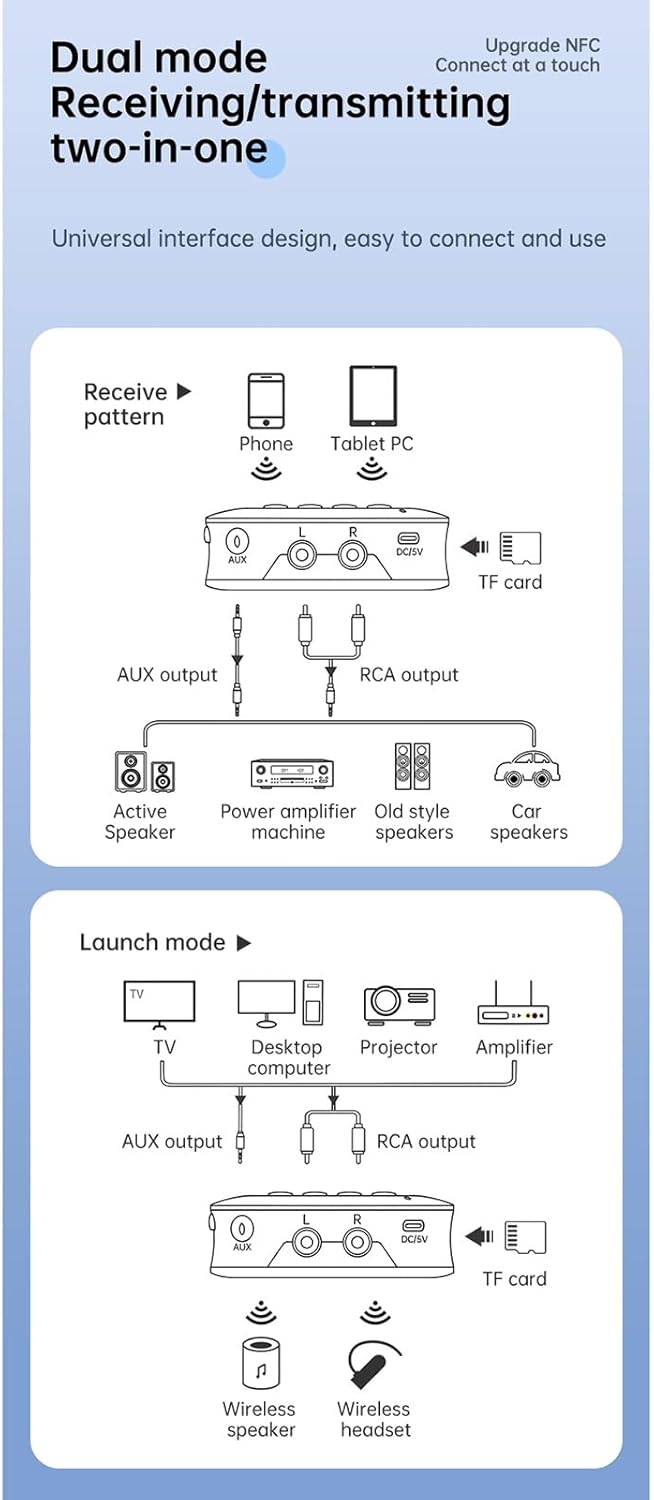
Image: A diagram illustrating the receive (RX) and launch (TX) modes, showing how the adapter connects to various devices like phones, tablets, TVs, speakers, and headphones.
Modalità ricevitore (RX):
In RX mode, the adapter receives Bluetooth audio from your smartphone, tablet, or other Bluetooth-enabled device and outputs it to a wired speaker, amplifier, or car stereo system.
- Ensure the adapter is in RX mode.
- Connect the adapter's USCITA AUX or USCITA RCA port to your non-Bluetooth audio device (e.g., speaker, amplifier) using the appropriate cable.
- On your smartphone or tablet, enable Bluetooth and search for "GT77" in the list of available devices.
- Select "GT77" to pair. Once paired, audio from your device will stream wirelessly to your connected speaker.
Image: The Docooler GT77 adapter in Receiver (RX) mode, connected to a traditional speaker, receiving audio wirelessly from a smartphone.
Modalità trasmettitore (TX):
In TX mode, the adapter transmits audio from a non-Bluetooth device (like a TV or PC) to Bluetooth headphones or speakers.
- Ensure the adapter is in TX mode.
- Connect your audio source (e.g., TV, desktop computer, projector) to the adapter's AUX IN or INGRESSO RCA porta utilizzando il cavo appropriato.
- Metti le cuffie o l'altoparlante Bluetooth in modalità di associazione.
- The adapter will automatically search for and connect to nearby Bluetooth audio devices. Once connected, audio from your source will be transmitted wirelessly.

Image: The Docooler GT77 adapter in Transmitter (TX) mode, connected to a television, sending audio wirelessly to a user's headphones for private listening.
Accoppiamento rapido NFC:
For NFC-enabled devices, pairing is even faster.
- Assicurati che la tecnologia NFC sia abilitata sul tuo smartphone o tablet.
- Hold your NFC-enabled device close to the NFC area on the Docooler GT77 adapter.
- Conferma la richiesta di associazione sul tuo dispositivo.
Note: NFC pairing is primarily for Receiver (RX) mode.
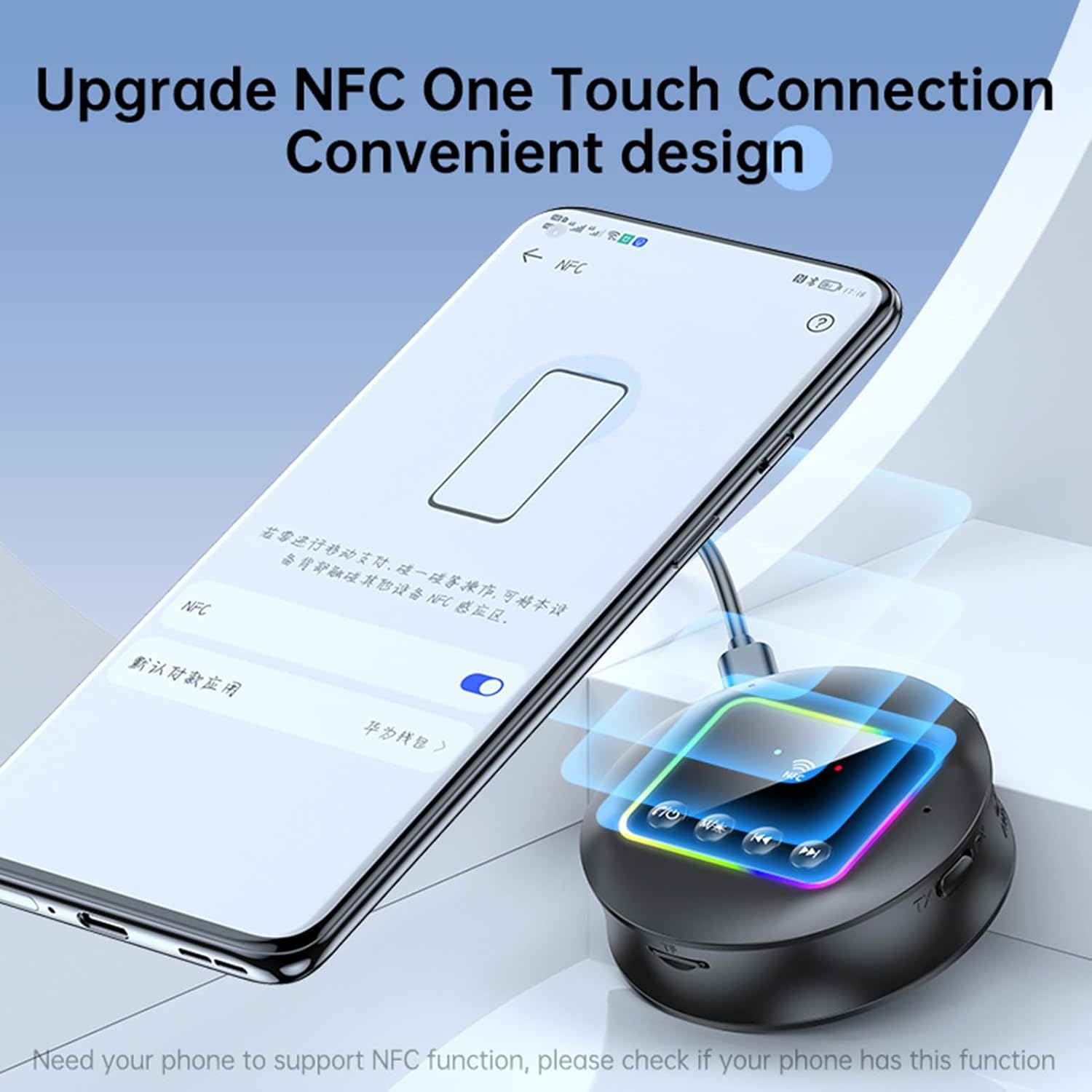
Image: A smartphone displaying an NFC connection prompt, positioned near the Docooler GT77 adapter, demonstrating the NFC quick pairing feature.
Riproduzione della scheda TF:
The adapter supports direct music playback from a TF (MicroSD) card.
- Insert a TF card (up to 64GB, not included) loaded with MP3, FLAC, WMA, MAV, or APE audio files into the TF card slot on the adapter.
- Premere a lungo il tasto M/☀ button to switch between wireless and TF card playback modes.
- Use the previous/next track buttons on the adapter to navigate your music.

Image: The Docooler GT77 adapter with a TF card being inserted into its dedicated slot, highlighting the TF card playback functionality.
RGB Ambiance Lighting:
The adapter features RGB lighting that can be adjusted to suit your preference. Refer to the device's controls for specific RGB adjustment options (e.g., short press M/☀ button for color cycle, long press for off/on).
Manutenzione
- Mantenere il dispositivo asciutto. L'umidità può danneggiare i circuiti interni.
- Non esporre il dispositivo a temperature estreme.
- Pulisci il dispositivo con un panno morbido e asciutto. Non utilizzare prodotti chimici o detergenti aggressivi.
- Evitare di far cadere o sottoporre il dispositivo a forti impatti.
Risoluzione dei problemi
Nessun potere:
- Ensure the Type-C power cable is securely connected to both the adapter and a working 5V power source.
- Prova un adattatore di alimentazione USB o una porta USB diversi.
Impossibile associare/connettere:
- Make sure the adapter is in the correct mode (RX for receiving, TX for transmitting).
- Ensure your Bluetooth device (for RX mode) or Bluetooth headphones/speaker (for TX mode) is in pairing mode.
- Move the devices closer to each other (within 10 meters).
- Cancella la cronologia degli abbinamenti Bluetooth sul tuo dispositivo e riprova ad associarlo.
- If using NFC, ensure NFC is enabled on your phone and you are tapping the correct area.
Nessun suono:
- Check all audio cable connections (3.5mm AUX, RCA) are secure and correctly plugged into the input/output ports.
- Assicurarsi che il volume sia alzato sia sull'adattatore che sul dispositivo audio collegato.
- Verify that the adapter is successfully paired and connected to the audio source/receiver.
- If using TF card, ensure the card is inserted correctly and the adapter is in TF card playback mode.
Scarsa qualità audio/interferenze:
- Ridurre la distanza tra l'adattatore e il dispositivo Bluetooth connesso.
- Avoid physical obstructions (walls, large objects) between the devices.
- Allontanarsi da altri dispositivi wireless che potrebbero causare interferenze (ad esempio router Wi-Fi, forni a microonde).
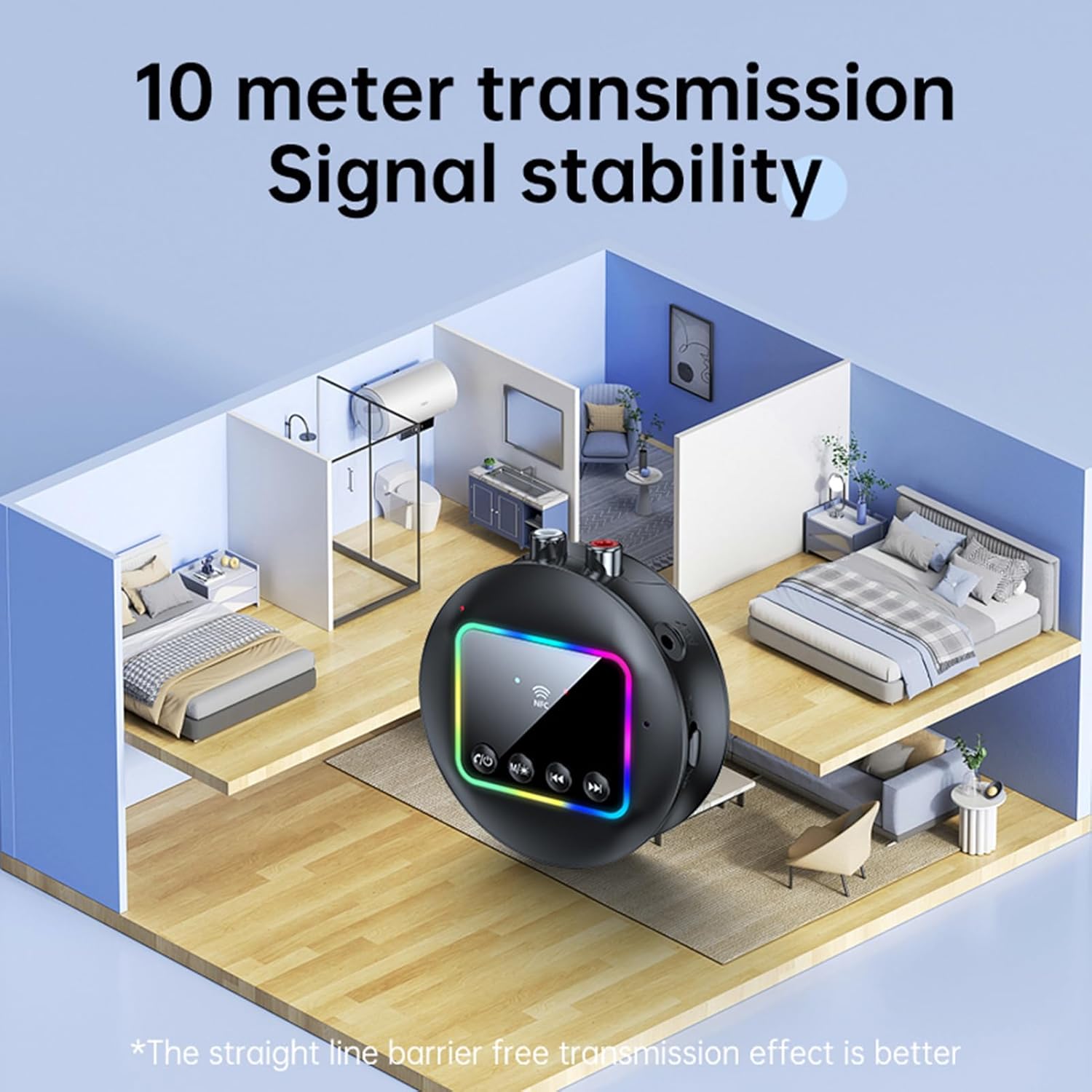
Image: A visual representation of the Docooler GT77's 10-meter transmission range, showing stable signal coverage within a typical home environment.
Specifiche
| Numero di modello | ZRV0656844287655XH |
| Versione Bluetooth | V5.4 |
| Protocolli Bluetooth | A2DP, AVRCP |
| Distanza operativa | Fino a 10 metri (spazio aperto) |
| Supporto NFC | SÌ |
| Risposta in frequenza | 10 Hz - 20 kHz |
| Signal-to-Noise Ratio | > 90 dB |
| Supporto per schede TF | Max 64 GB (non incluso) |
| TF Card Formats | MP3, FLAC, WMA, MAV, APE |
| Codec audio | SBC |
| Porta di ricarica | USB di tipo C |
| Ingresso volumetage/corrente | CC 5V 500mA |
| Colore | Nero |
| Dimensions (ϕ x H) | 7.3 cm x 2.2 cm (2.87 pollici x 0.86 pollici) |
| Peso | 44g |
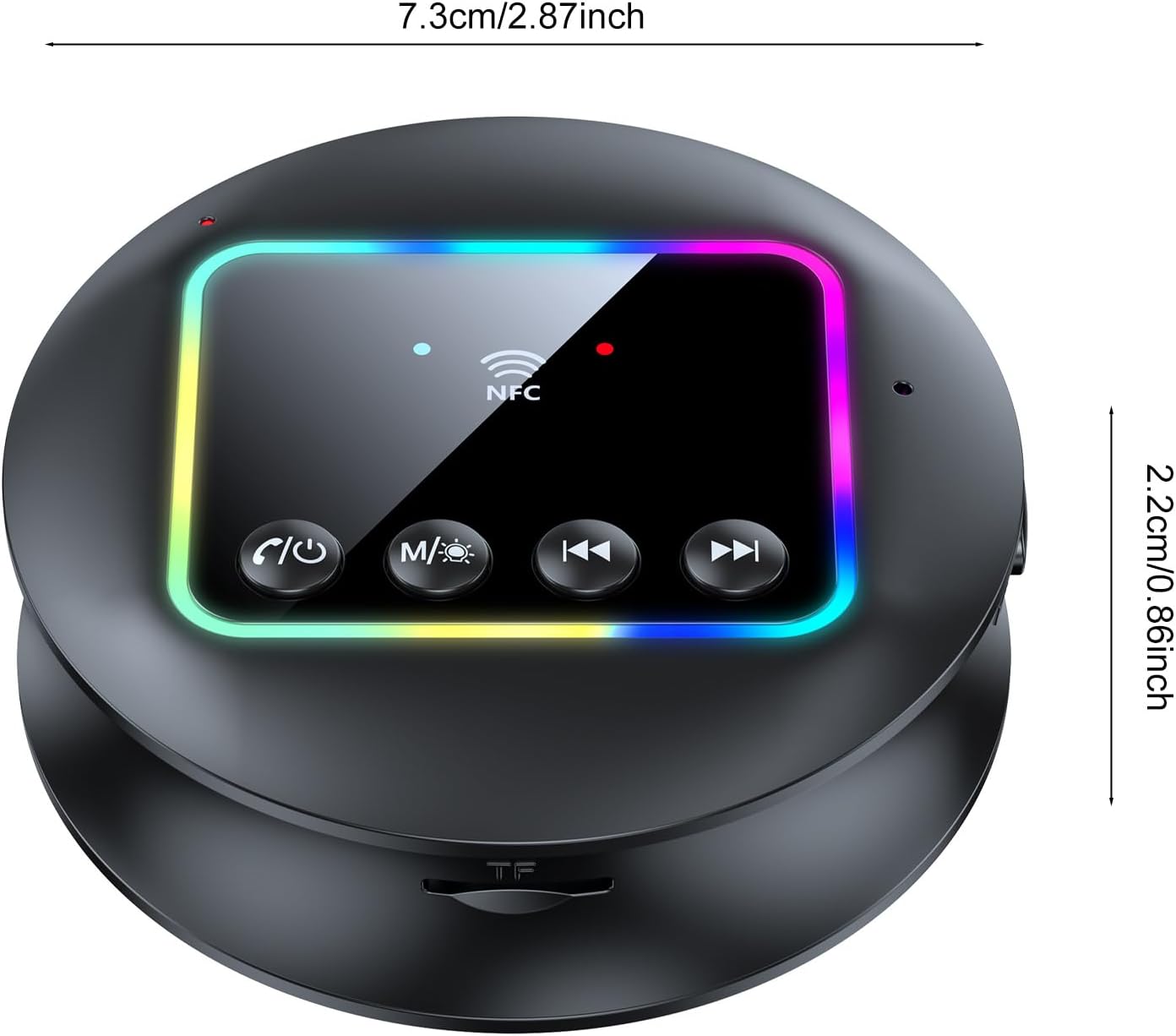
Immagine: dall'alto verso il basso view of the Docooler GT77 adapter, showing its compact dimensions of 7.3 cm diameter and 2.2 cm height.
Garanzia e supporto
Per informazioni sulla garanzia e assistenza tecnica, consultare la documentazione fornita con l'acquisto o contattare il rivenditore. Conservare la prova d'acquisto per eventuali reclami in garanzia.


