1. Introduzione
This manual provides detailed instructions for the safe and efficient use of your Beafon Fold10 LTE flip phone. Please read this manual thoroughly before operating the device and keep it for future reference. The Beafon Fold10 LTE is a 4G flip phone designed for ease of use, featuring large buttons, dual color displays, and an emergency call button.

Image: The Beafon Fold10 LTE flip phone shown on its charging cradle, with the phone open to display its keypad and internal screen. The 4G LTE logo is visible, indicating its network capability.

Image: The Beafon Fold10 LTE phone depicted with a graphical overlay of a 4G LTE network, emphasizing its advanced connectivity features.
2. Informazioni sulla sicurezza
Always follow basic safety precautions when using this product to reduce the risk of injury, fire, or electric shock. Keep the device away from water and high humidity. Do not attempt to disassemble or repair the device yourself. Use only approved accessories. Avoid exposing the device to extreme temperatures.
- Sicurezza della batteria: Use only the specified battery. Do not short-circuit, puncture, or expose the battery to fire or high temperatures.
- Protezione dell'udito: Per evitare danni all'udito, evitare l'ascolto prolungato a volumi elevati.
- Sicurezza di guida: Non usare il telefono mentre guidi. Dai sempre priorità alla sicurezza stradale.
- Dispositivi Medici: Maintain a safe distance between the phone and medical implants like pacemakers. Consult your physician and medical device manufacturer for specific guidelines.
3. Contenuto della confezione
Verificare che tutti gli articoli siano presenti nel pacco:
- Beafon Fold10 LTE Flip Phone
- Battery (1 P76 Lithium-ion)
- Base di ricarica
- USB A to USB Type C Cable
- Manuale dell'utente (questo documento)
4. Dispositivo suview
Familiarize yourself with the main components of your Beafon Fold10 LTE phone.

Immagine: Frontale view of the Beafon Fold10 LTE flip phone in its closed position, highlighting the external color display and the camera lens.

Immagine: Lato view of the Beafon Fold10 LTE flip phone, illustrating the location of the volume control buttons and the charging port.

Immagine: Indietro view of the Beafon Fold10 LTE flip phone, clearly showing the dedicated SOS emergency button.
Componenti chiave:
- External Color Display (1.44"): Shows time, date, battery status, and caller ID when closed.
- Internal Color Display (2.2"): Display principale per menu, chiamate e messaggi.
- tastiera: Large, backlit keys for easy dialing and navigation. Keys can announce numbers when pressed.
- Pulsante SOS: Located on the back for emergency calls to pre-programmed numbers.
- Telecamera: Per scattare foto.
- Torcia elettrica: Sorgente luminosa integrata.
- Porta di ricarica: USB Tipo C.
- Pulsanti del volume: Regola il volume delle chiamate e della suoneria.
5. Impostazione
5.1 Installazione della scheda SIM e della batteria
- Aprire la cover posteriore del telefono.
- Insert your SIM card(s) into the designated slot(s). Ensure the SIM card is correctly oriented.
- Inserire la batteria nel suo alloggiamento, allineando i contatti.
- Riposizionare il coperchio posteriore finché non scatta in posizione.
5.2 Carica iniziale
Prima del primo utilizzo, caricare completamente la batteria del telefono.
- Connect the USB cable to the charging cradle and a power adapter (not included) or a computer.
- Place the phone into the charging cradle. The charging indicator will illuminate.
- Allow the phone to charge until the battery icon shows full.
5.3 Accensione/Spegnimento
- Per accendere: Tenere premuto il pulsante di accensione/fine chiamata finché lo schermo non si illumina.
- Per spegnere: Press and hold the Power/End Call button, then confirm "Power Off" on the screen.
6. Funzionamento di base
6.1 Effettuare e ricevere chiamate
- Effettuare una chiamata:
- Apri il flip.
- Comporre il numero desiderato utilizzando la tastiera.
- Premere il pulsante verde di chiamata per avviare la chiamata.
- Press the Red End Call button to end the call.
- Ricevere una chiamata:
- When the phone rings, open the flip or press the Green Call button.
- Press the Red End Call button to end the call.
- Chiamate in vivavoce: The phone supports hands-free operation via Bluetooth or speakerphone.
6.2 Invio e ricezione di SMS
- Vai al menu "Messaggi".
- Select "New Message" to compose an SMS.
- Inserisci il numero del destinatario e il tuo messaggio.
- Selezionare "Invia".
- Incoming messages will be displayed on the screen and a light signal may activate.
6.3 Pulsante di emergenza SOS
The SOS button on the back of the phone allows for quick emergency calls.
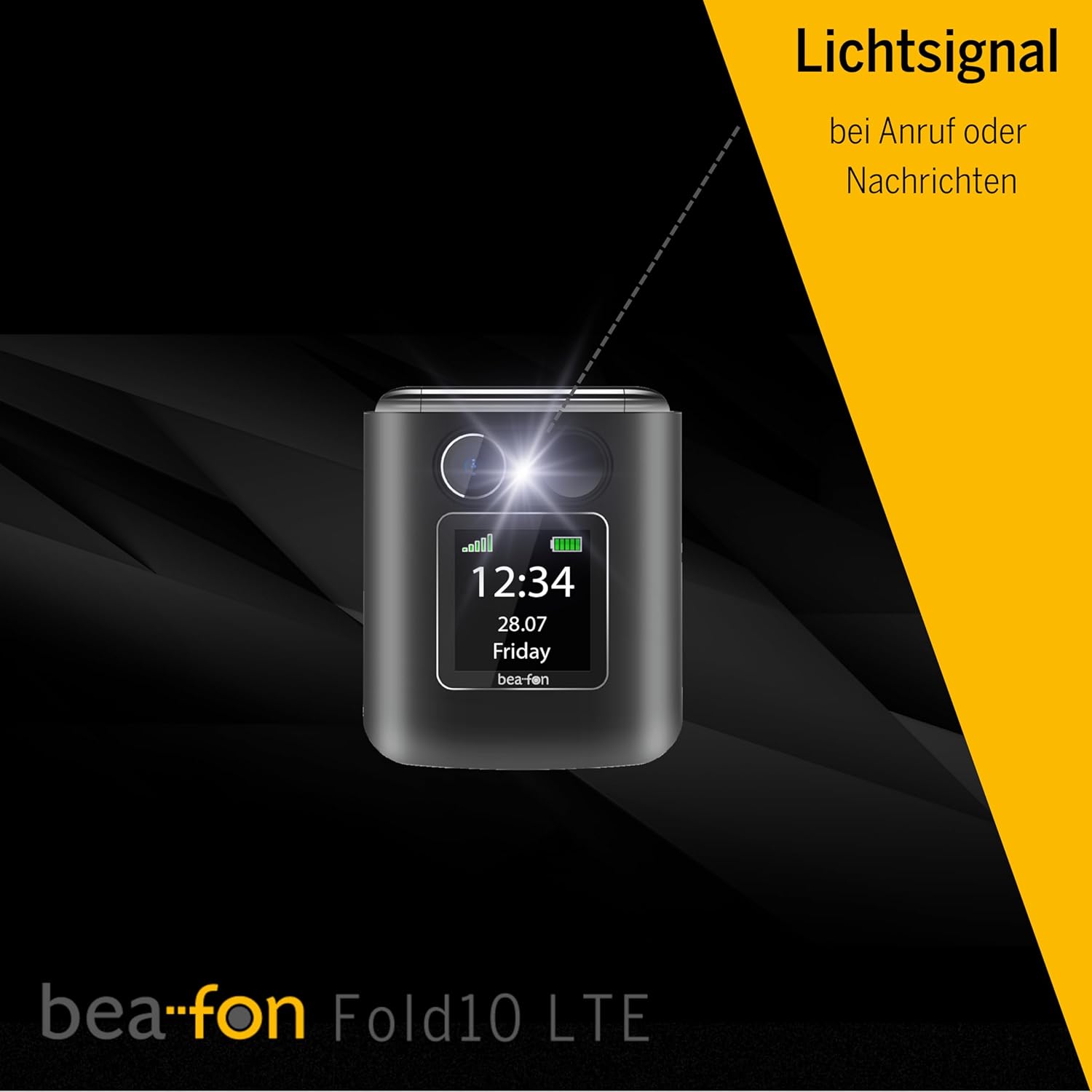
Image: A diagram illustrating the SOS button's function, showing its location on the phone's back and its connection to a network of up to five user-programmable emergency contacts.
- Programmazione dei numeri SOS: Access the SOS settings in the phone's menu to program up to 5 emergency contact numbers.
- Attivazione SOS: Press and hold the SOS button for a few seconds. The phone will automatically call the programmed numbers in sequence until an answer is received.
6.4 Contatti fotografici
Assign photos to your contacts for easy visual identification of callers.

Image: A visual representation of the phone's internal display during an incoming call, demonstrating the photo contact feature where a contact's picture is shown alongside their name.
- Navigate to "Contacts".
- Select a contact and choose "Edit".
- Select the option to add a photo from your gallery or take a new one.
6.5 Light Signal for Incoming Calls/Messages
The phone features a light signal that flashes to alert you of incoming calls or messages, providing a visual notification in addition to the ringtone.
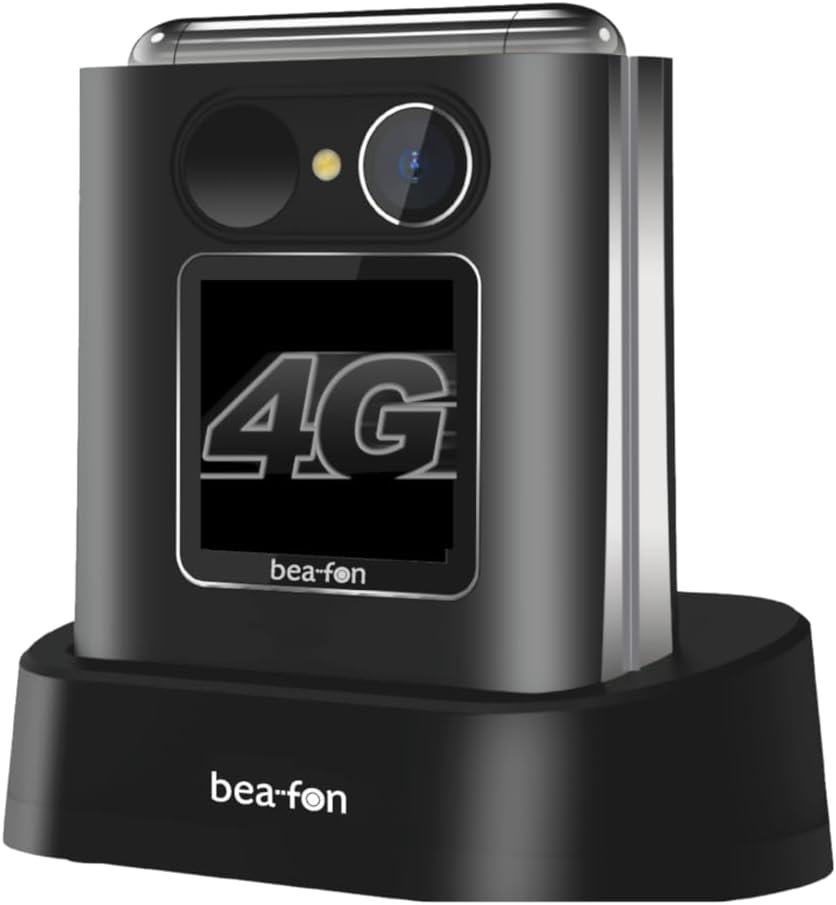
Image: The Beafon Fold10 LTE phone displaying a visible light signal on its external screen, indicating an incoming call or message.
6.6 Altre caratteristiche
- Telecamera: Per scattare foto, accedi alla fotocamera dal menu principale.
- Torcia elettrica: Activate the flashlight feature from the quick access menu or settings.
- Bluetooth: Pair with Bluetooth headsets or other devices for wireless connectivity.
7. Manutenzione
7.1 Pulizia del dispositivo
Utilizzare un panno morbido e asciutto per pulire la superficie del telefono. Non utilizzare detergenti liquidi o spray. Evitare che l'umidità penetri nelle aperture.
7.2 Cura della batteria
- Non lasciare la batteria completamente scarica per periodi prolungati.
- Evitare di sovraccaricare la batteria.
- If the phone will not be used for a long time, store it with a partially charged battery in a cool, dry place.
7.3 Conservazione
Store the phone in a cool, dry environment, away from direct sunlight and extreme temperatures.
8. Risoluzione Dei Problemi
| Problema | Possibile causa | Soluzione |
|---|---|---|
| Il telefono non si accende. | La batteria è scarica o non è inserita correttamente. | Caricare la batteria. Assicurarsi che la batteria sia installata correttamente. |
| Impossibile effettuare o ricevere chiamate. | No network signal, SIM card not inserted or activated. | Check network coverage. Ensure SIM card is correctly inserted and activated. Contact your service provider. |
| Scarsa qualità delle chiamate. | Segnale di rete debole, interferenza. | Spostatevi in una zona con un segnale migliore. Evitate le fonti di interferenza. |
| La batteria si scarica rapidamente. | High usage, background applications, old battery. | Ridurre la luminosità dello schermo, chiudere le applicazioni non utilizzate. Valutare la sostituzione della batteria se è vecchia. |
9. Specifiche
| Caratteristica | Dettaglio |
|---|---|
| Marca | Faro |
| Nome del modello | Fold10 LTE |
| Tipo di prodotto | Telefono a conchiglia |
| Sistema operativo | faro |
| Dimensioni dello schermo interno | 2.2 pollici |
| Dimensioni dello schermo esterno | 1.44 pollici |
| Connettività | 4G LTE |
| Tecnologia cellulare | 4G |
| Tecnologia di rete wireless | LTE |
| Caratteristiche speciali | Flip phone, SOS emergency call button, Photo contacts, Backlit keys, Extra loud ringtone, Flashlight, Bluetooth, Hands-free |
| Composizione della batteria | Agli ioni di litio |
| Colore | Nero/Argento |
| Componenti inclusi | Base di ricarica |
| Risoluzione fissa efficace | 0.3 MP (Fotocamera) |
| Dimensioni (circa) | 71 mm (altezza) x 63 mm (larghezza) x 22.4 mm (profondità) |
10. Garanzia e supporto
For warranty information and customer support, please refer to the warranty card included with your product or visit the official Beafon websito. Conservare la prova d'acquisto per eventuali reclami in garanzia.


