1. Introduzione
The Xigmatek Aqua V AIR is a high-performance mid-tower PC case designed for gaming enthusiasts. It features a spacious interior, optimized airflow, and tempered glass panels on the front and side to showcase your components. Equipped with seven 120mm ARGB fans, it supports graphics cards up to 410mm in length and is compatible with motherboards featuring hidden connectors for a clean build.
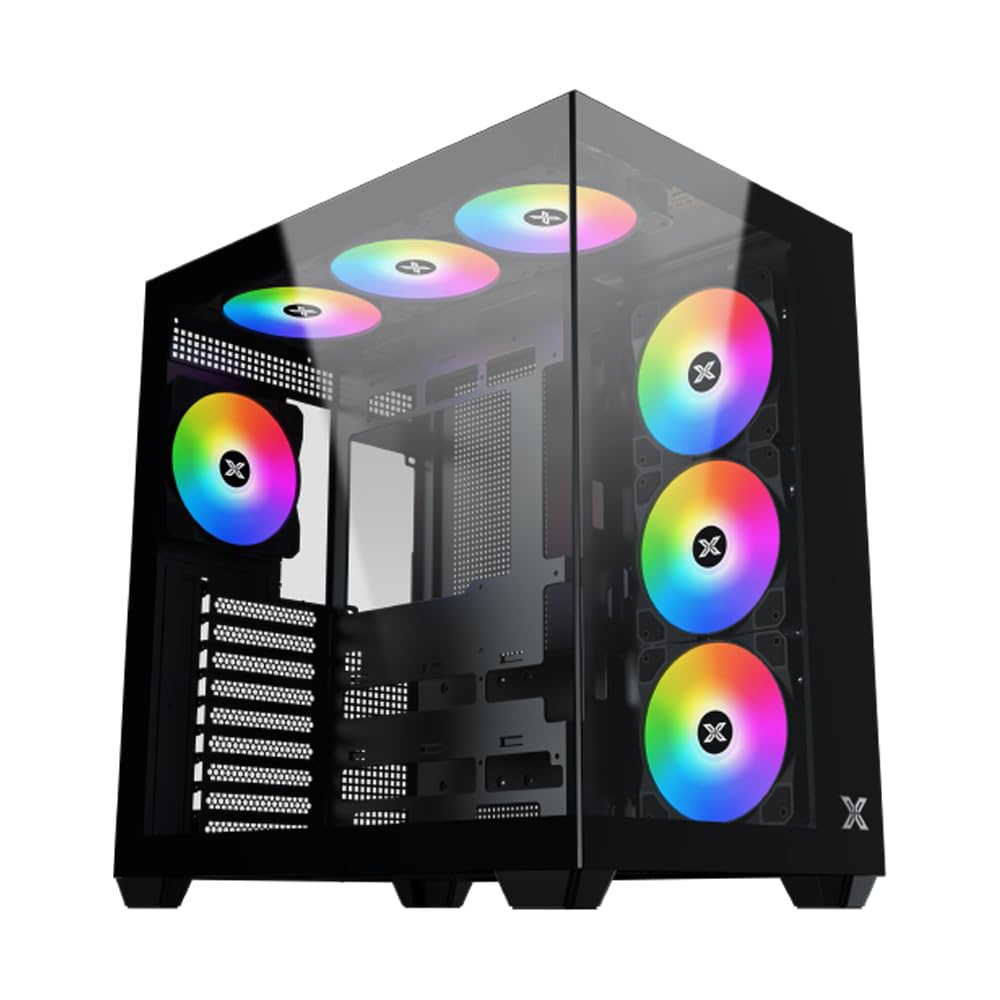
Figura 1: generale view of the Xigmatek Aqua V AIR PC Case.
2. Caratteristiche principali
- Materiale: Constructed from high-quality steel for durability and reliability.
- Dimensioni: 427 x 285 x 455 mm (L x W x H), offering a spacious interior.
- Sistema di raffreddamento: Supports up to three 120mm or two 140mm fans for optimal cooling performance.
- Supporto per radiatori: Compatible with 240/280/360mm radiators on the top, bottom, and rear for versatile cooling options.
- Pannello I/O: Features 2x USB 3.0 ports, 1x USB-C port, and HD audio for convenient connectivity.
- Compatibilità della scheda madre: Supports ATX, Micro ATX, and Mini ITX motherboards, including those with hidden connectors.
- Lunghezza GPU: Può ospitare schede grafiche lunghe fino a 410 mm.
- Supporto per l'archiviazione: Fornisce ample space for multiple storage drives.
3. Specifiche
| Caratteristica | Dettaglio |
|---|---|
| Marca | Xigmatek |
| Numero di modello | EN45820 |
| Serie | Aqua V AIR BLACK |
| Colore | Nero |
| Dimensioni (L x P x A) | Dimensioni: 42.7 x 28.5 x 45.5 cm |
| Peso del prodotto | 8.8 chilogrammi |
| Materiale | Acciaio legato, vetro temperato |
| Compatibilità della scheda madre | ATX, Micro ATX, Mini ITX |
| Tipo di caso | Torre media |
| Usi consigliati | Gaming, High-Performance Computing |
| Porte USB 3.0 | 2 |
| Porte USB-C | 1 |
| Metodo di raffreddamento | Water (Liquid Cooling Support) |
| Dimensioni della ventola | 120 Millimeters (Pre-installed ARGB fans) |
| Tipo di montaggio dell'alimentatore | Montaggio inferiore |
4. Configurazione e installazione
This section provides general guidance for installing components into your Xigmatek Aqua V AIR PC case. Always refer to the specific manuals for your motherboard, power supply, and other components for detailed instructions.
4.1 Preparazione del caso
- Unpack the PC case and remove all packaging materials.
- Carefully remove the tempered glass side panel(s) and front panel (if applicable) to access the interior. Store them safely to prevent damage.
- Identify the accessory box, which typically contains screws, cable ties, and other small parts.
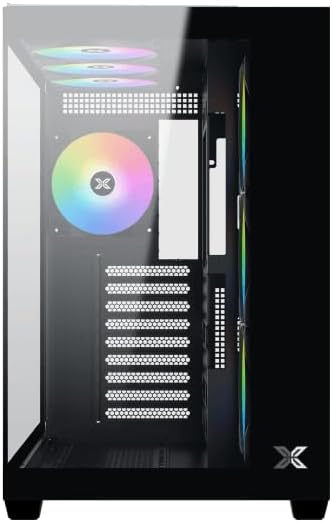
Figura 2: Interno view con pannello laterale rimosso.
4.2 Installazione della scheda madre
- Installare la schermatura I/O (se non preinstallata sulla scheda madre) nell'apertura posteriore del case.
- Align your ATX, Micro ATX, or Mini ITX motherboard with the standoffs inside the case. Ensure all standoffs match the screw holes on your motherboard.
- Secure the motherboard with the appropriate screws provided in the accessory kit.

Figure 3: Motherboard tray and cable management area.
4.3 Installazione dell'unità di alimentazione (PSU).
- Individuare l'area di montaggio dell'alimentatore nella parte inferiore posteriore del case.
- Slide your PSU into position, ensuring the fan faces downwards (if the case has a bottom vent) or upwards.
- Fissare l'alimentatore con le viti dalla parte posteriore del case.
4.4 Installazione dell'unità di archiviazione
The case supports various storage configurations. Refer to the case diagram for specific drive bay locations.
- Install 2.5" SSDs or 3.5" HDDs into the designated drive bays or mounting brackets.
- Fissare le unità con le viti.
4.5 Installazione della scheda grafica (GPU)
- Rimuovere le coperture degli slot PCIe necessari dalla parte posteriore del case.
- Inserire la scheda grafica nello slot PCIe appropriato sulla scheda madre.
- Fissare la scheda grafica con le viti.
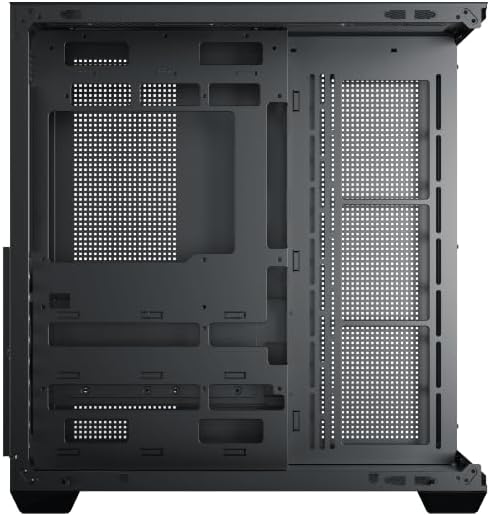
Figure 4: Components installed inside the case.
4.6 Gestione dei cavi
Utilizzare i ritagli per il passaggio dei cavi e i punti di fissaggio dietro il vassoio della scheda madre per gestire i cavi e migliorare il flusso d'aria e l'estetica.
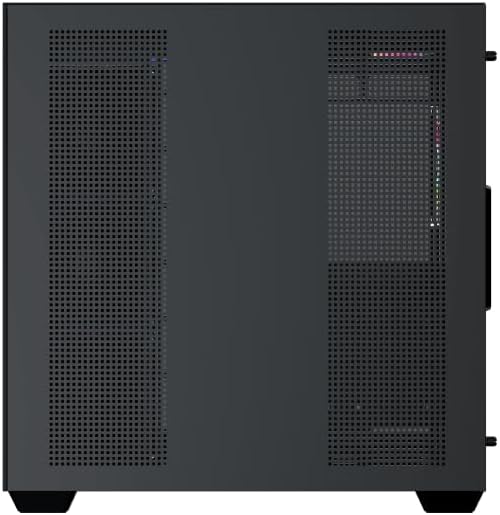
Figure 5: Top panel and I/O ports.
5. Istruzioni per l'uso
5.1 Accensione
Once all components are securely installed and connected, close the side panels. Connect your power cable to the PSU and press the power button on the case's front I/O panel.
5.2 Controllo della ventola ARGB
The Xigmatek Aqua V AIR comes with pre-installed ARGB fans. These fans can typically be controlled via:
- Software della scheda madre: If your motherboard supports ARGB synchronization, connect the fan's ARGB cables to the motherboard's 3-pin 5V ARGB header and use the motherboard's software (e.g., ASUS Aura Sync, MSI Mystic Light, Gigabyte RGB Fusion) to customize lighting effects.
- Controllore integrato: If your case includes a built-in ARGB controller, use the dedicated button on the I/O panel to cycle through various lighting modes and colors.
6. Manutenzione
Una manutenzione regolare aiuta a garantire prestazioni ottimali e longevità dei componenti del PC.
6.1 Pulizia del filtro antipolvere
The Xigmatek Aqua V AIR case is equipped with dust filters to prevent dust buildup. Locate and gently remove the dust filters (typically on the top, front, and bottom). Clean them with compressed air or by rinsing with water. Ensure they are completely dry before reattaching.
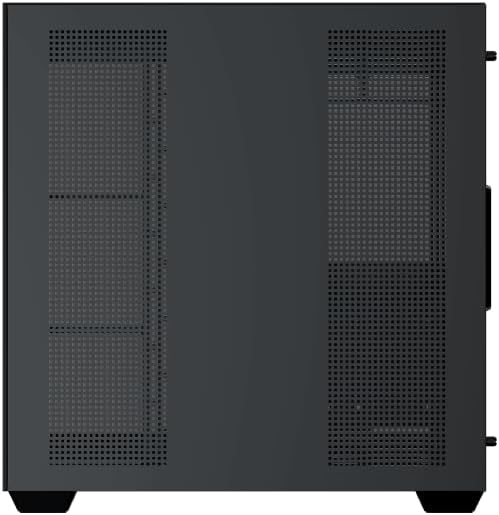
Figure 6: Bottom dust filter.
6.2 Pulizia generale
Use a soft, dry cloth to wipe down the exterior of the case. For tempered glass panels, use a glass cleaner and a microfiber cloth to avoid streaks. Avoid using abrasive cleaners or solvents.
7. Risoluzione Dei Problemi
In caso di problemi, prendere in considerazione i seguenti passaggi comuni per la risoluzione dei problemi:
- Nessun potere:
- Assicurarsi che l'alimentatore sia acceso e correttamente collegato alla presa a muro e alla scheda madre.
- Check all power connections to components (motherboard, CPU, GPU, drives).
- Verificare che il cavo dell'interruttore di alimentazione del pannello frontale sia collegato correttamente alla scheda madre.
- Le ventole non girano / RGB non funzionanti:
- Controllare che i cavi di alimentazione della ventola siano collegati saldamente alla scheda madre o al controller della ventola.
- Ensure ARGB cables are connected to the correct 3-pin 5V ARGB header (not 4-pin 12V RGB).
- If using a controller, ensure it has power and is functioning correctly.
- Surriscaldamento:
- Ensure all fans are spinning and oriented correctly for optimal airflow (intake/exhaust).
- Pulire i filtri antipolvere e i componenti interni.
- Verify CPU cooler and GPU cooler are properly seated and functioning.
8. Garanzia e supporto
The Xigmatek Aqua V AIR PC Case comes with a Garanzia del produttore di 2 anni. For technical support, warranty claims, or further assistance, please contact Xigmatek customer service or visit their official websito.
Si prega di conservare la prova d'acquisto ai fini della garanzia.


