1. Introduzione
Thank you for choosing the DEVAISE Electric Standing Desk. This manual provides essential information for the safe assembly, operation, and maintenance of your new desk. This 40x24 inch electric standing desk features a one-piece desktop, adjustable height functionality, and memory presets for personalized comfort. Please read this manual thoroughly before use and retain it for future reference.
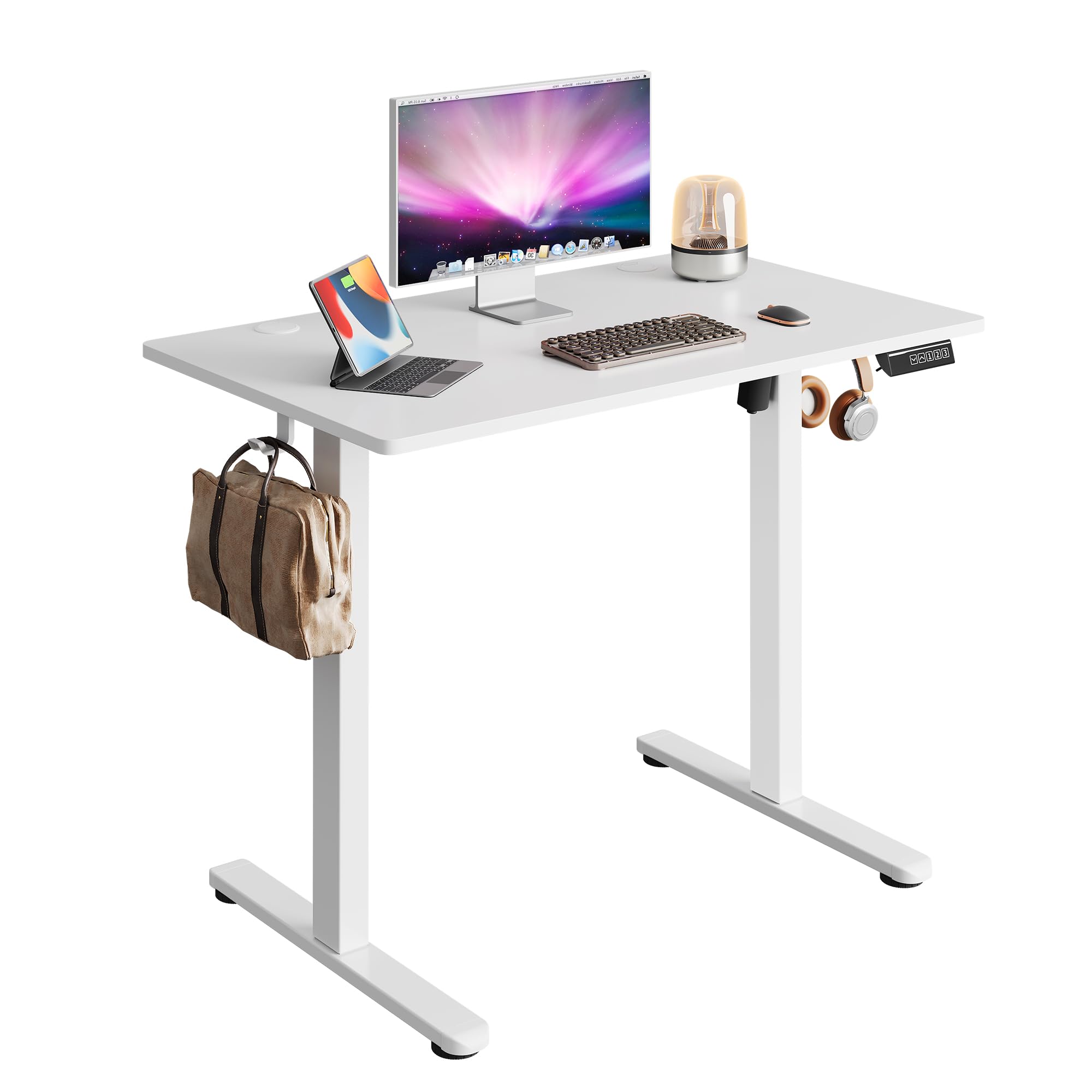
Image 1.1: The DEVAISE 40x24 Inch Electric Standing Desk in a typical home office environment.
2. Informazioni sulla sicurezza
- Do not exceed the weight limit of 180 lbs (81.6 kg).
- Assicurarsi che la scrivania sia posizionata su una superficie piana.
- Tenere bambini e animali domestici lontani dalla scrivania durante il funzionamento.
- Evitare di posizionare liquidi direttamente sul pannello di controllo o in prossimità di componenti elettrici.
- Do not attempt to disassemble or repair the motor or control system yourself. Contact customer service for assistance.
- Ensure there are no obstructions in the desk's path during height adjustment to prevent damage or injury. The desk is equipped with anti-collision sensors.

Image 2.1: Key safety and convenience features including the anti-collision system, cable holes, and storage hooks.
3. Contenuto della confezione
Prima del montaggio, verificare che tutti i componenti siano presenti e integri. Se qualche componente risulta mancante o danneggiato, contattare il servizio clienti.
- Desktop (One-piece)
- Gambe (2)
- piedi (2)
- Traversa/trave di supporto
- Scatola di controllo
- Pannello di controllo digitale
- Adattatore di alimentazione e cavo
- Gancio per cuffie
- Clip di gestione dei cavi
- Ferramenta di montaggio (viti, chiave a brugola)
- Manuale d'uso

Image 3.1: All components included in the package, pre-drilled and labeled for quick installation.
4. Istruzioni di montaggio
Assembly typically takes approximately 15 minutes. All holes are pre-drilled, and accessories are clearly labeled for ease of installation. It is recommended to assemble the desk with two people.
- Disimballare i componenti: Carefully remove all parts from the packaging and lay them out on a clean, soft surface to prevent scratches. Refer to the 'Package Contents' section to ensure all parts are present.
- Attaccare i piedi alle gambe: Secure the feet to the bottom of each leg using the provided screws and Allen wrench.
- Collegare le gambe alla traversa: Attach the two legs to the central crossbar. Ensure the motor and drive shaft are correctly aligned.
- Montare la scatola di controllo: Secure the control box to the designated area under the desktop.
- Allega Desktop: Carefully place the desktop upside down on a soft surface. Align the assembled leg frame with the pre-drilled holes on the desktop and secure it with screws.
- Installa il Pannello di controllo: Mount the digital control panel to the front edge of the desktop using the provided screws.
- Collegare i cavi: Connect the motor cable, control panel cable, and power adapter cable to the control box. Ensure all connections are secure.
- Fissare il gancio per le cuffie: Installare il gancio per le cuffie sul lato della scrivania, come desiderato.
- Gestione dei cavi: Use the provided cable clips to organize and secure cables under the desk.
- Accensione: Flip the desk upright, connect the power adapter to a wall outlet, and power on the desk.

Image 4.1: Visual guide to the quick installation process, highlighting pre-drilled holes and labeled parts.
5. Istruzioni per l'uso
5.1 Regolazione dell'altezza
The desk's height can be adjusted electrically from 28.35 inches (72 cm) to 46.46 inches (118 cm).
- Pulsante Su (▲): Tieni premuto per sollevare la scrivania.
- Pulsante Giù (▼): Tieni premuto per abbassare la scrivania.
- Release the button at your desired height. The LED display will show the current height.

Image 5.1: Illustration of the desk's adjustable height range from 28.35 inches to 46.45 inches.
5.2 Preimpostazioni di memoria
Il pannello di controllo consente di salvare fino a tre impostazioni di altezza preferite per regolazioni rapide.
- Imposta una posizione di memoria:
- Regolare la scrivania all'altezza desiderata utilizzando i pulsanti Su/Giù.
- Press the 'S' button (Set). The display will flash.
- Press one of the number buttons (1, 2, or 3) within 5 seconds to save the current height to that preset. The display will show 'S-' followed by the number to confirm.
- Richiama una posizione di memoria:
- Basta premere il pulsante numerico corrispondente (1, 2 o 3). La scrivania si sposterà automaticamente all'altezza salvata.

Image 5.2: The digital control panel featuring an LED display, up/down controls, and three memory preset buttons.
5.3 Dimostrazione video
Watch this video for a visual guide on operating the DEVAISE Electric Standing Desk, including height adjustments and memory preset functions.
Video 5.3: Official product video demonstrating the operation of the DEVAISE Electric Standing Desk.
6. Manutenzione
- Pulizia: Pulisci il tavolo e le gambe con un panno morbido eamp panno. Evitare prodotti chimici aggressivi o detergenti abrasivi.
- Ispezione: Controllare periodicamente tutte le viti e i collegamenti per assicurarsi che siano ben serrati. Serrare nuovamente se necessario.
- Gestione dei cavi: Assicurarsi che i cavi siano ben organizzati e non siano schiacciati o aggrovigliati, soprattutto durante le regolazioni dell'altezza.
7. Risoluzione Dei Problemi
| Problema | Possibile causa | Soluzione |
|---|---|---|
| La scrivania non si muove. | Power cable disconnected, control box cable loose, motor error. | Check all cable connections. Unplug and replug the power cable. If the issue persists, contact customer service. |
| La scrivania si muove in modo irregolare o produce rumori insoliti. | Overload, obstruction, loose components. | Reduce weight on the desk. Check for obstructions. Ensure all assembly screws are tight. |
| Codice di errore visualizzato (ad esempio, E01, E02). | Malfunzionamento del sistema, problema al sensore. | Unplug the desk for 10 minutes, then plug it back in. If the error persists, contact customer service. |
| Le preimpostazioni di memoria non funzionano. | I preset non sono stati salvati correttamente. | Re-save the memory positions following the instructions in Section 5.2. |
8. Specifiche
| Caratteristica | Dettaglio |
|---|---|
| Numero di modello | ASJZ029 |
| Dimensioni del desktop (P x L) | 23.62" x 39.35" (60 cm x 100 cm) |
| Intervallo di altezza regolabile | 28.35" - 46.46" (72 cm - 118 cm) |
| Capacità massima di peso | 180 libbre (81.6 kg) |
| Materiale del desktop | Legno ingegnerizzato |
| Materiale del telaio | Ferro |
| Tipo di motore | Dual-motor drive |
| Livello di rumore | <45 dB |
| Preset di memoria | 3 |
| Caratteristiche speciali | Anti-collision system, Cable holes, Headphone hook, One-piece desktop |
| Colore | Bianco |
| Peso dell'articolo | 36.85 libbre (16.7 kg) |

Image 8.1: Detailed product dimensions and maximum weight capacity of 180 lbs.

Image 8.2: Visual comparison highlighting the enhanced stability of the one-piece desktop design.
9. Garanzia e supporto
The DEVAISE Electric Standing Desk comes with a 1-year frame warranty. For any questions, concerns, or assistance with your product, please contact our 24/7 US-based customer service team. Please have your model number (ASJZ029) and purchase information ready when contacting support.
For further information or to explore other DEVAISE products, visit the official DEVAISE Store on Amazon.


