Introduzione
This manual provides essential information for setting up, operating, maintaining, and troubleshooting your HP V24 24-inch Full HD LED Backlit LCD Monitor. Designed for productivity and entertainment, this monitor offers a crisp 1920 x 1080 resolution, a 75Hz refresh rate, and AMD FreeSync technology for a smooth visual experience. It also features a Low Blue Light mode to enhance eye comfort during extended use.
Your HP V24 monitor is equipped with both HDMI and VGA ports for versatile connectivity. The anti-glare screen and adjustable tilt feature allow for personalized viewing comfort. This bundle includes two monitors, enabling an expanded multi-screen setup for enhanced workflow.
Impostare
1. Disimballaggio e montaggio
Carefully remove all components from the packaging. Ensure you have the monitor panel, stand base, stand neck, power cable, and video cables (HDMI/VGA).
Attach the stand neck to the monitor panel, then secure the stand base to the neck. Refer to the diagram below for visual guidance.
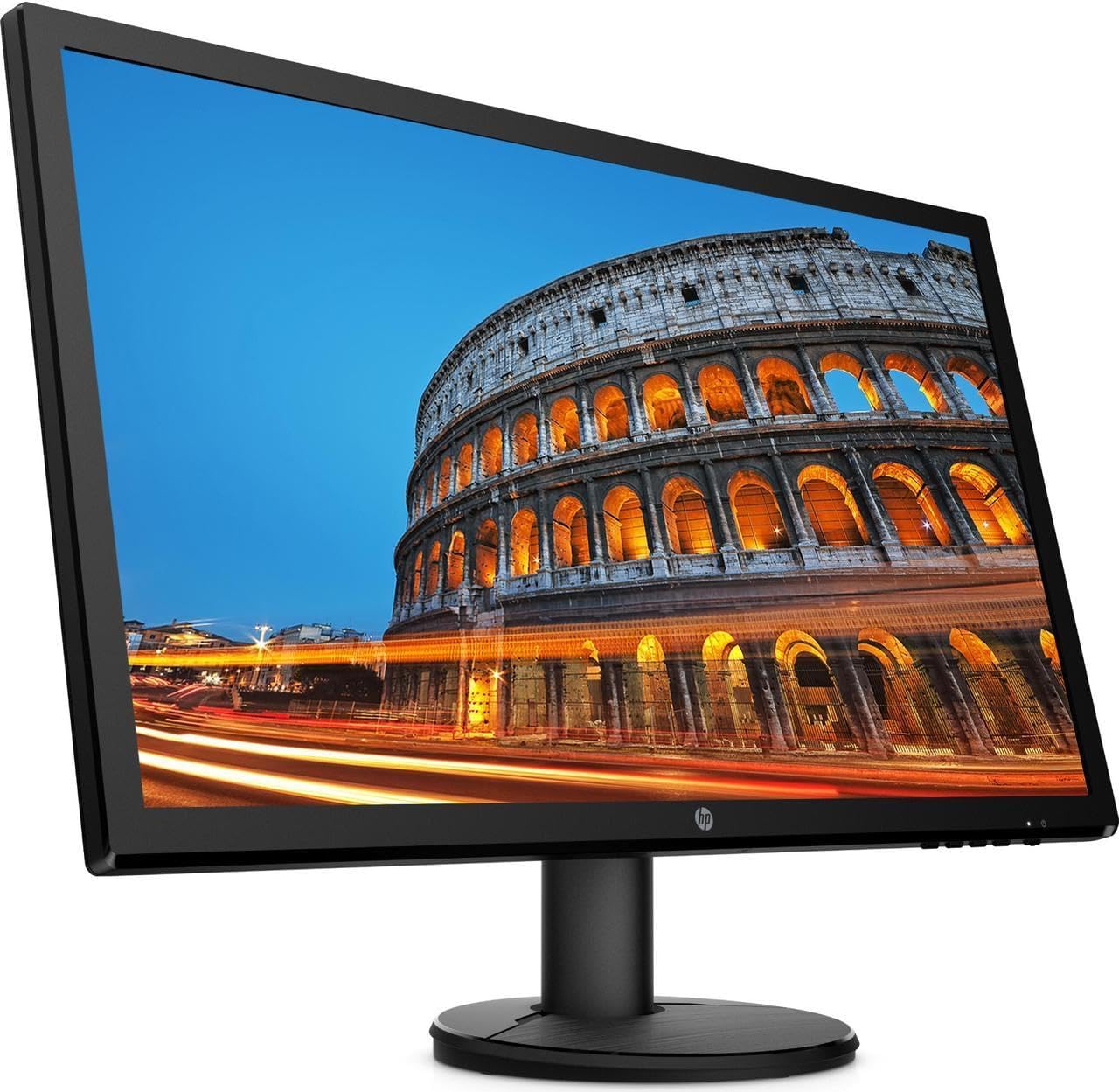
Immagine: Frontale view of the HP V24 monitor with its stand fully assembled, ready for connection.
2. Cavi di collegamento
Connect the power cable to the monitor's power input and then to a wall outlet. Choose either an HDMI or VGA cable to connect your computer to the monitor. For optimal performance and Full HD resolution, HDMI is recommended.
- Cavo di alimentazione: Connect to the monitor's power port and a power source.
- Cavo HDMI: Connect one end to the monitor's HDMI port and the other to your computer's HDMI output.
- Cavo VGA: Alternatively, connect one end to the monitor's VGA port and the other to your computer's VGA output.

Immagine: Pro lateralefile of the HP V24 monitor, illustrating its slim design and the location of the rear input ports.
3. Accensione iniziale
Press the power button on the monitor. Your computer should automatically detect the monitor. If not, you may need to adjust display settings in your operating system.
Istruzioni per l'uso
1. Accensione/spegnimento
The power button is located on the bottom right side of the monitor. Press it once to turn the monitor on or off.
2. Controlli OSD (On-Screen Display)
The OSD menu allows you to adjust various display settings. Buttons for OSD navigation are typically located on the bottom right bezel of the monitor.
- Pulsante Menu: Apre il menu OSD.
- Pulsanti di navigazione: Utilizzato per spostarsi tra le opzioni del menu.
- Pulsante Seleziona/OK: Conferma una selezione.
- Pulsante di uscita: Chiude il menu OSD o torna al livello precedente.
Le impostazioni OSD più comuni includono:
- Luminosità/Contrasto: Regola la luminosità complessiva e la differenza tra aree chiare e scure.
- Controllo del colore: Adjusts color temperature, RGB levels, and preset color modes.
- Controllo dell'input: Manually selects the input source (HDMI or VGA).
- Controllo dell'immagine: Adjusts sharpness, aspect ratio, and other image properties.
- Gestione: Accesses power-saving options, OSD timeout, and factory reset.
3. Modalità luce blu bassa
To reduce eye strain, especially during prolonged use, activate the Low Blue Light mode through the OSD menu. This feature shifts the display's color spectrum to warmer tones, minimizing blue light emissions.
4. AMD FreeSync
The HP V24 monitor supports AMD FreeSync technology, which synchronizes the monitor's refresh rate with your AMD graphics card's frame rate. This helps eliminate screen tearing and stuttering for a smoother gaming and video experience. Ensure FreeSync is enabled in your graphics card settings and on the monitor (if an option is available in the OSD).
5. Regolazione dell'inclinazione del monitor
You can adjust the tilt angle of the monitor to find your most comfortable viewing position. Gently hold the top and bottom edges of the monitor panel and tilt it forwards or backwards. Do not apply excessive force.

Immagine: Frontale view of the HP V24 monitor displaying a vibrant image, highlighting its visual clarity.
Manutenzione
Pulizia del monitor
To clean the monitor screen, first turn off the monitor and unplug the power cord. Use a soft, lint-free cloth lightly dampened with water or a non-abrasive screen cleaner. Do not spray cleaner directly onto the screen. For the monitor casing, utilizzare un panno morbido e asciutto.
- Evitare l'uso di prodotti chimici aggressivi, detergenti abrasivi o solventi.
- Non esercitare pressione sullo schermo durante la pulizia.
- Assicurarsi che il monitor sia completamente asciutto prima di ricollegarlo e accenderlo.
Risoluzione dei problemi
If you encounter issues with your HP V24 monitor, refer to the following common problems and solutions:
- Nessuna immagine sullo schermo:
- Assicurarsi che il cavo di alimentazione sia collegato saldamente sia al monitor sia alla presa di corrente.
- Verify that the video cable (HDMI/VGA) is firmly connected to both the monitor and your computer.
- Controllare che il monitor sia acceso (la spia di alimentazione dovrebbe essere accesa).
- Press the Input Control button on the OSD to ensure the correct input source is selected.
- Riavvia il computer.
- Image is Flickering or Unstable:
- Check the video cable connections. Try a different cable if possible.
- Assicurati che i driver della scheda grafica siano aggiornati.
- Regola la frequenza di aggiornamento nelle impostazioni dello schermo del tuo computer a 75 Hz.
- Disattivare temporaneamente AMD FreeSync per verificare se il problema persiste.
- I colori sembrano errati:
- Adjust color settings in the OSD menu (Color Control).
- Perform a factory reset through the OSD menu.
- Ensure the Low Blue Light mode is not causing unintended color shifts if you prefer standard colors.
- OSD Menu Does Not Appear:
- Assicurarsi che il monitor sia acceso.
- Press the Menu button firmly.
If these steps do not resolve the issue, please contact HP customer support.
Specifiche
| Caratteristica | Dettaglio |
|---|---|
| Numero di modello | CustomASIHL4516 |
| Dimensioni dello schermo | 24 inches (23.8-inch diagonal) |
| Tipo di pannello | TN (nematico ritorto) |
| Risoluzione | 1920 x 1080 (Full HD) |
| Proporzioni | 16:9 |
| Frequenza di aggiornamento | 75 Hz |
| Tempo di risposta | 1 ms (tipico) |
| Rapporto di contrasto | 1000:1 (tipico) |
| Connettività | 1 HDMI, 1 VGA |
| Caratteristiche dello schermo | Anti-glare, Low Blue Light Mode, LED Backlights, Tilt Adjustment, On-screen Controls |
| Potenza in ingresso | 100 - 240 VAC, 50/60 Hz |
| Dimensioni del prodotto (L x P x A) | 22.38 x 13.4 x 19 pollici (con supporto) |
| Produttore | HP |
Garanzia e supporto
Informazioni sulla garanzia
Your HP V24 monitor is covered by HP's standard limited warranty. Please refer to the warranty card included with your product or visit the official HP websito per termini e condizioni dettagliati. Conservare la prova d'acquisto per eventuali reclami in garanzia.
The return policy allows for returns within 30 days of purchase for refund or replacement, subject to seller terms.
Assistenza clienti
For technical assistance, troubleshooting beyond this manual, or warranty service, please contact HP customer support. You can find contact information and additional resources on the official HP support websito: